1
Detection Systems
Abacus User Guide
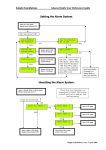
Setting the System
Ensure that the protected location is secure, detectors are not obstructed, people and pets have left the
protected area/s.
From the day mode:
Display shows typical display, if programmed
the time and date may be replaced by a
company name.
0712 03:46P
System Off
Enter either a main or master user code, The
main code may have been limited to specific
area(s) (see code programming chapter 3).
Enter the Main or Master User code (1234).
Hello XXXXXX
Set System?
If programmed X’s indicates user name or is
left blank.
Press the YES/ PART key.
Press the YES/PART key to start setting or
0/ESC key to abort.
Setting 123 ok!
Please leave…
Leave the protected area or press the NO key
to select the Area(s) required to set.
SET Area 1?
Workshops
Press YES/PART or NO key as required.
(NO)
SET Area 2?
Offices
Press YES/PART or NO key as required.
(NO)
Panel now starts the setting procedure for all 3
areas, sounds the exit sounder to advise you to
leave via the exit route. Enter user code to
abort setting.
If the NO key is not pressed, the system will
carry on setting all areas whilst you leave the
premises, the panel stops the sounder on
completion of setting procedure to inform you
that all is correct for you to leave.
On pressing the NO key, the setting routine is
stopped until the appropriate areas have been
selected or deselected by pressing the
YES/PART or NO keys as each area is
displayed.
Example shows not selecting setting of Area 1
and Area 2.
SET Area 3?
Stores
Press YES/PART or NO key as required.
(YES)
The area descriptions (workshops, offices and
stores) will be change to as programmed by the
engineer for your installation.
Example shows selecting of setting Area 3.
Setting 3 ok!
Please leave
Example shows Area 3 now setting.
Leave the protected area(s) lock the door and
press the Exit Terminate button (if fitted).
Ensure that the sounder stops before leaving
the location.
When the panel is set the display will indicate
that state i.e. A3 = Area 3 set. Also shown
below all 3 areas and cleaner area is Set.
0712 03:47P SET
Area 1 Clnr A2 /3
0712 03:47P SET
A3
The protected location/area(s) is/are now set.
Chapter 2. 4
www.PDF-Zoo.com