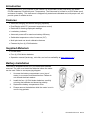
1
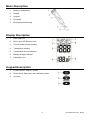
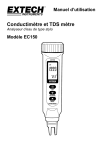
Meter Description
1.
Battery Compartment
2.
Display
3.
Keypad
4.
Electrode
5.
Electrode protective cap
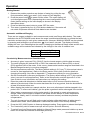
Display Description
1.
Data Hold icon
2.
Micro- and milli-Siemens units
3.
Primary measurement reading
4.
Temperature reading
5.
Temperature units of measure
6.
Battery strength indicator
7.
Calibration icon
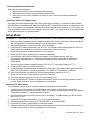
Keypad Description
1.
Power ON-OFF and SET button
2.
Down Arrow, Data Hold, and Calibration button
3.
Up arrow
3
EC100-EU-EN v2.2 06/13