1
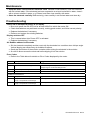
Maintenance Keep the meter’s measurement electrode clean. Between measurements, rinse the electrode with de-ionized water. If the electrode has been exposed to a solvent immiscible in water, clean it with a solvent miscible in water, e.g. Ethanol, and then rinse carefully with water. Store the electrode carefully. Before storing, rinse carefully in de-ionized water and store dry. Troubleshooting Power ON is attempted but there is no display Be sure to press the ON-OFF but for at least 100mS to switch the meter ON. Check that batteries are positioned correctly, making good contact, and follow correct polarity. Replace the batteries if necessary. Remove and replace the existing batteries. Display switches OFF This is normal when Auto Power OFF is activated. Replace the batteries if necessary. Air Bubbles adhered to Electrode Stir the electrode completely and be sure to dip the electrode into a solution at an oblique angle. Vertical dipping can cause many air bubbles to adhere. Gently tap the bottom of the solution container while stirring the electrode in the solution. Air can be blown across the electrode before dipping it into the solution. Error Codes Refer to the Table below for details on Error Codes displayed by the meter. Code Description Suggestions CONDUCTIVITY ERRORS ----- Measurement outside of range In Manual Range mode, press and hold the up arrow for 2 seconds to change range or use the Auto Range mode. E03 Conductivity is over-range Check with a standard buffer solution. If problem persists, repair meter. E04 Temperature error TEMPERATURE ERRORS E01 Temperature circuit damaged Repair meter. E02 Temperature value is below allowable range or Temperature circuit damage Check again at room temperature. If error persists, repair meter. E03 Temperature value is above allowable range or Temperature circuit damage Check again at room temperature. If error persists, repair meter. 8 EC100-EU-EN v2.2 06/13