1
PaperCut Payment Gateway Module - CBORD Quick Start Guide
This document is written assuming the reader has good server administration skills and is
experienced with general PaperCut administration.
3 End-User Overview
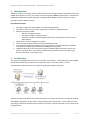
The system may be configured in one of three operating modes. The operating mode is configured
by the administrator.
Mode 1: Manual Transfer Mode
In this mode users instigate a payment/transfer manually direct from their desktop using the
PaperCut End-User Web interface. The interface and workflow will be based on the proven interface
used for other payment gateway interfaces including the popular PayPal and CyberSource systems
used by many organizations.
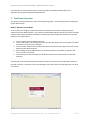
1. The user logs into the standard PaperCut.
2. A new “Add Credit” link existing on the left (The link will appear after the module is installed.
The name of the link can be changed).
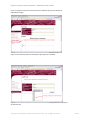
3. The user clicks “Add Credit” and select the amount to transfer (the range of amounts can be
defined by the administrators).
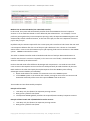
4. After clicking the form Submit button, the selected amount, if available, is placed in the
user’s account in real time.
5. The end-user can view and report on all details of their historic transactions via the web
interface.
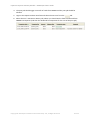
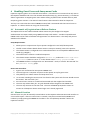
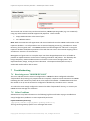
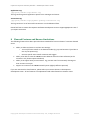
These screen-shots show the equivalent end-user screens currently live at an equivalent system at
Harvard University. Attributes such as visual design, link names, and instruction/help text can all be
customized.
Copyright © 2013 PaperCut Software International Pty. Ltd., All Rights Reserved
3 of 13