1
>>
Bios setup utility
3
You should be careful in BIOS change and it may cause malfunction or break-up in case you change it without full
comprehension.
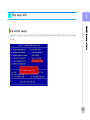
Set-up (DEL)
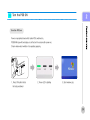
After pressing [power] button, when system starts, click [DEL] key or shown screen message Press [Del] to enter
SETUP after pressing [Del] key then system set up screen changed.
Key(s )
Function Description
F1
General help, only for Status Page Setup Menu and Option Page Se tup Menu
Esc
Return to the main menu from a submenu or prompts you to quit the setup program.
←, →
Move to the item in the left or right hand
↑, ↓
Move to previous or next item
Enter
Brings up a selection menu for the highlighted field.
+ or PgUp
Moves the cursor to the first field
- or PgDn
Moves the cursor to the last field
(Shift) F2 key
F5
F6, F7
F10
Change color from total 16 colors. F2 to select color forward, ( Shift) F2 to select color backward
Loads the previous values
Loads the fail-safe / optimized defaults
Saves changes and exits Setup
30