1
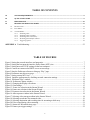
TABLE OF CONTENTS
1.0
SYSTEM REQUIREMENTS ........................................................................................................................................6
2.0
QUICK-START GUIDE ................................................................................................................................................6
2.1
PERFORMANCE.........................................................................................................................................................10
3.0
PROSTREAM OPERATING MODES ......................................................................................................................12
3.1
INITIALIZATION ...............................................................................................................................................................12
3.2
PLAY MODE .....................................................................................................................................................................12
3.3
CAPTURE MODE ...............................................................................................................................................................13
3.3.1
3.3.2
3.3.3
3.3.4
3.3.5
Streaming video ................................................................................................................................................16
Streaming video to memory ..............................................................................................................................19
Streaming video to disk array...........................................................................................................................20
Streaming from multiple cameras.....................................................................................................................21
Triggering options ............................................................................................................................................22
APPENDIX A Troubleshooting..........................................................................................................................23
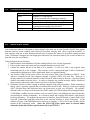
TABLE OF FIGURES
Figure 1 Setting the network interface card properties........................................................................................... 7
Figure 2 Setting the host network interface jumbo frame (MTU) size................................................................... 7
Figure 3 Setting network TCP/IP settings on the host computer............................................................................ 8
Figure 4 Camera not connected to DHCP server error message. ........................................................................... 8
Figure 5 Start the ProStream software to bring up “Play” page. ............................................................................ 9
Figure 6 ProStream auto-discovery page................................................................................................................ 9
Figure 7 Setting camera MTU size. ........................................................................................................................ 9
Figure 8 Optimize performance by disabling network connection settings. ....................................................... 11
Figure 9 ProStream 'Play" window...................................................................................................................... 12
Figure 10 ProStream Capture window................................................................................................................. 14
Figure 11 Changing the display refresh rate. ........................................................................................................ 15
Figure 12 Gain settings. ........................................................................................................................................ 15
Figure 13 Frame size selection in the Stream Wizard. ........................................................................................ 16
Figure 14 Frame rate selection in the Stream Wizard........................................................................................... 17
Figure 15 Exposure time selection in the Stream Wizard..................................................................................... 17
Figure 16 Auto-exposure window in the Stream Wizard. .................................................................................... 18
Figure 17 Selecting video storage medium in the Stream Wizard........................................................................ 18
Figure 18 Selecting record time for streamed video............................................................................................. 19
Figure 19 Selecting destination and recording time for streaming to disk array. ................................................. 20
Figure 20 Files created during video streaming.................................................................................................... 21
Figure 21 Stream-All Wizard advisory page. ....................................................................................................... 21
Figure 22 Frame-sync trigger settings. ................................................................................................................. 22
v