1
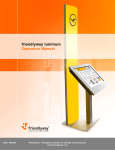
Manual friendlyway empire 19, version 1.02
CONTENTS
1. Introduction .............................................................................................................................................4
1.1. Description of the product .............................................................................................................4
1.2. On the structure and content of this manual .................................................................................4
2. Important information..............................................................................................................................5
2.1. Warnings, safety measures and ergonomics ................................................................................5
2.2. Information on care and upkeep ...................................................................................................6
2.3. Transportation ...............................................................................................................................6
3. Mounting and requirements for the surrounding area ............................................................................7
3.1. Requirements for the surrounding area ........................................................................................7
3.2. Mounting........................................................................................................................................7
4. Connecting the unit and placing it in service ..........................................................................................8
4.1. Connecting terminal to the power supply ......................................................................................8
4.2. Connecting to the network ............................................................................................................8
4.3. Placing the PC in operation...........................................................................................................8
5. Display settings ......................................................................................................................................9
5.1. OSD control buttons and their functions .......................................................................................9
5.2. OSD structure............................................................................................................................. 10
5.3. Functions on OSD Menu ............................................................................................................ 11
6. Touch screen calibrating and adjusting other touch settings .............................................................. 13
6.1. Calibrating the touch screen ...................................................................................................... 13
6.2. Adjusting other touch properties ................................................................................................ 15
7. Access to PC ....................................................................................................................................... 17
7.1. Rear cover demounting .............................................................................................................. 17
7.2. Computer removing .................................................................................................................... 17
8. Variants and accessories .................................................................................................................... 18
9. Technical specifications....................................................................................................................... 19
9.1. empire 19 slim ............................................................................................................................ 19
9.2. empire 19 large .......................................................................................................................... 20
10. Warranty ............................................................................................................................................ 21
11. Contact .............................................................................................................................................. 21
3