1
Chapter 6
Analog Input
the AI Read VI returns your acquired data. If your DAQ device is still busy
collecting data, you will have to sit idle until it finishes. On multithreaded
platforms like Windows, this limitation can be worked around by allocating
additional threads or by changing the preferred execution system of parts
of your application.
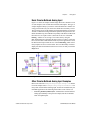
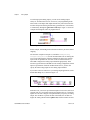
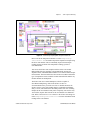
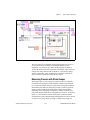
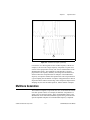
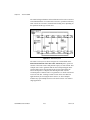
Another alternative is to use asynchronous acquisition. You can acquire
asynchronous continuous data from multiple channels using the same
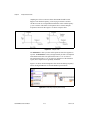
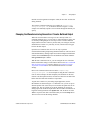
intermediate DAQ VIs by adding DAQ Occurrences. Refer to the Cont
Acq&Chart (Async Occurrence) VI in the examples\daq\
anlogin\anlogin.llb for an example of asynchronous acquisition.
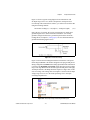
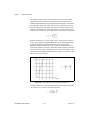
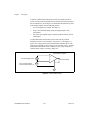
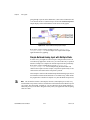
Notice that it is very similar to the example described previously, the
Acquire & Process N Scans VI.
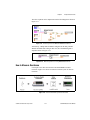
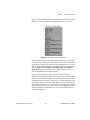
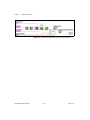
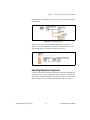
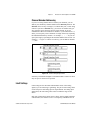
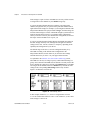
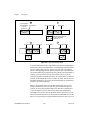
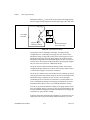
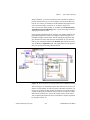
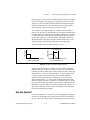
The difference is that this example uses the DAQ Occurrence Config VI
and the Wait on Occurrence function to control the reads. The first
DAQ Occurrence Config VI sets the DAQ Event. In this example the
DAQ Event is to set the occurrence every time a number of scans is
acquired equal to the value of general value A, where general value A is the
number of scans to read at a time. Inside the While Loop, the Wait on
Occurrence function sleeps in the background until the chosen DAQ Event
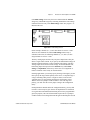
takes place. Notice that the timed out output from the Wait on Occurrence
function is wired to the selection terminal of the Case structure that
encloses the AI Read VI. This means that AI Read is not called until the
number of scans to read at a time have been acquired. The result is that
the While Loop is effectively put to sleep, because you do not try to read
the data until you know it has been acquired. This frees up the execution
thread to do other tasks while you are waiting for the DAQ Event. If the
DAQ Occurrence times out, the timed-out output value would be TRUE,
and AI Read would never be called. When your acquisition is complete,
DAQ Occurrence is called again to clear all occurrences.
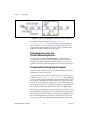
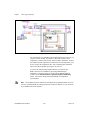
Circular-Buffered Analog Input Examples
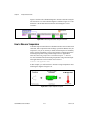
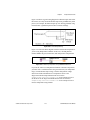
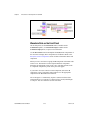
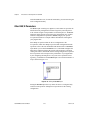
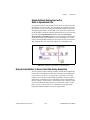
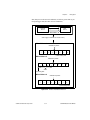
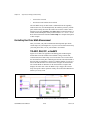
The only differences between the simple-buffered applications and
circular-buffered applications in the block diagram is the setting of the
number of scans to acquire input of the AI Start VI, and you must call the
AI Read VI repeatedly to retrieve your data. These changes can be applied
to many of the examples in the previous section on simple buffered analog
input. However, this section reviews the basic circular-buffered analog
input VI here and describes some other example VIs that are included with
LabVIEW.
LabVIEW Measurements Manual
6-28
www.ni.com