1
TABLE OF CONTENTS
Chapter 1 Introduction .................................................................................................................. 1-1
Overview of the Digital Picture Receiver.............................................................................................1-1
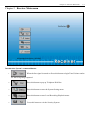
Chapter 2 Receiver Main menu................................................................................................ 2-1
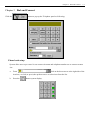
Chapter 3 Dial and Connect ....................................................................................................... 3-1
Phone book setup..............................................................................................................................................3-1
Use the phone book .........................................................................................................................................3-5
Scheduled Dial ...................................................................................................................................................3-6
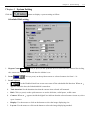
Chapter 4 System Setting ............................................................................................................. 4-1
Scheduled Dial setting ....................................................................................................................................4-1
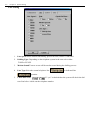
Line setting ..........................................................................................................................................................4-2
Comport setting ................................................................................................................................................4-3
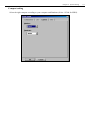
Other setting .......................................................................................................................................................4-4
Setting ISDN .......................................................................................................................................................4-5
Chapter 5 Viewing the Remote Site ....................................................................................... 5-1
Remote setting....................................................................................................................................................5-3
Setting camera properties......................................................................................................................................................... 5-3
Setting Alarm properties .......................................................................................................................................................... 5-7
Recording mode setting ........................................................................................................................................................... 5-9
Motion detection function...................................................................................................................................................... 5-10
4-zone motion detection setting ............................................................................................................................................. 5-12
Setting relay output properties (Optional : Depended on Transmitter site) ........................................................................... 5-13
Setting Backup system properties (Transmitter site with Tape) ............................................................................................ 5-14
Setting Backup system properties (Transmitter site with Hot Swap hard disk).................................................................... 5-15
Setting Transmission Connection properties ......................................................................................................................... 5-16
Sequencer function ................................................................................................................................................................ 5-17
Administration setting............................................................................................................................................................ 5-18
Camera Stable time ......................................................................................................................................................... 5-18
Change Password-Administrator ................................................................................................................................... 5-19
Change Password-System operator................................................................................................................................ 5-19
Change Password-operator............................................................................................................................................. 5-20
Change Password- Telephone-Connection .................................................................................................................... 5-20
Alarm Callback-Telephone ............................................................................................................................................. 5-21
Change Date/time............................................................................................................................................................. 5-22
Software Upgrade ............................................................................................................................................................ 5-22
Using the Setup function button .............................................................................................................5-23
Use the keyboard on screen .................................................................................................................................. 5-23
Chapter 6 Playback Remote Site Recording .................................................................... 6-1
Finding recorded image at a fix time .....................................................................................................6-1
Finding recorded image for a period of time .....................................................................................6-2
Using Batch Playback ....................................................................................................................................6-3