1
Racing Mode
Solo2
Regular autocross data is displayed
ProSolo
Disables align by start of log due to mirrored courses.
Allows for 2 sets of markers due to the dual courses.
This enables SoloStorm to record and display elevation GPS
data rather than just 2D data
Hill Climb
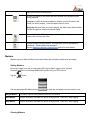
Disable Screen Lock
On/Off
This prevents your android device from automatically locking the
screen. Auto-screen lock would prevent SoloStorm from logging
data and this option is recommended.
Use Airplane Mode
On/Off
Disables Wi-Fi on your device to lengthen battery life. Bluetooth
remains on in this mode.
Voice Notifications
On/Off
Enables voice prompting for major actions such as Start Trigger
detected or Stop Trigger detected.
Logger Off on Startup
On/Off
Forces SoloStorm to start with the Logger disabled regardless of
last application state on exit.
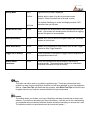
Sensor-based
Landscape
On/Off
If set to ON, SoloStorm will flip the display if the device is
mounted upside. The accelerometer needs to be calibrated in
this position otherwise will read incorrectly.
Help
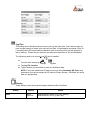
This option can either clear or re-enable in-application tips. These tips provide some basic
guidance on how to use the SoloStorm interface and will have appeared on your first application
start-up. Clear Tool Tips will disable the help prompts, while Reset Tool Tips will force the tips
to appear next time you enter the screens that have the tips incorporated.
License
This setting shows you whether your copy of SoloStorm has been licensed and to what e-mail
address. If you have not activated your copy of SoloStorm, it will ask you for the e-mail address
you presented when purchasing SoloStorm and the activation code that you received via e-mail.
The activation code is not case-sensitive but do include the hyphen “-”.
![SOLOSTORM USER GUIDE [VERSION 1.2]](http://vs1.manualzilla.com/store/data/005689152_1-d7af094c3c32ee16b7966cd6221b7607-150x150.png)