1
Running the Cheque/Check Writer Process
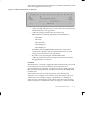
You run the Cheque/Check Writer process from the Submit Requests
window.
"
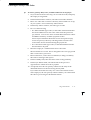
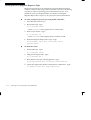
To run the Cheque/Check Writer process:
1.
In the Name field, select Cheque/Check Writer.
2.
In the Parameters window, select the name of a payroll or
consolidation set. When you select a payroll, the default
consolidation set is displayed.
3.
Enter the start and end dates for the process.
4.
Enter your cheques/checks payment method.
5.
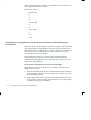
Enter the sort sequence for the cheques/checks This defaults to
Organization, then to Person.
6.
Enter your cheque/check style. If you enter Default, this selects
the sample cheque/check report, PAYRPCHQ.
7.
Enter the first cheque/check number of your cheque/check
sequence in the Start Cheque/Check field. If required, you can
enter the last cheque/check number in the End Cheque/Check
Number field.
8.
Choose the Submit button.
Payroll Runs and Processes
1 – 35