1
USING THE MENU
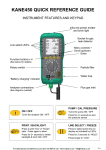
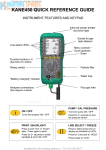
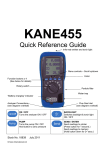
Select “Menu” on the rotary switch and navigate using the function buttons…
U
= Scroll up
V
= Scroll down
= Enter
MAIN MENU
SUB MENU
OPTIONS / COMMENTS
SETUP
SET FUEL
NAT GAS, L OIL, PROPANE, BUTANE, LPG, PELLETS
NÅCÆG
PRESSURE
STORE
SERVICE
N = nett eff, G = gross eff, C = for condensing boilers
SET TIME
Uses “Military” time. 7am = 07:00, 7pm = 19:00
SET DATE
North American users, select MM-DD-YY then set the
date
CÅÆF
°C, °F
PPM Å Æ MG
PPM, MG/M3
O2 REF
NO, YES
LANGUAGE
Various languages
SMOOTH
OFF = fast response. ON = slow response.
RESOLVE
HIGH, LOW, selects the number of decimal places
PS UNITS
InH2O, mmH2O, Pa, kPa, PSI, mmHg, hPa, mBar
VIEW
View logged readings
AUTO STO
See DWYER 1207A REPORTS page
DEL ALL
NO, YES
REPORT
SCREEN
Select the combustion efficiency calculation required ~
See DWYER 1207A REPORTS page
CONTRAST
Factory setting is 04
AUX
Normally set to display the current fuel type
HEADER
Sets printout header, 2 lines, 20 characters per line
CODE
Leave set at “0000”
To EXIT the MENU at any time simply move the rotary switch to any position
other than “Menu”. Any changes that have not been “entered” will be ignored.