1
2.3 aprof setup
There is no actual installation procedure; the user should just unzip the aprof-[lin|win]-yymmdd.tar.bz2
binary release archive to a local directory. Usual choices include C:/cygwin/home/user
for Windows (no Cygwin) users and /home/user for Windows Cygwin/Linux users
where user is the name of the current user.
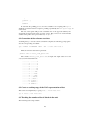
Then, change directory to /home/user/aprof. On Cygwin for instance, type:
$ cd /home/user/aprof
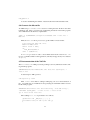
Set up the APROFTOP environmental variable:
$ source env.sh
The location of the garbage collector is adjusted accordingly in the corresponding
makefiles.
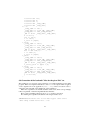
You may add the /aprof/bin directory to your path:
$ export PATH=$APROFTOP/bin:$PATH
2.4. Building from sources
This subsection is relevant only to the source releases of aprof (aprof-src-yymmdd.tar.bz2).
To build aprof from sources the following are required:
A) For Linux users:
∙ A typical Linux installation (bash, make, gawk)
∙ The TXL compiler from http://www.txl.ca (e.g. version 10.6)
∙ In case you want to use your system’s gc, change GCPATH in /src/Makefile.linux
accordingly. Then run the build script from the top-level subdirectory:
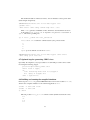
$ cd /home/user/aprof
$ ./build-lin.sh
∙ If you want to recompile gc, use the build-a.sh script. The script should be
changed accordingly (comment and uncommented certain lines) for selecting either gc6.8 or gc-7.2alpha6 or for enabling a Windows Cygwin or a Linux
build.
$ ./build-lin-a.sh
B) For Windows users:
∙ Windows XP SP2 or older (untested on newer systems).
∙ Cygwin environment (bash, make, gawk). Cygwin can be installed via an automated web installer (setup.exe) from http://sources.redhat.com/cygwin/
∙ TXL installation for Cygwin.
3