1
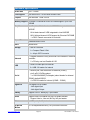
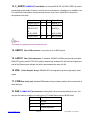
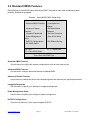
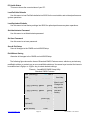
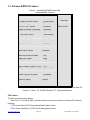
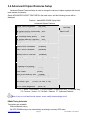
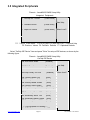
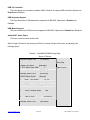
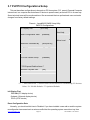
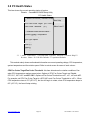
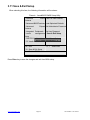
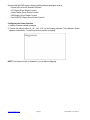
On-Chip Serial ATA
X SATA Port Speed Setting
[Auto]
[Disabled]
X PATA IDE mode
[Secondary]
SATA Port
[P0,P2 is Primary]
??? ? :Move Enter:Select +/-/PU/PD:Value F10:Save ESC:Exit F1:General Help F5:
Previous Values F6: Fail-Safe Defaults F7: Optimized Defaults
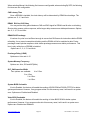
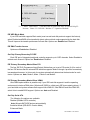
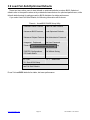
IDE HDD Block Mode
If your IDE hard disk supports Block mode (most current hard disk products support the feature),
select Enabled and BIOS will automatically detect optimum block mode supported by the hard disk.
This will improve the transfer performance of hard disk. Options are: Enabled and Disabled.
IDE DMA Transfer Access
Options are: Enabled and Disabled.
On-Chip Primary/Secondary PCI IDE
Each IDE port of integrated peripheral controller supports up to 2 IDE channels. Select Enabled to
activate each channel. Options are: Enabled and Disabled.
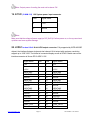
IDE Primary /Secondary Master/Slave PIO
The four IDE PIO (Programmed Input/Output) fields allow you to set a PIO mode (0-4) for each of
the four IDE devices that the onboard IDE interface supports. Mode 0 through 4 provides successively
increased performance. In Auto mode, the system automatically determines the best mode for each
device. Options are: Auto , Mode 0, Mode 1, Mode 3 and Mode 4.
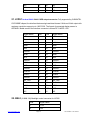
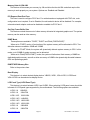
IDE Primary /Secondary Master/Slave UDMA
Ultra DMA implementation is possible only if your IDE hard disk supports it and the operating
environment includes a DMA driver (Windows 95 OSR2 or a third-party IDE bus mastering driver). If
your hard disk and system software both support Ultra DMA/33, Ultra DMA/66 and Ultra DMA/100,
select Auto to enable BIOS support. Options are: Auto and Disabled.
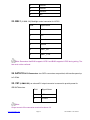
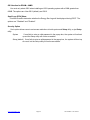
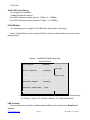
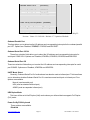
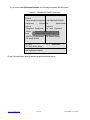
On-Chip Serial ATA
The following five options are available:
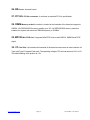
Disabled (Disable SATA controller)
Auto (Allocate SATA/IDE devices automatically)
Combined Mode (IDE+SATA Combo Mode)
Enhanced Mode
www.ivcdisplays.com
Page 48
NP-8XXXA Users G uide