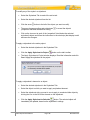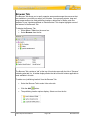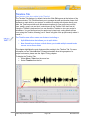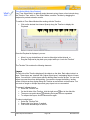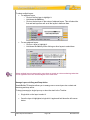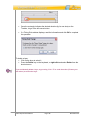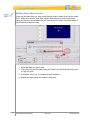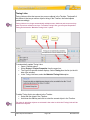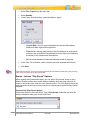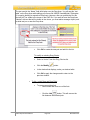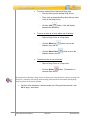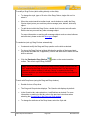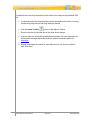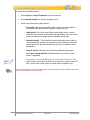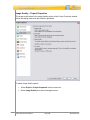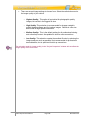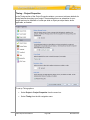
1
User Manual
Proprietary Rights
© 2011 Qarbon.com, Inc. All rights reserved • 112011
The information contained in this manual is subject to change at any time and without prior notice.
No part of this manual may be reproduced or transmitted in any form or by any means for any
purpose without prior written permission of Qarbon.
Qarbon assumes no responsibility for errors or omissions or inadvertent damages that may result
from the use of the content in this manual or from the use of any applications, programs or source
code associated with it.
The trademarks, logos, and service marks ("Marks") are the property of Qarbon.com, Inc. or other
third parties. You are not permitted to use the Marks without the prior written consent of
Qarbon.com, Inc. or such third party that may own the Marks. Qarbon, Qarbon.com, Inc. and the
Qarbon.com, Inc. logo, Viewlet, ViewletBuilder, ViewletACE, ViewletQuiz, ViewletCam,
ViewletPoll, and ViewletCentral are trademarks of Qarbon.com, Inc. Incorporated. All other
product and company names and logos are trademarks or registered trademarks of their
respective holders.
For more information about these Proprietary Rights and other legal matters with regards to
Qarbon products, services and related electronic assets and documentation, please visit our web
site at:
www.qarbon.com/about_us/legal/
Published by:
Qarbon.com, Inc.
www.Qarbon.com
Contents
(Page 1)
Overview ........................................................................................................................... 1
New and Enhanced Features............................................................................................ 2
Tech Specs ....................................................................................................................... 3
Download and Installation ................................................................................................. 4
License Activation and Deactivation ................................................................................. 5
GUI (Graphical User Interface) Overview ......................................................................... 6
Program Preferences ...................................................................................................... 10
Creating a New Project Basics........................................................................................ 23
Screen Capture Project................................................................................................... 30
Video Capture Mode ....................................................................................................... 54
Smart Capture vs. Manual Capture................................................................................. 58
Image Project .................................................................................................................. 65
PowerPoint Project.......................................................................................................... 72
Quiz Project..................................................................................................................... 78
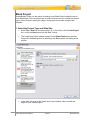
Blank Project ................................................................................................................... 87
Saving a Project .............................................................................................................. 89
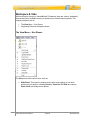
Workspace & Tabs.......................................................................................................... 92
Slide Editing Area and Zoom Tools................................................................................. 98
Project Tab.................................................................................................................... 100
Stylesheets Tab ............................................................................................................ 103
Browser Tab.................................................................................................................. 130
Timeline Tab ................................................................................................................. 133
Object Timing ................................................................................................................ 145
Video Slide Editing ........................................................................................................ 150
Slide Notes Tab............................................................................................................. 152
Output Tab .................................................................................................................... 154
Problems Tab................................................................................................................ 157
Working with Colors ...................................................................................................... 158
Cursor Management ..................................................................................................... 166
Messages...................................................................................................................... 174
Format Painter .............................................................................................................. 188
Dictionary, Spell Check, Search and Replace .............................................................. 189
Working with Slides....................................................................................................... 194
Master Slide .................................................................................................................. 208
Slide Transitions............................................................................................................ 211
Zoom Zone.................................................................................................................... 213
Highlight Tools .............................................................................................................. 215
Sound............................................................................................................................ 221
Images .......................................................................................................................... 228
Background Frames ...................................................................................................... 233
Contents
(Page 2)
Shadow Effect ............................................................................................................... 245
Shapes .......................................................................................................................... 247
Lines & Arrows .............................................................................................................. 253
Rotate Tool.................................................................................................................... 258
Grouped Objects Alignment, Distribution and Sizing .................................................... 259
Events and Actions Overview ....................................................................................... 263
Macros .......................................................................................................................... 268
Buttons .......................................................................................................................... 271
Hyperlinks ..................................................................................................................... 275
Interactive Zones – Common Features ......................................................................... 277
Click Zone ..................................................................................................................... 282
Text Zone ...................................................................................................................... 285
Keystroke Zone ............................................................................................................. 288
Pause Zone................................................................................................................... 291
Question........................................................................................................................ 294
Drag and Drop & Click Map Question Types ................................................................ 307
Resize Project ............................................................................................................... 333
Crop Project .................................................................................................................. 337
Insert Movie................................................................................................................... 340
Page Layout .................................................................................................................. 345
Printing .......................................................................................................................... 350
Export and Import Options ............................................................................................ 351
Project Properties.......................................................................................................... 358
Previewing a Viewlet ..................................................................................................... 386
Publishing Wizard ......................................................................................................... 388
Publishing Viewlets to Your Web Server – The Basics ................................................. 409
ViewletCentral – General Information ........................................................................... 410
Viewlet Central Self-Hosted Server............................................................................... 411
Support and Self-Help Options ..................................................................................... 412
Webinars, Workshops, Private Coaching & Informal Q&A… ........................................ 413
Sales and General Customer Service ........................................................................... 414
Qarbon User Forum ...................................................................................................... 415
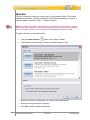
Overview
ViewletBuilder7 Enterprise is the culmination of decades of Viewlet technology evolution
and combines the all the powerful features of ViewletBuilder7 Professional with the
dynamic assessment tools in ViewletQuiz4—with even a few extras thrown in.
Regardless of your technical or creative ability, ViewletBuilder7 Enterprise makes it easy
to create polished, compelling demonstrations, simulations and assessments in a short
amount of time. It is really no wonder ViewletBuilder is a standard content creation tool
in corporations, governmental institutions and academic organizations world-wide.
This user manual provides an overview of ViewletBuilder7 Enterprise’s features to help
you create simple, intermediate and advanced Flash Viewlets. Additional FREE self-help
and purchased training options are available online at www.qarbon.com.
Let get started. Happy Viewleting!
VB7 Enterprise User Manual
Page 1
November 2011
New and Enhanced Features
ViewletBuilder7 Enterprise introduces many new and enhanced features too numerous
to mention in one short list. So, as you go through this user manual, make sure to check
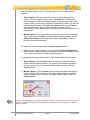
the left margin for the “What’s new…” icon to quickly learn about these new and
enhanced features.
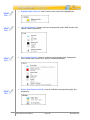
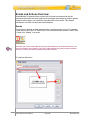
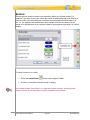
Quickly find information on new and enhanced features.
As an added bonus, be on the lookout (also along the left margin) for the “Tip” icon to
gain some valuable information while working with ViewletBuilder7 Enterprise.
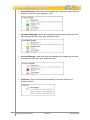
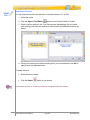
Learn valuable tips from Qarbon’s Dev Staff and the Viewlet
Design Team.
If you have any questions on what’s covered in this user guide or on Qarbon’s
products/services in general, please visit us at www.qarbon.com for more information
and current contact options.
VB7 Enterprise User Manual
Page 2
November 2011
Tech Specs
You can find the current suggested system requirements for ViewletBuilder7 Enterprise
online at http://www.qarbon.com/presentation-software/viewletbuilder/specs.php. On the
“Tech Specs” page, select your operating system to review the related technical
information.
VB7 Enterprise User Manual
Page 3
November 2011
Download and Installation
To download ViewletBuilder7 Enterprise, go to the Qarbon home page at
www.qarbon.com. Click the “Downloads” link. On the “downloads” page, select
ViewletBuilder7 Enterprise as the product you want to download. Follow the instructions
on the rest of the web pages that display to download the installation file.
Remember the file name and folder location of the installation file so you can find it when
you are ready to install ViewletBuilder7 Enterprise.
After downloading the installation file, close the browser window. Then, locate and
double click the installation file to launch the installation wizard. Follow the prompts in
the installation wizard’s windows to install ViewletBuilder7 Enterprise.
If the Installation Wizard detects a prior installation of the software, it will prompt you to
either update the existing installation or install in a new directory.
On the last screen of the installation, click Finish to complete the installation.
VB7 Enterprise User Manual
Page 4
November 2011
License Activation and Deactivation
You must purchase a license to activate ViewletBuilder7 Enterprise. To purchase a
license online, go to www.qarbon.com and click the “Store” link and select a pricing
option. Or, you can contact the Qarbon Sales Team ([email protected]) for current
pricing and related purchasing information.
Once you purchase a license, you will receive a confirmation email with your license and
purchase information. Keep this email for your records.
License Activation
To activate ViewletBuilder7 Enterprise:
Make sure your computer is connected to the Internet.
Open the ViewletBuilder7 Enterprise program.
Select Help > License Activation from the menu bar.
Follow the instructions in the screens that display to complete the registration
process.
For best results, copy the license number directly from your email and paste it in the
required field when registering ViewletBuilder7 Enterprise.
To check license information:
Make sure your computer is connected to the Internet.
Open the ViewletBuilder7 Enterprise program.
Select Help > About ViewletBuilder7… from the menu bar.
Review the information in the About ViewletBuilder7 Enterprise screen that
displays.
Click Close to exit.
License Deactivation
There may be times when you will need to use your license on a different computer. The
process is simple.
To deactivate your ViewletBuilder7 Enterprise license:
Make sure your computer is connected to the Internet.
Open the ViewletBuilder7 Enterprise program.
Select Help > License Deactivation from the menu bar.
Follow the instructions in the screens that display to complete the deactivation
process. Once the license is deactivated, it can be activated on a different
computer.
If you do not have Internet access or encounter firewall issues, start the
activation/deactivation wizard and click on the “Web Activation...” button. Web Activation
will allow you to activate or deactivate via a web browser on the current computer or any
other computer that is connected to the Internet.
VB7 Enterprise User Manual
Page 5
November 2011
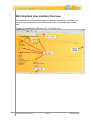
GUI (Graphical User Interface) Overview
This chapter provides some quick snapshots of what the Graphical User Interface looks
like so that you can familiarize yourself with it and be more comfortable right from the
start.
Example of ViewletBuilder7 Enterprise GUI – No Project Open
VB7 Enterprise User Manual
Page 6
November 2011
Example of ViewletBuilder7 GUI – Project Open
Interface Features and Tools
The ViewletBuilder7 Enterprise GUI includes:
Enhanced Start Page: The Start Page is updated and quadrants removed for
quicker access to various, which include:
o
Actions: Quickly access new project types, open existing projects, check
for software update, and manage license activation/deactivation.
o
Recent Files: One-click access to recent projects previously opened in
ViewletBuilder7 Enterprise.
o
Help: Access self-help and additional training resources.
o
Publishing History (New features added!): Enhancements include
access to ALL Viewlets publishing history no matter where the Viewlets
are published. This includes access to local, FTP, ViewletCentral and
even YouTube.
o
News: View the latest news from Qarbon. Join our social networks.
There's even a link to chat online with us.
VB7 Enterprise User Manual
Page 7
November 2011
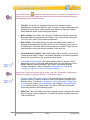
If you see this button
anywhere in the software, use it to “Refresh” its related tool. For
example, you can click this “Refresh” button to refresh the dynamic News area and also
the Publishing History of the Start Page.
Title Bar: This is the “bar” displayed at the top of the program window.
Depending on whether the project is open or closed, it contains the program title,
followed by the file name. It also includes three buttons to Minimize, Restore
Down/Maximize and/or Close the program window.
Menu Toolbar: This toolbar “sits” below the Title Bar and contains menu titles
that reveal additional drop-down menu options. The menu bar offers access to:
File, Edit, View, Insert, Project and Help operations.
Main Toolbar: This toolbar is below the menu bar and displays a series of
standard command buttons that offer quick “one-click” access to many tools in
ViewletBuilder7 Enterprise. Many of these buttons on the Main Toolbar provide
easier access to many options also available on the menu bar.
Context Sensitive Toolbar: This toolbar displays when a project is open and is
located below the Main Toolbar. The buttons displayed on this toolbar represent
actions you can perform on the currently selected object.
Tabs (New features added!): By default, different tabs for selected “views”
display to the left of or below the slide editing area. From the menu bar, select
View > Tabs and select the desired Tab (Project, Stylesheets, Browser,
Timeline, Slide Notes, Output, Problems). Thumbnails are now called
“Project” and there is a new Tab called “Problems”.
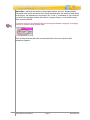
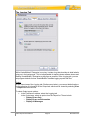
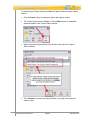
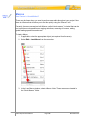
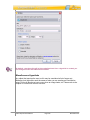
Select View > Tabs from the menu bar to access Tabs. The “Thumbnails” Tab has been
renamed to “Project” and a new “Problems” Tab has been added.
Object Toolbar (New tools added!): This toolbar displays to the right in the
program window. It contains buttons for working with various objects such as:
Balloons, Notes, Text Boxes, Lines/Arrows (new), Matte (new), Zoom Zone
(new), Cursors, Shapes, Color Highlight (new), Images, Popout Highlight
(new), Buttons, Movies, Pause Zones, Click Zones, Text Zones, Keystroke
Zones and Questions while editing a project.
Slide View: This is the default view when a project is open. It displays the current
slide for editing / viewing operations. The Slide Editing area is hidden when any
Tabs is maximized.
VB7 Enterprise User Manual
Page 8
November 2011
Status Bar: Located at the bottom of the program window, this “bar” displays helpful
information such as the number of the currently selected slide, the number of total slides
in the project, the dimensions of the project, the “x” and “y” coordinates of your cursor as
you work in the program window, the amount of system memory in use, and the zoom
level currently selected.
To make it easier for non-English authors to change the software’s language, a language
selector is available along the Status Bar.
Each of these features and tools are discussed later in the user manual in their
respective chapters.
VB7 Enterprise User Manual
Page 9
November 2011
Program Preferences
New Features Added!
In ViewletBuilder7 Enterprise, you can set up default program preferences.
You do not need to have a project open to set up program preferences.
To access the program Preferences window:
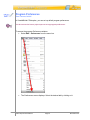
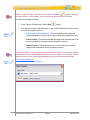
Select Edit > Preferences from the menu bar.
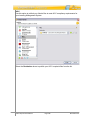
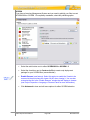
The Preferences screen displays. Select the desired tab by clicking on it.
VB7 Enterprise User Manual
Page 10
November 2011
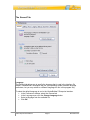
The General Tab
Language
The General tab allows you to specify the language that is used in the interface. By
default, ViewletBuilder7 Enterprise will use your operating system’s default language
preference, but you may switch to a different language for use in this program only.
To select the default language to use in the ViewletBuilder7 Enterprise interface:
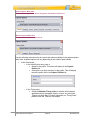
In the Preferences window, select the General tab.
In the Language area, click the Change Language button.
Select a language from the available list.
Click OK.
VB7 Enterprise User Manual
Page 11
November 2011
Recording
You can select a countdown timer to display before each audio recording session when
adding audio to slides, shapes, images or message objects.
To set recording preferences:
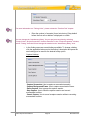
In the Preferences window, select the General tab.
In the Recording area, select the Display Countdown Timer option.
Type the number of seconds for the countdown to display in the Countdown
Duration field, or use the up/down areas to set this value.
Text Editing (Formerly Message Editing)
In the Preferences window in the General tab, there is a new area called Message
Editing. In this area, there are two options for editing message objects. Select one of
these options to set as the default preference to use while working with notes, balloons
and text boxes.
To set a default message editing preference:
In the Preferences window, select the General tab.
In the Text Editing area, select either:
o
Edit in Place: When editing a text object, this selection allows you to edit
text directly in the balloon, note, text box or button. And, you can use the
message object’s Context Sensitive Toolbar to edit other message object
properties.
or
o
Text Editor (formerly Text Editor): When editing a message object’s
text, this selection opens the Text Editor window when double clicking a
balloon, note or text box. This selection also allows you to edit other
message object properties directly in the Text Editor window.
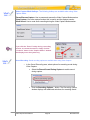
It’s easy to switch between “text editing” options while working with message objects.
Simply right click on the message object and, from the shortcut menu, select either “Open
in Text Editor” to work in the “Text Editor” window, or select “Edit Message” to edit text
directly in the message object.
VB7 Enterprise User Manual
Page 12
November 2011
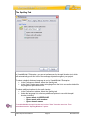
The Spelling Tab
In ViewletBuilder7 Enterprise, you can set preferences for the spell checker tool, which
will automatically proof text in all of the message objects throughout your project.
To select a default dictionary language to use in ViewletBuilder7 Enterprise:
In the Preferences window, select the Spelling tab.
In the Spell Checker area, select a language from the list to use as the default for
the program’s spell checker tool.
To select additional options for the spell checker:
In the Preferences window, select the Spelling tab.
Under the language list, select any additional options to use with the spell
checker including:
o Ignore words in UPPERCASE
o Ignore words with numbers
o Ignore domain names
To enable/disable the spell checker tool, select “View” from the menu bar. Then
select/deselect the “Spelling Mistakes” option.
VB7 Enterprise User Manual
Page 13
November 2011
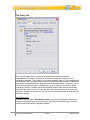
The Proxy Tab
There may be times when you encounter firewall issues while working with
ViewletBuilder7 Enterprise. This may occur when activating your license or when
updating the program. This is when a proxy server comes in handy, if your company has
one available. The Proxy tab is where you can set up default proxy server information for
the program to automatically use when encountering firewall issues. If, however, you do
not know what a proxy server is, chances are you don’t need to worry about it. Some
companies, however, actually require that software programs that access the Internet
log on through a proxy server. In any case, there are several choices for proxy servers,
but please contact your network or IT group for more information when working with this
feature as needed.
Auto Detect Proxy
By default, the first option, Auto Detect Proxy, is selected. This feature will allow the
program to search for and use a proxy server if required (for example, when a firewall
prevents license activation or program updates).
VB7 Enterprise User Manual
Page 14
November 2011
No Proxy
If you do not have access to a proxy server or do not want the program to search for it if
firewall issues are encountered during license activation or program updates, select the
No Proxy option.
Manually Configure Proxy (Two new field options: Username & Password)
If your company requires you to use a proxy server for any reason, or if you encounter
firewall issues while activating your license or obtaining program updates, select the
Manually Configure Proxy option. Then, after obtaining the applicable information from
your network or IT group:
Enter the proxy server Address in the field provided.
Enter the proxy server Port in the field provided.
Enter the User Name (new field option) in the field provided.
Enter the Password (new field option) in the field provided.
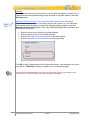
Click OK to apply changes made in the Preferences window. If any changes occur to the
proxy server, a Warning will display, prompting you to restart the program.
You must restart ViewletBuilder each time you change the proxy server settings in the
“Preferences” window in order for the new settings to take effect.
VB7 Enterprise User Manual
Page 15
November 2011
The Logging Tab
While ViewletBuilder7 Enterprise is running, it writes a log that describes in detail what is
going on in the background. This is indispensable for tracking down software issues and
making ViewletBuilder7 Enterprise as bug-free as possible. In the Logging tab, you can
set program defaults for how ViewletBuilder7 handles logging reports and files.
Output
In the Output area of the Logging tab (Preferences window), you can set default options
for the reporting of information in the Output tab, which can be viewed by selecting View
> Output from the menu bar.
To select Output report options:
In the Preferences window, select the Logging tab.
In the Output area, select an option from the Report list. These include:
o Display Errors Only
o Display Errors and Information
o Display All Messages
VB7 Enterprise User Manual
Page 16
November 2011
To clear the information in the Output tab:
In the Preferences window, select the Logging tab.
In the Output area, click the Clear Output Window button.
Log File
In the Log File area of the Logging tab (Preferences window), you can enable or disable
logging and specify the location where ViewletBuilder7 Enterprise will save the file.
To enable the Logging feature for ViewletBuilder7 Enterprise:
In the Preferences window, select the Logging tab.
In the Log File area, select the Enabled option. This will allow ViewletBuilder7
Enterprise to create a record of information to help Qarbon find and correct
program errors.
To clear the output window:
In the Preferences window, select the Logging tab.
In the Log File area, click the Clear Output Window button.
To set the default location where the log file will be saved:
In the Preferences window, select the Logging tab.
In the Log File area, type the path to where you want log files to be saved. Or,
click the “yellow folder” next to the File field.
A Select Log File window displays. Browse to locate and select a new save
location for the log file.
Click Open to apply and to return to the Preferences window.
The folder text field will show you where your log files are stored. Clicking on the yellow
folder icon will open up a system folder allowing you to see all of your log files. This is
useful if you are asked to send a log file to Qarbon Support.
VB7 Enterprise User Manual
Page 17
November 2011
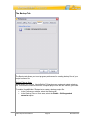
The Backup Tab
The Backup tab allows you to set program preferences for creating backup files of your
project’s source file.
Backup Files on Save
When saving your project, ViewletBuilder7 Enterprise can create and update a backup
file. This file can be used to restore a corrupted project from the last “known” good save.
To enable ViewletBuilder7 Enterprise to create a backup project file:
In the Preferences window, select the Backup tab.
In the Backup Files on Save area, select the Enable - .BAK appended
extension option.
VB7 Enterprise User Manual
Page 18
November 2011
ViewletBuilder7 Enterprise creates backup files that end in “.qvpx.BAK” or “.viex.BAK”
(depending on the extension used for the save operation. To restore a project from a
backup file, first rename the original project file’s extension. Then, simply remove the
“.BAK” extension from the backup file so that the file ends in “.qvpx” or “.viex”, whichever
is applicable. It will become the new project file, which can be opened in ViewletBuilder7
Enterprise.
The Start View Tab (New Feature!)
The Start View tab allows you to customize what you see on the initial Start View page.
View
In the View area, you can select the options you want to display on the Start View page:
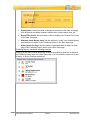
Display Publishing History: Select this option to display the publishing history
of your projects on the Start View page.
VB7 Enterprise User Manual
Page 19
November 2011
Display News: Select this option to display recent news on the Start View page
such as access to software updates, release notes, social network links, etc.
Recent Files Count: Set the number of files to display in the “Recent Files” area
of the Start View page.
Maximum Local History Items: Set the number of “locally” (non-ViewletCentral)
published files to display in the Publishing History on the Start View page.
History Items Per Page: Set the number of published items to display on each
page of the Publishing History shown on the Start View page.
Publishing History: Include the following locations
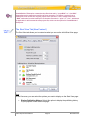
This area of the Start View tab allows you to select the publishing locations to display in
the Publishing History area of the Start View page. You can select the check box next to
as many, or as few, locations as desired.
VB7 Enterprise User Manual
Page 20
November 2011
The Advanced Tab
The Advanced tab displays the current virtual memory usage settings allowable when
ViewletBuilder7 Enterprise is in use.
To view the current Java settings for ViewletBuilder7 Enterprise:
In the Preferences window, select the Advanced tab.
In the Java area, review the settings for initial and maximum memory allocations.
To change the memory settings allowable for ViewletBuilder7 Enterprise:
In the Preferences window, select the Advanced tab.
In the Java area, click the Change Java Settings button. A Java Preferences
window displays.
In the Memory area (Java Preferences window):
o Enter a number for the Initial memory to be used by ViewletBuilder7
Enterprise in the field provided.
o Enter a number for Maximum memory allowable in the field provided.
VB7 Enterprise User Manual
Page 21
November 2011
In the VM Options area (Java Preferences window), enter additional Virtual
Memory options as needed.
Click OK to save the information and to close the Java Preferences window.
Once you’ve set all your program preferences, click OK to save the settings and to close
the Preferences window.
You can set software preferences back to “factory settings” by clicking the Reset
Preferences to Default… button in the General tab of the Preferences window.
VB7 Enterprise User Manual
Page 22
November 2011
Creating a New Project Basics
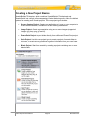
ViewletBuilder7 Enterprise, which combines ViewletBuilder7 Professional and
ViewletQuiz4 into a single, all-encompassing Viewlet Authoring suite, offers five distinct
options for creating new Viewlet projects. The new project types include:
Screen Capture Project: Capture an application as it runs on your computer to
create a demonstration, simulation or a user training assessment.
Image Project: Create a presentation using one or more images (supported
images: jpg, bmp, png, gif and tif).
PowerPoint Project: Import slides directly from a Microsoft PowerPoint project.
Quiz Project: Use this new project type to create a project of scored slides to
test user, or create survey questions to gather information from your user base.
Blank Project: Start from scratch by creating a project containing one or more
blank slides.
VB7 Enterprise User Manual
Page 23
November 2011
Each project type is covered in more detail later in this user manual.
New Project First Steps
When creating your new project, the first few steps are common to all new projects. This
chapter focuses on the “first steps” all authors will need to take when creating new
projects.
Step 1: Select a New Project Type:
The first step when creating any new project is to decide what type of project you will be
creating. As mentioned earlier in this chapter, there are five different new project types to
choose from in ViewletBuilder7 Enterprise.
Select File > New from the menu bar. Or, click the New Project link (from the
Start View), or click the New button from the Main Toolbar.
The Create New Project window displays. Select a new project type from the list
on the left side of the window by clicking it to highlight it.
Step 2: Select the New Project’s Slide Size:
Once you’ve select a new project type, the second step is to determine the size (width
and height) for all the slides in your project. There are at least two slide size options
available for all new project types:
Custom: Set a custom width and height.
Standards: Select from a list of standard resolutions, or create a new “standard”
to add to the available list.
If you select Screen Capture Project as your new project type, there are several more
slide size options to choose from (in addition to the two listed above):
Application: Capture an open application and use its window size (width and
height) as your new project’s slide size.
Area: Capture an area of the screen and use this area’s size (as determined by
you prior to capturing screenshots) as your new project’s slide size.
Window: Select either an open application’s window or an open operating
system window and use the selected window’s size as your new project’s slide
size.
Full Screen: Capture everything visible on your computer’s screen and use the
monitor’s resolution (that is used during the capture session) as the width and
height for your new project’s slide size.
When selecting a slide size for your project, remember, this is also going to be the size
that the Viewlet will be played back at when your audience views it. So, if a viewer has to
scroll to view parts of the Viewlet that are “off-screen” then you may need to use a smaller
size for your Viewlet.
VB7 Enterprise User Manual
Page 24
November 2011
To select a slide size for your new project:
In the Create New Project window, make sure you’ve selected the desired New
Project Type.
In the Slide Size area, select an option from the list of available slide sizes.
Working with the Various Slide Size Options
Each of the various slide size options have some additional selections, depending on
which side size you choose. Following are instructions for working with each of the
available slide size options.
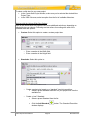
Custom: Select this option to create a custom project size.
o
o
Enter a number in the Width field.
Enter a number in the Height field.
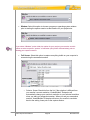
Standards: Select this option to:
o
Create a project size based on a “standard” (monitor) resolution:
Select a preset standard resolution for your project size from the
available list.
o
Create a “new” Standard:
Select a preset Standard from the list.
Click the Add Standard
window displays.
VB7 Enterprise User Manual
Page 25
button. The Standard Resolution
November 2011
o
Modify an existing Standard:
Select a Standard from the list.
o
Enter a name for the new Standard in the field provided.
Enter a Width in the field provided.
Enter a Height in the field provided.
Click OK to save the settings and to close the Standard
Resolution window.
button. The Standard Resolution
Click the Modify Standard
window displays.
Make your edits as needed and click OK to save the settings and
to close the window.
Delete an existing Standard:
Select the Standard you want to remove from the list.
Click the Delete Standard
window displays.
Click Yes to confirm the deletion. Click No to cancel the deletion.
button. A Delete Standard warning
Application: Select this option to use an “active” program or operating system
window as the baseline for your project size.
VB7 Enterprise User Manual
Page 26
November 2011
o
Select an “active” program or operating system window from the list.
o
If the window you need is not in the list, launch the program or open the
desired operating system window in the appropriate size. Then, click the
Refresh Applications
selection from the list.
o
button to refresh the list and make your
To resize the selected “active” window to a specific size for the capture
session:
Select the Resize Application to: option.
Click the button next to the Resize Application to: option. The
Application Size window displays:
-Select Custom or Standards from the slide size list.
-Complete the steps for the selected slide size (covered previously
in this chapter) as needed.
-Click OK to save the settings and to close the Application Size
window.
If you select “Application” (an active program or open operating system window) as your
project’s slide size option, ViewletBuilder7 Enterprise will move this “window” to the top
of all open windows when you initiate your capture session. Use this same method when
adding new screenshots into existing project to avoid “pixel jumps” when your Viewlet
plays from existing screenshots to new screenshots and back to existing screenshots on
video playback.
Area: Select this option to set a custom project size by drawing the specified
screenshot area prior to the capture session.
VB7 Enterprise User Manual
Page 27
November 2011
Window: Select this option to choose a program or operating system window
prior to starting the capture session as the baseline for your project size.
If you select “Window” as the slide size option for your project, you can also use this
option to select a specific “portion” of a window (not just the entire window) prior to
starting your capture session.
Full Screen: Select this option to capture everything visible on your computer’s
screen during the screenshot session.
o
Select a Screen Resolution from the list. If the selection is different from
your monitor’s current resolution, ViewletBuilder7 Enterprise will
automatically change your monitor’s resolution to your selected resolution
when you start your screenshot session. When you end your screenshot
session, ViewletBuilder7 Enterprise will return your monitor’s resolution
back to the setting it was prior to the capture session.
VB7 Enterprise User Manual
Page 28
November 2011
Step 3: Make the rest of your selections in the Create New Project window:
After you complete the first two steps for creating a new project, the rest of the steps will
differ depending on what you selected for your new project type. Please refer to the
specific chapter for more information on creating a new project based on the type of new
project you are creating.
VB7 Enterprise User Manual
Page 29
November 2011
Screen Capture Project
ViewletBuilder7 Enterprise allows you to create a new project from a series of
screenshots of an application running on your computer (or from various open operating
system windows). Screen Capture projects can be captured using various “slide size”
options based on custom sizes, active program / operating system windows, or screen
resolutions. Each step of the process for creating a new Screen Capture Project follows.
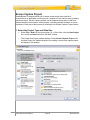
1. Select the Project Type and Slide Size
Select File > New from the menu option. Or, in Start View, click the New Project
link, or click the New button from the Main Toolbar.
The Create New Project window displays. Select Screen Capture Project from
the New Project list. Additional options for creating a new screen capture project
will display in this window.
VB7 Enterprise User Manual
Page 30
November 2011
In the Slide Size area of the Create New Project window, select a width and
height for your Viewlet project.
For more information on selecting a New Project Type or selecting a Slide Size for your
new Viewlet project, please refer to the Creating a New Project Basics chapter.
2. Capture Profiles
Here’s some quick “QA’s” to get started working with capture profiles:
What is a Capture Profile?
It is a way to organize all the “capture options” chosen for Video Capture Mode, Smart
Capture or Manual Capture recording session into one place or “profile”.
Does the Capture Profile “title” signify anything?
Yes and no. The “title” of the Capture Profile is like the title of a document. It just gives
you an idea of what the profile would be used for. You can change the title of the profile
at any time.
Are Capture Profiles used for all new project types? If not, why not?
No, Capture Profiles are only used when creating new Screen Capture Projects or when
inserting new screenshots into existing projects. The reason for this is because a
Capture Profile is simply a “collection” of capture options (stored in one profile) used
during a capture session.
What is the “basic” process for creating a “new” Capture Profile?
1. In the “New Project” window, with the “Screen Capture Project” type selected,
click the “Add” button to open the “Capture Options” dialog window. It will be in
this window where you will select options for your screenshot recording session.
And, these selections will be saved in your new Capture Profile.
2. The next step is to decide what “capture mode” you want to use with this profile.
The choice is one of three: “Video Capture” (Windows only) which is a “live”
capture session (with audio, if enabled), “Smart Capture” (Windows only), which
automatically captures screenshots, or “Manual Capture”, which forces you to
manually capture screenshots using a hotkey and or mouse click actions. The
capture mode you select at this point determines what additional “tab options”
display for additional selections for your Capture Profile.
3. Make your selections in the tabs that display below your selected “capture
mode”. These are the “additional” capture options that will be saved in your
profile and used when taking screenshots using this Capture Profile.
VB7 Enterprise User Manual
Page 31
November 2011
a. If you select “Video Capture” mode, four tabs will display (General,
Feedback, Mouse and Advanced).
b. If you select “Smart Capture” mode, seven tabs will display (General,
Feedback, Mouse, Wheel, Keyboard, Annotations, Advanced).
c. If you select “Manual Capture” mode, four tabs will display (General,
Feedback, Mouse, Advanced).
4. Once you’ve read through and completed all the information in the Capture
Options window (in all the tabs), click OK to create the new profile.
5. Use this profile each time you want to create a new Screen Capture project or
insert new screenshots using the selected capture mode.
Can Capture Profiles Be Modified?
Yes, when you install ViewletBuilder7 Enterprise, you will see a short list of Capture
Profiles already installed. The title of each profile suggests the “type” of project the
Capture Profile might be good for and is further explained in the profile’s description.
But, you can modify any of these profiles instead of creating a new one.
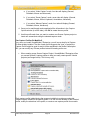
When creating a new Screen Capture Project, ViewletBuilder7 Enterprise offers
you several “prebuilt” capture profiles to help you easily create specific Viewlet
projects (see image below). This list may vary.
Each capture profile (added during the program installation) contains pre-selected
“capture options” based on the specific profile. You can use the defaults for the selected
profile, modify the selections in the profile, or create a new capture profile from scratch.
VB7 Enterprise User Manual
Page 32
November 2011
Select a “Capture Profile” from the list. Then, click the “Modify”
button to open the
“Capture Options” window where you can review and modify options as desired.
To create a new Capture Profile:
In the Capture Profiles area, click the Add
The Capture Options window displays. In the Capture Mode area, select a mode
to use for the capture session:
button.
o
Video Capture (New Feature!): This mode allows you to capture a
running application (in real time) and also record audio at the same time.
o
Smart Capture: This mode automatically captures all changes that occur
on your computer’s screen during the screenshot session.
o
Manual Capture: This mode allows you to use a hotkey to manually
capture each screenshot during the capture session.
The “Capture Mode” you select determines what tabs will display in the “Capture Options”
window where you will make additional selections for your capture session. And, some of
the options may vary in each of the tabs depending on your selected capture mode.
Video Capture Mode tabs:
General, Feedback, Mouse, Advanced
VB7 Enterprise User Manual
Page 33
November 2011
Smart Capture Mode tabs:
General, Feedback, Mouse, Wheel, Keyboard, Annotations, Advanced
Manual Capture Mode tabs:
General, Feedback, Mouse, Advanced
Use the following instructions for the various tab options available in the capture options
tabs. Note: Available options will vary depending on the select Capture Mode.
In the General tab:
o In the Identification area, enter a:
Name for the profile. This name will display in the Capture
Profiles list.
Description or a short summary for the profile. This will display
below the profile title in the Capture Profiles list.
o
In the Timing area:
Select the Maintain Timing Links to maintain links between
applicable objects (message objects, cursors, etc.) along the
Timeline on each slide. For more information on “Timing Links”,
please review the Timeline Tab chapter.
VB7 Enterprise User Manual
Page 34
November 2011
For more information on “Timing Links”, please review the “Timeline Tab” chapter.
Enter the number (of seconds) for an Introductory Delay default
before the first note or balloon is displayed on a slide.
You can change the “Introductory Delay” for your project at any time by selecting
“Project” then “Project Properties” from the menu bar. In the “Project Properties” window,
select “Timing” from the list and change the number in the “Introductory Delay” area.
o
In the Hotkeys area are several hotkeys available. To change a hotkey,
click the applicable button next to the hotkey’s description and press the
new hotkey(s) to be used for the desired hotkey option.
Capture Hotkeys:
-Capture Screenshot: Use to capture a screenshot manually.
-Capture Background Frame: Use to capture an animation frame.
-Pause Capture: Use to pause the capture session.
-Stop Capture: Use to finish the capture session and convert
screenshots to slides.
-Cancel Capture: Use to cancel a capture session without converting
screenshots to slides.
VB7 Enterprise User Manual
Page 35
November 2011
Video Capture Mode Hotkeys: The following hotkeys are available when using Video
Capture Mode:
-Pause/Resume Capture: Use to pause and resume the Video Capture Mode session.
-Stop Capture: Like other capture modes, this is used to end the capture session.
-Mute Sound: Use to mute audio recording during the Video Capture Mode session.
If you click the “Pause” hotkey during a recording
session, to resume the session, simply click the
“Continue” button in the “Capture Status” window
that displays over the system tray.
Sound Recording: Sound recording options are available when using Video Capture.
o
In the Sound Recording area, select options for recording sound during
Video Capture:
Select the Record Sound During Capture to enable sound
during capture.
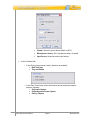
Click the Recording Options… button. The Recording Options
window displays with additional selections for recording sound:
VB7 Enterprise User Manual
Page 36
November 2011
Format: Select the sound format (WAV or MP3).
Microphone Latency: Set a microphone delay, if needed.
Input Device: Select the sound input device.
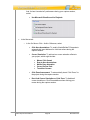
In the Feedback tab:
o
In the During Capture area, select / deselect (as needed):
Hide Tray Icon
Tray Icon Blinks
o
In the Play Sound area, select what sounds to play during the capture
session, including:
On Screen Capture
On Background Frame Capture
On Key Capture
VB7 Enterprise User Manual
Page 37
November 2011
And, for best “sound alert” performance during your capture session,
select:
Use Microsoft DirectSound for Playback
In the Mouse tab:
o
In the On Mouse Click – Add to Slide area, select:
Click Here Annotations: To enable ViewletBuilder7 Enterprise to
automatically insert balloons for click instructions during the
capture session.
Cursor Simulation: To add various cursor animation effects to
your project, which might include:
Mouse Click Sound
Drag to Here Annotations
Mouse Drag Animation
Curved Cursor Path
Transition Cursors
Click Zone Assessment: To automatically insert “Click Zones” to
the project during the capture session.
Don’t Add Cursor Simulation or Click Zone: To disable all
cursor simulation or Click Zone additions when clicking your
mouse during the capture session.
VB7 Enterprise User Manual
Page 38
November 2011
o
In the Mouse Timing area, input the number (in seconds) for how long
you want to “delay” for mouse click captures, to set the double click speed
and to set the “delay” for drag captures. Options include:
Delay Before Click
Delay After Click
Double Click Speed
Delay After Drag
Manual Capture – Mouse Tab Options:
o
In the On Screen Capture – Add to Slide area:
-Select the Cursor Simulation option to capture cursor movement during
the recording session. And, to achieve more realistic cursor animation,
select the Curved Cursor Path option.
-Select the Don’t Add Cursor Simulation option if you do NOT want to
capture cursor movement during the recording session.
VB7 Enterprise User Manual
Page 39
November 2011
o
In the Mouse Click Capture area:
-Select the Mouse Clicks Capture Screenshots option if you want to a
screenshot capture each time you click you mouse during a recording
session.
-Select the Include Right Mouse Button option to capture a screenshot
each time you right click during a recording session.
In the Wheel tab:
o
In the On Mouse Wheel – Add to Slide area, select / deselect mouse
wheel options for the capture session, including:
o
Scroll Wheel Up / Down Annotations
Mouse Wheel Simulation
Don’t Add Mouse Wheel Simulation
In the Wheel Timing area, enter a number for the:
Wheel Speed (for click per seconds)
Delay After Wheel (for capture delay in seconds)
VB7 Enterprise User Manual
Page 40
November 2011
In the Keyboard tab:
o
In the On Text Entered – Add to Slide area, select:
Type Text Here Annotations: To enable ViewletBuilder7
Enterprise to automatically add balloon instructions during text
input in the capture session.
Typing Simulation: To add typing animation to your project.
o
Key Click Sound: To include sound effects with the typing
animation.
Text Zone Assessment: To automatically add Text Zones to the
project during the capture session (where applicable).
Don’t Add Typing Simulation or Text Zone: To disable all typing
simulation or Text Zone additions to the project when typing
during the capture session.
In the On Text Entered – Add to Slide area, click the Modify
next to the Completion Keys field:
button
The Completion Keys window displays. The Key list displays the
keyboard keys that ViewletBuilder7 Enterprise will recognize as a
“completion key” hotkey when text simulation is captured.
Basically, after typing text, when one of these hotkeys is pressed,
a new screenshot will be captured.
VB7 Enterprise User Manual
Page 41
November 2011
o
Click the Add
to the list.
Select a key and click the Delete
from the list.
Select a key and click the Move Up
it up in the list.
Select a key and click the Move Down
move it down in the list.
button to add a new Completion Key
button to remove it
button to move
button to
Click OK to close the Completion Keys window.
In the Keyboard Timing area, enter a number for the:
Typing Speed (rate of capture in words per minute)
Typing Variability (percentage to be used to vary the typing
effects during playback for the most realistic simulation)
Delay After Typing (number of seconds of delay after typing
simulation is complete)
VB7 Enterprise User Manual
Page 42
November 2011
Set the “Typing Variability” at or close to “0” for a more “robotic” typing simulation effect.
Set the percentage closer at or close to “100” for a more “natural” and varied typing
simulation effect.
In the Annotations tab:
o
In the Annotation Language area, use the list to select the language to be
used if enabling ViewletBuilder7 Enterprise to automatically create
annotations (balloons) during the capture session.
o
In the “default values” area, you can modify the default values for each of
the annotations.
For example, the Name column contains the “title of the action to occur”
in order for the “data” in the Value column to be inserted in an annotation
(balloon) during the capture session.
To change the “data” (text) that will be inserted in a specific annotation:
Click the desired field in the Value column.
Type in the edits.
Press the Enter or Tab key to apply the edits.
VB7 Enterprise User Manual
Page 43
November 2011
Use the “Annotations” list to customize automatic annotations for use during your Smart
Capture session.
o
In the Modifiers area, select (as needed):
Prefix Click Annotations with Modifiers: If selected, this will add
the text “[Ctrl]” or “[Shift]” (when the applicable key is pressed at
the same time a left mouse click occurs) as a “Modifier” to the
“Click Here” annotation.
Separator: Enter the letter to use between the “Modifier”
and the “Annotation” (Click Here) text.
Highlight Variables in Bold: If selected, this will bold the variable
text contained in the annotation.
Customizing “Annotations” is pretty straight-forward once you get comfortable working
with them. So, if you have any questions with this feature, contact [email protected]
for help on honing your annotation-authoring skills.
In the Advanced tab:
o
In the Frame Rate area, enter a number (Frames per Second) for the rate
at which you want to capture screenshots during a mouse drag operation.
VB7 Enterprise User Manual
Page 44
November 2011
The higher the number for mouse drag operations, the smoother the resulting animation.
You can set a frame rate between 1 to 10 frames per second.
o
In the Screenshot Delay area, enter a number (in seconds) for the
amount of time ViewletBuilder7 Enterprise will delay after a mouse click to
take a screenshot.
o
In the Capture Popups area, select the Capture Popups option to enable
capture of such elements as tooltips, hints and popup menus.
o
In the Compress During Capture area, select the Compress During
Capture option to compress captured images during the capture session.
This option is useful for larger projects, but will reduce the number of
frames that can be captured per second during the capture session.
Split Video Interval: These Advanced options are available for Video Capture Mode.
VB7 Enterprise User Manual
Page 45
November 2011
o
In the Split Video Interval area, select settings to control:
Minutes: The video will be split into different slides according the
value set (in minutes). So, for example, if you set 6 as the
“minutes” and the recording is 10 minutes total, the video will be
split into two slides: first for 6 minutes, second for 4 minute.
Split Video on Pause: Select this option to split the video
automatically into separate slides each time you pause during the
recording session.
Once all of the options are selected / edited in the Capture Options window, click
OK to save the information and to close the window. You will be returned to the
Create New Project window where you will see the new Capture Profile added to
the list.
To modify an existing Capture Profile:
Select the desired profile in the list.
Click the Modify
The Capture Options window displays. Make your edits to the Capture Mode and
in the various available tabs as needed.
Click OK to save the edits and to close the Capture Options window.
button.
To organize the Capture Profiles in the list:
Select a profile in the list.
Click the Move Up
Click the Move Down
VB7 Enterprise User Manual
button to move the profile up in the list.
button to move the profile down in the list.
Page 46
November 2011
To remove a Capture Profile from the list:
Select the desired profile in the list.
Click the Delete
A Warning window will display. Click Yes to confirm the deletion, or click No to
cancel the deletion.
button.
To select a Capture Profile to use for the screen capture session:
Click on a profile to highlight it to select it. This will be the profile that will be used
during your capture session.
You can reset Capture Profiles to factory defaults by right-clicking on the profiles’ list and
select “Reset”.
To learn more about Capture Profiles, click the “Help Me Choose” option under Capture
Profiles list to launch a tutorial on this topic. Note: You must be online to view this tutorial.
3. Setting up the Screen Capture Session
For the most part, each screen capture session starts the same way. After selecting a
Capture Profile to use for the capture session, you click OK to start the actual recording
session. But, did you know that after you click OK, what happens next depends on the
selection made for the project’s slide size?
This section focuses on what to expect and instructions for what you will need to do
“right before” you actually start capturing screenshots (if applicable).
Before “setting” the capture area, you can “back out” by pressing the Esc key.
To set up your capture session:
VB7 Enterprise User Manual
Page 47
November 2011
After selecting the Capture Profile to use for your capture session, click OK. The
ViewletBuilder7 Enterprise GUI will hide in the background until the end of the
capture session.
If you selected (for the project’s “Slide Size”):
o
Custom – Specify a custom height and width.
Before beginning the capture session, a “bounding box” (dotted rectangle)
will display on your screen in the size you specified when selecting a
width and height for your project. This box denotes the capture area.
Everything inside this box will be included in the screenshot.
To move the capture area, point your cursor over the bounding
box. When the cursor changes to a “hand shape”
, hold
down the left mouse button and drag to move the capture area to
the desired location on your screen.
To resize the capture area (if needed), point your cursor over one
of the gnodes (grab handles) along the edge of the bounding box.
VB7 Enterprise User Manual
Page 48
November 2011
Hold down your left mouse button and drag to resize.
If you are using a “Custom” slide size for your project, do not resize the capture area
unless absolutely necessary since the capture area dimensions (width and height) will
become the slide size of your project.
o
To “set” the capture area, mouse your cursor inside the capture
area and double click to set its size and position. (You are now
ready to take screenshots.)
Standards – Select a standard window size.
Before beginning the capture session, a “bounding box” (dotted rectangle)
will display on your screen in the size you specified when selecting a
width and height for your project. This box denotes the capture area.
Everything inside this box will be included in the screenshot.
To move the capture area, point your cursor over the bounding
box. When the cursor changes to a “hand shape”
, hold
down the left mouse button and drag to move the capture area to
the desired location on your screen.
o
To resize the capture area (if needed), point your cursor over one
of the gnodes (grab handles) along the edge of the bounding box.
Hold down your left mouse button and drag to resize.
To “set” the capture area, mouse your cursor inside the capture
area and double click to set its size and position. (You are now
ready to take screenshots.)
Application – Capture a running application window.
The selected program or operating system window will launch on top of
all other open windows on your computer’s screen and the screen
capture session begins.
This “active” window, surrounded by a “bounding box” (dotted rectangle),
VB7 Enterprise User Manual
Page 49
November 2011
indicates the capture area. Everything in the capture area (in this
example, the “active” window) will be included in the screenshot.
If you select “Application” for the slide size AND are using “Smart Capture”, right after
you click “OK”, the selected program or operating system window will display on top of all
other items on your screen and the automatic screen capture session will IMMEDIATELY
begin.
Please see the “Video Capture” chapter for more information on how to set up and run a
Video Capture Mode session.
o
Area – Capture an area of the screen.
VB7 Enterprise User Manual
Page 50
November 2011
o
Before the capture session, the cursor changes to a “cross hair”
shape. This means before the capture session can start, you must define
the capture area. To do this:
Point the “cross hair” cursor to the point on the screen where you
want to start drawing your capture area.
Hold down the left mouse button and drag to draw the capture
area. As you drag the cursor, a “bounding box” (dotted rectangle)
will start to form. This is the capture area. Everything inside the
capture area will be included in the screenshot.
o
Let go of the left mouse button to “set” the capture area’s size and
position. (You are now ready to take screenshots.)
Window – Select a window to capture.
This option allows you to select an entire window (just like the “Active”
slide size option) or a portion of an open window. The trick here is that
you MUST have the window open (not minimized) BEFORE you click OK
to set up the screen capture session. To do this:
Make sure the window you want to capture is open on your
computer screen (underneath the ViewletBuilder7 Enterprise
program) and all other program and operating system windows
are closed or minimized.
VB7 Enterprise User Manual
Page 51
November 2011
Click OK to start the capture session.
A “red box” will display over the window that is displayed on your
computer screen. Move the cursor around the window until the
“red box” outlines the entire window (to capture the entire window)
or a portion of the window (to capture a sub-section of the
window).
To “set” the capture area, double click inside the “red box”. The
“red box” will change to a “Bounding Box” indicating that the
capture area is set. (You are now ready to take screenshots.)
VB7 Enterprise User Manual
Page 52
November 2011
o
Full Screen – Capture the entire screen.
When using the “Full Screen” slide size option, if you select a “screen
resolution” different then what your monitor is set to when starting the
screen capture session, after you click OK to start the capture session,
ViewletBuilder7 Enterprise will automatically adjust your monitor’s
resolution to what you selected for the slide size and, the screenshot
capture session begins.
If you select “Full Screen” for the project’s slide size ViewletBuilder7 Enterprise will
automatically adjust your monitor’s resolution (based on your selection). If the selected
“screen resolution” for the slide size is the same as your monitor’s resolution,
adjustments will be made to it by ViewletBuilder7 Enterprise.
Everything visible on your screen will be included in the screenshots.
Once the capture session is ended, the monitor’s resolution will return
back to its settings prior to taking screenshots.
Once you’ve made all of your selections for setting up for a new Screen Capture Project
including…
Selecting Screen Capture Project as your new project type
Selecting the Slide Size options
Selecting the Capture Profile and modifying (if needed) the associated Capture
Options
…now it’s time to start the screen capture session. What happens next will depend on
the Capture Mode (Video Capture Mode, Smart Capture or Manual Capture) selected for
the capture session. Please see the following chapters (Video Capture Mode (Screen
Capture) Project and/or Smart Capture vs. Manual Capture (Screen Capture) Project) for
more information.
VB7 Enterprise User Manual
Page 53
November 2011
Video Capture Mode
Create new Screen Capture Projects using Video Capture Mode. This new capture
mode option allows you to capture everything running on your screen (such as a live
application) in real time. And, you can also opt to include audio during the recording
session too!
Important: Review the Create New Project Basics and Screenshot Capture Project
chapters BEFORE using these instructions for creating a new Video Capture Mode
project.
To create a new Video Capture Mode project:
Select Screen Capture Project as the new project type.
Make the applicable selections for the Slide Size.
Select Live Capture as the Capture Profile (or a Capture Profile that uses Video
Capture Mode as its Capture Mode) and modify its options, if needed.
To begin the Video Capture Mode session (once you’ve made the required selections
above):
1. Click the Finish button to start the session.
Remember, depending on the “Slide Size” method selected, the recording
session may require some “extra steps” from you prior to actually starting the
recording session. Please review the Create New Project Basics and Screenshot
Capture Project chapters for more information.
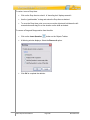
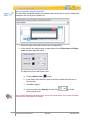
2. A tips window displays. Read the information carefully and then click the “X” to
close this window and to continue to the video capture session. Select the check
box next to “Don’t show this message again” at the bottom of this window if you
don’t want this window to display at the start of each new video capture session.
VB7 Enterprise User Manual
Page 54
November 2011
3. The Video Capture Mode toolbar displays options for the capture session:
a. Start: Use this button to begin the recording session.
b. Stop: Use this button to finish the recording session.
c. Microphone: Use this button to enable/disable audio during the recording
session.
To close the Video Capture Mode toolbar, click the “X” in the left corner of the toolbar. You
can then use your hotkeys for the recording session. To restore the Video Capture Mode
toolbar, click the ViewletBuilder icon in the system tray.
VB7 Enterprise User Manual
Page 55
November 2011
4. You will be prompted by a Start button to begin the Video Capture Mode
recording session. Click it to begin the recording session. Or, click the “Start”
button on the Video Capture Mode toolbar to start the session.
The above image shows an example of the beginning of a Video Capture Mode
session (using the “Area” Slide Size method) before the “live” capture recording
session is initiated prior to clicking the “Start” button.
Use the Microphone button on the Video Capture Mode toolbar to enable/disable audio
recording before and DURING the Video Capture Mode session.
Click “Pause” to temporarily halt a live recording session then click “Resume” to
continue.
5. Record your onscreen actions (and audio, if enabled) as desired. Click Stop to
finish the Video Capture Mode session.
VB7 Enterprise User Manual
Page 56
November 2011
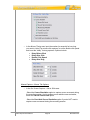
6. A Stop Capture screen displays (if screenshots were captured) with the
following options:
a. Stop and Import the Capture Session is used to end the current
recording session and convert the capture to video for editing.
b. Resume the Capture Session is used to continue a paused session.
c. Cancel and Restart the Capture Session is used to cancel the active
session, returning you to the “start” position for beginning the session.
d. Cancel the Capture Session is used to discard all captures and returns
you directly to ViewletBuilder7 Enterprise.
7. Click the Stop and Import the Capture Session button. The captures will be
converted to video and added to your new Screen Capture Project, ready for
editing.
VB7 Enterprise User Manual
Page 57
November 2011
Smart Capture vs. Manual Capture
In addition to Video Capture Mode, you also have the option to create a new Screen
Capture Project using either Smart Capture or Manual Capture. This chapter discusses
both Smart Capture and Manual Capture and compares/contrasts both.
Important: Review the Create New Project Basics and Screenshot Capture Project
chapters BEFORE using these instructions for creating a new Smart or Manual Capture
project.
To create a new Smart Capture or Manual Capture project:
Select Screen Capture Project as the new project type.
Make the applicable selections for the Slide Size.
Select a Capture Profile that uses either Smart Capture or Manual Capture as its
Capture mode, and modify the profile (if needed).
To begin the screen capture session (once you’ve made the required selections above):
1. Click the Finish button to start the session.
Remember, depending on the “Slide Size” method selected, the recording
session may require some “extra steps” from you prior to actually starting the
capture session. Please review the Create New Project Basics and Screenshot
Capture Project chapters for more information.
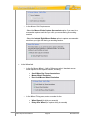
2. Review the instructions in the Information screen, if prompted, then click Close to
close it to continue.
If you do NOT want to be prompted with the above Information window before each
capture session, select the check box next to “Don’t show this message again.”
VB7 Enterprise User Manual
Page 58
November 2011
3. How the actual “capture session” will begin depends on the Capture Mode
selected:
I
Smart Capture: This Capture Mode is driven by mouse clicks and key
presses. Once the capture session starts, ViewletBuilder7 Enterprise will
automatically start taking screenshots (based on the selections made in the
Capture Profile you are using). Each time a screenshot is taken, you will hear
a camera shutter sound (if the On Screen Capture option in the Feedback
tab is selected). Note: Smart Capture records a minimum of three
screenshots for each capture and will embed them as background frames on
a single slide.
Manual Capture: This Capture Mode is driven by hotkey clicks (and mouse
clicks, if this option is enabled). Once the capture session is starts, use the
Capture Screenshot hotkey (and mouse clicks, if applicable) to capture
individual screenshots manually.
To capture an “extra” animation during a Smart Capture session:
While a Smart Capture session is running, click the Capture Background
Frame hotkey to manually capture any “extra” animation that displays on your
screen that you think Smart Capture might not capture.
To pause and resume a capture session, if the capture mode you are using is:
Smart Capture: Click the Pause hotkey to temporarily pause the Smart
Capture session without ending it. The Capture Status window will display
(over the system tray). To resume the Smart Capture session, click the
Continue button.
Manual Capture: Click the Pause hotkey to temporarily pause the Manual
Capture session without ending it. The Capture Status window will display
(over the system tray). To resume the Manual Capture session, click the
Continue button.
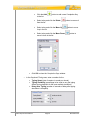
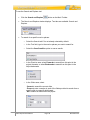
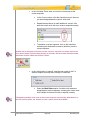
Another way to temporarily “pause” a capture session is by pointing your mouse over the
system tray and clicking on the ViewletBuilder7 Enterprise icon to display the “Capture
Status” window.
VB7 Enterprise User Manual
Page 59
November 2011
To switch between Smart Capture and Manual Capture modes during a capture
session:
Click the Pause hotkey to temporarily pause the capture session.
The Capture Status window displays. Click the More button to expand the
options available in the Capture Status window.
Select the desired Capture Mode from the list (at the top of the Capture
Status window).
Click Continue to resume the capture session, using the newly selected
capture mode.
VB7 Enterprise User Manual
Page 60
November 2011
To modify capture options during a capture session:
Click the Pause hotkey to temporarily pause the capture session.
The Capture Status window displays. Click the More button to expand the
window.
Select the desired Capture Mode from the list.
Select the applicable tab(s) and modify selections as needed.
Click the Less
Click the Continue button to resume the capture session using the modified
capture settings.
button to collapse the Capture Status window.
Be careful when modifying capture options “on-the-fly” during a live capture session. Any
changes made in the “Capture Status” window will be updated in the selected “Capture
Profile” being used for that capture session.
4. The last step to create a new Screen Capture Project using either Smart Capture
or Manual Capture Mode is converting the screenshots taken during the capture
session to the slides that will make up your new Viewlet project. To do this you
must use the Stop Capture hotkey, or click the Stop button in the Capture
Status window to properly end the capture session.
a. To end a capture session using the Stop Capture hotkey:
Once all of your screenshots are captured, press the Stop Capture
hotkey. This will end your capture session.
A progress bar may display briefly as the screenshots are converted
to slides. Once complete, the new Screen Capture Project is
displayed in ViewletBuilder7 Enterprise, ready for editing.
VB7 Enterprise User Manual
Page 61
November 2011
If using Smart Capture for your screen capture session, use the “Stop Capture” hotkey to
end the capture session (instead of clicking the “Cancel” button) to avoid unwanted
screen captures or cursor animations being added at the end of the project.
b. To end a capture session from the Capture Status window:
Once all of your screenshots are captured, move your mouse over the
system tray where you will see a ViewletBuilder7 Enterprise
displayed.
icon
Click the ViewletBuilder7 Enterprise icon.
The Capture Status window displays. Click the Stop button.
Depending on the number of screenshots captured, a progress bar
may display briefly as the screenshots are converted to slides. Once
complete, the new Screen Capture Project is displayed in
ViewletBuilder7 Enterprise, ready for editing.
Canceling a Capture Session
You can “back out” of any “live” capture session by using the Cancel Capture hotkey.
Or, click the Cancel button in the Capture Status window. When you cancel, this will end
the active capture session without saving any screenshots. You will be returned to
ViewletBuilder7 Enterprise’s “Start View” to start anew.
To back out of a capture session using the Cancel Capture hotkey:
Click the Cancel Capture hotkey. This will end the active capture session.
No screenshots will be saved and you will be returned to the “Start View” of
ViewletBuilder7 Enterprise.
VB7 Enterprise User Manual
Page 62
November 2011
To back out of a capture session from the Capture Status window:
Move your mouse over the system tray.
Click the ViewletBuilder7 Enterprise
The Capture Status window displays. Click the Cancel button.
This will end the capture session and no screenshots will be saved. You will be
returned to the “Start View” of ViewletBuilder7 Enterprise where you can start
again.
icon that displays.
To change capture options during a capture session:
Move your mouse over the system tray.
Click the ViewletBuilder7 Enterprise
The Capture Status window displays. Click the More button.
The Capture Status window expands, allowing you access to the capture modes
and related capture mode tabs. Make your changes as desired.
VB7 Enterprise User Manual
Page 63
icon that displays.
November 2011
Click the Less button once all of your changes are made to hide the Capture
Status window.
Click Continue, Stop or Cancel as needed.
VB7 Enterprise User Manual
Page 64
November 2011
Image Project
ViewletBuilder7 Enterprise allows you to create a new project from one or more images
on your system or from an available storage device. You can use images of different file
formats and of varying sizes, combining them all into a single, standard size Viewlet
project.
Imported images are embedded on slides (one image per slide) as background frames.
This chapter highlights the steps for creating a new Image Project.
1. Select the Project Type and Slide Size
Select File > New from the menu option. Or, in Start View, click the New Project
link, or click the New button from the Main Toolbar.
The Create New Project window displays. Select Image Project from the New
Project list. Additional options for creating a new image project will display in this
window.
VB7 Enterprise User Manual
Page 65
November 2011
In the Slide Size area of the Create New Project window, select a width and
height for your Viewlet project.
For more information on selecting a New Project Type or selecting a Slide Size for your
new Viewlet project, please refer to the Creating a New Project Basics chapter.
2. Select Images
Once the project type and slide size are selected for your new project, the next step is to
select the image or images that will make up your new Image Project. Here’s a list of the
various formats supported by ViewletBuilder7 Enterprise:
GIF: Graphics Interchange Format
JPG, JPEG: Joint Photographic Experts Group
PNG: Portable Network Graphics
BMP: Bitmap
TIF, TIFF: Tagged Image File Format
Animated GIF images are not supported in ViewletBuilder7 Enterprise. If you import an
animated GIF image into a project, it will display as a “static” image, showing the image’s
first frame only.
To select images for your new project:
In the Select Images area, click the Add button to search for image files.
In the Select Images File window that displays, select the files you want to
import.
VB7 Enterprise User Manual
Page 66
November 2011
To select multiple image files, hold down the “Shift” key and click on the first and last file
in a sequence to select all the files in the sequence, or hold down the “Ctrl” as you click to
select multiple, non-adjacent files
After selecting the image files, click Open. Depending on the number and size of
the image files selected, you may see a progress bar display on the screen
indicating the status of the image files being imported into the Create New
Project window.
3. Preview and Select “Pre-Import” Image Options
In the Select Images area (Create New Project window), the newly selected images
display in a list. Before importing these images into a new project, you can preview each
image, select its scaling option for the slide, change its position on the list and more.
Let’s take a look at each of these options.
To preview an image in the preview panel:
Click on the image in the list that you want to preview.
The selected image displays in the preview panel to the “right” of the list. While
the image is displayed in the preview panel:
VB7 Enterprise User Manual
Page 67
November 2011
o
Click the Rotate Left
o
Click the Rotate Right
button to rotate the image to the left.
button to rotate the image to the right.
If you rotate the image prior to importing it into a new project, this is the “orientation” that
will be used when it is embedded as a background frame on its applicable slide.
o
Below the “rotate buttons” view the selected image’s file Size and
Dimensions.
To add a new image to the list:
Click the Add
In the Select Image Files window that displays, browse for and select the image
files you want to import.
Click Open. The newly selected images will be added at the bottom of the list.
button.
To move an image up or down in the list:
Select the desired image.
Click the Move Up
button. Each time you click this button, it will move the
selected image one position “up” in the list.
Click the Move Down
button. Each time you click this button, it will move
the selected image one position “down” in the list.
The position of the images in the list determines their “slide” position in the project. The
image at the “top” of the list will be converted to “slide 1”, the second from the top will
become “slide 2” and so on down the list.
VB7 Enterprise User Manual
Page 68
November 2011
To remove an image from the list:
Select the desired image.
Click the Delete
button. This will remove the image from the list only. It will
NOT delete the original image file.
To modify the “size” of the image prior to importing it into a project:
Select the desired image from the list.
Preview the Dimensions of the image below the “rotation buttons”. If the image
width and height is:
o
Larger than the project’s slide size, you don’t need to do anything. The
image will fill the entire background frame of the slide.
o
Smaller than the project’s slide size:
-Click the check box in the Stretch column next to the desired image. This
will scale (stretch) the image to fill the slide proportionally. What this
means is that it will scale it to “best fit” the slide, so the image may not fill
the entire slide.
-Deselect the check box in the Stretch column next to the desired image.
The image will remain its original size and be embedded as the
background frame in the middle of the slide.
VB7 Enterprise User Manual
Page 69
November 2011
4. Options
Once the images are selected, click the Options button.
The Image Slide Options window displays. Make selections for:
Slide Duration: Set a value for the amount of time (in seconds) to display the
image slide.
General Options: Select the check box next to “Add pause to the slides” to add
a Pause Zone to each of the imported image slides.
Once you’ve made your selections in this window, click OK to apply.
5. Convert Images Files to Slides
Here are the last steps to perform in order to create your new Image Project:
In the Slide Size area, make sure the slide size you selected for your new project
is the one you actually want to use. Though the slide size can be change after
creating the project, it’s easier to select the proper size right at the beginning.
In the Select Images area:
VB7 Enterprise User Manual
Page 70
November 2011
o
Review the images list and make sure you have all the images you want
listed.
o
Make sure the images are listed in the order you want the slides to be
created. Though you can rearrange slides once the project is created, it
will save you a lot of work to list them in desired order right at the start.
o
Rotate any images as needed.
o
Select the check box in the Stretch column next to any images you want
to “stretch” to fit the slide (only applicable to images smaller then the
project’s slide size).
o
Delete any images you do NOT want to include in your new project.
Click the Options button and make selection as needed for slide duration and
pause zones.
Once all your selections are complete, click OK to convert the images to slide
background frames in your new Image Project.
VB7 Enterprise User Manual
Page 71
November 2011
PowerPoint Project
ViewletBuilder7 Enterprise allows you to create a new project by directly importing slides
from a Microsoft PowerPoint (.ppt) file while in the Create New Project window. This
chapter walks through the steps for creating a new PowerPoint Project.
1. Select the Project Type and Slide Size
Select File > New from the menu option. Or, in Start View, click the New Project
link, or click the New button from the Main Toolbar.
The Create New Project window displays. Select PowerPoint Project from the
New Project list. Additional options for creating a new PowerPoint project will
display in this window.
In the Slide Size area of the Create New Project window, select a width and
height for your Viewlet project.
VB7 Enterprise User Manual
Page 72
November 2011
2. Select the PowerPoint (.ppt) File
Once you’ve selected the slide size for your new project, it’s time to browse for and
select the PowerPoint presentation you want to covert to a Viewlet project. To do this:
In the Presentation area (Create New Project) window, click the Load PPT file
button.
In the Open PowerPoint Presentation window, browse for and select the
presentation file.
Click Open. You will be returned to the Create New Project window where you
will see the presentation file listed in the Presentation area field.
3. Preview and Select “Pre-Import” PowerPoint Slides Options
In the Slides area (Create New Project area), the selected PowerPoint presentation
slides display in a list. At this point, you can preview the slides one at a time, make final
determinations which slides to import into your project, and select additional importing
options. Let’s take a look at each.
VB7 Enterprise User Manual
Page 73
November 2011
To select / deselect the PowerPoint slides to import into your new Viewlet project:
Select the check box (to place a checkmark) next to each of the slides you want
to include in your new project.
Deselect the check box (to remove the checkmark) next to each of the slides you
do NOT want to include in your new project.
To preview a slide prior to importing it into your new project:
Select the desired slide from the list.
In the Preview Pane (to the right of the list), preview the selected slide.
Follow these steps to preview each of the slides in the list.
To select all or select none of the slides in the import list:
To select all of the slides in the import list, click the Select All button.
To deselect all of the slides in the import list, click the Select None button.
VB7 Enterprise User Manual
Page 74
November 2011
To select additional “pre-import” options for your PowerPoint slides:
Click the Options
The PowerPoint Options window displays. There are two tabs available: General
and Fonts. Select the desired tab for additional options.
button.
General Tab
Select the General tab. The General tab contains options for setting slide
durations for your new project and a Pause Zone to each slide.
o
In the Slide Duration area (General tab), enter a number in the field
provided for the amount of time to display the slide in your new project.
This will be the “baseline” slide duration for each of the slides in your
Viewlet project.
o
In the Options area (General tab):
Select the Add pause to the slides to add a Pause Zone to each
of the slides in your new project.
Deselect the Add pause to the slides if you do NOT want a
Pause Zone added to each of the slides in your new project.
VB7 Enterprise User Manual
Page 75
November 2011
Fonts Tab
Select the Fonts tab.
The Fonts tab allows you to select additional fonts for ViewletBuilder7 Enterprise
to use if the font used in the imported PowerPoint Presentation is not available
for use on your system (or from within ViewletBuilder7 Enterprise).
To select an alternate font from the list of available fonts:
o
Select the desired font from the Available Fonts list (on the left side of the
Fonts tab).
o
Click the Add
button to add the selected font from the Available
fonts to the list of Alternate fonts (on the right side of the Fonts tab).
o
Repeat the previous steps for each available font you want to add to the
Alternate fonts list.
To move a font up or down in the Alternate fonts list:
o
Select the desired font you want to move in the Alternate fonts list.
o
Click the Move Up
button to move the font up in the list. Repeat as
needed to continue moving the font up in the list.
o
Click the Move Down
button to move the font down in the list.
Repeat as needed to continue moving the font down in the list.
The order (top to bottom) of fonts in the Alternate fonts list is important. If ViewletBuilder7
Enterprise needs to use an alternate font for your project, it will start with the first one
(top) in the list.
VB7 Enterprise User Manual
Page 76
November 2011
To remove a font from the Alternate fonts list:
o
Select the desired font you want to remove from the Alternate fonts list.
o
Click the Delete
button. This action will remove the selected font
from the Alternates fonts list only.
Once all options are selected in the PowerPoint Options window, click OK to
save the information and to return to the previous window.
4. Convert the PowerPoint Presentation to Viewlet Project Slides
Here are the last steps to perform in order to create your new PowerPoint Project:
In the Slide Size area, make sure the slide size you selected for your new project
is the one you actually want to use. Though the slide size can be change after
creating the project, it’s easier to select the proper size right at the beginning.
In the Presentation area, review the PowerPoint file name to make sure it is the
one you want to convert.
In the Slides area:
o
Review the list of PowerPoint slides and select each of the slides you
want to preview in the Preview Pane.
o
Select / deselect the check box next to each of the slides you want to
include / not include in your new PowerPoint Project.
o
Click the Options button and review / modify choices in the PowerPoint
Options window in both the General and Fonts tabs.
Once all your selections are complete, click OK to convert the selected
PowerPoint slides to slide background frames in your new PowerPoint Project.
While the PowerPoint slides are being converted, you may see a Loading
PowerPoint File window display as the new project slides are loading. Once the
conversion is complete, your new PowerPoint Project displays and is ready for
editing.
VB7 Enterprise User Manual
Page 77
November 2011
Quiz Project
The Quiz Project type allows you to integrate scored slides and simple survey question
slides into a single Viewlet project. Or, if you prefer, use the Quiz Project to create an
entire quiz project (for testing purposes) or an entire survey project (for gathering
information from a user base).
This chapter explains the steps for creating a Quiz Project (with scored and/or nonscored question types). It also provides an overview of the various question types
available for your Quiz Project.
VB7 Enterprise User Manual
Page 78
November 2011
1. Select the Project Type and Slide Size
Select File > New from the menu option. Or, in Start View, click the New Project
link, or click the New button from the Main Toolbar.
The Create New Project window displays. Select Quiz Project from the New
Project list. Additional options for creating a new Quiz Project will display in this
window.
In the Slide Size area of the Create New Project window, select a width and
height for your Viewlet project.
For more information on selecting a New Project Type or selecting a Slide Size for your
new Viewlet project, please refer to the Creating a New Project Basics chapter.
2. Review Question Types
There are several common question types available for your Quiz Project. These
question types can be scored or not, depending upon how you want to use them. The
option to set a question type as a “quiz question” (scored) or a “survey question” (not
scored) is covered later in this chapter. For now, let’s take a look at each of these
question types.
Short Answer – Fill in the Blank
This question type requires the user to fill in the blank with a single answer.
Short Answer – Selection from List
This question type requires the user to select a single answer from a list.
VB7 Enterprise User Manual
Page 79
November 2011
Short Answer – Rating
This question type requires the user to select a single rating from a given scale.
Short Answer – Essay
This question type allows the user to type in one or more words, sentences or
paragraphs (essay style) to respond.
Multiple Choice – Single Answer
This question type requires the user to select a single answer from a list with two or
more choices.
Multiple Choice – Multiple Answers
This question type requires the user to select a single or multiple answers from a list with
two or more choices.
VB7 Enterprise User Manual
Page 80
November 2011
Multiple Choice – Fill in the Blanks
This question type requires the user to type in a response in one or more “fill in the
blank” entry fields.
Multiple Choice – Selection from Lists
This question type requires the user to select an answer from one or more lists.
Multiple Choice – Rating
This question type requires the user to select one or more ratings from a single or
multiple rating scales.
VB7 Enterprise User Manual
Page 81
November 2011
Multiple Choice – True/False
This question type requires the user to select an answer from one of only two possible
choices.
Likert Scale
This question type requires the user to select an answer based on their specific level of
agreement to a specific statement.
Drag and Drop
This question type requires the user to match up items by dragging their response(s)
across columns.
VB7 Enterprise User Manual
Page 82
November 2011
Click Map
This question type requires the user to click on one or more areas of the screen in order
to respond.
Many of these question types can be used in quizzes or in surveys; the choice is up to
you.
When creating a Question, did you know that its “Scoring Mode” determines whether it
will be a quiz or survey question type? So, keep in mind that a quiz requires a correct
response (and is typically scored), whereas a survey does not require a correct response
(and is not scored).
3. Select Quiz Questions
Make sure before you begin adding questions for your Quiz Project that you review the
previous section so that you understand the different question types available for your
project. This will help you determine what questions will work best for you. Once you feel
comfortable with the various question types, you are ready to start building a list of
questions for your project.
To create a new question for your project:
In the Quiz Questions area (Create New Project window), click the Add
button.
The Question window displays. Click on a question in the Question Type list to
select it.
VB7 Enterprise User Manual
Page 83
November 2011
Type a question in the field provided.
In the Scoring Mode area, select either Quiz or Survey.
If you want to quiz a user, but do NOT want to score the questions, select “Quiz: Scored –
Requires the user to provide a correct answer” for the “Scoring Mode”. Then, when you
edit your project, in the “Score” window, set the “Points” value to “zero”. This way, the
user will be required to answer correctly, but no score will be applied.
Click OK to apply and to close the Question window. The new question will
display in the Quiz Questions list.
Repeat these steps for each additional question you want to create for your
project.
VB7 Enterprise User Manual
Page 84
November 2011
To edit a question in the list:
Select the desired question in the list.
Click the Modify
Make your edits in the Question window that displays.
Click OK to apply the changes and to close the Question window.
button.
To move a question up or down in the list:
Select the desired question in the list.
Click the Move Up
button to move the question up in the list. Repeat this
step to continue moving the selected question up in the list.
button to move the question down in the list. Repeat
Click the Move Down
this step to continue moving the selected question down in the list.
The position of questions in the list determines the order in which they will appear in the
project. For example, the question at the top of the list will become slide 1 in the project,
the second from the top will become slide 2 and so on. You can reorganize your slides
once your project is created, but to save time, organize the list of questions as needed
BEFORE creating your new Quiz Project.
VB7 Enterprise User Manual
Page 85
November 2011
To remove a question from the list:
Select the desired question in the list.
Click the Delete
list.
button. This will remove the selected question from the
Be careful when deleting questions from the list. Once you delete them, you cannot
“Undo” the deletion. Once deleted, the question must be recreated if you need to add it
back to the list.
4. Convert Questions to Slides
Here are the last steps to perform to create your new Quiz Project:
In the Slide Size area, make sure the slide size you selected for your new project
is the one you actually want to use. Though the slide size can be change after
creating the project, it’s easier to select the proper size right at the beginning.
In the Quiz Questions area:
o
Review the list of questions and make sure they are in the order you want
them to be when your new project is created.
o
Modify any of the questions as needed.
o
Delete any extra questions from the list so that unnecessary slides are
not created.
Once all of your selections are made and questions created, click OK. This will
converts the questions in the list to slides. Once this operation is complete, your
project will display, ready for editing.
VB7 Enterprise User Manual
Page 86
November 2011
Blank Project
ViewletBuilder7 offers you the option of creating a new Blank Project containing one or
more blank slides. This new project type is perfect for those not sure of what new project
type to use or for those wanting to create a new project from scratch using a blank
template.
1. Select the Project Type and Slide Size
Select File > New from the menu option. Or, in Start View, click the New Project
link, or click the New button from the Main Toolbar.
The Create New Project window displays. Select Blank Project from the New
Project list. Additional options for creating a new Blank project will display in this
window.
In the Slide Size area of the Create New Project window, select a width and
height for your Viewlet project.
VB7 Enterprise User Manual
Page 87
November 2011
For more information on selecting a New Project Type or selecting a Slide Size for your
new Viewlet project, please refer to the Creating a New Project Basics chapter.
2. Select the Number of Slides
Once you have set the options for the size of the slides for your new Blank Project, the
next step is to decide the number of slides you would like to create for your new project.
In the Slide Count area, enter the number of slides you want to create for your
new project in the field provided.
o
o
Click the Up Arrow
button to increase the number of slides.
Click the Down Arrow
button to decrease the number of slides.
You may select from 1 to 999 slides for your new Blank Project.
3. Create Blank Slides
Here are the last steps to perform to create your new Blank Project:
In the Slide Size area, make sure the slide size you selected for your new project
is the one you actually want to use. Though the slide size can be change after
creating the project, it’s easier to select the proper size right at the beginning.
In the Slide Count area, make sure that the number you entered is the actual
number of slides you want to initially use for the number of slides in your new
Blank Project.
Click OK. The slides for your new project will display in ViewletBuilder7, ready for
editing.
VB7 Enterprise User Manual
Page 88
November 2011
Saving a Project
New Project “Save” Options for Faster Performance and Open Access to Resources!
ViewletBuilder7 Enterprise offers new options when saving your source files. The new
features allow for faster performance when opening, saving, publishing and closing your
project.
Save a Project
After you create your new project, you should save it. To do this:
1. Select File > Save from the menu bar.
VB7 Enterprise User Manual
Page 89
November 2011
2. The Save Project As window displays with options for you to select to save your
source project:
3. Project Name: Enter a name for your file.
4. Format: Select a file format to save your project. The default project format for
ViewletBuilder7 projects is QVPX.
button to locate and select the folder
5. Project Folder: Click the Browse
where you want to save your project files.
6. Once all your selections are made in the Save Project As window, click OK to
save the project.
VB7 Enterprise User Manual
Page 90
November 2011
The Anatomy of a Project File
By default, you projects will be saved to a ViewletBuilder7\Projects folder located on
your local computer; however, you can choose to save your projects where ever you
want. Inside a project folder you will find:
The source file ending in either QVPX or VIEX
A “Resources” folder containing all the project’s resources such as sound files,
background frames, screenshots, thumbnails, cursors, etc.
An “Output” folder containing all the project’s published output such as the
Viewlet files, videos and/or Documents, etc. (this folder is not created until
AFTER you publish your project)
Due to the open nature of the project file (Resources folder), you can directly access the
project’s resources outside of the program. And, since files are written directly to the
local drive, this allows quicker performance time when capturing, saving, opening,
previewing and closing your project then ever before.
The source project file ending in either QVPX or VIEX is the file you edit in the authoring
software. Do NOT include this file where you share / upload your published files. You need
to publish a source file (using one of the options in the Publishing Wizard) to create
another set of files that become the actual published Viewlet (or hardcopy) files.
VB7 Enterprise User Manual
Page 91
November 2011
Workspace & Tabs
While working on a project in ViewletBuilder7 Enterprise, there are various “workspace”
features and views available to help you optimize your Viewlet authoring tasks. This
chapter provides a look at:
The View Menu – At a Glance
Organizing Tabs and Workspace Areas
The View Menu – At a Glance
The View menu offers various tools, such as:
Slide Zoom: This section contains various slide zoom options to use while
working on your project, including Zoom In, Zoom Out, Fit Slide and various
Zoom Level percentage zoom options.
VB7 Enterprise User Manual
Page 92
November 2011
Cursor Path: Displays a “dotted” line between cursors, indicating the path the
cursor will travel from the current slide to the next slide.
Spelling Mistakes: Displays a “red underline” under words that are not
recognized by the dictionary.
Event Icons: Displays a “lightning bolt” over objects that have an “event”
attached to them.
Attached Sound Icons: Displays a “speaker” near objects that have a sound file
attached.
Pair Links:
Displays a link between the Drag Choice and the Drop Area in a Drag and Drop
question type.
VB7 Enterprise User Manual
Page 93
November 2011
PauseZone Icons: Displays a “red icon” in the bottom right of a slide that
contains a Pause Zone. This “red icon” will not display in the published Viewlet.
Master Layer (New Feature!): When selected, displays everything contained on
the applicable Master Slides that are applied to the selected “main” slide in the
Slide Editing area.
VB7 Enterprise User Manual
Page 94
November 2011
Timing Links: Displays a link connecting two or more objects along the Timeline.
ToolTips: Displays a “hint” near the button the cursor hovers over.
Status Bar: Displays at the bottom of the program window and displays various
information about the project.
Tabs (New and Enhanced Tabs!): This section contains options called “Tabs”.
Each Tab can be displayed or hidden as desired and are used for specific
operations and include:
o
o
o
o
o
o
o
Project (Formerly “Thumbnails”!)
Stylesheets (New Options Added!)
Browser
Timeline
Slide Notes
Output
Problems (New Tab!)
Each Tab is discussed later in this manual, each in their own respective chapter.
VB7 Enterprise User Manual
Page 95
November 2011
Organizing Tabs and Workspace Areas
The project workspace area, by default, displays selected Tabs to the left and below the
Slide Editing area. The workspace can be reorganized as desired based on your
authoring needs.
To display / hide a Tab from the View Menu:
Select View > Tabs from the menu bar.
To display a Tab, select it from the list. When selected, a checkmark will display
next to it.
To hide a Tab, deselect it from the list to remove the checkmark next to it.
Each Tab contains buttons to expand or minimize / maximize the tab(s):
Select the Expand button to expand the tab to full view.
Select the Minimize
button to minimize all active tabs.
Select the Maximize
button to restore all active tabs to their previous sizes.
VB7 Enterprise User Manual
Page 96
November 2011
To move between active Tab:
If multiple tabs are displayed, only one tab can be in view at a given time. Click
on the tab you want to work on to bring it to the front of the active tabs.
Repeat this action to move between tabs.
To close (hide) an active Tab:
Select the desired tab to bring it to the front of the tabs.
Click the “X”
located at the right edge of the selected tab. This will close
(hide) the Tab, which must be reselected from View > Tabs to be displayed
again.
Instead of closing (hiding) a Tab, click the “Minimize” button to neatly collapse it to the
side (or bottom) of the workspace area. This way, it is out of the way, but can be easily
accessed again when needed while working on the project.
To move a Tab from its default position:
Point your left mouse button over the desired Tab.
Hold down your left mouse button and drag the Tab to the bottom or “opposite
side” of the project workspace area.
When the area to where you are dragging the Tab is surrounded by a “dotted
rectangle”, let go of the left mouse button to drop it into place.
If you move a Tab to a new location on the screen and then close and reopen it, the Tab
will display in its last “remembered” location on the screen.
To resize the “window area” of a Tab:
Point your cursor over the right / left / top edge (whichever is applicable) until the
cursor shape changes to a double arrow
shape.
Hold down the left mouse button and drag the edge of the Tabs window to resize
it.
Let go of the left mouse button when done.
VB7 Enterprise User Manual
Page 97
November 2011
Slide Editing Area and Zoom Tools
In ViewletBuilder7 Enterprise, when a project is open, the workspace area consists of
various toolbars, Tabs and the traditional “Slide Editing” area. The Slide Editing area is
where you directly add objects to a slide and edit them. This is also the area where you
will spend a majority of your time while working on your Viewlet project.
As discussed in the previous chapter, when selected, Tabs display (by default) to the left
and below the Slide Editing area. These tabs can be minimized, repositioned or closed
to allow more “working real estate” on the slide. When a Tab is “maximized” the Slide
Editing area is hidden from view until the active tab is resized, minimized or maximized.
Zoom Tools
While working on a slide, there may be times you want to zoom in or out on the slide.
This can be done using the options from the View Menu or by clicking any of three
“zoom” buttons along the Main Toolbar.
To change the slide zoom level from the View Menu:
Select the desired slide.
Select the desired slide zoom from the available options (see image below).
VB7 Enterprise User Manual
Page 98
November 2011
To change the slide zoom level using the zoom button on the Main Toolbar:
Select the desired slide.
Click the Zoom In
Click the Zoom Out
Click the Fit Slide
Slide Editing area.
button to zoom in on a slide.
button to zoom out on a slide.
button to zoom the slide to fit to the size of the current
Keep clicking the Zoom In or the Zoom Out button to continue zooming in or zooming out
as desired on the selected slide.
Miscellaneous Editing
Other tasks, such as adding message objects, images, shapes, tweaking cursor
animation, etc. will vary depending on the content of each project. These additional tasks
performed in the Slide Editing area are covered in further detail throughout this user
manual.
VB7 Enterprise User Manual
Page 99
November 2011
Project Tab
The Project Tab was previously known as the Thumbnails Tab.
The Project Tab, when selected, displays (by default) to the left side of the Slide Editing
area. This tab allows you to:
View and work with all project Slides (except for the Master Slides)
View and work with the project’s Master Slides
Project Slides
Various tasks can be performed while viewing thumbnails including: navigating through
the slides in the project, moving the order of slides, adding features to one or more
slides at the same time, copying and / or deleting slides, zooming in and out on
thumbnails and more.
To view and work with non-Master Slides in your project:
1. Select View > Tabs > Project from the menu bar.
2. In the Project tab, select Slides from the drop-down list to display the non-Master
Slides project slides in the Project tab.
The Project Tab contains a “tab” at the top of its window area with the title of “Project”
indicating what tab it is. A toolbar displays below the tab’s title with buttons for additional
features while working with Project thumbnails.
To increase or decrease the zoom level of the thumbnails in the Project Tab:
To increase the size of the thumbnails, click the Zoom In
To decrease the size of the thumbnails, click the Zoom Out
VB7 Enterprise User Manual
Page 100
button.
button.
November 2011
To update the thumbnail of a recently edited slide:
Select the desired thumbnail(s) from the list.
Click the Refresh Thumbnail
button to refresh the selected thumbnail.
To updated all of the thumbnails in the project:
Select the Project Tab to make it the active tab.
Click the Refresh All Thumbnails
project.
button to refresh all thumbnails in the
To move one or more slides within the project:
Select the Project Tab to make it the active tab.
Select one or more slide thumbnails by clicking on them to select them.
Hold down your left mouse button and drag the selected thumbnail(s) to the
desired location.
Let go of the left mouse button to drop the selected thumbnail(s) into place.
If you have to move slides within your project, click the “Expand” button in the Project
Tab. This will expand the number of thumbnails viewable in your project and make moving
slides (thumbnails) a lot easier.
To copy one or more slides in the Project Tab:
Select the desired thumbnail(s) from the list of thumbnails.
Press Ctrl + C to copy the thumbnail(s). You can also select Edit > Copy from
the menu bar. Or, select the thumbnail(s) and right click then select Copy from
the shortcut menu.
Select the thumbnail you want to use as the insertion point. Pasted thumbnails
will be inserted “after” the selected thumbnail.
Press Ctrl + V to paste the copied thumbnail(s). You can also select Edit >
Paste from the menu bar, or right click on the “insertion point” thumbnail then
select Paste from the shortcut menu.
VB7 Enterprise User Manual
Page 101
November 2011
To delete one or more slides from the Project Tab:
Select the desired thumbnail(s) from the list.
Press the Delete key from the keyboard. Or, select Edit > Delete from the menu
bar. Or, right click on the selected thumbnail(s) and select Delete from the
shortcut menu.
Project Master Slides (New Feature!)
Master Slides is a new feature in ViewletBuilder7 Enterprise. This section discusses how
to access the Master Slides from the Project tab.
To access Master Slides in the Project tab:
1. Select View > Tabs > Project from the menu bar.
2. In the Project tab, select Masters from the drop-down list to display the Master
Slides in the Project tab.
For more information, please see the Master Slides chapter for working with Master Slides
within your project.
VB7 Enterprise User Manual
Page 102
November 2011
Stylesheets Tab
The Stylesheets Tab has new features added!
ViewletBuilder7 Enterprise offers cascading and customizable Stylesheets, which can be
access in the Stylesheets tab. Stylesheets allows you to set properties of multiple
objects using a template called a “stylesheet”. A stylesheet can be used for new and
existing projects and updated as needed. You can set up one or more stylesheets and
then choose to apply to the entire project or just to a current selection.
ViewletBuilder7 Enterprise starts you off with a few different stylesheet to get you going,
so you can start off with any of them or create a new one.
Customizing Stylesheets & Understanding Cascading Attributes
Before we dive into the Stylesheet “style” objects, we need to take a quick look at some
important features that have been added to Stylesheets:
Adding New Stylesheet Styles (New Feature!)
Customize your stylesheet by adding new styles to it. To do this:
1. In the Stylesheets tab, select a stylesheet.
2. Click the Add Style
button.
3. Select an option from the list:
a. Add Standard Style: Select a standard style from the list and it will be
added to the existing stylesheet (at the bottom of all the existing styles).
Once it’s added, you can then modify it as needed.
b. Add Custom Style: Select this option to add a custom style to the
stylesheet.
VB7 Enterprise User Manual
Page 103
November 2011
i. In the Add Custom Style window that displays, add as many
attributes as desired for the new custom style.
ii. Once all the attributes are added in the Add Custom Style window,
click OK to create the new style. It will be added at the bottom of
the Stylesheet.
To modify a Style:
1. Select the style from the stylesheet.
2. Click the Modify Style
VB7 Enterprise User Manual
button.
Page 104
November 2011
3. In the Modify Style window that displays, edit the attributes as needed.
4. Click OK to save the changes.
To delete a Style:
1. Select a style from the stylesheet.
2. Click the Delete Style
button.
3. When prompted, “Are you sure you want to delete the selected style?” click Yes.
VB7 Enterprise User Manual
Page 105
November 2011
Adding Attributes to Existing Styles (New Feature!)
You now have the option to select any of the existing stylesheet styles and add further
attributes to them. For example, let’s say that you want to be able to apply the attribute
for “Text Properties” at the Slide level globally. This is easily done:
1. In the Stylesheets tab, select a stylesheet.
2. Double-click on a stylesheet style. For example, double-click Slide.
3. In the Modify Style window, you will see a list of Attributes already applied. To
add an attribute, click the “green plus sign” (Add) icon.
4. In the Add Attributes window that displays, select the desired attribute.
5. Click OK to add it to the list.
6. Repeat steps 3-5 to add as many attributes as desired.
7. Once done, in the Modify Style window, click OK to apply the new attribute to
the Stylesheet element.
VB7 Enterprise User Manual
Page 106
November 2011
Repeat the steps above to add additional attributes to any Stylesheet style as needed.
Cascading Stylesheet Elements (New Feature!)
In the previous example, we add the attribute of “Text Properties” to the default
Stylesheet “Slide” object (style). Now, with this new attribute added at the “Slide” level,
we can globally set text properties for the entire project at the Slide level. By doing this,
these options will then cascade (filter) down to all other elements with the text properties
attribute applied. This is a quick way to set attributes at the highest desired level in a
project. However, you can override any “higher level” attribute applied to a “lower level”
Stylesheet style easily.
For example, if expanded the Balloon object and then click the Text Properties icon, the
Text Properties window would display. In this window, we would be able to see what
options were cascaded down to this element from the Slide level and which were
overridden in this window. Selected options override cascading options. Unselected
options inherit the cascading option from the level above (in this case the balloon inherits
from the Slide level text properties).
VB7 Enterprise User Manual
Page 107
November 2011
To override cascading attributes:
1. Select the desired Stylesheet style (such as a balloon, for example).
2. Click on the desired attribute (such as text properties, for example).
3. In the window that displays, select the check boxes next to the options you want
to override at this object’s level. Any options NOT selected will inherit attributes
from the parent level object (for example, the text properties for the balloon will
automatically inherit text properties from the Slide level, if applied).
4. Click OK to save the selections at this level.
Understanding Various Stylesheet Styles
The following examples use the “Classic” stylesheet, so not all stylesheet options may
be included.
Stylesheet Styles (Classic Stylesheet)
Slide: Used to set slide background color.
Balloon: Used to set balloon message style, background color and text
properties.
Note: Used to set note message style, background color and text properties.
Text Box: Used to set text properties (font, size, style, alignment, color) for text
box.
VB7 Enterprise User Manual
Page 108
November 2011
Highlight (New Feature!): Used to set the color used for the highlight tool.
Line (New Feature!): Used to set Line tool properties (style, width, border color,
opacity, shadow properties).
Arrow (New Feature!): Used to set Arrow tool properties (style, background
color, border width, border color, opacity, shadow properties).
Button (New Options Added!): Used to set Button tool properties (style, text
properties).
VB7 Enterprise User Manual
Page 109
November 2011
Correct Message: Used to set correct message type, background color and text
properties (font, size, style, alignment, color).
Incomplete Message: Used to set incomplete message type, background color
and text properties (font, size, style, alignment, color).
Incorrect Message: Used to set incorrect message type, background color and
text properties (font, size, style, alignment, color).
Click Area: Used to set Click Area properties (for Normal, Rollover and
Selected “states”).
VB7 Enterprise User Manual
Page 110
November 2011
Question Text: Used to set question text message type, background color and
text properties (font, size, style, alignment, color).
Question Choice Text: Used to set question choice text message type,
background color and text properties (font, size, style, alignment, color).
Question Row Text: Used to set question row text message type, background
color and text properties (font, size, style, alignment, color).
Question Column Text: Used to set question column text message type,
background color and text properties (font, size, style, alignment, color).
VB7 Enterprise User Manual
Page 111
November 2011
Question Component Style: Used to set question slide “input” component
styles for text fields, radio buttons, check boxes, comboboxes, and ratings from a
library of component images.
Drag and Drop Choice Text: Used to Drag and Drop Choice Text message
type, background color and text properties (font, size, style, alignment, color) for
Drag Choices.
Drop Area: Used to set Drop Area properties (for Normal, Rollover and Selected
“states”).
The Stylesheets Tab contains a “tab” at the top of its window area with the title of
“Stylesheets” indicating what tab it is. A toolbar displays below the tab’s title with buttons
applicable to tools available in this tab.
VB7 Enterprise User Manual
Page 112
November 2011
Stylesheet – Common & Miscellaneous Elements
Each of the Stylesheet styles have various selections that you can choose to set up as
default properties for various slide or slide element attributes. Following is a list of these
elements:
Background Color
When available, you can select a background color to use as the fill color for the
stylesheet style (such as slide, balloon, note, etc.). Please review the Working with
Colors chapter for information on working with Background Color.
Message Type
This option is available when working with various text objects.
VB7 Enterprise User Manual
Page 113
November 2011
To select a Message Type:
1. Click the Message Type
icon.
2. By default the Select the message style: option is selected. Select a style from
the list.
3. By default, the Select the message type: option is NOT selected. If you want to
set a default style to be the baseline style for the message object, select this
option. Then, choose a style from the list.
If the “Select the message type:” option is selected, this will be the baseline type used for
this message object for the project. But, you can override this stylesheet option at any
time while working with the message object during project editing by selecting a new
message type.
4. Click OK to apply the selections.
VB7 Enterprise User Manual
Page 114
November 2011
Text Properties
These options are used when setting text attributes for different message objects (such
as notes, balloons, choice text, etc.).
To set text properties:
1. Click the Text Properties
button.
2. The Text Properties window displays. Make your selections (when available) as
desired for:
a. Font
b. Size
c. Style
d. Alignment
e. Vertical Alignment
f.
Color
3. Click OK to apply the selections.
VB7 Enterprise User Manual
Page 115
November 2011
Line Style (New Feature!)
This option is used to select a default style when creating lines.
To select a Line style:
1. Click the Line Style
button.
2. In the Line Style window, select a style from the list.
3. Click OK to set the style.
Line Width (New Feature!)
This option is used to select a default width for lines.
1. Click the Line Width
button.
2. In the Line Width window, set a number for the width.
3. Click OK to apply.
Border Color (New Feature!)
When available, you can select a border color for the stylesheet style. Please review the
Working with Colors chapter for information on working with Border Color.
VB7 Enterprise User Manual
Page 116
November 2011
Opacity (New Feature!)
This option is used to determine the initial opacity (transparency) level of the slide object.
To set an Opacity level:
1. Click the Opacity
button.
2. In the Opacity window, set a number for the opacity level.
3. Click OK to apply.
Shadow Properties (New Feature!)
Use this option to set the initial attributes for the Shadow tool
To set Shadow properties:
1. Click the Shadow Properties
button.
2. In the Shadow Properties window, make the following selections:
VB7 Enterprise User Manual
Page 117
November 2011
a. No Shadow: Select this option to disable the Shadow feature.
b. Properties: Set numbers for the Left Offset, Top Offset, Blur Radius, and
Opacity levels for the Shadow.
c. Color: Click the color button to select and apply the color to use for the
Shadow.
3. Click OK to apply.
Arrow Style (New Feature!)
Used to set the default Start and End Cap attributes of an Arrow.
To set the Arrow styles:
1. Click the Arrow Style
button.
2. In the Arrow Style window:
a. Select an Arrow Start Cap Style from the list and set its Scale number.
VB7 Enterprise User Manual
Page 118
November 2011
b. Select an Arrow End Cap Style from the list and set its Scale number.
3. Click OK to save and apply the settings.
Button Style
Use this option to set the default Button style.
To select a Button style:
1. Click the Button Style
button.
2. Select a button style in the Button Style window.
3. Click OK to save the selection.
VB7 Enterprise User Manual
Page 119
November 2011
Area Properties
This option is used to set the default properties for click areas (for Click Zones, Click
Maps, etc.).
To set Area properties:
button.
1. Click the Area Properties
In the Area Properties window:
you have three “states” to set up for the fill (bucket) color / opacity and for the
border (pencil) color / opacity:
o
Normal: State when the mouse is NOT over the click area in the
Viewlet.
o
Rollover: State when the cursor moves on to the click area in the
Viewlet.
o
Selected: State hen the click area is “clicked”.
VB7 Enterprise User Manual
Page 120
November 2011
Use these instructions for selecting Background Color, Opacity, Border Color and
Border Width:
a. Background Color:
i. Click the Background Color
button.
ii. Select a color in the window that displays.
iii. Click OK to save it.
b. Opacity: Set the number value for the Opacity level
.
c. Border Color:
i. Click the Border Color
button.
ii. In the window that displays, select a color.
iii. Click OK to save it.
d. Border Width: Set the number to use for the border’s width
.
2. Once all the selections are made in the Area Properties window, click OK to save
the settings.
VB7 Enterprise User Manual
Page 121
November 2011
Text Field Style
Use this option to set the look of text input fields on question slides.
To set a Text Field style:
1. Click the Text Field Style
button.
2. In the Text Field Style window, select an option from the list.
3. Click OK to save the selection.
VB7 Enterprise User Manual
Page 122
November 2011
Radio Button Style
Set the look of radio buttons used with question slides.
To set a Radio Button style:
1. Click the Radio Button Style
button.
2. In the Radio Button Style window, select an option from the list.
3. Click OK to save the selection.
VB7 Enterprise User Manual
Page 123
November 2011
Check Box Style
Set the look of check boxes used with question slides.
To set a Check Box style:
4. Click the Check Box Style
button.
5. In the Check Box Style window, select an option from the list.
6. Click OK to save the selection.
VB7 Enterprise User Manual
Page 124
November 2011
ComboBox Style
Set the look of ComboBox lists used with question slides.
To set a ComboBox style:
7. Click the ComboBox Style
button.
8. In the ComboBox Style window, select an option from the list.
9. Click OK to save the selection.
VB7 Enterprise User Manual
Page 125
November 2011
Rating Style
Set the look of Rating Style lists used with survey question slides.
To set a Rating style:
10. Click the Rating Style
button.
11. In the Rating Style window, select an option from the list.
12. Click OK to save the selection.
Create your own custom Stylesheets to standardize different objects within new and
existing Viewlet projects.
VB7 Enterprise User Manual
Page 126
November 2011
To create a new stylesheet:
Select the Stylesheets Tab to make it the active tab.
Click the New Stylesheet
The Stylesheet window displays.
button on the tab’s toolbar.
o
Enter a title for the new stylesheet in the Name field.
o
Select the Password Protect option and enter a password in the field
provided.
Click OK. The new stylesheet is added to the list of stylesheets.
To select a stylesheet from the list:
Select the Stylesheet Tab to make it the active tab.
Make a selection from the Stylesheet drop-down list.
To modify a Stylesheet:
Select the Stylesheet Tab to make it the active tab.
Make a selection from the Stylesheet list.
Click the Modify Stylesheet
The Stylesheet window displays. Make edits as needed and click OK to save.
VB7 Enterprise User Manual
button on the tab’s toolbar.
Page 127
November 2011
To modify any of the styles in a stylesheet:
Select the Stylesheet Tab to make it the active tab.
Select the desired stylesheet from the list.
Click the arrow
The arrow changes position and points down
“properties’ that area available for editing.
Click on the icon next to each of the “properties” listed below the selected
stylesheet’s object and follow the instructions in the window(s) that display to edit
and save the changes.
button to the left of the object you want to modify.
to reveal the object’s
To apply a stylesheet to the entire project:
Select the desired stylesheet in the Stylesheet Tab.
Click the Apply Stylesheet to Project
The Apply Stylesheet to Project window displays. Read the information and click
Yes to apply the stylesheet to the project.
button on the tab’s toolbar.
To apply a stylesheet’s element to an object:
Select the desired stylesheet in the Stylesheet Tab.
Select the object to which you want to apply a stylesheet element.
Select the stylesheet style you want to use to apply to a selected slide object by
clicking the icon to the left of the element on the stylesheet.
Click the Apply Stylesheet to Selection
button. The selected object will
immediately be updated, based on the stylesheet’s settings.
VB7 Enterprise User Manual
Page 128
November 2011
To update a stylesheet’s element based on a selection:
Select the desired stylesheet in the Stylesheet Tab.
Select the desired object you want to use when updating the stylesheet element.
The applicable object on the stylesheet is automatically selected. Click the
Update Stylesheet with Selection
automatically updated.
button and the stylesheet is
To remove a stylesheet from the list:
Select the desired stylesheet in the Stylesheet Tab.
Click the Delete Stylesheet
A Delete Stylesheet window displays. Read the information in the window and
click Yes to confirm the deletion.
button from the tab’s toolbar.
For more information on working with other Tabs options (such as expanding,
minimizing, maximizing, moving, and closing the tab, etc.), see the chapter on
Workspace & Tabs.
VB7 Enterprise User Manual
Page 129
November 2011
Browser Tab
The Browser Tab allows you to easily organize access and manage the resources that
are available to you while you author your Viewlets. You can open projects, drag and
drop images and movies, add publishing locations, delete files or folders, and view
statistics of your Viewlets published on ViewletCentral. This chapter highlights some of
the features of the Browser Tab.
To display the Browser Tab:
Select View > Tabs from the menu bar.
Select Browser from the list.
The Browser Tab contains a “tab” at the top of its window area with the title of “Browser”
indicating what tab it is. A toolbar displays below the tab’s title with buttons applicable to
tools available in this tab.
To add a new “publishing location” from the Browser Tab:
Select the Browser Tab to make it the active tab.
Click the Add
The publishing location options display. Select one from the list:
VB7 Enterprise User Manual
button.
Page 130
November 2011
In the additional windows that display, follow the instructions for creating the new
publishing location. Please see the chapter on Publishing a Viewlet for more
information on adding new and working with publishing locations.
Publishing locations can also be added during the publishing process.
To remove files or folders from the Browser Tab’s list:
Select the desired file or folder from the Browser Tab’s list.
Click the Delete
A Delete window will display. Click Yes to confirm the deletion. Click No to
cancel the deletion.
button.
Pay careful attention to the information in the “Delete” window that displays after you click
the “Delete” button. In some cases, the deletion will NOT delete the actual file or folder (if
it is a shortcut). In other cases, the deletion WILL delete the actual file or folder from not
only the “Browser Tab” but also from your system.
To navigate through files and folders in the Browser Tab’s list:
Select the desired file or folder to highlight it.
Click the Up One Level
If a folder is selected and it contains a plus symbol to the left of it, click this
plus symbol to expand the list of files and additional folders contained in the
folder.
If a folder contains a minus symbol to the left of it, click this minus symbol to
collapse the files and folders contained in the folder.
Click on a desired file or folder at any time to quickly navigate through the list.
button to move up to the next level in the list.
To refresh a selected folder in the Browser Tab:
Select the desired folder in the Browser Tab list.
Click the Refresh the current folder
folder contained in the selected folder.
VB7 Enterprise User Manual
Page 131
button to refresh the list of files and
November 2011
The document “check in / out” and “undo document check out”
buttons on
the Browser Tab’s button toolbar are only available when working with the “Self Hosted”
version of ViewletCentral. Contact [email protected] for more information.
To change how files and folders are displayed in the Browser Tab:
Select the Browser Tab to make it the active tab.
Click the Views
The available view selections display. Select the:
button on the toolbar.
o
Icon View: Displays an icon next to the file and folder in the lower portion
of the Browser Tab.
o
Details View: Displays the file or folder name, type, number of slides, last
modification date and file size.
For more information on working with other Tabs options (such as expanding,
minimizing, maximizing, moving, and clost the tab, etc.), see the chapter on Workspace
& Tabs.
VB7 Enterprise User Manual
Page 132
November 2011
Timeline Tab
New features have been added to the Timeline!
The Timeline Tab displays, by default, below the Slide Editing area at the bottom of the
program window. The Timeline allows you to manage the start and duration times of all
elements on each slide in your project. In addition to working with objects directly on a
slide, the Timeline provides more enhancement options for your project as you hide,
view, modify, group, sort and lock / unlock layers in the Timeline. But, that’s not all.
Using the Timeline’s playhead tool you can scrub the Timeline to view your project’s
animations. You can also preview your project as it plays back, noting where actions
occur along the Timeline, allowing you to “tweak” any part of the project exactly where it
needs it.
The Timeline now offers some new features including a:
Split Slide button that allows you to split slides
New Sound Layer feature, which allows you to add multiple sound tracks
across one or more slides
This chapter highlights the main features while working in the Timeline Tab. For more
information on how ViewletBuilder7 Enterprise handles other timing aspects of a
project’s elements, please see the Object Timing chapter.
To display the Timeline Tab:
Select View > Tabs from the menu bar.
Select Timeline from the list.
VB7 Enterprise User Manual
Page 133
November 2011
Time Select Mode (New Feature!)
Use “Time Select Mode” to add/edit project elements at any frame or time interval along
the Timeline. Then, while in Time Select Mode, scrub the Timeline by dragging the
playhead to preview animation results.
To switch to Time Select Mode while working with the Timeline:
Click on the desired time interval (frame) along the Timeline to display the
Playhead.
Once the Playhead is displayed, you can:
Move it to any desired frame to insert a slide object at that interval, or
Drag the Playhead to play back your project while you “scrub the Timeline”
The Timeline Tab contains the following elements:
Layers
The left side of the Timeline displays all the objects on the slide. Each object exists in a
layer. These layers are “stacked” with “higher object layers” overlapping objects in lower
layers. You can hide / unhide layers without deleting them from the project. You can lock
layers to prevent them from being editing. You can also change the starting / ending
points of objects as they display along the Timeline as well as their entire duration. You
can work on single or multiple layers and group layers into one as needed.
To expand / collapse layers:
Select the Timeline Tab.
On the left side of the Timeline, click the right arrow
next to the slide title.
The arrow now points down
indicating the layers are now expanded.
To collapse the layers, click the down arrow again.
To select a single layer:
Select the Timeline Tab.
Expand the list of layers, if needed.
Click on the desired layer to select it.
VB7 Enterprise User Manual
Page 134
November 2011
To select multiple layers:
For adjacent layers:
o Click on the first layer to highlight it.
o Hold down the Shift key.
o Click on the last layer in the series of adjacent layers. This will select the
first and last layers as well as all the layers in between them.
For non-adjacent layers:
o Click on a layer to highlight it.
o Hold down the Ctrl key while clicking on other layers to select them.
Select multiple layers to temporarily group them to speed up various authoring tasks that
can be applied to all of the selected layers at the same time.
Arrange Layers via Drag and Drop Action
ViewletBuilder7 Enterprise allows you to arrange one or more layers via a select and
then drag and drop action.
To drag (rearrange) a single layer up or down the stack in the Timeline:
Single click on the layer to select it.
Once the layer is highlighted, single click it again and hold down the left mouse
button.
VB7 Enterprise User Manual
Page 135
November 2011
While holding down the left mouse button, drag the layer up or down in the stack.
While dragging the layer, its icon will display.
Let go of the left mouse button to drop it into its new location in the stack.
While dragging a single layer, its icon is displayed until you drop the layer into its new
location in the stack.
To drag (rearrange) multiple layers up or down the stack in the Timeline:
Click on the desired layers while using the Shift or the Ctrl key to select multiple
adjacent or nonadjacent layers to highlight them.
Once the layers are highlighted, single click on them again and hold down the left
mouse button.
While holding down the left mouse button, drag the multiple layers up or down in
the stack. While dragging the layers, their icons will display.
Let go of the left mouse button to drop the multiple layers into their new location
in the stack.
While dragging multiple layers, their icons will displayed “stacked” until you drop the
layers into their new location in the stack.
VB7 Enterprise User Manual
Page 136
November 2011
To hide / unhide a layer:
button to hide the layer. This changes the
To hide a layer, click the Visible
“open eye” to a “closed eye” indicating the layer is hidden.
button to display the layer. This changes
To unhide a layer, click the Hidden
the “closed eye” to an “open eye” indicating the layer is visible.
To lock / unlock a layer:
To lock a layer, click the Unlocked
button to lock the layer. This changes the
“open padlock” to a “closed padlock” indicating the layer is locked.
To unlock a layer, click the Locked
button to unlock the layer. This changes
the “closed padlock” to an “open padlock” indicating the layer is unlocked.
To prevent a layer from being edited, click the open padlock to close it to lock the layer.
To move an object to a new frame in the Timeline while working in its layer:
Point your cursor over the object’s rectangle (which indicates its position and
duration along the frame in the Timeline).
Hold down your left mouse button to select the object’s rectangle and drag.
Let go of the left mouse button to drop the object into its new location in the
Timeline.
To increase or decrease an object’s duration in the Timeline while working in its layer:
Point your cursor over the left or right edge of the object’s rectangle.
When the cursor changes to a double arrow
hold down the left mouse
button and drag to change the size (duration) of the rectangle.
VB7 Enterprise User Manual
Page 137
November 2011
Once the rectangle indicates the desired duration (by its new size) on the
Timeline, let go of the left mouse button.
If a Timing Rule window displays, read the information and click OK to complete
the operation.
To delete a layer:
Click on the layer to select it.
Press the Delete key on the keyboard, or right click and select Delete from the
shortcut menu.
If you accidentally delete a layer, try pressing “Ctrl + Z” to undo the action (if it was your
last action) to restore the layer.
VB7 Enterprise User Manual
Page 138
November 2011
Splitting Slides (New Feature!)
There may be times when you have a slide that you need to break a part into two slides.
This is easily done with the “Split Slide” feature. Most commonly used to split video
slides, this feature is also available for non-video slides too. Here’s some information to
get you started using this feature:
1. Select the slide you want to split.
2. Click on an interval (tick mark) along the Timeline (for that slide) where you want
to “split” the slide.
3. If prompted, click “Yes” to complete the split operation.
4. Repeat the steps above as needed for each split.
VB7 Enterprise User Manual
Page 139
November 2011
Timing Links
Timing Links are links that connect two or more objects in the Timeline. The benefit of
this feature is that as you edit an object’s timing in the Timeline, the linked objects
update accordingly.
Timing Links are no longer automatically added to notes, balloons and cursors as they
were in previous software versions. To enable Timing Links, go to Project Properties >
Timing and select the “Maintain Timing Links” option.
To automatically update Timing Links:
Open a Viewlet project.
Select Project > Project Properties from the menu bar.
The Project Properties window displays. Select Timing from the list (on the left
side of the window).
In the Timing Links area, select the Maintain Timing Links option.
To add a Timing Link to two objects in the Timeline:
Select the first object in the Timeline.
Hold down the Ctrl key and click to select the second object in the Timeline.
The order in which the objects are selected is the order in which the Timing Links will be
added to the objects.
VB7 Enterprise User Manual
Page 140
November 2011
Click the Add Timing Links
The Timing Links window displays. Select a Link Type from the list:
o
o
o
o
button on the Timeline’s toolbar.
End to Start: Links end of first object to front of second object.
Start to End: Links front of first object to end of second object.
Start to Start: Links front of first object to front of second object.
End to End: Links end of first object to end of second object.
To remove a Timing Link:
Select an object on the Timeline.
Hold down the Ctrl key to when clicking to select the second object that shares a
Timing Link with the first selected object.
Click the Remove Timing Links
button.
To remove all Timing Links on a slide at the same time:
Select all of the objects on the slide.
Click the Remove Timing Links
button.
There may be times when you will be prompted to change an object to “Manual Timing” to
allow a Timing Link to be added. And, there are some objects, such as an object on the
main Timeline and an object inside a Question Slide or Interactive Zone, which cannot be
connected by Timing Links.
VB7 Enterprise User Manual
Page 141
November 2011
Frames
The Timeline Tab contains a “guide bar” known as a Frames Reference Guide. Along
this guide bar, there are small “sections” known as frames Each frame is divided by
tickmarks into 1/10 of second intervals. The main sections of the Timeline are divided
into 1 second intervals. Use this guide bar to position objects in the Timeline to
determine when each will display and for how long when the project is played back.
On non-Video slides, the Background Layer contains special “key frames” where a
background frame is “painted” over the entire slide. This, in combination with the
Background Layer’s “non-key frames” (which paint over a smaller, specific area on top of
the key frame), can produce some dynamic and “attention-getting” effects. If you are
interested in learning more about this topic, “key frames” are covered in more detail in the
“Background Frames” chapter.
To select a frame on the Timeline:
Click on the desired frame to select it. All objects that display in that frame in the
Timeline will display on the slide.
There is a phrase called “scrubbing the Timeline” that translates to dragging the
playhead along the frames in the Timeline to preview actions that occur in the project.
This is a useful “trick” to know if you want to manually preview specific sections of the
project in the Timeline for intricate “tweaking”.
To “scrub the Timeline” along specific frames within a single slide:
If the Current Slide
button is displayed on the Timeline Tab’s
toolbar, click it so that it changes to All Slides
Timeline view from “All Slides” to “Current Slide”.
. This will change the
Click on the frame where you want to begin.
Hold down your left mouse button over the playhead and drag it along the frames
and watch the actions as you move it along the Timeline.
VB7 Enterprise User Manual
Page 142
November 2011
To “scrub the Timeline” along specific frames across multiple slides:
If the All Slides
button is displayed on the Timeline Tab’s toolbar,
click it so that it changes to Current Slide
Timeline view from “Current Slide” to “All Slides”.
. This will change the
Click on the frame where you want to begin.
Hold down your left mouse button over the playhead and drag it along the frames
and watch the actions as you move it along the Timeline.
Miscellaneous Timeline Features and Tools
The Timeline Tab contains some status information and tools right above the Frames
Reference Guide, which are useful when working in the Timeline. These include:
Slide Numbers: Indicates current slide and number of slides in the project.
Clock Feature: Indicates the duration of current slide in relation to overall project
duration.
Slide Duration of Current Slide: Indicates the full playtime for the current slide
displayed in the Timeline, which can be increased / decreased by clicking the
up / down arrows.
Zoom: Signifies the current zoom of the Timeline. Use the up / down arrows to
increase / decrease the zoom level of the Timeline.
Views: There are two different views that can be used while working in the
Timeline: All Slides or Current Slide. When the All Slides button displays, the
Timeline view is “current slide”. When the Current Slide button displays, the
view is “all slides”. Click this button to toggle between these views.
VB7 Enterprise User Manual
Page 143
November 2011
Player Buttons: The “VCR style” buttons are used to navigate to the first slide,
previous slide, next slide and last slide of the project.
Preview Menu: Use this list to select from one of four project preview options.
Slide Titles: Along the top of the Frames Reference Guide are boxes containing
the titles for each of the slides in the project. By default, the titles are the slide
number. By dragging the edge of the “title box” you can increase / decrease the
duration of the slide in the Timeline.
For more information on working with other Tabs options (such as expanding,
minimizing, maximizing, moving, and closing the tab, etc.), see the chapter on
Workspace & Tabs.
VB7 Enterprise User Manual
Page 144
November 2011
Object Timing
Understanding how ViewletBuilder7 Enterprise handles the “timing aspects” of objects is
essential to being able to effectively work in the Timeline or while setting the timing of
objects through the use of dialog windows. There are two important “timing topics” that
each Viewlet Author should review before creating any project: Timing Commands and
Timing Rules.
Timing Commands
Timing commands can be applied to a single or multiple objects on a slide. An object’s
timing will determine when it will display on a slide (or on the Timeline), how long it will
remain displayed on a slide (or on the Timeline) and, if multiple objects display on the
same slide, what timing command elements they may have in common.
An object’s timing can be adjusted in two places, in its Properties window and while
working directly in the Timeline.
To adjust a message object’s timing in the Timeline:
Point your cursor over the left or right edge of the object’s rectangle in the
Timeline.
When the cursor changes to a double arrow
hold down the left mouse
button and drag to change the size (duration) of the rectangle.
Once the rectangle indicates the desired duration (by its new size) on the
Timeline, let go of the left mouse button.
If a Timing Rule window displays, read the information and click OK to complete
the operation.
VB7 Enterprise User Manual
Page 145
November 2011
To change an object’s timing using the object’s Properties window:
Click the desired object (from either the slide or in the Timeline) to select it.
Click the object’s Properties
The object’s Properties window displays. In the Timing area, there are options for
setting the object’s timing (there’s an additional selection for message objects).
These include:
o
button from the Context Sensitive Toolbar.
Reading Speed: Used (by default) for notes, balloons, and text boxes to
display the message object from its set Start Time until the automatically
calculated reading speed is reached.
To set the default “Reading Speed” for ViewletBuilder7 Enterprise, select “Project >
Project Properties” from the menu bar. In the “Project Properties” window that displays,
select “Timing” from the list (left side of window). In the “Reading Speed” area, enter a
number for the “words per minute” or “characters pr minute” reading speed. This value
will be used when the program automatically calculates a message object’s reading speed
based on the amount of text it contains.
o
Manual Timing: Used to manually set the Start Time and Duration (in
seconds) for the object.
VB7 Enterprise User Manual
Page 146
November 2011
o
Until End of Slide: Used to display the object from its set Start Time (in
seconds) until the end of the slide’s “play” time.
Select a Timing option for the object from the list.
Enter a number for the Start Time (in seconds). This will be the amount of time
the object will be delayed before displaying on the slide.
For Manual Timing, enter a number for the Duration. This is the amount of time
the object will display.
Click OK to apply the timing settings and to close the object’s Properties window.
To synchronize timing for multiple objects on a slide:
Select the objects you want to synchronize the time of by clicking on each one
while simultaneously holding down the Ctrl key.
Be careful when selecting multiple objects for timing synchronization. The first object
selected will be used as the “key object” from which the other times are calculated.
The Synchronization Context Sensitive Toolbar displays. Click one of the buttons
to synchronize the selected objects timing:
Same Start Time: Set the same start time for selected objects.
Same End Time: Sets the same end time for selected objects.
Same Start and End Time: Sets the same start and end time for all
objects based on the key object.
Display Until Last End Time: Sets the end time for all objects to object’s
whose end time is the last on the slide (of those selected).
Sequence Times: Sets the objects to display sequentially based on the
selection order.
VB7 Enterprise User Manual
Page 147
November 2011
To adjust timing for a “Display Object” action:
Select the desired object (note, balloon, text box, shape, image, etc.).
Click the Events
The object’s Events widow displays. Select one of the three tabs:
o
o
o
button on the Context Sensitive Toolbar.
On Click: Set actions to occur when user clicks the object.
On Rollover: Set actions to occur when user rolls mouse over object.
On Rollout: Set actions to occur when user rolls mouse off object.
Click the Add
The Action window displays. Select Display Object from the Action Type list.
Select an object from the Select an object on the slide to display list.
In the Duration area, select a timing command.
Click OK to close the Action window.
Click OK to close the object’s Events window.
button.
Timing Rules
Each object has a Timing Rule associated with it. Timing Rules automatically control
how the timing for that object associated with it is calculated. Timing Rules differ from
“timing synchronization commands” in that synchronization commands make a one-time
adjustment where as Timing Rules are applied globally.
To understand Timing Rules better, let’s take a look at an example. A simple timing rule
is “Reading Speed”, which insures that the duration of a message object is calculated
from the number of words or characters in a message object and the reading speed set
in the Project Properties window. This rule is automatically and globally applied to all
message objects, so that each note, balloon and text box displays only as long as
calculated reading speed allows.
To help standardize object timing, there are several Timing Rules available (each
described in the previous “Timing Commands” section of this chapter):
VB7 Enterprise User Manual
Page 148
November 2011
Manual: An object’s timing is calculated manually, meaning the user has full
control over the start time and duration.
Reading Speed: Applies to message objects (notes, balloons, text boxes), the
duration is calculated based on the reading speed set in the Project Properties
window and the number of words or characters in the message object. The start
time for the message object is adjustable without affecting this rule.
Until End of Slide: An object displays from a user-defined start time until the
end of the slide. The start time is adjustable without affecting this rule.
Display Object Action: Used for objects displayed due to an event which
triggers the “Display Object” action. You can use any “available” Timing Rule for
the object that is to be displayed.
Each time you attempt to change an object’s timing, a “Timing Rule Change” window will
display if you are “breaking the rules” for the Timing Rule currently associated with the
object. Read the information in the window carefully before proceeding.
VB7 Enterprise User Manual
Page 149
November 2011
Video Slide Editing
Video slides are a new feature!
When you create a Screen Capture Project or insert new screenshots into an existing
project and use Video Capture Mode, your captures will be converted to a “Video Slide”.
When viewed from the Timeline, the Video Slide, like traditional non-Video slides, is
made up of layers that, in turn, are the elements that (combined) make up the entire
Video Slide.
When the Video Slide thumbnail is selected, the Video Slide displays in the Slide Editing
area. Like other slides, you can add slide elements to the Video Slide such as balloons,
notes, highlights, etc. directly while working on the slide. And, like other slides, you
determine where the slide objects will display (and for how long) by working with the
Timeline.
So, for the most part, editing a Video Slide is the same as any other slide. However,
there are some exceptions to the rule while working with the Timeline. Let’s take a look
at these exceptions.
When a new Video Slide is created, it is made up of layers, which might include (at a
minimum):
Cursor Path
Video
Sound Layer
Cursor Path Layer (Video Slide)
Along the Timeline, the Cursor Path is synched with the Video layer. For this reason, you
will NOT be able to edit all of the elements that make up the cursor animation. You can,
however:
Change the cursor’s style
Add a Shadow to cursors
Change the cursor path from straight to curved and visa versa
Lock points along the cursor layer
Move the position of the cursors on the slide at any interval (selected frame)
along the Timeline
Drag the position of any transitional cursor (indicated by blue circle) along the
cursor path
Remove the cursor path entirely
Hide / display the layer
Lock the layer to prevent it from being edited
You will not be able to:
Add new cursors
Move the position of the cursors along the Timeline
Change the duration of the cursors along the Timeline
Add more points along the cursor path
Edit (add/remove) cursor click sounds
VB7 Enterprise User Manual
Page 150
November 2011
Video Layer (Video Slide)
Along the Timeline, the Video Layer is synched with the Cursor Path layer, if cursor
animation was captured during the recording session. Therefore, you will not be able to
edit the “background frames” (images) that occur along the Timeline on the Video layer.
Nor will you be able to “move” the position of frames along the Video Layer. You can,
however, add various slide elements (such as notes, balloons, etc.) at various frames
along the Timeline on the Video Slide and hide and lock the layer as needed. You can
also split and/or merge video slides using the applicable buttons on the Timeline.
Sound Layer (Video Slide)
A Sound Layer is created if sound was enabled during Video Capture Mode and added
to the project’s Video Slide. Initially, this layer is in synch with the Video Layer, but the
sound layer can be edited. For example, you can change where the sound will start
playing along the Timeline on the Video Slide by moving it. You can also insert recorded
or imported sound clips as additional layers to a Video Slide. If you have multiple Sound
layers, any sections that overlap (with the various Sound layers) will result in multiple
Sounds playing back (at the overlapping frames) at the same time. And, of course, the
Sound layer may also be hidden or locked as needed.
VB7 Enterprise User Manual
Page 151
November 2011
Slide Notes Tab
The Slide Notes tab displays, by default, below the Slide Editing area. In this tab, you
can add presenter notes, which can be printed out for you and your audience. The Slide
Notes tab can also be used as a collaboration tool by adding editing notes (not part of
the actual slide) when working with a team of authors on the same project. These notes
can be displayed or hidden inside ViewletBuilder7 Enterprise (and printed) as needed.
To display the Slide Notes Tab:
Select View > Tabs from the menu bar.
Select Slide Notes from the list.
To add text in the Slide Notes Tab:
Select the desired slide so that it displays in the Slide Editing area.
Select the Slide Notes Tab to make it the active tab.
Click inside the Slide Notes field and type text as needed.
VB7 Enterprise User Manual
Page 152
November 2011
To print Slide Notes with your slides:
Select File > Page Layout from the menu bar.
The Page Layout window displays. In the Options area, select the Slide Notes
option.
Click OK to save this option. Each time you print slides, the Slide Notes will be
added below the image of each slide.
For more information on working with other Tabs options (such as expanding,
minimizing, maximizing, moving, and closing the tab, etc.), see the chapter on
Workspace & Tabs.
VB7 Enterprise User Manual
Page 153
November 2011
Output Tab
The Output Tab displays, by default, below the Slide Editing area at the bottom of the
program window. This tab contains a record of information that can help Qarbon find and
correct ViewletBuilder7 Enterprise programming errors. The information that is recorded
in the Output Tab is determined by preferences set up for ViewletBuilder7 Enterprise.
To set preferences for the report information recorded in the Output Tab:
Select Edit > Preferences from the menu bar.
The Preferences window displays. Select the Logging tab.
In the Output area, from the Reports list, select:
o
o
o
Display Errors Only
Display Errors and Information
Display All Messages
ViewletBuilder7 Enterprise creates an external log file with the information in the Output
Tab that can be sent to Qarbon when program issues arise.
VB7 Enterprise User Manual
Page 154
November 2011
To display the Output Tab:
Select View > Tabs from the menu bar.
Select Output from the list.
You can quickly display Output tab options by right clicking anywhere within the Output
tab and selecting an option from the shortcut menu.
To locate the log file containing the information also displayed in the Output Tab:
Select Edit > Preferences from the menu bar.
The Preferences window displays. Select the Logging tab.
In the Log File area, the path to where the log file is saved displays in the File
field. If you can’t see the entire path to the file, click the Browse
to the File field.
VB7 Enterprise User Manual
Page 155
button next
November 2011
The location of the log file containing the report information also displayed in the Output
Tab is determined when setting up ViewletBuilder7 Enterprise program preferences.
To clear the report information displayed in the Output Tab:
Select Edit > Preferences from the menu bar.
The Preferences window displays. Select the Logging tab.
In the Output area, click the Clear Output Window
button.
For more information on working with other Tabs options (such as expanding,
minimizing, maximizing, moving, and closing the tab, etc.), see the chapter on
Workspace & Tabs.
VB7 Enterprise User Manual
Page 156
November 2011
Problems Tab
This is a new Tab view feature!
The Problems Tab is a tool that allows you to validate your project for potential issues.
The Qarbon Dev Team created a “Top 25” list of things that could possibly go wrong with
a project—those that have generated a lot of support tickets in the past. Armed with this
information, a new Project Validation tool was created to check for these potential
issues. And, the Problems Tab is where you can access and run this tool.
Let’s see how this might work. For example, on a Quiz slide, you might forget to mark
the correct response for the question. Believe it or not, this is a common mistake. And,
because of this, you wonder why your Viewlet is not scoring results correctly. Using the
Problem Tab, you can now easily find out why.
To run Project Validation from the Problem Tab:
1. Select View > Tabs from the menu bar.
2. Select Problems from the list.
3. In the Problems Tab, click the “Click here” link to run project validation.
4. The validation results display in the Problems Tab.
VB7 Enterprise User Manual
Page 157
November 2011
Working with Colors
New options are available when working with Background / Border colors!
A background color is the color used to “fill” a project element such as a shape,
message object, slide, etc. A border color is the color used as the “line” color around a
slide object such as a shape, image, etc. When working with background and/or border
color options, you have various choices to make. This chapter provides general
instructions when working with background color and border color while editing your
Viewlet project.
Background Color
A Background Color can be applied to various elements within your project including
slides, balloons, notes, highlights, lines, arrows, etc. When available, the Background
Color is the color used to “fill” the selected element.
To set a Background Color:
1. Click the Background Color
button.
2. In the Background Color screen that displays, select one of the tabs (Swatches,
Rainbow).
a. Swatches (tab)
VB7 Enterprise User Manual
Page 158
November 2011
Use the swatches area to click on a color of choice.
Or, type in an R-G-B or Hexadecimal number for the desired color.
Or, move the “eye dropper” over the desired color and click to select it
as the color of choice.
To add a color to the Custom choices, select the desired color then
click the green “plus” icon.
VB7 Enterprise User Manual
Page 159
November 2011
To remove a color from the Custom list, select the color and click the
“red X” (under the green “plus” icon).
b. Rainbow (tab)
Use the rainbow palette area to click on a color of choice.
Or, type in an R-G-B or Hexadecimal number for the desired color.
Or, move the “eye dropper” over the desired color and click to select it
as the color of choice.
VB7 Enterprise User Manual
Page 160
November 2011
To add a color to the Custom choices, select the desired color then
click the green “plus” icon.
To remove a color from the Custom list, select the color and click the
“red X” (under the green “plus” icon).
Each time a new color is selected, it is automatically added to the “Recent” list of colors.
3. Once the color is selected, click OK to close the window and apply it.
Background Color
A Border Color can be applied to the lines that “border” various slide elements such as
images, shapes, etc.
To set a Border Color:
1. Click the Border Color
button. The Border Color screen displays.
2. Follow the same instructions found in steps 2 and 3 as previously outlined for
“Background Color” to select a Border Color (substituting the Border Color
screen for the Background Color screen).
VB7 Enterprise User Manual
Page 161
November 2011
Gradient Colors
This new Gradient color feature allows you to create, edit and apply custom gradients to
slide background colors.
There are several gradients pre-installed and are available from the drop-down list:
VB7 Enterprise User Manual
Page 162
November 2011
You can select a pre-installed gradient from the list, rename a gradient, create/save new
gradients or delete gradients that you no longer need. This section highlights the basics
of working with gradient colors.
Select a Gradient for the Slide Background Color
1. Select the slide you want to use for the gradient.
2. Click the Background Color button.
3. Select the Gradient tab.
4. Select a gradient from the drop-down list.
5. Click OK to apply it to the slide.
Create a New Gradient
1. In the Gradient tab (Background Color window), select Unnamed Gradient from
the drop-down list.
2. Select a Start Color by clicking the Start Color button. In the window that
displays, select a color and click OK to save the selection and to close the
window.
VB7 Enterprise User Manual
Page 163
November 2011
3. Select an End Color by clicking the End Color button and, using the same steps
you did when choosing a Start Color, select an End Color in the window that
displays, clicking OK to save the selection and to close the window.
4. When both colors are selected, make sure to take a look at the Preview area,
which displays the current gradient effect for the selected colors.
VB7 Enterprise User Manual
Page 164
November 2011
5. Use the up/down arrows to change the Direction of the gradient. Watch the
Preview area as you change the “degrees”.
6. Once you are satisfied with your selections, click the Save
“Unnamed” Gradient window displays.
button. The Save
7. Enter a name for the gradient and click OK to save it. The new gradient is saved
to the list for future use.
Rename a Gradient
1. In the Gradient tab (Background Color window), select a gradient from the dropdown list.
2. Click the Rename Gradient
button.
3. In the Rename Gradient window that displays, modify the name as needed.
4. Click OK to save the changes and to close this window.
Remove a Gradient
1. In the Gradient tab (Background Color window), select a gradient from the dropdown list.
button. Be careful when removing a gradient
2. Click the Remove Gradient
because once you click the removal button, the gradient is permanently
removed/deleted from the drop-down list.
VB7 Enterprise User Manual
Page 165
November 2011
Cursor Management
Cursor animation is a fundamental component of most Viewlet projects. Understanding
the basics of how cursor movement is captured, the different parts that make up the
actual slide-to-slide cursor animation and how to edit cursor movement is an important
Viewlet authoring skill, which is essential for creating attention getting, dynamic Viewlets.
On a Video slide, the cursor layer works very much the same as it does on other project
slides (non-Video slides). However, since the Cursor Path on a Video slide is intended to
be “in sync” with the Video layer, certain elements on it cannot be edited.
The Mouse Tab
The Mouse tab in the Capture Options window is available for Viewlet authors when
setting up or modifying Capture Profile options for new Screen Capture Projects or
when inserting new screenshots into existing projects. In the Mouse tab, you have
options for capturing cursor movement during a screenshot session and also the option
to capture screenshots on mouse click action.
To access the Mouse tab for new Screen Capture Projects:
Select File > New from the menu bar.
The Create New Project window displays. Select Screen Capture Project from
the new project type list.
Select a profile from the list of Capture Profiles to use for the screenshot
session.
Click the Modify
button.
The Capture Options window displays. Select the Mouse tab.
VB7 Enterprise User Manual
Page 166
November 2011
You can access the “Mouse” tab to set up cursor options prior to creating a new Screen
Capture Project or right before inserting new screenshots into an existing project by
adding a new “Capture Profile” or by selecting an existing “Capture Profile” and clicking
“Modify” to display the “Capture Options” window where the “Mouse” tab is located.
To capture cursor movement during a screenshot recording session:
In the Capture Options window (accessed when adding or modifying Capture
Profiles), select the Mouse tab.
In the On Screen Capture – Add to Slide area:
o
Select the Cursor Simulation option.
o
If you want to allow the cursor to follow a curved path (for added visual
interest during playback), select the Curved Cursor Path option.
Click OK to close the Capture Options window.
To remove cursor movement during a screenshot session:
In the Capture Options window (accessed when adding or modifying Capture
Profiles), select the Mouse tab.
In the On Screen Capture – Add to Slide area, select the Don’t Add Cursor
Simulation option.
Click OK to close the Capture Options window.
If you are using the “Manual Capture” mode for your screenshot session and do NOT want
to include cursors, select the default “Simple” Capture Profile for your recording session.
VB7 Enterprise User Manual
Page 167
November 2011
To enable “mouse click” capture during a Manual Capture session:
In the Capture Options window (accessed when adding or modifying Capture
Profiles), select the Mouse tab.
In the Mouse Click Capture area to:
o
Enable mouse click capture of screenshots during a capture session,
select the Mouse Clicks Capture Screenshots.
o
Select the Include Right Mouse Button to enable additional right click
mouse click of screenshots capability during the recording session.
Click OK to close the Capture Options window.
VB7 Enterprise User Manual
Page 168
November 2011
Cursor Indicators (Red, Green, Blue)
When you look at a slide that contains cursor movement, you will see cursors indicated
by (at a minimum) a “green” circle and a “red” circle. These two cursor circle indicators
are connected by a “dotted” line. And, there may be times when you see a “blue” circle
along the dotted line connected the green and red circles. Let’s take a look at what these
all mean:
Green Circle: A green circle around a cursor signifies the starting
position of the cursor on a cursor path.
Red Circle: A red circle signifies the ending position of a cursor on a
cursor path.
Blue Circle: A blue circle signifies the point on the cursor path will the
cursor will change shape before it reaches its destination.
Cursor Path
The “dotted line” between the green circle and the red circle is known as the “cursor
path”. This is the path the cursor travels during its animation (while moving from one
slide to the next slide). A basic path starts at the green circle and ends at the red circle.
A more complicated path includes points along the cursor path where the cursor may
change direction or cursor style. Elements of the cursor path may be edited.
VB7 Enterprise User Manual
Page 169
November 2011
In some cases, there may be “points” along the cursor path. These points may be a
“blue circle” cursor indicator where the cursor changes shape before it reaches the end
of the cursor path. Or, the cursor path may contain “red points” that indicate a change in
direction along the cursor path. You can edit these points by dragging them along the
cursor path. Or, to change the direction the path takes, simply “pull” the point to change
the cursor path’s direction.
To move a green circle (starting cursor position) on the cursor path:
Click on the green circle.
While holding down your left mouse button, drag the green circle to where you
want it to reside on the slide.
Let go of the left mouse button to drop it into place.
To move a red circle (ending cursor position) on the cursor path:
Click on the red circle.
While holding down the left mouse button, drag the red circle to where you want
it to reside on the slide.
Let go of the left mouse button to drop it into place.
To move a blue circle (where cursor changes shape on cursor path) on the cursor path:
Click on the blue circle.
While holding down the left mouse button, drag the blue circle to where you want
the cursor to change its shape on the cursor path.
Let go of the left mouse button to drop it into place.
To add a “red point” to the cursor path:
Click the green circle to select it.
Click the Add Point to Cursor Path
button on the Context Sensitive
Toolbar. A “red point” will display on the cursor path, ready for editing.
To move a “red point” along the cursor path:
Click on the red point.
Hold down the left mouse button and drag it along the cursor path.
Let go of the left mouse button to drop it into place.
To change a single cursor path from straight to curved or curved to straight:
Click the green circle to select it.
To change the cursor path to straight, click the Move the cursor in a straight
path
button on the Context Sensitive Toolbar.
VB7 Enterprise User Manual
Page 170
November 2011
To change the cursor path to curved, click the Move the cursor in a curved
path
button on the Context Sensitive Toolbar.
To globally change all cursor paths within the project to straight or curved:
Click the green circle to select it.
To change all cursor paths in the project to straight, click the Straight Path – All
Slides
button on the Context Sensitive Toolbar.
To change all cursor paths in the project to curved, click the Curved Path – All
Slides
button on the Context Sensitive Toolbar.
To remove a “red point” or “blue circle” from the cursor path:
Click on the “red point” or the “blue circle” to select it.
Press the Delete key on the keyboard to delete it. Or, right click and select
Delete from the shortcut menu.
Remove All Cursor Paths
Now you have the option to manually remove all cursors and their subsequent cursor
paths from an entire project with just one click. To do this:
Select one of the cursors to activate the Cursor Context Sensitive Toolbar.
Select the Remove All Cursor Path
When prompted “Are you sure you want to remove all cursor paths?” click Yes.
button along the toolbar.
Cursor Style
ViewletBuilder7 Enterprise comes with a library of the most common cursor styles used
in Viewlet projects. Cursor styles captured during screenshot sessions are added to the
cursor style library. Once captured, cursors can be changed in a project as desired by
selecting a different style from the cursor style library.
VB7 Enterprise User Manual
Page 171
November 2011
To add cursors to a slide that does not contain a cursor:
button from the Object Toolbar. Or, from the Insert
Click the Insert Cursor
Menu or right click shortcut menu, select Cursor. A cursor will display on the
slide, ready for editing.
To change the cursor style:
Click on the cursor to select it.
Click the Cursor Style
The Cursor Style window displays. Click on a style to select it.
Click OK to apply the new cursor style.
button from the Context Sensitive Toolbar.
Add Shadow to Cursor
You can easily add a shadow to a selected cursor. For more information, please see the
Shadow Effect chapter.
To add a new cursor to the cursor library, select the cursor. Then, open the “Cursor Style”
window and the selected cursor will be added to the library for future use.
VB7 Enterprise User Manual
Page 172
November 2011
To a cursor from a slide:
Click the green circle to select the cursor.
Press the Delete key from the keyboard and the cursor, along with the cursor
path, will be removed from the slide.
The “Insert Cursor” button on the Object Toolbar acts like a “toggle switch”. If a cursor is
displayed on the slide, click the “Insert Cursor” button to remove it. Click the button again
to insert a cursor back on the slide.
Cursor Path Layer
If a slide contains cursor animation, then along the Timeline you will see a Cursor Path
layer. This layer will always be the uppermost layer in the stack of layers and cannot be
moved down in the stack. You can edit the green circle and any red points along the
cursor path by selecting the appropriate section on this layer. And, you can use this layer
to “tweak” the duration of the cursor animation as it plays to the next slide.
VB7 Enterprise User Manual
Page 173
November 2011
Messages
ViewletBuilder7 Enterprise allows you to add impact to your Viewlet projects with
Messages. These Messages come in the form of notes, balloons and text boxes. The
purpose of each Message object is ultimately determined by you, the Viewlet author, but
here are some ideas for ways they are commonly used in a Viewlet:
Note: A note is used to “introduce” a topic or action that is about to occur. It is
also used in situations when you want to make sure the viewer takes notice of
some important content such as special information, a tip or trick, or even a
“warning” of some type.
Balloon: A balloon is used to “point out” an area of the screen or an action. For
example, a balloon may contain text that discusses different areas of the screen
while using its “pointer” to point at the area being discussed. Or, more commonly,
a balloon may point at a button or text entry field with instructions for the viewer
to “interact” with the Viewlet.
Text Boxes: A text box is used to “seamlessly blend” text into its background,
whether it be the slide itself, a shape or an image or even other text. Text boxes
are also used as the “question” box for quiz and survey question types.
Now that you know the three different Message types available in ViewletBuilder7
Enterprise, the next thing you should decide is the method you want to use when editing
the text inside your Message object.
To set the default message editing preference for ViewletBuilder7 Enterprise:
Select Edit > Preferences from the menu bar.
The Preferences window displays. Select the General tab.
In the Text Editing area, select an editing preference.
Click OK to close the Preferences window.
VB7 Enterprise User Manual
Page 174
November 2011
Text Editing Methods
Text Editing was referred to as “Message Editing” prior to ViewletBuilder7.
There are two “Text Editing” methods available in ViewletBuilder7 Enterprise. You can
decide the default method to use by selecting it when setting up program preferences.
Edit in Place
This is the “classic” message editing method used in previous versions of
ViewletBuilder7 Enterprise. This method allows you to edit text directly in the note,
balloon, or text box (without opening a dialog window). It also allows you to change the
Message objects attributes using various buttons on the object’s Context Sensitive
Toolbar (when the object is selected and not in text editing mode).
Text Editor (New Name and New Alignment Tools!)
The Text Editor offers an alternative way to editing message objects in ViewletBuilder7
Enterprise all within the same window. When the “Text Editor” option is used, an editor
window displays when you are in text edit mode. Inside the Text Editor window, you can
use the:
Message Type
Background Color
VB7 Enterprise User Manual
button to change the object’s style and type.
button to change the object’s fill color.
Page 175
November 2011
Font list and Font Size list to change the text font type and size.
Italic
Text Color
One of the alignment buttons to Left Align
Align
, Underline
, or Bold
button to change text attributes.
button to change selected text color.
, Center Align
, or Right
selected text.
New alignment tools to Top Align
Bottom Align
, Middle Align
, or
selected text within the message object.
Hyperlink
Text edit field to select text to edit or to select text to apply any of the available
text attributes (font, font size, italic, bold, underline, color, alignment, hyperlink).
OK button to save edits in the dialog window.
Cancel button to exit the dialog window without saving any changes.
Apply button to apply changes without exiting the dialog window.
button to turn selected text into a clickable hyperlink.
To open the “Text Editor” from the Context Sensitive Toolbar or “right click” menu:
Select the Message object you want to edit by single clicking it to select it.
Click the Text Editor button on the Context Sensitive Toolbar,
OR
Right click on the Message object and select Open in Text Editor from the
shortcut menu.
VB7 Enterprise User Manual
Page 176
November 2011
The Text Editor window displays. Make edits as needed and click OK to save
changes and to close the window.
While working with Message objects, you will find the process and options used during
the “editing” operation will be basically the same for each object whether it is a note,
balloon or text box.
To insert a Message object on a slide:
Note:
Click the Insert Note
If you selected for “message editing”:
button on the Object Toolbar.
o
Edit in Place: A note object will display on the slide with a “blinking cursor”
in side it. This indicates the note is ready for you to start typing in it.
o
Text Editor: The Text Editor window displays. Make your selections for
the text using the available buttons (font, font size, etc.) and type your text
in the “text edit” field. Click OK to save the information and the note will
be inserted on the slide.
Balloon:
Click the Insert Balloon
If you selected for “message editing”:
button on the Object Toolbar.
o
Edit in Place: A balloon object will display on the slide with a “blinking
cursor” in side it. This indicates the balloon is ready for you to start typing
in it.
o
Text Editor: The Text Editor window displays. Make your selections for
the text using the available buttons (font, font size, etc.) and type your text
in the “text edit” field. Click OK to save the information and the balloon will
be inserted on the slide.
VB7 Enterprise User Manual
Page 177
November 2011
Text Box:
Click the Insert Text Box
The cursor changes to a cross-hair
shape. Move the cursor over the slide
and click where you want to “anchor” one corner of the text box. Hold down the
left mouse button and draw the text box on the slide.
If you selected for “message editing”:
button on the Object Toolbar.
o
Edit in Place: A text box object (surrounding by a “bounding box” that
looks like a “dotted rectangle” with gnodes (grab handles) for resizing the
box) will display on the slide with a “blinking cursor” in side it. This
indicates the text box is ready for you to start typing in it.
o
Text Editor: The Text Editor window displays. Make your selections for
the text using the available buttons (font, font size, etc.) and type your text
in the “text edit” field. Click OK to save the information and the text box
will be inserted on the slide.
To exit “text edit mode” while using the “Edit in Place” method, simply click off the note,
balloon or text box to deselect it.
Message Styles and Type
Once you insert a Message object on a slide, you can change its “style” and its “type” at
any time without recreating it from scratch. The process for doing this is the same for all
Message objects.
To change a Message object’s style and / or type:
Using “Edit in Place” message editing:
Single click the message object to select it.
Click the Message Type
The Message Type window displays. Select:
o
button on the Context Sensitive Toolbar.
A “message style” from the first list.
VB7 Enterprise User Manual
Page 178
November 2011
o
A “message type” from the second list.
Click OK to save and apply the selections.
Using “Text Editor” message editing:
Double click the Message object.
The Text Editor window displays. Click the Message Type
The Message Type window displays. Select:
o
A “message style” from the first list.
o
A “message type” from the second list.
button.
Click OK to save selections and to close the Message Type window.
Click OK to close the Text Editor window and to apply changes.
Select a new message type in the Message Type window to change a Message object from
a note to a balloon to a text box and so on as needed without recreating the Message
object from scratch.
VB7 Enterprise User Manual
Page 179
November 2011
Message Object’s Background Color
You can change the background color of a note or balloon while the Message object is
selected (using the “Edit in Place” message editing method) or from inside the Text
Editor window.
To edit a note or balloon object’s background color while using “Edit in Place”:
Single click the note or balloon to select it.
Click the Background Color
The Background Color window displays. Make your color selections in either the
Swatches or Rainbow tab.
Click OK to apply the selected color to the Message object.
button on the Context Sensitive Toolbar.
Please see the Working with Colors chapter for more information on working with
Background Color.
VB7 Enterprise User Manual
Page 180
November 2011
To edit a note or balloon object’s background color while using “Text Editor”:
Double click the note or balloon to open the Text Editor.
In the Text Editor window, click the Background Color
The Background Color window displays. Make your color selection in either the
Swatches or Rainbow tab.
Click OK to save the selection and to close the Background Color window.
Click OK to close the Text Editor window and to apply the selected color.
button.
Message Object Alignment Tools
When the Message object is selected (not in text edit mode), three object “alignment”
buttons display on the Context Sensitive Toolbar. These buttons can be used to align a
selected Message object on the slide.
To align a Message object on a slide:
Single click on the desired Message object.
Click the:
o
Center Horizontally
object on the slide.
o
Center Vertically
the slide.
o
Center
button to center (both horizontally and vertically) the
selected object on the slide.
VB7 Enterprise User Manual
button to horizontally center the selected
button to vertically center the selected object on
Page 181
November 2011
Message Text Options
While working with Message objects (notes, balloons, text boxes), you will want to
customize the various attributes that can be applied to the textual content. Text options
include: font, font size, attributes (italic, bold, underline), text color, text alignment within
the Message object and hyperlink capability. Each of these options is available while
editing text using:
Edit in Place: Double click the Message object so that a “blinking cursor”
displays inside it. This indicates you are in “text edit” mode and a Context
Sensitive Toolbar is available with various buttons for text editing options.
Text Editor: Double click the Message object to open the Text Editor window.
The text option tools are available within this window (as shown in the image
below).
To edit text in a Message object:
Double click on the Message object. Depending on the “message editing”
method used, either a Context Sensitive Toolbar (for “Edit in Place” message
editing) or a Text Editor window (for “Text Editor” message editing) displays.
Highlight the text you want to edit (either in the Message object itself or within the
text edit field in the Text Editor window).
VB7 Enterprise User Manual
Page 182
November 2011
You MUST highlight the text you want to edit BEFORE applying any changes.
Click the applicable option to make the desired text edit:
o
Font: Select a new font from the Font list.
If the desired font does not display in the “Font” list, but it is a font available on your
computer, scroll down to the bottom of the list and select the “Show All Fonts” option.
o
Font Size: Select a new text size from the Font Size list.
o
Italic: Click the Italic
o
Underline: Click the Underline
text.
o
Bold: Click the Bold
o
Text Color: Click the Text Color
button. In the Text Color window,
select a color from either the Swatches or Rainbow tab then click OK.
o
Left Align: Click the Left Align
Message object.
VB7 Enterprise User Manual
button to set the selected text in italics.
button to underline the selected
button to bold the selected text.
Page 183
button to left align the text in the
November 2011
o
Center Align: Click the Center Align
Message object.
o
Right Align: Click the Right Align
the Message object.
button to center the text in the
button to right align the text in
New Alignment Tools Added!
There are three alignment tools available while editing text: Top, Middle and Bottom.
o
Top Align: Click the Top Align
the Message object.
o
Middle Align: Click the Middle Align
middle of the Message object.
o
Bottom Align: Click the Bottom Align
bottom of the Message object.
o
button. In the Hyperlink window that
Hyperlink: Click the Hyperlink
displays, make your selections as required and click OK to close the
window.
button to align the text at the top of
button to align the text in the
button to align the text at the
See the chapter on “Hyperlinks” for more information on creating clickable text links.
To exit text edit mode while using the message editing option:
o
Edit in Place: Click off the Message object to deselect it.
o
Text Editor: Click OK to save the changes and to close the Text Editor
window.
Automatic Resize of Message Objects
ViewletBuilder7 Enterprise offers an option on the message object’s context sensitive
toolbar that allows you to automatically resize the message object as text is edited. This
feature can be enabled / disabled at will.
To enable “automatic” resizing of a Message object as you edit text:
Click on the Message object to load its Context Sensitive Toolbar.
Click the Automatically size message to fit when editing
VB7 Enterprise User Manual
Page 184
button.
November 2011
Double click to Message object to enter “text edit” mode.
If you selected for “Text Editing”:
o
Edit in Place: As you edit text, the object automatically resize as you type
directly in the Message object.
o
Text Editor: The Text Editor displays. Once you click Apply or OK to save
the text edits, the Message object will be automatically resized.
If enabled, you can quickly “turn off” the auto-resize Message object feature by clicking it
to deselect it on the Context Sensitive Toolbar at any time while editing a Message object.
To manually resize a Message object:
Single click on the Message object to select the object itself (not in text edit
mode). A “bounding box” (dotted rectangle) will display around it.
Move your cursor over one of the gnodes (grab handles). When the cursor
changes to a “double arrow” shape, hold down the left mouse button and drag to
resize the Message object.
If you manually resize a Message object, if enabled, the “auto-resize” Message object
feature will be disabled for that Message object only until it is again selected.
Let go of the left mouse button to complete the resizing action.
VB7 Enterprise User Manual
Page 185
November 2011
To move a Message object on a slide:
Click the object to select it so that a “bounding box” (dotted rectangle) displays
around it.
Point your cursor over the selected Message object. When the cursor changes to
a “hand”
shape, hold down your left mouse button and drag the object to its
new location on the slide.
Let go of the left mouse button to drop the object into place.
To attach audio to a Message object:
Click the object to select it so that a “bounding box” (dotted rectangle) displays
around it.
Click the applicable Attach Sound button on the Context Sensitive Toolbar.
Attach Sound to Note
Attach Sound to Balloon
Attach Sound to Text Box
In the Sound window that displays, insert or record a sound file.
Click OK to save the sound file and attach it to the Message object.
VB7 Enterprise User Manual
Page 186
November 2011
Add Shadow Effect to Message Objects (New Feature!)
Add “pop” to your message objects (notes, balloons, and text boxes) by adding a
shadow effect using the new Shadow tool.
To add a Shadow to a message object:
1. Select the message object (note, balloon or text box) so the object itself is
selected (and you are NOT in text edit mode).
2. Click the Shadow Properties
button.
3. Make your selections in the Shadow Properties window and click OK to apply.
For more information on working with the Shadow tool, please see the Shadow Effect
chapter.
To remove a Message object from a slide:
Click on the Message object to select it.
Click the Delete
button on the Context Sensitive Toolbar. The selected
object will be deleted.
If you accidentally delete a Message object and this was the last action you performed,
click the “Undo” button or press “Ctrl + Z” to undo the deletion.
VB7 Enterprise User Manual
Page 187
November 2011
Format Painter
The Format Painter may be used to quickly change text properties in notes, balloons and
text boxes. It can also be used to change properties of a shape object’s border (color,
width) and fill color based on another shape.
To use the Format Painter to apply text attributes from one message object to another:
Make your changes to text in your message object.
Click on the text (or click anywhere inside the text) that will be copied from.
Click the Format Painter.
Click on subsequent text objects to apply this formatting from the first selection.
Continue clicking on text on the current or any other slide to apply the formatting.
When you are finished, click the Format Painter to deselect it.
To use the Format Painter to copy a shape’s attributes and apply them to other shapes:
Make your changes to the shape as desired and then make sure it is selected.
Click the Format Painter.
Click on subsequent shapes to apply the formatting.
When you are finished, click the Format Painter to deselect it.
Use the Format Painter to quickly match the format of a selected object or shape across
multiple slides.
VB7 Enterprise User Manual
Page 188
November 2011
Dictionary, Spell Check, Search and Replace
ViewletBuilder7 Enterprise offers various tools to help you make sure that your content is
accurate, typos are caught and corrected, and grammar rules are followed. These
features include:
Dictionary: Set your dictionary to one of several languages. The dictionary
helps you catch unwanted typos and allows you to build it for more complex
content by adding custom words.
Spell Check: Enable the “Spelling Mistakes” option from the View menu to
automatically check text in message objects against the selected dictionary.
Incorrectly spelled words, or words not recognized by the dictionary, will be
quickly identified by a red, squiggly underline.
Search and Replace: Use this tool to quickly search for and replace a specific
word (or even a phrase) on a message by message basis or throughout the
entire project.
To set your dictionary and spell check preferences:
Select Edit > Preferences from the menu bar.
Select the Spelling tab.
Select a language to use for the spell check dictionary from the list.
Select additional options for the spell check as needed.
To enable or disable the Spell Check tool:
To enable the Spell Check tool, select View > Spelling Mistakes from the menu
bar.
When a word is incorrectly spelled or is not recognized by the selected
dictionary, it will be designated with a “red squiggly underline”.
VB7 Enterprise User Manual
Page 189
November 2011
To disable the spell check tool, select View from the menu bar.
If the Spelling Mistakes option has a checkmark next to it, click it to remove the
checkmark to deselect the tool.
To correct a typo using the right click menu:
Click anywhere in the text where the typo appears (as indicated by the red
squiggly underline).
Right click to display the shortcut menu.
At the bottom of the shortcut menu, select the appropriate option:
o
Replace: Select this option to display a list of suggested words to use to
replace the “selected” incorrect text.
o
Replace All: Select this option to display a listed of suggested words to
use to replace all instances of the “selected” incorrect text throughout the
entire project.
o
Ignore All: Select this option to ignore all instances of the “selected”
incorrect text throughout the project.
o
Learn: Select this option to add the “selected” incorrect text to the
dictionary.
To add custom words not recognized by the Spell Check tool to the dictionary, select the
“Learn” option from the shortcut menu.
VB7 Enterprise User Manual
Page 190
November 2011
To use the Search and Replace tool:
Click the Search and Replace
The Search and Replace window displays. Two tabs are available: Search and
Replace.
To search for a specific word or phrase:
button on the Main Toolbar.
o
Select the Search tab if it is not already selected by default.
o
In the Text field, type in the word or phrase you want to search for.
o
Select the Case Sensitive option to narrow results.
o
In the Direction area, select Forwards to search from this point in the
project forwards, or select Backwards to search from this point in the
object backwards.
o
In the Slides area, select:
-Current to search the current slide.
-From and enter a number in each of the fields provided to search from a
specific slide to a specific slide based.
-All to search all slides within the project.
VB7 Enterprise User Manual
Page 191
November 2011
o
Click the Find Next
button to start the search operation.
To replace a specific word or phrase:
o
Select the Replace tab.
o
In the Text field, type in the word or phrase you want to search for.
o
In the Replace With field, type in the word or phrase you want to use as
the replacement text.
o
Select the Case Sensitive option to narrow results.
o
In the Direction area, select Forwards to search from this point in the
project forwards, or select Backwards to search from this point in the
object backwards.
o
In the Slides area, select:
-Current to search the current slide.
-From and enter a number in each of the fields provided to search from a
specific slide to a specific slide based.
-All to search all slides within the project.
VB7 Enterprise User Manual
Page 192
November 2011
o
Once all the information is entered / selected in the Replace tab, click the:
to search for and replace all instances of the
-Replace All
text with the text provided.
-Replace
to replace the currently “selected” text found after
clicking the Find Next button.
-Find Next
button to find the next instance of the desired
word or phrase entered in the Text field.
Once you are finished using the Search and Replace tool, click the red “x”
close the window. Or, click Cancel to end the search and replace operation.
to
While performing a Search and Replace operation, use the “Replace All” button to quickly
replace a single word or phrase throughout the entire project with a single click action.
VB7 Enterprise User Manual
Page 193
November 2011
Working with Slides
ViewletBuilder7 Enterprise projects are made up of slides, so it’s important to
understand how to work with the most common slide features while building your project.
This chapter introduces some of the most common features available while working with
slides within your Viewlet project.
Slide Types
There are essentially five types of slides that you may insert into existing projects:
Blank slides
Screenshot slides
Image slides
PowerPoint Slides
Question Slides
You can insert new slides into existing projects by selecting “Insert” from the menu bar.
Or, right click on a slide and select “Insert” from the shortcut menu. Either way, once you
select “Insert” you will see a list of available new slide options for your project.
These slide types may seem familiar. This is because these slide types are also the
same options that are available when creating new projects.
To insert blank slides:
Select a thumbnail. The inserted slide will be inserted right after this slide.
Select Insert > Slides > Blank Slide from the menu bar. Repeat these steps to
insert additional blank slides.
VB7 Enterprise User Manual
Page 194
November 2011
To insert screenshot slides:
Select a thumbnail. The new screenshot(s) will be inserted right after this slide.
Select Insert > Slides > Screenshots from the menu bar.
The Insert Screenshots window displays. Make your selections as needed and in
the windows that display, follow the prompts to select options for screenshots.
Take your screenshots during the recording session.
End your screenshot session and new screenshots will be converted to slides
and inserted into your existing project.
VB7 Enterprise User Manual
Page 195
November 2011
To insert image slides:
Select a thumbnail. The new image(s) will be embedded onto slides right after
this slide.
Select Insert > Slides > Image Slides from the menu bar.
Follow the instructions in the Select Images to Import window that displays for
locating and selecting your image files.
Once your images are selected, click OK to insert the new image slides into your
existing project.
VB7 Enterprise User Manual
Page 196
November 2011
To insert PowerPoint slides:
Select a thumbnail. The new PowerPoint slides will be inserted right after this
slide.
Select Insert > Slides > PowerPoint Slides from the menu bar.
Follow the instructions in the Select PPT file to Import window and those that
follow to locate and select your PowerPoint slides.
Once your presentation slides are selected, click the Options button.
In the Options window, review your selections as needed in the General and the
Fonts tab. Then, click OK to return to the Select PPT file to Import window.
Click OK to insert the PowerPoint slides into your existing project.
VB7 Enterprise User Manual
Page 197
November 2011
To insert question slides:
Select a thumbnail. The Question slides will be inserted right after this slide.
Select Insert > Slides > Question Slides from the menu bar.
In the Add Questions window, make your question selections as you would when
creating a new quiz project.
Click OK to insert the new question slides into your project.
VB7 Enterprise User Manual
Page 198
November 2011
To insert duplicate slides quickly:
Click on a slide so that it displays in slide edit view.
Press Ctrl + D on your keyboard, or select Edit > Duplicate Slide from the menu
bar.
Slide Properties
Slide properties can be set for each slide. These properties include the slide name, style,
duration and whether to include the slide in the table of contents (for viewing purposes).
VB7 Enterprise User Manual
Page 199
November 2011
To access slide properties:
▪
Right click on a slide.
▪
Select Slide Properties from the shortcut menu. Or, double click directly on the
slide to open the Slide Properties widow.
To edit slide properties:
Select a slide by clicking on it.
Click the Slide Properties
In the Slide Properties window, edit the:
button on the Context Sensitive Toolbar.
o
Name: This is the title of the slide displayed at the top of the slide while in
Thumbnail View and along the timeline.
o
Style: This is the style set up in the stylesheet.
o
Duration: The amount of time the slide displays.
o
Options: Select this option if you want it included in the Table of Contents
when viewed as a Flash file.
VB7 Enterprise User Manual
Page 200
November 2011
If the “Included in Table of Contents” option is selected (Slide Properties window), a visual
indicator displays on the slide’s thumbnail.
Slide Background Color
The Slide’s Background color is applied directly to the slide and can be changed on one
or multiple slides. The slide color appears behind slide objects and embedded images.
This section highlights the basics of working with slide background color.
For more information, please see the Working with Colors chapter.
VB7 Enterprise User Manual
Page 201
November 2011
To change slide background color:
Select the slide or slides you want to work with.
Click the Background Color
In the Background Color window, select a color from either the Swatches or
Rainbow tab.
Click OK to apply it to the selected slide or slides.
VB7 Enterprise User Manual
button from the toolbar.
Page 202
November 2011
Slide Background Frame
A slide background frame may also be referred to as a slide background image. You can
embed an image directly to a slide background. In fact, you can do this to one or multiple
slides using the same image. In addition, images can be aligned in various ways on the
slide or stretched as needed.
To add a background image to a slide or slides:
Select the slide or slides you want to work with.
Right click and select Background Frames.
In the Background Frames window, click Load Image
Locate an image file, select it and click Open.
Select a Layout option.
Click OK.
button.
In the “Background Frames” window, click “Show Preview” to view a preview of the
selected background frame image.
VB7 Enterprise User Manual
Page 203
November 2011
To delete a background frame:
Right click a slide and select Background Frames.
In the Background Frames window, click the Remove Background
Click OK.
button.
Moving Slides
There are various ways to move slides with in a project. The easiest way to do it is while
working with slide thumbnails.
To move slides using drop and drag:
Make sure the Project Tab is displayed. You can work in this view or while it is
expanded in full view so that only slide thumbnails are displayed.
Select the slide (or slides) you want to move by clicking on them.
Hold down the left mouse button and drag the slide(s) to the new location and
drop into place.
To move slides using cut and paste:
Make sure the Project Tab is displayed.
Select the slide you want to move.
Click the Cut
Click on the slide where you want to insert the “cut” slide next to.
Click the Paste
Click the “Undo”
button on the toolbar.
button on the toolbar.
button to immediately undo cut and paste operations.
VB7 Enterprise User Manual
Page 204
November 2011
Deleting Slides
You can remove slides from a project while in Slide Edit view or while working with slide
thumbnails. The choice is up to you. However, if you are deleting multiple slides at the
same time, you will need to do this while working with in the Project Tab.
To delete a single slide:
Select the thumbnail or click on it while in slide edit view (so that it is the current
slide).
Click the Delete
A Delete warning window displays. Read the information in it and click the
Yes
button on the toolbar.
button to confirm and complete the deletion.
To delete multiple slides:
Select the slides you want to delete while viewing thumbnails.
Click the Delete
A Delete warning window displays. Read the information in it and click the
Yes
button on the toolbar.
button to confirm and complete the deletion.
The Hidden Slide
ViewletBuilder7 Enterprise offers you the option of hiding a slide instead of deleting it.
This feature is handy because instead of deleting the slide, it will hide it so that it will not
display while previewing or publishing the project, but can later be unhidden when
needed.
VB7 Enterprise User Manual
Page 205
November 2011
The main features of working with hidden slides include:
The thumbnail for a hidden slide has an X in the lower left corner.
If you select a hidden slide in thumbnails, it will display in slide edit view at 50%
opacity.
If you use slide navigation arrows to go from slide to slide, hidden slides are
skipped.
The duration of hidden slides is ignored in the times in the Timeline.
To hide or unhide a slide:
Click on the slide (while in slide edit view) or slides in thumbnail view.
To hide a slide, click the Hide Slide
Toolbar to hide the slide.
button on the Context Sensitive
Hidden slides will not display (or be heard) when previewing a project; however, they will
remain in the slide count.
To display a slide, click the Show Slide
Toolbar to display the slide.
VB7 Enterprise User Manual
Page 206
button on the Context Sensitive
November 2011
Floating Guides
New feature to help you improve alignment of slide objects!
The next time you insert or select a slide object, don’t be surprised when you see a set
of “grid lines” display beyond the edges of your selection. These are the Floating Guides
and do exactly what their name implies. As you drag your selection on the slide, you can
use these Floating Guides to align the selection with other slide objects. These guides
will only display with an active slide object selection, ready for your use. It’s as easy as
that.
VB7 Enterprise User Manual
Page 207
November 2011
Master Slide
New feature in ViewletBuilder7 Enterprise!
The Master Slide tool lets you create a slide template that can then be applied to one or
multiple slides within your project.
To create a Master Slide:
1. In the Project tab, select Masters from the drop-down list.
2. If this is the first Master Slide you are creating for this project, a single “Master
Side 1” will display. You can create additional Master Slides as needed. Select
the Master Slide you want to work with from the thumbnails list.
If you do not see a Master Slide displayed when you select the “Masters” option from the
list in the Project tab, you can create one by inserting a Blank Slide.
3. Edit this slide in the Slide Edit view as needed, keeping in mind that this is not a
regular project slide, but a Master Slide that will be used as a template for other
project slides. So, for example, you can add the company logo to this slide.
VB7 Enterprise User Manual
Page 208
November 2011
4. Create additional Master Slides as needed.
If you change the Background Color of a Master Slide that Background Color will not be
used on any of the project slides this Master Side is applied to.
To apply a Master Slide to a project slide:
1. Create your Master Slides as needed.
2. In the Project tab, select Slides from the drop-down list to view all the thumbnails
of your project.
3. Select the slide thumbnails you want to apply the Master Slide to from the
thumbnails list.
4. From the Context Sensitive Toolbar, select the Master Slide button and select
the desired Master Slide from the list.
VB7 Enterprise User Manual
Page 209
November 2011
Only one Master Side may be applied to a project slide at a time.
To remove a Master Slide from a project slide:
1. Select the desired project slides from the thumbnails list.
2. Select the Master Slide button from the Context Sensitive Toolbar.
3. Select No Master Slide from the list.
New slides will inherit the last Master Slide applied.
VB7 Enterprise User Manual
Page 210
November 2011
Slide Transitions
New feature in ViewletBuilder7 Enterprise!
Slide Transitions are applied between slides and are not visible when editing the project
between slide thumbnails. If a slide has a transition applied to it, you will see a
“transition” icon applied to its thumbnail as well as the actual transition applied along the
Context Sensitive Toolbar.
Slide Transitions occur AFTER a slide and can only be previewed in the published file.
There are several transitions available:
No Transition: Select this option if you do NOT want any transition to occur
between slides.
VB7 Enterprise User Manual
Page 211
November 2011
Fade Transition: Select this option to fade the slide out before playing to the
next slide.
Push Transition: Select this option to have the next slide push the current slide
out of view as it plays to the next slide.
Wipe Transition: Select this option to have the current slide wipe off the screen
to reveal the next slide as it plays to the next slide.
To apply a transition to one or multiple project slides:
1. Select the project slides (from the Slides view in the Project tab) you want to use
for the transitions.
2. Select the Transition button from the Context Sensitive Toolbar.
3. In the Slide Transition window that displays, select the desired transition.
4. Select any additional options that may display for the transition. These will vary.
5. Click OK to apply.
VB7 Enterprise User Manual
Page 212
November 2011
Zoom Zone
New feature in ViewletBuilder7 Enterprise!
If you want to zoom in on a specific area of a slide, it’s easily done now using the Zoom
Zone tool. This chapter highlights the basics of adding zoom elements to a slide.
To add a Zoom Zone along the Timeline:
1. Click a frame along the Timeline where you want to add the starting point for the
Zoom Zone.
2. From the Objects Toolbar, click the Zoom Zone
button.
3. A bounding box displays on the slide. Everything inside this box will be the area
that will be zoomed in on. Move this box around and resize as needed.
By default, the Zoom Zone will display for about one second along the Timeline. You can
increase/decrease as needed. The longer the Zoom Zone displays, the longer the zooming
transition will be.
4. Click off the slide to exit Time Select Mode and to add the new Zoom Zone.
5. You will be prompted each time a new Zoom Zone is added. Click Close to close
this information window.
VB7 Enterprise User Manual
Page 213
November 2011
You can add multiple Zoom Zones to the same slide. The Zoom will remain at its “current”
level until a new Zoom Zone replaces it.
6. You can view the Zoom Zone results in several ways:
Drag the Playhead over the Zoom Zone (while in Time Select Mode)
Preview the slide(s) within the project
Preview the published Viewlet
To zoom back in at Full Screen:
1. Select an interval along the Timeline where you want to insert a Zoom Zone.
2. Click the Zoom Zone button on the Objects Toolbar.
3. Click the Full Screen
button along the Context Sensitive Toolbar.
4. This will snap the Zoom Zone to fit the entire slide.
5. Click off of the slide to apply and exit from Time Select Mode.
VB7 Enterprise User Manual
Page 214
November 2011
Highlight Tools
New features available in ViewletBuilder7 Enterprise!
To add more impact and dimension to any slide, take advantage of the new Highlight
tools available in ViewletBuilder7 Enterprise. There are three available highlighters:
Popout Highlight (New Feature!)
Use the Popout Highlight tool to focus in on an area of the slide by “popping it out”.
1. Click the Popout Highlight
button on the Objects Toolbar.
2. A shaded bounding box displays on the slide. Resize the box as needed and
placing it over the area of the slide you want to have pop out.
3. Click off the box to apply the Popout Highlight.
4. Preview results by playing back the current slide in the project or Viewlet. You
can also preview results by dragging the Playhead to scrub the Timeline.
VB7 Enterprise User Manual
Page 215
November 2011
You can change the Shadow applied to the Popout Highlight by selecting the Popout
Highlight layer and click the Shadow Properties button on the Context Sensitive Toolbar.
See the Shadow Effects chapter for more information on working with Shadow Properties.
To change the Popout Highlight “Effects”:
1. Select the desired Popout Highlight layer.
2. Click the Effect Properties
button on the Context Sensitive Toolbar.
3. In the Effect Properties window that displays:
a. Select the Duration you want the Popout Effect to display. The longer the
duration, the longer the transition from pop out to “pop back in” will be.
b. Select the Amount (percentage) for the size of the pop out area. The
higher the percentage, the bigger the pop out image on playback.
4. Click OK.
VB7 Enterprise User Manual
Page 216
November 2011
Matte Tool
Let’s say you want to focus on an area of the slide, but want to block out the rest of the
slide while you are doing this. You can accomplish this using another Highlight Tool
called the Matte Tool.
1. Click the Matte
button on the Objects Toolbar.
2. The cursor changes to a cross-hair. Drag to form a box around the area you want
to provide focus on.
3. Let go of the left mouse button. The area inside the bounding box will be
displayed while everything outside of the box will be shaded out of view.
4. Click off of the Matte box to apply it.
VB7 Enterprise User Manual
Page 217
November 2011
To change the Matte’s shading color:
1. Select the Matte layer.
button.
2. Click the Background Color
3. In the window that displays, select a color from the Swatches or Rainbow tab.
4. Click OK to apply it.
To change the Matte’s shaded area’s opacity level:
1. Select the Matte layer.
2. Enter a number for the new Opacity level next to the Opacity %
button on the Context Sensitive Toolbar.
3. Tab or click out of the field to apply final results.
To change the “focus” area’s border color:
1. Select the Matte layer.
2. Click the Border Color
button on the Context Sensitive Toolbar.
3. In the window that displays, select a color from the Swatches or Rainbow tab.
4. Click OK to apply it.
To change the “focus” area’s border width:
4. Select the Matte layer.
5. Enter a number for the new border width next to the Border Width
button on the Context Sensitive Toolbar.
6. Tab or click out of the field to apply final results.
Color Highlight
In the earlier days when creating Viewlets, if you wanted to highlight a specific area of a
slide, you would have to use a shape tool and then change its opacity level and border
width. Now, you can use the Color Highlight Tool to achieve these effects.
VB7 Enterprise User Manual
Page 218
November 2011
To create a Color Highlight:
1. Click the Color Highlight
button on the Objects Toolbar.
2. The cursor changes to a cross-hair shape. Drag it to form a box over the area of
the slide you want to highlight.
3. Let go of the mouse button to form the highlight.
4. Click off the highlight box to complete the operation.
VB7 Enterprise User Manual
Page 219
November 2011
To change the Color Highlight’s color:
1. Select the Color Highlight layer.
2. Click the Highlight Color
button on the Context Sensitive Toolbar.
3. In the window that displays, select a color from the Swatches or Rainbow tab.
4. Click OK to apply it.
To change the Color Highlight’s opacity level:
1. Select the Color Highlight layer.
2. Edit the number used for the highlight’s Opacity (%)
.
3. Press Tab or Enter on the keyboard (or click outside the number field) to apply
the change.
VB7 Enterprise User Manual
Page 220
November 2011
Sound
New Sound Features Available!
ViewletBuilder7 Enterprise offers several different ways to add sound to your project.
You can import sound files or record voice narration, using the built-in sound recording
tool. Sound can be attached to slides as well as various slide objects.
Let’s take at the some of the ways you can add Sound to a Viewlet project.
Recording Sound During Video Capture Mode (New Feature!)
When creating a new project, if Video Capture Mode is selected as the Capture Mode
option (in the Capture Options window), you will see an option for recording sound. This
includes:
Setting Sound in the Capture Profile:
You can select the option to record sound when creating a new Screen Capture Project
or while inserting new screenshots into an existing project. In the Capture Options
window, in the General tab, in the Sound Recording area, select the check box next to
the Record Sound During Capture option.
VB7 Enterprise User Manual
Page 221
November 2011
Enabling Sound During Video Capture Mode Session:
During a Video Recording session, a toolbar displays with various buttons that can be
used during the capture. There is a microphone button that can be used to
enable/disable sound recording at the start and at any time during the recording session.
Adding Sound to Project Slides
Enhanced features!
You can attach sound to slides within a project:
1. Select the slide where you want to add the sound.
2. Click the Insert Sound
button on the Objects Toolbar.
3. The Sound window displays with options for adding sound to the slide.
Select or record a sound area
Importing Sound Files:
a. To import a sound file, click the Load Sound
button.
b. Select a sound file and click Open to return to the Sound window.
Supported sound file formats include MP3, RAW, AIF, WAV and AU.
Recording Sound Files:
a. Select the Recording Options
VB7 Enterprise User Manual
Page 222
button.
November 2011
b. In the Recording Options window that displays, select the Input Device
you want to use for recording audio from the list.
c. Click OK to apply the selection for the sound recording input device and
to close this window.
d. In the Sound window, when you are ready to start recording sound, click
the Record
button.
In order to record audio, your computer must have a sound card. ViewletBuilder7
Enterprise records audio using the MP3 format. This reduces file sizes in projects
containing audio.
e. Speak into your microphone to record.
A “Countdown Timer” will display prior to recording audio if you selected the “Display
Countdown Timer” option when setting up program preferences (Edit > Preferences >
General tab). Start speaking after the timer countdown is complete.
f.
Press the Stop
button to end the recording.
You MUST click the Stop button to end the recording. The sound file will NOT be saved if
you click OK BEFORE clicking Stop.
g. Press the Play
VB7 Enterprise User Manual
button to listen to the sound file.
Page 223
November 2011
4. Click OK to close apply the sound file to the selected slide or slides and to close
the Sound window.
Previewing Viewlet While Adding Sound to a Slide (New Feature!)
You can now preview the source project’s slide while dubbing sound right inside the
software.
1. Select the slide where you want to add sound.
2. Click the Insert Sound
button on the Objects Toolbar.
3. In the Sound window, select check box next to the Preview Viewlet while
Recording option.
4. Follow the steps listed previously in this chapter for recording sound.
5. When finished, click OK to add the sound to the selected slide.
Multiple Sound Layers (New Feature!)
Multiple sound layers can be added to the same slide. To do this:
1. Select the slide where you want to add sound.
2. Select the frame (time interval) along the Timeline for that slide where you want
to insert the sound.
3. Click the Attach Sound button on the Objects Toolbar.
4. In the Sound window that displays, import or record the sound file.
5. Click OK to add the new sound layer to the slide.
6. Move the sound layer as needed (if applicable) along the Timeline by dragging it.
Background Soundtrack (Enhance Feature!)
The Background Soundtrack feature has enhancements added. Please check out the
“Background Soundtrack” section of the Project Properties chapter for more information
on adding a background soundtrack to your project.
VB7 Enterprise User Manual
Page 224
November 2011
Attaching Sound to Slide Objects
When ever you see a speaker icon along a slide object’s Context Sensitive Toolbar, this
means that you can attach sound to selected slide object.
1. Select the slide object that will have the attached sound file.
2. Select the applicable Attach Sound to button on the Context Sensitive Toolbar.
3. The Sound window displays. Follow the instructions for importing sound or
recording sound outlined previously in this chapter to import/record a sound file
from this window.
4. Preview the sound file and, when satisfied, click OK to apply it to the selected
slide object.
Miscellaneous Sound Options
This section contains information for other miscellaneous sound features not previously
covered in this chapter.
To remove sound attached to a slide or slide object:
Open the applicable Sound window (for the slide or slide object).
In the Sound window, click the Delete Sound
Click OK to confirm the deletion and to close the Sound window.
button.
To export sounds from your project:
Before exporting any sound files from your project, create a folder outside of
ViewletBuilder7 Enterprise to save your exported sound files in (recommended).
VB7 Enterprise User Manual
Page 225
November 2011
Select File > Export from the menu bar.
Select Sounds.
In the Export Sounds window, select the slides to export:
o
Current Slide: Only the sound attached to the current slide and any
attached to slide objects will be exported.
o
From: Enter a starting slide number in the first field and an ending slide
number in the second field. Sound attached to the slides (and objects on
the slides) in this sequence will be exported.
o
All: All sound attached to slides and slide objects will be exported.
In the Save File In window, select a folder to save the exported audio files in.
Click Save.
Exported sound files are saved in the same format (and with the same file name) as they
have in the project prior to being exported.
Events – Actions “Play Sound” Options
When working with Events and Actions, you can add a “Play Sound” action to many
different Events such as when a slide loads or unloads, when a mouse rolls over an
object or area of the slide, when the user clicks and more. The “Play Sound” action has
some synchronicity and concurrency features for ultimate sound control during Viewlet
playback.
Synchronicity (Play Sound Action)
In the Action window, when the Action Type of Play Sound is selected you have the
ability to determine when your sound file will end.
VB7 Enterprise User Manual
Page 226
November 2011
In the Synchronicity area, select the Wait for the sound to complete before
advancing to the next action or slide if desired.
Concurrency (Play Sound Action)
A new “Play Sound” action option includes selections for further controlling when the
sound files plays along with other sounds on the slide. In the Concurrency area, select
the desired option:
Concurrent Playback – Play concurrently with other sounds.
Privileged Playback – Stop all other event sounds.
Exclusive Playback – Stop all other sounds.
Sound Quality for Published Project
Please refer to the Project Properties chapter for information regarding how to set up
sound quality options for your published project.
VB7 Enterprise User Manual
Page 227
November 2011
Images
New enhancements added while working with Images!
Images may be used in projects in a few different ways. One option is to create an entire
project made up of image files. When creating image projects or when inserting image
slides, images are embedded as slide background frames. When used in this way,
images cannot be moved around the slide.
Multiple images may be used as part of a slide’s background frames. See the chapter on
“Background Frames” for more information.
You may also insert images onto slides as slide objects. When inserted on the slide,
images may be resized, moved on the slide, converted to a hyperlink object, become a
rollover event, have its transparency level modified and more. And, multiple images may
be inserted on the same slide.
Let’s look at some ways to work with images and slides.
To insert an image on to a slide:
Select the slide you want to insert the image on.
Click the Insert Image
In the Insert an Image window, browse to locate the image file.
button on the Object Toolbar.
Supported image file formats include JPEG, GIF, TIFF, JPG, TIF, PNG and BMP.
Select the image file and click Open. The image is inserted on the slide, ready
for editing.
To move an image on a slide:
Select the image by clicking on it.
Move your cursor over the image and when the cursor changes to a hand shape,
hold down the left mouse button.
Drag the image (while holding down the left mouse button) to its new location on
the slide.
VB7 Enterprise User Manual
Page 228
November 2011
To resize an image on a slide:
Select an image by clicking on it.
Point your cursor over one of the grab handles.
When the cursor changes to an arrow, hold down your left mouse button.
Drag the grab handle (while holding down the left mouse button) to resize the
image.
To change an image’s opacity level:
Select an image by clicking on it.
Enter a value in the Opacity field on the Context Sensitive Toolbar.
VB7 Enterprise User Manual
Page 229
November 2011
Press enter to apply the new opacity level.
To layer images (and other objects):
Right click on the image.
Select Arrange from the shortcut menu.
Select an arrangement option from the fly-out menu.
Rotating Images
There is a new feature called the “Rotate Tool” that can be used when working with
images. This tool allows you to rotate one or multiple images. Please see the Rotate
Tool chapter for more information.
VB7 Enterprise User Manual
Page 230
November 2011
To view and/or modify image properties:
Click on the image to select it.
Click the Image Properties
In the Image Properties window, view and edit the selections as needed.
Click OK to close the Image Properties window.
VB7 Enterprise User Manual
button on the Context Sensitive Toolbar.
Page 231
November 2011
To create an image event:
Click on the image to select it.
Click the Events
In the Image Events window, select an events tab and choose the desired action.
Click OK to apply.
button on the Context Sensitive Toolbar.
To delete an image:
Select the image.
Click the Delete
VB7 Enterprise User Manual
button on the Context Sensitive Toolbar.
Page 232
November 2011
Background Frames
The most popular Viewlet projects have slides that contain embedded images as part of
the background. These background images are known as Background Frames. This
chapter discusses how to work with single and multiple slide background frames, an
important component of many Viewlet projects.
Background Frames – Single Frame
To access the Background Frames window:
Select the desired slide in slide or thumbnail view.
Right click and select Background Frames. The Background Frames window
displays.
You can also double click on the frame along the Timeline to display the
Background Frames window.
VB7 Enterprise User Manual
Page 233
November 2011
To add a background frame to a slide with detailed settings:
In the Background Frames window, click the Add Frame button.
The Background Frame window displays. Click the folder button to search for
and select an image for the frame.
Set Options, Location & Duration settings as desired.
Click OK.
Click OK in the Background Frames window to load the selected frame.
VB7 Enterprise User Manual
Page 234
November 2011
To directly load a frame from the Background Frames window:
In the Background Frames window, select the Load Image button.
Browse for and select an image.
Click Open.
Click OK.
To delete a background frame:
In the Background Frames window, click the Remove Background button.
Click OK to remove the background frame.
If you accidentally delete a background frame from a slide (and this was your last action),
simply press “Ctrl + Z” to undo this last action.
To expand/collapse the Background Frames window:
In the Background Frames window, click Show Preview
to expand the window.
To collapse the window, click the Hide Preview
VB7 Enterprise User Manual
Page 235
button
button.
November 2011
To choose the layout for the frame:
In the Background Frames window, select an orientation for the image from the
Layout list.
Click OK to close the Background Frames window.
To change zoom selection of frame Preview:
To zoom in, click the Zoom In button.
VB7 Enterprise User Manual
Page 236
November 2011
To zoom out, click the Zoom Out button.
To fit the image in the Preview panel, click the Scale to Fit button.
VB7 Enterprise User Manual
Page 237
November 2011
Background Frames – Multiple Frames
Slides may be comprised of multiple background frames. This most commonly happens
when creating projects using Smart Capture. Slides containing multiple background
frames are animated during playback on the slide itself (similar to an animated GIF file).
To edit a slide with multiple background frames, you will use the same steps as you
would with the steps outlined for modifying a slide with a single background frame. There
are, of course, a few additional options since you are working with multiple frames.
For instance, following is an example of what a typical Background Frames window
looks like when working with a slide containing multiple background frames.
Background Frames Window with Preview Hidden
VB7 Enterprise User Manual
Page 238
November 2011
Background Frames window with Preview Displayed
Key Frame
Frames added after the first frame may or may not be key frames. If marked as a key
frame, the key frame will completely replace the previous image in the sequence. If a
frame is not marked as a key frame, the frame is just “painted” on top of the previous key
frame, like an additional image layered on top of it.
After creating a Screen Capture Project or adding new screenshots using Smart
Capture, if you look at a slide that has multiple animation frames on it, you will see that
all but the first frame are NOT key frames.
VB7 Enterprise User Manual
Page 239
November 2011
To enable/disable a Key Frame:
In the Background Frames window, double click a frame.
In the Background Frame window, select the Key Frame option.
Click OK.
To move a frame up/down within the list:
Select the frame in the list.
Click the Move Up
Click the Move Down
button to move the frame up in the list.
button to move the frame down in the list.
To add a frame to the list of frames:
Click the Add
In the Background Frame window, click Browse.
The Select Frame Image window displays. Select and image file and click Open.
In the Background Frame window, make other selections as needed and click
OK.
VB7 Enterprise User Manual
button.
Page 240
November 2011
To edit a background frame:
Select a frame in the list.
Click the Modify
In the Background Frame window, make selections as desired.
Click OK.
button.
To delete a frame:
Select a frame in the list.
Click the Delete
button.
If you accidentally delete a background frame from a slide (and this was your last action),
simply press “Ctrl + Z” to undo this last action.
VB7 Enterprise User Manual
Page 241
November 2011
Previewing Multiple Background Frames
When working with multiple background frames there are a few different features for
navigating the Preview in addition to the zoom features previously covered. Use the
following tools to quickly navigate through background frames.
To navigate through multiple background frames:
In the Background Frames window, select a frame in the list.
Click the Show Preview
Click the appropriate button (below the preview pane):
o
o
o
o
o
button, if applicable.
First Frame
Previous Frame
Preview Background Frames
Next Frame
Last Frame
VB7 Enterprise User Manual
Page 242
November 2011
To highlight a selected frame:
In the Background Frames window, select a frame in the list.
Under the preview pane, select the Highlight Selected Frame option.
If the selected background frame is a “Key Frame” the entire image will be highlighted. If it
is not a Key Frame, only the image that “sits on top of the Key Frame” will be highlighted.
VB7 Enterprise User Manual
Page 243
November 2011
Using the Timeline to Access Background Frames
If you prefer to edit your project using the Timeline, you can also easily access the
Background Frames window to modify your background frames.
Here’s an example of what a slide containing multiple background frames looks like
along the Timeline:
In the illustration above, Slide 27 contains multiple animation background frames. In fact,
it contains three frames (as designated in the layer called “Background: 1 of 3). Frame 1
is the selected frame and, in this example, is a Key Frame. Frame 2 and Frame 3 are
part of the background frames, but will not display until selected along the Timeline. In
this example, they are not selected.
If you click on a specific background frame in the Timeline, it will display it in the Slide
Editing area.
VB7 Enterprise User Manual
Page 244
November 2011
Shadow Effect
Enhance slide objects with the addition of a shadow. The Shadow tool allows you to add
a shadow effect to most slide objects such as cursors, images, shapes, message
objects, etc. And, it’s very easy to do!
To add a Shadow to a slide object:
1. Select the slide object (such as an image, for example) to load its Context
Sensitive Toolbar.
2. Select the Shadow Properties
button (if available) from the toolbar.
3. In the Shadow Properties window that displays:
a. Deselect the check box next to the No Shadow option.
b. In the Properties area, make selections for Left Offset, Top Offset, Blur
Radius, Opacity and Color.
c. Click Apply to see the results BEFORE closing the Shadow Properties
window and make adjustments as needed with your selections.
d. When satisfied, click OK to save your shadow selections.
VB7 Enterprise User Manual
Page 245
November 2011
To remove a shadow from a selected slide object:
1. Select the slide object (such as an image, for example) to load its Context
Sensitive Toolbar.
2. Select the Shadow Properties
button from the toolbar.
3. In the Shadow Properties window that displays, select the check box next to the
No Shadow option.
4. Click OK to apply.
One way to enhance the shadow effect applied to your selected slide object is by
experimenting with different colors and opacity levels.
VB7 Enterprise User Manual
Page 246
November 2011
Shapes
Using the Shape Tool, you can draw rectangles and ellipses directly on slides. Or, using
the Lasso or Poly Lasso, draw freeform. This chapter provides an overview of these four
basic Shape Tools.
The Rectangle Tool
The rectangle tool allows you to draw rectangles and squares on a slide.
To insert a rectangle:
Click the Insert Shape
Click the Rectangle Tool
Move the cursor over the slide until the cursor changes to a cross-hair
shape.
Click on the slide and hold down the left mouse button.
Continue to hold down the left mouse button and drag to draw the rectangular
shape.
Let go of the left mouse button to complete the shape.
VB7 Enterprise User Manual
button on the Object Toolbar.
button on the Context Sensitive Toolbar.
Page 247
November 2011
The Ellipse Tool
The ellipse tool allows you to draw circles or ovals on a slide.
To insert an ellipse:
Click the Insert Shape
Click the Ellipse Tool
Move the cursor over the slide until the cursor until the cursor changes to a
cross-hair
on the Object Toolbar.
button on the Context Sensitive Toolbar.
shape.
Click on the slide and hold down the left mouse button.
Continue to hold down the left mouse button and drag to draw the elliptical
shape.
Let go of the left mouse button to complete the shape.
VB7 Enterprise User Manual
Page 248
November 2011
The Lasso Tool
The lasso tool allows you to create free-form shapes.
To create a free-form shape:
Click the Insert Shape
Click the Lasso Tool
Move the cursor over the slide until the cursor changes to a lasso
Hold down the left mouse button and draw your shape.
Let go of the left mouse button when the free-form shape is complete.
VB7 Enterprise User Manual
on the Object Toolbar.
button on the Context Sensitive Toolbar.
Page 249
shape.
November 2011
The Poly Lasso Tool
The poly lasso tool allows you to create polygonal shapes.
To create a polygonal shape:
Click the Insert Shape
Click the Poly Lasso Tool
Move the cursor over the slide until the cursor changes to a poly lasso
shape.
Click on the slide to insert the first “anchor” point.
Drag the cursor to form the first leg of the polygon.
Click again to insert the next anchor point.
Drag the cursor again to form the next leg of the polygon.
Continue repeating these steps until the polygon shape is formed.
button on the Object Toolbar.
button on the Context Sensitive Toolbar.
To close one of the lasso shapes, make sure to click back on the starting point. Or, double
click when you are ready to close the shape.
VB7 Enterprise User Manual
Page 250
November 2011
Miscellaneous Shape Tool Features
Once shapes are created, you may move, resize, recolor, and arrange them to create
custom effects.
To move a shape on a slide:
Click the shape to select it.
Move your cursor over the shape until the cursor becomes a grab hand
shape.
Hold down the left mouse button and drag the shape to move it.
To resize a shape:
Click the shape to select it.
Move your cursor over one of the grab handles until the cursor changes to an
arrow shape.
Hold down the left mouse button and drag to resize the shape.
To arrange the shape in a stack:
Click the shape to select it.
Right click and select Arrange from the shortcut menu.
Select one of the arrange options to move the shape to that position in the stack.
VB7 Enterprise User Manual
Page 251
November 2011
To rotate a shape created with the Rectangle, Ellipse, Lasso or Poly Lasso tool:
Click the shape to select it.
Move your cursor over the extended “circular” gnode until the cursor changes to
a circular arrow.
Hold down the left mouse button and drag to rotate the image.
Please see the Rotate Tool chapter for more information on rotating shapes.
To delete a shape from the slide:
Click the shape to select it.
Click the Delete
button on the toolbar.
Use the shape tools in ViewletBuilder7 Enterprise to create custom slide effects for your
Viewlet project.
VB7 Enterprise User Manual
Page 252
November 2011
Lines & Arrows
New shape objects in ViewletBuilder7 Enterprise!
Now it’s even easier then ever to literally “draw attention” to areas on the slide. Use the
Line or Arrow Tool to draw various line and arrow shapes on your slide.
Lines
To draw a Line on your slide:
1. Select the Line or Arrow Tool
2. Click the Line Tool
button from the Objects Toolbar.
button from the Context Sensitive Toolbar.
3. The cursor changes to a cross-hair shape. Drag the cursor on the slide to draw
the line shape.
4. Let go of the left mouse button to complete the line shape.
5. Edit the line attributes using any of the buttons along the Context Sensitive
Toolbar.
VB7 Enterprise User Manual
Page 253
November 2011
6. Click off of the line when finished.
To change the line’s color:
1. Select the line object.
2. Click the Line Color
button from the Context Sensitive Toolbar.
3. In the window that displays, select a color from the Swatches or Rainbow tab.
4. Click OK to save the change.
To change the line’s opacity:
1. Select the line object.
percentage.
2. Set a number for the Opacity (%)
3. Press Tab or Enter or click out of the number field to apply
To change the line’s width:
1. Select the line object.
.
2. Set a number for the Line Width
3. Press Tab or Enter or click out of the number field to apply.
To change the line’s style:
1. Select the line object.
2. Select a new style from the Line Style list.
You can also add a Shadow, Events/Actions, Rollovers and Sounds to any line. Please see
the applicable chapters for more information on these features.
VB7 Enterprise User Manual
Page 254
November 2011
Arrows
To draw an Arrow on your slide:
1. Select the Line or Arrow Tool
2. Click the Arrow Tool
button from the Objects Toolbar.
button from the Context Sensitive Toolbar.
3. The cursor changes to a cross-hair shape. Drag the cursor on the slide to draw
the arrow shape.
4. Let go of the left mouse button to complete the arrow shape.
5. Edit the arrow attributes using any of the buttons along the Context Sensitive
Toolbar.
6. Click off of the arrow when finished.
VB7 Enterprise User Manual
Page 255
November 2011
To change the arrow’s background (fill) color:
1. Select the arrow object.
2. Click the Background Color button from the Context Sensitive Toolbar.
3. In the window that displays, select a color from the Swatches or Rainbow tab.
4. Click OK to save the change.
To change the arrow’s opacity:
1. Select the arrow object.
percentage.
2. Set a number for the Opacity (%)
3. Press Tab or Enter or click out of the number field to apply
To change the arrow’s border color:
1. Select the arrow object.
2. Click the Border Color
button from the Context Sensitive Toolbar.
3. In the window that displays, select a color from the Swatches or Rainbow tab.
4. Click OK to save the change.
To change the arrow’s border width:
1. Select the arrow object.
2. Set a number for the Border Width
.
3. Press Tab or Enter or click out of the number field to apply.
VB7 Enterprise User Manual
Page 256
November 2011
To change an arrow’s “Start Cap” attributes:
1. Select the arrow object.
2. Enter a number in the Start Cap Scale Factor number field.
3. Select an Arrow Start Cap Style from the list.
To change an arrow’s “End Cap” attributes:
1. Select an arrow object.
2. Enter a number in the End Cap Scale Factor number field.
3. Select an Arrow End Cap Style from the list.
You can also add a Shadow, Events/Actions, Rollovers and Sounds to any line. Please see
the applicable chapters for more information on these features.
You can rotate a line or arrow. For more information, see the Rotate Tool chapter.
VB7 Enterprise User Manual
Page 257
November 2011
Rotate Tool
The Rotate Tool allows you to rotate an individually selected slide object such as an
inserted image or shape up to 360 degrees clockwise or counter clockwise.
To rotate a selected image or shape (created with rectangle, elipse, lasso or poly lasso
shape tools):
1. Select the desired inserted image or shape.
2. Point your cursor over the extended circle gnode (usually at the top center) until
the cursor changes to a circular arrow shape.
3. Hold down your left mouse button and drag left or right to rotate.
4. Let go of the left mouse button when satisfied to complete the rotate operation.
To rotate a selected shape created using the line or arrow tool:
1. Select the desired inserted line or arrow.
2. Point your cursor over one of its edge gnodes until the cursor changes to a fourheaded arrow shape.
3. Hold down your left mouse button and drag left or right to rotate.
4. Let go of the left mouse button when satisfied to complete the rotate operation.
VB7 Enterprise User Manual
Page 258
November 2011
Grouped Objects Alignment, Distribution and Sizing
ViewletBuilder7 Enterprise offers various alignment, distribution and sizing tools when
working with multiple objects. This chapter provides an overview of working with these
options.
Alignment Tools
Alignment tools are available for selected objects. The alignment tools are divided into
two sections:
1. Aligning selected objects within the group’s “bounding” box (as indicated by the
dotted rectangle surrounding the selected objects).
2. Aligning selected objects on the slide.
To align two or more selected objects within the group’s “bounding” box:
Click on the first object to select it.
Hold down the Ctrl key while clicking to select additional objects. A “bounding
box” surrounds the selected objects. It will be inside this bounding box area that
the alignment will occur.
Click the applicable “group alignment” button for the selected objects:
Align Left Edges
Align Top Edges
VB7 Enterprise User Manual
Page 259
November 2011
Align Right Edges
Align Bottom Edges
Align Horizontal Center
Align Vertical Center
To align a single or multiple objects on a slide:
Select the object to select it.
If selecting multiple objects, hold down the Ctrl key while clicking on additional
objects to select them.
Click the applicable “slide alignment” button for the selected object(s).
Center Horizontally (on slide)
Center Vertically (on slide)
Center (horizontally and vertically on slide)
VB7 Enterprise User Manual
Page 260
November 2011
Distribution Tools
Distribution tools are available for selected objects. In order to use the distribution tools,
three or more objects must be selected. A “bounding box” (dotted rectangle) displays
around the selected objects and it is inside the perimeter of this bounding box the
distribution will be applied.
To use the distribution tools:
Click on the first object to select it.
Hold down the Ctrl key when clicking to select the additional objects.
Three or more objects must be selected in order to access the distribution tools.
A “bounding” box displays around the selected objects. Click the applicable
“distribution” button on the Context Sensitive Toolbar to apply it to the object
group.
Distribute Left Edges
Distribute Top Edges
Distribute Right Edges
Distribute Bottom Edges
Distribute Horizontal Center
Distribute Vertical Center
VB7 Enterprise User Manual
Page 261
November 2011
Sizing Tools
Sizing tools are available for two or more selected objects. Use this tool if you want to
quickly set all objects within a selected group to the same size.
To resize two or more selected objects:
Click on the first object to select it.
The order that you select your objects is IMPORTANT. The objects will be “resized” based
on the first object selected in the group.
Hold down the Ctrl key when clicking to select the additional objects.
A “bounding” box displays around the selected objects. Click the applicable
“sizing” button on the Context Sensitive Toolbar to apply it to the object group.
Make Same Width
Make Same Height
Make Same Size
VB7 Enterprise User Manual
Page 262
November 2011
Events and Actions Overview
ViewletBuilder7 Enterprise offers a robust set of events and actions that may be
associated with slides and slide objects such as shapes and images to produce greater
dynamics and a higher user interactive experience than ever before. This chapter
provides an overview of events and actions features.
Events
Events may be defined as what happens when a certain scenario occurs. For example,
a slide event may be the “On Load” event. This means that when the slide “loads” or as
it “loads” this “loading” is an event.
All slides and various slide objects may have Events/Actions associated with them, but
not all are listed in this chapter. If you see a lightning bolt along the selections Context
Sensitive Toolbar, this means Events/Actions are available.
To create a slide event:
VB7 Enterprise User Manual
Page 263
November 2011
Right click on a slide directly and select Events from the shortcut menu.
In the Slide Events window, select a tab:
o
o
o
On Load: This is when a slide is loaded.
On Unload: This is when you leave the slide.
On Key Pressed: This is when a key is press while on a slide.
Select an action as desired.
The selections you make for the selected “action” will depend upon the action you select.
Click OK.
To create a shape event:
Right click on a shape.
Select Events from the shortcut menu.
In the Shape Events window, select a tab:
o
o
o
On Click: This is when the user clicks on the shape.
On Rollover: This is when the user moves the mouse over the shape.
On Rollout: This is when the user has moved the mouse off the shape.
Select an action as desired.
Click OK.
Don’t forget, you can add multiple actions to an events tab!
VB7 Enterprise User Manual
Page 264
November 2011
To create image event:
Right click on an image.
Select Events from the shortcut menu.
In the Image Events window, select an events tab.
o
o
o
On Click: This is when the user clicks on the image.
On Rollover: This is when the user moves the mouse over the image.
On Rollout: This is when the user has moved the mouse off the image.
Select an action as desired.
Click OK.
Actions
Actions are associated with Events and are “what will take place” once a particular event
occurs. For example, an “On Click” event may have a “Goto Slide” action attached to it.
So, when a user clicks a shape, for example, the project will “go to” a predefined slide.
VB7 Enterprise User Manual
Page 265
November 2011
To attach an action to an event:
Select a slide, shape, image or other object (that supports events).
Right click and select Events from the shortcut menu.
In the Events window, select an events tab.
In the tab, click the Add
In the Action window, select an action from the list. If applicable, make additional
selections for the selected action as needed.
Click OK to close the Action window to return to the Events window.
Click OK to close the Events window.
button.
To arrange multiple actions for a given event:
In the Events window, select an events tab.
If multiple actions are listed in that tab, click an action to highlight it.
Click the Move Up
Click the Move Down
Click OK.
button to move the selected action up in the list.
button to move the selected action down in the list.
To edit an action:
In the Events window, select an events tab.
Select the action to edit.
Click the Modify
In the Action window, modify the action as needed.
Click OK to close the Action window.
Click OK to close the Events window.
VB7 Enterprise User Manual
button.
Page 266
November 2011
To delete an action:
In the Events window, select an events tab.
Select the action to delete.
Click the Delete
Click OK to close the Events window.
button.
If an event has multiple actions associated with it, the actions will be performed in the
order in which they are listed in the “Action” window (from top to bottom).
VB7 Enterprise User Manual
Page 267
November 2011
Macros
New Feature in ViewletBuilder7!
There may be times when you need to perform mass edits throughout your project. Now
there is a feature that will allow you to do this quickly using the “Macros” tool.
Currently, there are several pre-built Macros, called “stock macros”, included that can be
run to perform such operations as copying selections, removing all cursors, setting
global reading speed rules and more!
To load a Macro:
1. If applicable, select the appropriate object (not required for all macros).
2. Select Edit > Load Macro from the menu bar.
3. In the Load Macro window, select a Macro. Note: These macros are located in
the “Stock Macros” folder.
VB7 Enterprise User Manual
Page 268
November 2011
4. Click the Open button.
5. When prompted, “Would you like to run this macro now?”, click Yes.
VB7 Enterprise User Manual
Page 269
November 2011
In some cases, ViewletBuilder7 may auto-detect the Macro you will want to run. When
this happens, you will see the Run Macros [name of macro] listed in the Edit menu.
Select the Run Macro option when applicable.
Please contact [email protected] to learn how you can write your own custom Macros
or have our development team create a custom Macro to take care of your specific mass
edits needs.
VB7 Enterprise User Manual
Page 270
November 2011
Buttons
Buttons may be used to increase user interactivity within your Viewlet project. For
example, if you want to give your viewer the control to advance through your Viewlet at
their own pace, you can create your own series of customized buttons for them to do
this. Or, you might provide buttons that, when clicked, will allow the viewer to skips
ahead or to different parts of your project instead of just progressing through it in a linear
fashion.
To insert a button on to a slide:
Select the Insert Button
A button is inserted on the slide ready for editing.
button on the Object Toolbar.
Don’t forget to add a “Pause Zone” to a slide that contains a button. This will give the
viewer a chance to click the button for further navigation in the Viewlet.
VB7 Enterprise User Manual
Page 271
November 2011
To view/modify button properties:
Right click a button and select Button Properties from the shortcut menu.
In the Button Properties window in the:
o
Name area: Enter a name for the button in the field provided. Enter the
Text to be displayed on the button in the field provided.
o
Location & Size area: Enter values for its Left and Top margin. Enter
values for the Width and Height of the button.
o
Timing area: Select a timing option for the button to display on the slide
from the drop down list. Enter values for any Start/Duration times as
applicable.
Click OK.
To move a button on a slide:
Click a button to select it.
Point your cursor over the button and when the cursor changes to a hand
shape, hold down your left mouse button.
Continue to hold down the left mouse button and drag the button to its new
location.
VB7 Enterprise User Manual
Page 272
November 2011
To select a button style:
Right click on the button and select Button Style.
In the Button Style window, select a style from the list.
Click OK.
To add an event and action(s) to the button:
Right click on the button.
Select Events from the shortcut menu.
In the Button Events window, in the On Click tab, click the Add
In the Action window, select an action from the list. Make additional selections as
needed.
Click OK to close the Action window.
Click OK to close the Button Events window.
VB7 Enterprise User Manual
Page 273
icon.
November 2011
New Button Features
You can now customize the text and size of interactive buttons. To do this:
1. Select the button.
2. Click the Open in Text Editor
button on the Context Sensitive Toolbar.
3. Use the various options in the Text Editor window that displays (like you would
while working with other text objects) to customize the text attributes used for the
button.
4. Once you’ve made your selections and typed in your text as desired, click OK to
apply them to the selected button.
To delete a button:
Select a button to delete.
Click the Delete
button on the toolbar.
Use multiple buttons on a slide for non-linear navigation within the Viewlet.
VB7 Enterprise User Manual
Page 274
November 2011
Hyperlinks
A hyperlink allows a user, with a single click, to perform an action such as jump to
another section of the project, open an email, go to a web page and more. In
ViewletBuilder7 Enterprise, hyperlink functionality includes text links and the ability to
make other objects work as “clickable” links. This chapter covers the basics steps for
creating hyperlinks in your Viewlet projects.
Message Hyperlinks
While message objects themselves cannot be set up as a hyperlink, a portion or all of
the text inside can. These types of hyperlinks are known as text links.
To create a text link within a message object:
Highlight the text you want to use for the link.
Right click the text and select Hyperlink from the shortcut menu.
In the Hyperlink window, make sure the On Click tab is selected.
Click the Add
In the Action window, select an action from the list. Make additional selections as
needed.
Click OK to close the Action window.
Click OK to close the Hyperlink window.
VB7 Enterprise User Manual
button.
Page 275
November 2011
By default, a text hyperlink will be blue underlined text. Once a hyperlink is created, you
can change the link’s text attributes as needed.
Miscellaneous Hyperlinks
Any object that requires the user to click may be considered a link of some sort.
Message (text) hyperlinks work the same as when you are creating an Event/Action
setup. Links can also be set up to occur when an image loads, etc. Please refer to the
chapter on Events and Actions Overview.
VB7 Enterprise User Manual
Page 276
November 2011
Interactive Zones – Common Features
Interactivity is key to acquiring and maintaining your viewer’s interest. And, with the use
of interactive zones within your Viewlet, you can gain valuable input from your viewers
for training, marketing and even product development purposes. The Interactive Zones
are a staple of ViewletBuilder7 Enterprise and have been in almost all of the previous
versions. They provide dynamic results like Events and Actions, but focus on specific
purposes.
ViewletBuilder7 Enterprise offers five Interactive Zones:
Click Zone
Text Zone
Keystroke Zone
Pause Zone
Questions
For purposes of this chapter, we are not including Hyperlinks or Events/Actions since
they have already been covered in the previous chapters.
The Interactive Zones (with the exception of the Pause Zone) have many elements in
common. These include:
Only one zone per slide.
An input field OR a clickable area or button.
Audio option.
Response to user input in the form of a message or some other object for when
the user answers correctly or incorrectly or doesn’t complete a response.
Scoring with points, attempts and time for answering.
Let’s review each of these elements separately.
VB7 Enterprise User Manual
Page 277
November 2011
The One Zone Per Slide Rule
Unlike other dynamic elements, Interactive Zones serve a specific purpose and
therefore, only one zone may be on the slide at a time (except for the Pause Zone). If
you try to insert multiple zones, you will see a Warning window the will inform you what
type of zone the slide already contains. It will offer you the following Options:
Remove it.
Replace it with a [selected zone].
Add the [selected zone] to a new empty slide.
Add the [selected zone] to a copy of this slide.
Select one of these options and click OK.
Zone Interactive Area
Each of the zones contain some type of “input area” or “zone” that the user will interact
with and these will vary, depending upon the zone:
Click Zone: Contains a click area that covers a portion of the slide. This area
(transparent in the published project) is where the user must click to correctly
respond.
Text Zone: Contains a text input field. The user must input the answer correctly
into this field.
Keystroke Zone: Contains a zone that shows the Viewlet author (not the viewer)
the keys that the viewer must press in the published file to answer correctly. This
“zone” will not display in the published file.
Pause Zone: Though not technically a zone, when this zone is inserted on a
slide, it will insert a red triangle (not viewable in the published file) in the bottom
right corner of the slide and the slide will pause at the point along the Timeline
VB7 Enterprise User Manual
Page 278
November 2011
where it was inserted (multiple Pause Zones may be added to a slide).
Question: These slides will vary in look, but they will contain some type of input
button, field or “object” to select, input or drag for the answer. These slides may
also contain a button to “Submit” the input.
You can attach audio to different parts of a zone. To see what parts support audio, click
the object and look at the Context Sensitive Toolbar. If a “sound” button displays for the
selection, then you can attach audio to it.
Response to User Input
When creating an Interactive Zone, you should offer some type of response to the user
after they’ve completed their input. In its simplest form, this response may simply be a
message object that informs the user they’ve answered correctly. Or, it may be as
elaborate as a combination of a message that, when the user answers incorrectly, a
message appears telling them this and directing them to click a link to launch a quick
training movie before continuing or to just continue without this option, etc. The choice
as to how simple or complex the response will be is up to you. You even have the option
to remove all responses to user input as well, if you desire.
Response objects will only display when the user submits a response or the zone has
“timed out”.
To create a response message object:
Insert an Interactive zone and, if applicable, three default response text
messages will display.
o
o
o
Green message object: This will display if the user answers correctly.
Lime message object: This will display if the user did not complete the
message.
Red message object: This will display if the user answers incorrectly.
Select a message object and edit as you would any other message object with
regards to text and message type/style itself.
Move and stack the messages as desired on the slide.
VB7 Enterprise User Manual
Page 279
November 2011
To edit a response object:
You may change a response object from a message to an image or shape or none at all.
In addition, you may change how this response object responds in reaction to a certain
user action and the duration a response displays on a slide. These features are part of
ViewletBuilder7 Enterprise’s events/actions tools.
Click on the “zone” area for the Interactive Zone.
Click the Events
In the Slide Events window, click the appropriate tab. For example, to change the
response that will display when the user answers correctly, select the On Correct
tab.
Select the action to modify and click the Modify
In the Action window, edit as desired and click OK.
In the Slide Events window, select another tab and repeat this process as
desired for each of the response objects.
When complete, click OK to close the Slide Events window.
button on the Context Sensitive Toolbar.
button.
To delete a response object:
Click the response object.
Press Delete on your keyboard.
Scoring Options
Several of the Interactive Zones offer you the option of scoring user input. When
available, these scoring options include points, attempts and time to complete an
answer.
VB7 Enterprise User Manual
Page 280
November 2011
To set up scoring options for an Interactive Zone:
Click on the zone’s input or zone field.
Click the Scoring
In the Score window, three scoring options are available. To set:
button on the Context Sensitive Toolbar.
o
Points: Enter a number that will be used for the point value if the user
answers the question correctly.
o
Attempts: Enter a number of times the user has to answer the question
correctly. After this number is reached and if the question is not answered
correctly, it will be marked as incorrect and the Viewlet will continue.
Select the option to allow the question to be reanswered if the user
navigates backwards in the project, if desired.
o
Time: To limit the amount of time a user has to answer a question, select
the Enable a time limit for the question check box. Then, enter the
Hours/Minutes/Seconds as desired.
o
Click OK to apply the scoring options and to close the Score window.
VB7 Enterprise User Manual
Page 281
November 2011
Click Zone
The Click Zone is one of the most popular interactive zones used in ViewletBuilder7
Enterprise. A Click Zone may be used to increase the effectiveness of your Viewlet,
forcing the user to interact with it by clicking on a portion of the slide in order to continue.
This chapter highlights the Click Zone, providing information on this zone not already
covered in a previous chapter, Interactive Zones – Common Features.
To create a Click Zone:
Click the Insert ClickZone
By default, a click zone area and three response message objects will be
inserted on the slide.
VB7 Enterprise User Manual
button on the Object Toolbar.
Page 282
November 2011
To edit the click area properties:
Double click on the click area or right click it and select Modify Click Area
from the shortcut menu.
In the Click Area window, you have three “states” to set up for the fill (bucket)
color and for the border (pencil) color:
o
Normal: Enter a value for the fill and for the border when the mouse
is NOT over the click area in the Viewlet.
o
Rollover: Enter a value for the fill and border when the cursor moves
on to the click area in the Viewlet.
o
Selected: Enter a value for the fill and border when the click area is
“clicked”.
o
Select the Double Click to Select opton if you want the user to
double click (instead of the default single click) to respond correctly.
When the number is zero for any of the values, the fill/border color will be transparent.
Click OK.
VB7 Enterprise User Manual
Page 283
November 2011
To move a click area on a slide:
Select the click area.
Move your cursor over the click area until the cursor changes to a hand
shape.
Hold down your left mouse button and drag the area to its new location.
To resize a click area:
Select the click area.
Move your cursor over one of the grab handles until the cursor changes to a
double arrow.
Hold down your left mouse button and resize the area as desired.
To delete a Click Zone:
Select the click area of the Click Zone.
Press Delete on your keyboard.
VB7 Enterprise User Manual
Page 284
November 2011
Text Zone
Text Zones are another popular interactive features used in Viewlets by Viewlet authors.
These zones may be added to slides when you require the user to answer questions by
inputting text responses into a field.
This chapter highlights the Text Zone, providing information on this zone not already
covered in a previous chapter, Interactive Zones – Common Features.
To create a Text Zone:
Click the Insert TextZone
By default, a text input field and three response message objects are inserted on
the slide.
button on the Object Toolbar.
To modify the text zone input field:
Double click the text field or right click it and select Modify Text Field from the
shortcut menu.
VB7 Enterprise User Manual
Page 285
November 2011
In the Modify Text Field window, enter information as needed:
o
For Correct Answers – One Per Line: Input the correct answers in the
field provided. This is what the user will need to type in the field in order
to answer correctly. For multiple answers, press the Enter key between
each correct entry.
o
Case Sensitive: By default, user may enter responses using caps or not
and the answers, if input otherwise properly, will be considered to be
correct. To force a user to use capital letters (for proper nouns, etc.),
select the Case Sensitive check box.
o
Wrap Text: Select the Wrap Text option to allow text to wrap inside the
text field.
o
Password Field: To encrypt the user input while typing in the text field,
select the Password Field check box.
The Submit Key
After inputting text, the user clicks the Submit Key to submit the answer. If you do not
want to require the user to press a button after typing in a response in the text field, use
the Auto option. When selected, once the user types in a response, after approximately
three seconds, the Viewlet will automatically “submit” the input and respond accordingly.
o
Submit Key: Make a selection from the list. This will be what will be used
for the viewer to submit the response.
To force users to click the “Submit” button in order to submit the response, select “None”
from the “Submit Key” list.
To move the text field on the slide:
Select the text field.
Mouse your cursor over the text field until the cursor changes to a hand
shape.
Hold down the left mouse button and move the text field to its new location.
VB7 Enterprise User Manual
Page 286
November 2011
To resize the text field:
Select the text field.
Mouse your cursor over one of the grab handles until the cursor changes to a
double arrow shape.
Hold down your left mouse button and drag the grab handle to resize the text
field.
To delete a Text Zone:
Select the text field.
Press the Delete key on your keyboard.
VB7 Enterprise User Manual
Page 287
November 2011
Keystroke Zone
A Keystroke Zone may be inserted on a slide to force the user to press an individual or
combination of keys in order to continue with the Viewlet. This chapter highlights the
Keystroke Zone features not already covered in a previous chapter Interactive Zones –
Common Features.
To insert a Keystroke Zone:
Select Insert KeystrokeZone
By default, a keystroke “object” that indicates the current key the user needs to
press in order to answer correct will display along with response messages.
Double click the “keyboard key object”.
VB7 Enterprise User Manual
button on the Object Toolbar.
Page 288
November 2011
To define the keystroke:
Right click on the keystroke object and select Define Keystroke from the
shortcut menu.
In the Define Keystroke window, follow the instructions for defining a new
keystroke or keystroke combination.
Click OK to apply.
If you define a keystroke combination that is not compatible with Flash, an error will
display, warning you of the issue.
VB7 Enterprise User Manual
Page 289
November 2011
Keystroke Zones & International Users
If you expect your Viewlet will be viewed by an audience whose native language differs
from what you’ve used in your Viewlet, when defining Keystroke Zones, a Warning
window will display when a keystroke combination possibly represents a different key
combination on international keyboards. Along with this warning, you will be presented
with a Safe Key List to help you select a safer and more appropriate keystroke
combination for “all” your global users.
VB7 Enterprise User Manual
Page 290
November 2011
Pause Zone
New enhancements added!
The Pause Zone is used to pause the Viewlet on a particular slide or at a particular
interval on a slide. These zones are easy to use on slide and are most commonly used
on slides that contain hyperlinks or buttons that allow the user to click when they decide
to continue to play the Viewlet.
To insert a Pause Zone on a slide:
Click the interval along the Timeline where you want to insert a Pause Zone.
Click the Insert PauseZone
A Pause Zone indicator will be added to the Timeline where the Pause Zone was
added and a red triangle will be inserted in the bottom right corner of the slide.
This triangle indicates the slide will pause, but this triangle will not display in the
Viewlet.
VB7 Enterprise User Manual
button on the Objects Toolbar.
Page 291
November 2011
To insert multiple Pause Zones on a slide (new feature!):
Click the Insert PauseZone
A new Pause Zone is added and, if there is more then one on the slide, the
layer’s name is changed to “Pause Zones”.
Click the Insert PauseZone button for each additional Pause Zone needed on
the slide.
Drag the Pause Zone indicator along the timeline as needed.
button on the Objects Toolbar.
To move a Pause Zone in the Timeline:
Click the Pause Zone layer to select it.
Select the object’s indicator in the Timeline by clicking on it.
Hold down your left mouse button and drag the zone.
Let go of the left mouse button to drop it into place.
A Timing Rule Change window displays. Read the information and click OK to
change the timing rule to manual timing.
VB7 Enterprise User Manual
Page 292
November 2011
To remove a Pause Zone from a slide:
Select the Pause Zone indicator along the Timeline.
Press the Delete key on your keyboard to remove the Pause Zone.
VB7 Enterprise User Manual
Page 293
November 2011
Question
Turn your Viewlet into a testing or survey tool by using Question Slides. This chapter
highlights the Question, providing information on this feature not already covered in a
previous chapter, Interactive Zones – Common Features.
What is the difference between a quiz and a survey question? A quiz question normally
requires the user to provide a correct response and is usually scored. A survey question
does not normally require a correct response and is therefore usually not scored.
To insert a Question on an existing slide:
Click the Insert Question
The Question window displays. Select the desired Question Type.
Enter the Question or instructions (if a survey) in the field provided.
Select a Scoring mode (Quiz or Survey).
Click OK to add the question to the slide.
VB7 Enterprise User Manual
button on the Object Toolbar.
Page 294
November 2011
Question Elements
The “question type” determines the default elements of the Question zone. These
elements normally include a text box for the question, text boxes for answers in a list,
some type of “input” object for the user to click on to respond, submit button to submit
the response and response message (or image) objects.
Use stylesheets to standardize the “elements” that make up each Question zone for your
projects.
Let’s take look at the different question types (in general) and their default elements. For
more information on specific question types, please refer to the “Review Question
Types” section of the Quiz Project chapter.
Choice Lists
This question type requires users to select answers from a list of choice by selecting a
radio button or check box next to each text option. The user then clicks a Submit button.
If the question is a quiz, it will be scored. If the question is a survey, it will not be scored.
So, this question type’s elements (by default) include:
Text box for the question
Radio buttons for users to select an answer
Text boxes containing possible answers
Submit button the user clicks to submit the response
Response message objects
You can customize the default elements of any Question to best fit your project’s needs.
VB7 Enterprise User Manual
Page 295
November 2011
To modify the text box containing the Question zone’s question:
Double click the text box.
Edit the text as you would in any other message object.
To add additional choices:
Click the Add Choice
Repeat the step above for to add each new choice.
button on the Context Sensitive Toolbar.
To delete a choice option:
Select the radio button / check box or the text box of the choice you want to
delete.
Press the Delete key on your keyboard.
To set the correct responses:
Select the radio button / check box next to the choice you want to set as the
correct response.
Click the Modify Choice
Repeat these steps for each choice you want to set as the correct response.
If a choice is set as the correct response, click the Modify Choice button again
to deselect it as the correct response.
button on the Context Sensitive Toolbar.
Each Question can contain one or more correct responses. The choice is up to you.
VB7 Enterprise User Manual
Page 296
November 2011
To change the radio button style:
Click on any of the radio buttons to select one.
Click the Choice Type
a menu of options.
Select Radio Button
button on the Context Sensitive Toolbar to display
option from the list.
Use the “Check Box” option as an alternative Choice Type for the Radio Button.
The Radio Button Style window displays. Select a style for the radio button from
the list.
Click OK to apply the new style.
To modify an answer text box:
Double click the text box.
Edit the text as you would in any other message object.
To modify the Submit button properties:
Select the Submit button.
Click the Button Properties
In the Button Properties window, edit the information as required.
Click OK.
button on the Context Sensitive Toolbar.
Refer to the chapter on Buttons for more information on modifying the “Submit” button.
VB7 Enterprise User Manual
Page 297
November 2011
To delete a Question from the slide:
Click the Insert Question
In the Warning window, select the Remove It option.
Click OK
button on the Object Toolbar.
Text Input Fields
This question type requires the user to respond to a question by typing a response into a
text input field. The response is then submitted either automatically or by the user
clicking the Submit button. This question may (quiz) or may not (survey) be scored.
VB7 Enterprise User Manual
Page 298
November 2011
This question’s default elements include:
Text box for the question
Text input field for users type their responses in
Submit button the user clicks to submit the response
Response message objects
To modify the text box containing the Question zone’s question:
Double click the text box.
Edit the text as you would in any other message object.
To modify the text input field:
Double click the text input field.
The Modify Text Field window displays. Enter information or make selections as
follows:
o
Correct Answers – One Per Line: If this question requires a correct
response, type it in this field. This is what the user will need to type in the
text input field in order to answer correctly. For multiple answers, press
the Enter key between each correct entry.
Leave the “Correct Answers – One Per Line” field blank if the Question is not scored (a
survey question).
VB7 Enterprise User Manual
Page 299
November 2011
o
Case Sensitive: By default, user may enter responses using caps or not
and the answers, if input otherwise properly, will be considered to be
correct. To force a user to use capital letters (for proper nouns, etc.),
select the Case Sensitive check box.
o
Wrap Text: Select the Wrap Text option to allow text to wrap inside the
text field.
o
Password Field: To encrypt the user input while typing in the text field,
select the Password Field check box.
o
Submit Key: Make a selection from the list. This will be what will be used
for the user to submit the response.
The Submit Key
After inputting text, the user clicks the Submit Key to submit the answer. If you do not
want to require the user to press a button after typing in a response in the text field, use
the Auto option. When selected, once the user types in a response, after approximately
three seconds, the Viewlet will automatically “submit” the input and respond accordingly.
To force users to click the “Submit” button in order to submit the response, select “None”
from the “Submit Key” list.
To move the text field on the slide:
Select the text field.
Mouse your cursor over the text field until the cursor changes to a hand
shape.
Hold down the left mouse button and move the text field to its new location.
VB7 Enterprise User Manual
Page 300
November 2011
To resize the text field:
Select the text field.
Mouse your cursor over one of the grab handles until the cursor changes to a
double arrow shape.
Hold down your left mouse button and drag the grab handle to resize the text
field.
To delete an input field:
Select the text field.
Press the Delete key on your keyboard.
ComboBoxes
This question type requires users to answer a question by selecting a single answer
from a list of answers contained within a drop-down list. Then the user clicks the Submit
button to submit the response. So, this question type’s elements (by default) include:
Text box for the question
ComboBox for users to select an answer from a drop-down list
Submit button the user clicks to submit the response
Response message objects
VB7 Enterprise User Manual
Page 301
November 2011
To modify the text box containing the Question zone’s question:
Double click the text box.
Edit the text as you would in any other message object.
To modify a ComboBox style:
Click the Choice Type
Select ComboBox
In the ComboBox Style window, select a style from the list.
Click OK.
VB7 Enterprise User Manual
button on the Context Sensitive Toolbar.
from the list that displays.
Page 302
November 2011
To set up and manage the ComboBox’s options list:
Double click on the Combobox.
The Modify ComboBox window displays. In this window:
o
To insert an answer:
-Click the Add
button.
-Type a value in the list area.
o
To modify an answer:
-Select a value in the list.
button.
-Click the Modify
-Edit the highlighted value.
o
To set an answer as “correct”:
-Click on the check box
next to the desired value.
-Deselect the checkbox to remove the checkmark.
o
To move an answer up or down in the list:
-Select the desired value.
-Click the Move Up
-Click the Move Down
VB7 Enterprise User Manual
button to move it up in the list.
button to move it down in the list.
Page 303
November 2011
o
To remove an answer from the list.
-Select a value in the list.
-Click the Delete
button.
Click OK to save the list and to close the window.
Ratings
This question type gathers information from a user by posing a question such as “What
is your overall level of satisfaction?” In response, the user is required to click along a
“rating” scale and then click a Submit button to submit the response. This type of
question is for surveys only and not scored.
The (default) elements for this question type include:
Text box for the question
Rating scale the user clicks on in response to the question
Submit button the user clicks to submit the response
To modify the text box containing the Question zone’s question:
Double click the text box.
Edit the text as you would in any other message object.
VB7 Enterprise User Manual
Page 304
November 2011
To change a Rating scale’s style:
Select the Rating object to select it.
Click the Modify Choice
Select Rating
The Rating Style window displays. Select a new style from the list.
Click OK to apply it.
VB7 Enterprise User Manual
button on the Context Sensitive Toolbar.
from the list.
Page 305
November 2011
To increase / decrease the rating scale:
Double click on the Rating object.
The Modify Rating window displays. Enter a number in the field provided for the
Maximum Rating desired.
Click OK.
To remove a Question from a slide:
Click the Insert Question
When the Warning screen displays, select Remove It.
Click OK to remove the Question from the slide.
VB7 Enterprise User Manual
button on the Object Toolbar.
Page 306
November 2011
Drag and Drop & Click Map Question Types
Drag and Drop Question Type
The Drag and Drop question type requires the viewer to match up items by dragging
responses across columns. This question type can be used as a quiz (scored) question
or as a survey (non-scored) question.
VB7 Enterprise User Manual
Page 307
November 2011
As with any feature in ViewletBuilder7 Enterprise, there are several ways to achieve the
same results. Remember, access to different features when working with the Drag and
Drop and the Click Map question types are also available via Context Sensitive toolbars
and via right click shortcut menus.
To create a Drag and Drop question:
Click the Insert Question
A Question window displays. Scroll down the list of Question Types and select
Drag and Drop from the list.
Type your Question or instructions for the question in the field provided.
In the Scoring Mode area, select Quiz if the question will be scored, or select
Survey if the question will not be scored.
Click OK and a slide with the new Drag and Drop question type will be created.
VB7 Enterprise User Manual
button on the Object Toolbar.
Page 308
November 2011
Drag and Drop Question Properties
By default, the Drag and Drop question contains various elements (all of which are
editable) when first created including:
Question Text: A text box displays at the top of the question elements with text
entered in the Question field in the Question window when selecting the question
type. If no text is entered into the field prior to creating the question, the default
text will be Enter Question Here.
For more information on working with Question Text, see the instructions “To Edit
the Question Text” steps. Or, since Question Text is simply a slide text message
object, review the chapter on Messages (for details on working with message
objects like notes, balloons and slide text).
Drag Choices: The first column contains three text boxes, which are the
responses that the viewer is instructed to “drag and drop” on the Drop Areas in
the second column in order to answer the question correctly. The Drag Choices
are simply message objects, so its style, type and text can be modified just like
any other note, balloon or slide text (message) object.
For more information on working with Drag Choices, see the instructions “To
work with Drag Choices” steps. Or, to edit a Drag Choice’s style, type or text,
review the chapter on Messages.
VB7 Enterprise User Manual
Page 309
November 2011
Drop Areas: The second column contains three Drop Areas that, by default, are
linked to their respective Drag Choice. This is the area on the slide where the
viewer drops the Drag Choice on in order to respond. You can modify the opacity
level, name, etc. of this area.
For more information on Drop Areas, see the instructions “To work with Drop
Areas” steps. If you plan to add a message object (such as slide text) next to or
on the Drop Area to provide “visible text” for the viewer to see and associate with
each Drop Area, review the chapter on Messages as needed.
Links: A dotted line displays between each Drag Choice and its associated Drop
Area, signifying they are “linked” together. Links can be removed and added
between new “pairs” of Drag Choices and Drop Areas as desired.
For more information on links, see the instructions “To link / unlink Drag and Drop
pairs” steps.
Even though the Drag Choices and the Drop Areas are, by default, placed initially in a two
column spread, you can move them around anywhere on the slide as desired.
VB7 Enterprise User Manual
Page 310
November 2011
Submit Button: Once all of the appropriate responses are “dragged and
dropped”, the viewer clicks this button to submit the answers.
The button’s look, text and “on click” action may be modified (but it is not
recommended unless absolutely necessary). For more information of working
with buttons, review the chapter on Buttons.
Response Messages: One of three text boxes display to the viewer, by default,
based on how they respond. These response messages are used for correct,
incorrect and incomplete responses and may be edited.
For more information on working with Response Messages, review the
“Response to User Input” section in the Interactive Zones – Common Features
chapter.
To edit the Question Text:
Double click on the text box to enter text edit mode.
Edit your text and its attributes as desired.
Deselect the text box and then single click it to select the object itself.
Resize and move the text box as needed.
Since “Drag Choices” are essentially the same as a message object, you can quickly edit it
as you would any other message object with regards to changing its style, text content
and text attributes using the buttons along the context sensitive toolbar, if desired.
VB7 Enterprise User Manual
Page 311
November 2011
To work with Drag Choices (using the Drag and Drop window):
Click on a Drag Choice to select it.
Click on the Modify Question
The Drag and Drop window displays. Select the Question tab.
VB7 Enterprise User Manual
button.
Page 312
November 2011
Various options for working with Drag Choices are available:
o
To add a new Drag Choice + Drop Area pair:
Click the Add
Select Add Drag Drop Pair from the shortcut menu that displays.
A Drag and Drop Pair window displays.
VB7 Enterprise User Manual
button.
Select a message Type from the list.
Type the Text for the Drag Choice in the field provided.
Accept the title for the Drop Area Name or type a new one
in the field provided.
Page 313
November 2011
The text used in the “Name” field will display over the Drop Area. You will see this “text
label” on the Drop Area while editing your source file INSIDE ViewletBuilder7 Enterprise
(it is used to identify its respective Drop Area). However, after you publish the file, this
text will NOT be visible to the viewer in the SWF file. If you want to have the Drop Area
“labeled” with text that will be visible to the viewer, you must add a message object (such
as slide text) on or near the Drop Area.
Click OK to create the new pair and add it to the list.
To modify an existing Drag Choice:
Select a “choice” from the Drag Choices list.
Click the Modify
In the window that displays, make your desired edits.
Click OK to apply the changes and to return to the
previous window.
button.
To link / unlink Drag and Drop Pairs:
To remove an existing link:
o Select either item from one of the lists.
o
VB7 Enterprise User Manual
Click the Link
button. This will remove the
link between the selected pair.
Page 314
November 2011
To link an unlinked Drag Choice and Drop Area:
o Start by clicking on the desired Drag Choice.
o
Then, click on the desired Drop Area that you want
to link to the Drag Choice.
o
Click the Link
button. A link will display
between the selections.
To move an item up or down within one of the lists:
o
Select a Drag Choice or a Drop Area.
o
Click the Move Up
selection up in the list.
o
Click the Move Down
selection down in the list.
button to move the
button to move the
To delete an item in one of the lists:
o
Select a Drag Choice or a Drop Area.
o
Click the Delete
button. The selection is
removed from the list.
Be careful when deleting a Drag Choice or Drop Area. If the selection is part of a “Drag and
Drop Pair” (meaning it is linked), both the Drag Choice and its associated (linked) Drop
Area (and visa versa) will be deleted.
Once all of the selections / edits are made in the Drag and Drop window, click
OK to apply / save them.
VB7 Enterprise User Manual
Page 315
November 2011
To modify a Drag Choice (while editing directly on the slide):
To change the style, type or fill color of the Drag Choice, single click on it to
select it.
When the context sensitive toolbar loads, use its buttons to modify the Drag
Choice object just as you would any other message (note, balloon, slide text)
object.
To edit the text within the Drag Choice, double click it to enter text edit mode.
Edit the text as you would any other message object.
For more information on working with message objects such as notes, balloons
and slide text, please review the Messages chapter.
To randomize (mix up) Drag Choices automatically:
Create and modify the Drag and Drop question on the slide as desired.
To mix up the Drag Choices (without affecting the position of their associated
Drop Areas and slide text, if applicable), click on the slide itself to make sure the
slide is selected.
Click the Randomize Drag Choices
button on the context sensitive
toolbar. This will mix up the Drag Choices.
Note: When you use the “Randomize Drag Choices” button (feature) this will
NOT randomize the Drag Choices in the published SWF file (this feature is
planned for a future release). It will only “mix up” or randomize the Drag
Choices each time you click the randomize button while editing the project in
the source file.
To work with Drop Areas (using the Drag and Drop window):
Double click on a Drop Area.
The Drag and Drop window displays. The Question tab displays by default.
In the Question tab, make selections / modifications as desired. For more
information on working in this tab, refer to the previous instructions when
selecting the Question tab in the Drag and Drop window.
To change the attributes of the Drop Areas, select the Style tab.
VB7 Enterprise User Manual
Page 316
November 2011
The default “Style” of the Drop Areas will be 100% opacity (meaning no
transparency is set) for the fill color and 1 point for the border. These settings can
be edited in the stylesheet or on-the-fly.
You have three “states” to set up for the fill (bucket) color and for the border
(pencil) color:
Normal: The look of the area when the mouse is not over or
clicked on it.
Rollover: The look of the area when the mouse is “over” but not
clicked on it.
Selected: The look of the area when the mouse is clicked on it.
VB7 Enterprise User Manual
Page 317
November 2011
o
To change the fill color for the area for any of these “states” click on the
Background Color button. In the window that displays, select a color and
click OK to return to the previous window.
o
To change the area’s border color for any of these “states” click on the
Border Color button. In the window that displays, select a color and click
OK.
Once your selections are made for the Drop Areas in the Style tab. Click OK to
apply / save the selections.
The text that you see on the Drop Area while working in your source file within
ViewletBuilder7 Enterprise is used to identify its respective Drop Area. This text is only
visible within ViewletBuilder7 Enterprise and will NOT be visible to the viewer in the
published SWF file. If you want to use text to identify each Drop Area and have this text
visible to the viewer in the published SWF file, you must add a message object (such as
slide text) on or near each of the Drop Areas.
VB7 Enterprise User Manual
Page 318
November 2011
To add slide text next Drop Areas that will be visible to the viewer in the published SWF
file:
Create and modify the Drag and Drop question as needed on the slide, including
randomizing Drag Choices and Drop Areas as desired.
Click the Insert Text Box
Draw the text box for the slide text on the slide where desired.
Input the slide text and modify its attributes as needed. For more information on
working with message objects like slide text, please review the chapter on
Messages.
Repeat these steps as needed for each slide text box you need to create for
each Drop Area.
VB7 Enterprise User Manual
button on the Objects Toolbar.
Page 319
November 2011
To resize / move a Drop Area:
Click on the Drop Area to select it. A “bounding box” displays around it.
Use the “grab handles” to drag and resize the Drop Area as desired.
To move the Drop Area, point your cursor over the object and hold down the left
mouse button and drag it to a new location on the slide as desired.
To remove a Drag and Drop question from the slide:
Click on the Insert Question
A Warning window displays. Select the Remove It option.
Click OK to complete the deletion.
VB7 Enterprise User Manual
button on the Objects Toolbar.
Page 320
November 2011
Click Map Question Type
The Click Map question type requires the viewers to click on one or more areas of the
screen in order to respond. This question type can be used as a quiz (scored) question
or as a survey (non-scored) question.
To create a Click Map question:
Click the Insert Question
A Question window displays. Scroll down the list of Question Types and select
Click Map from the list.
Type your Question or instructions for the question in the field provided.
In the Scoring Mode area, select Quiz if the question will be scored, or select
Survey if the question will not be scored.
VB7 Enterprise User Manual
button on the Object Toolbar.
Page 321
November 2011
Click OK and a slide with the new Click Map question type will be created.
Click Map Question Properties
By default, the Click Map question contains various elements (all of which are editable)
when first created including:
Question Text: A text box displays at the top of the question elements with text
entered in the Question field in the Question window when selecting the question
type. If no text is entered into the field prior to creating the question, the default
text will be Enter Question Here.
VB7 Enterprise User Manual
Page 322
November 2011
Click Areas: Similar to the classic “Click Zone”, the Click Map displays three
“click areas” on the creation of a new question. You can delete or add click
areas, redraw their shapes using any of the drawing tools, resize them and
reposition them on the slide. You can also designate one or more “areas” as
what the viewer needs to click on in order to respond correctly.
Submit Button: Once the appropriate selections are “clicked on”, the viewer (by
default) clicks this button to submit the response.
The button’s look, text and “on click” action may be modified (but it is not
recommended unless absolutely necessary).
VB7 Enterprise User Manual
Page 323
November 2011
If the viewer is only required to click on ONE click area, you can have the answer
automatically submitted without use of the Submit button. To set this up, double click on a
click area to open the “Click Map” window. Under “Options” select the “Submit on Click”
option. This will automatically remove the “Submit” button from the slide. Keep in mind,
this option will not be available if multiple click areas are designated as the correct
response.
Response Messages: One of three text boxes display to the viewer, by default,
based on how they respond. These response messages are used for correct,
incorrect and incomplete responses and may be edited.
For more information on working with Response Messages, review the
“Response to User Input” section in the Interactive Zones – Common Features
chapter.
VB7 Enterprise User Manual
Page 324
November 2011
To edit the Question Text:
Double click on the text box to enter text edit mode.
Edit your text and its attributes as desired.
Deselect the text box and then single click it to select the object itself.
Resize and move the text box as needed.
To work with Click Areas:
Double click on any of the click areas.
The Click Map window displays. Two tabs are available:
o
Select the Question tab.
In the Click Map Zones area, click on an area in the list to work
with it.
VB7 Enterprise User Manual
Page 325
November 2011
Click the Add
button to add a new area to the list.
After it displays in the list, edit its text as needed.
Click the Modify
area.
button to edit the text of a selected
Note: The text entered in the field in the “Area” list displays on the Click
Area, but will NOT display to the viewer in the published SWF file. If for any
reason you want to have some type of “text” associated with or near the
Click Area that is visible to the viewer, use a message object such as slide
text.
To move an item up or down in the list, click the Move Up
button to move the item up in the list. Click the Move
Down
VB7 Enterprise User Manual
button to move the item down in the list.
Click the Delete
from the list.
Page 326
button to remove a selected area
November 2011
In the Click Map Zones area, to set one or more areas as the
correct response:
In the Correct column, click the check box next to the area
you want designated as the correct “click area”.
Repeat the step above for each additional “correct” click
area the viewer must click on in order to respond correctly.
To deselect a correct response, click on the check box
containing the checkmark to remove (deselect) it as the
correct response.
Another way to designate a Click Area as the “Correct” response is to single click on the
Click Area to select it (while editing directly on the slide). On the context sensitive toolbar
that loads, click the “Mark Area Correct” button.
In the Options area, to specify “how the user needs to click” in
order to respond correctly when clicking on selections:
Select the Multi Select option if multiple click areas are
designated as correct responses, meaning the viewer must
click multiple click areas in order to respond correctly.
If designating multiple click areas as the correct response and selecting “Multi Select” as
the click (select) option, the “Submit on Click” option will not be available.
VB7 Enterprise User Manual
Page 327
November 2011
Select the Submit on Click option when only one click
area is designated as the correct response. This will
remove the Submit button from the slide and once the
viewer clicks on any of the available click areas, the
response will automatically be submitted right after
clicking.
If designating a single click area as the correct response and selecting “Submit on Click”
as the click option, the “Submit” button will be removed from the slide.
o
Select the Double Click to Select option if you want the
viewer to double click on one or more click areas in order
to select and respond correctly.
Select the Style tab.
The default “Style” of the Click Areas will be 0% opacity (meaning it is fully transparent)
for the fill color and 0 point for the border. These settings can be edited in the stylesheet
or on-the-fly.
VB7 Enterprise User Manual
Page 328
November 2011
You have three “states” to set up for the fill (bucket) color and for the
border (pencil) color:
Normal: The look of the area when the mouse is not over
or clicked on it.
Rollover: The look of the area when the mouse is “over”
but not clicked on it.
Selected: The look of the area when the mouse is clicked
on it.
For any of these “states” click on the Background Color button.
In the window that displays, select a color and click OK to return
to the previous window.
For any of these “states” click on the Border Color button. In the
window that displays, select a color and click OK.
Once your selections are made in the Click Map window, click OK to apply / save
the selections.
VB7 Enterprise User Manual
Page 329
November 2011
To create a new Click Area:
Click the Create Area … button on the Context Sensitive toolbar.
Select one of the menu options to draw (create) the Drop Area:
o
Create Area with Rectangle Tool: Use this option to create a
rectangular shaped Drop Area on the slide.
o
Create Area with Ellipse Tool: Use this option to create an elliptical
(circle or oval) shaped Drop Area on the slide.
o
Create Area with Lasso Tool: Use this option to create a free-form
shaped Drop Area on the slide.
o
Create Area with Poly Lasso Tool: Use this option to create a polygon
shaped Drop Area on the slide.
The “tools” used to draw Drop Areas are the same when creating shape objects. See the
Shapes chapter for more information on using the shape tools to draw the various shape
areas.
When the cursor changes to a cross-hair, hold down the left mouse button on the
area of the slide where you want to draw the Drop Area. Drag to draw the area.
Let go of the left mouse button to complete the Drop Area.
VB7 Enterprise User Manual
Page 330
November 2011
To “redraw” a Drop Area:
Click on the Drop Area you want to redraw to select it.
Click the Redraw Area button on the Context Sensitive toolbar.
Select one of the menu options to redraw the Drop Area:
o
Create Area with Rectangle Tool: Use this option to redraw a
rectangular shaped Drop Area on the slide.
o
Create Area with Ellipse Tool: Use this option to redraw an elliptical
(circle or oval) shaped Drop Area on the slide.
o
Create Area with Lasso Tool: Use this option to redraw a free-form
shaped Drop Area on the slide.
o
Create Area with Poly Lasso Tool: Use this option to redraw a polygon
shaped Drop Area on the slide.
To resize / move a Drop Area:
Click on the Drop Area to select it. A “bounding box” displays around it.
Use the “grab handles” to drag and resize the Drop Area as desired.
To move the Drop Area, point your cursor over the object and hold down the left
mouse button and drag it to a new location on the slide as desired.
VB7 Enterprise User Manual
Page 331
November 2011
To remove a Drag and Drop question from the slide:
Click on the Insert Question
A Warning window displays. Select the Remove It option.
Click OK to complete the deletion.
VB7 Enterprise User Manual
button on the Objects Toolbar.
Page 332
November 2011
Resize Project
Have you ever worked for hours on end perfecting your Viewlet only to realize its
dimensions were either too small or too big for your viewers needs? ViewletBuilder7
Enterprise offers a “Resize Project” tool that allows you to resize your current project.
You can do this directly within the project, while inserting new screenshots, or even while
importing slides from a project (whether or not the slides are the same size as the
current project). Let’s take a look at how this works.
Resizing the Current Project
Select Project > Resize Project from the Menu.
VB7 Enterprise User Manual
Page 333
November 2011
The Project Resize window displays.
o
In the Current Project Size area, the project’s original size displays.
Review this information.
o
In the New Project Size area:
-Enter a number for the new Width and Height in the fields provided.
-To maintain the correct ratio between the new width and height, select
the Maintain Aspect Ratio option BEFORE entering a number in either
the Width or the Height field.
If the “Maintain Aspect Ratio” option is selected, just enter a number in either the “Width”
or the “Height” field and press the “Enter” key and number for the “other” value will
automatically be filled in the applicable field.
o
In the Scaling area, select one of the scaling options:
Scale to Fit: Scales the slide background image to “best fit” the
new slide dimensions.
Additionally, to Scale a slide object, select the check box next to:
Shapes
Click Areas
Images
Movies
Each of the selected slide objects will be scaled to fit in proportion
to the new slide size.
VB7 Enterprise User Manual
Page 334
November 2011
Align Slide: Maintains the current size of the slide’s background
image and aligns it on the new slide based on the alignment
selection. Normally used when the new project (slide) size is
larger then the original project dimensions. After selecting this
option, select an alignment option from the alignment menu.
Click OK to resize the project.
VB7 Enterprise User Manual
Page 335
November 2011
If a “Warning” window displays after clicking “OK”, read the information in it and click
“OK” to close the window. Then, back in the “Resize Project” window, edit the selections
as instructed by the warning and click “OK” to resize the project.
Did you know the “Project Resize” feature also allows you to import slides from projects
with dimensions “different” from the current, open project? For more information on this
topic, review the “Importing Slides with Different Sizes” section of the “Export and Import
Options” chapter.
VB7 Enterprise User Manual
Page 336
November 2011
Crop Project
ViewletBuilder7 Enterprise offers you the ability to crop the dimensions of your project’s
slide size. An alternative to the “Resize Project” feature, the “Crop Project” feature will
crop the project’s slide without the need for scaling the background image. Let take a
look at how this works.
Cropping the project’s slide size
The “Crop Project” operation cannot be undone, so make sure you create a backup copy
of your project BEFORE you crop the original project’s slide size.
Select Project > Crop Project from the menu bar.
VB7 Enterprise User Manual
Page 337
November 2011
A Crop Project warning window displays. Read the information in the window and
click Yes to continue with the cropping task.
In the “Slide Edit” area, four “shaded” sections surround the current slide. The
area in the shaded portions of the slide will be “cropped” out and the areas of the
slide that are NOT shaded will not be cropped.
To resize the “crop area”, point your cursor on one of the lines separating the
shaded area and the unshaded slide area.
When your cursor changes to a “double arrow” shape, hold down the left mouse
button and drag to resize the crop area.
VB7 Enterprise User Manual
Page 338
November 2011
Let go of the left mouse button when you are finished resizing one of the edges
of the crop area.
To view the current dimensions of the new slide size as you resize the crop area,
look at the top of the slide area where the “Width” and the “Height” are displayed.
button.
Once you’ve resized the crop area, click the Accept Crop
Depending on the size of the project, you may see a progress bar display the
status of the cropping operation.
If you decide you do not want to crop the project while viewing the shaded and unshaded
slide areas, click the “Cancel” button.
VB7 Enterprise User Manual
Page 339
November 2011
Insert Movie
New FLV movie format supported for inserted movies!
You can insert (embed) Flash files directly to slides within your project.
1. Select the slide on which you want to embed the movie file.
2. Click the Insert Movie
button from the Objects Toolbar.
3. In the Insert Movie window:
a. Embed Movie File:
i. Click the Load a Movie (folder)
button to locate and select a
movie file (SWF or FLV – new movie format file supported!).
ii. Click Open to load the file into the Insert Movie window.
b. Load from URL:
i. Click the Load a Movie (globe)
button.
ii. The URL window displays. Type the URL to the movie file in the
field provided
iii. Click OK.
c. Back in the Insert Movie window, review the information.
VB7 Enterprise User Manual
Page 340
November 2011
4. Click OK to embed the movie on the slide.
Inserted Movie Properties
Once the movie file (SWF or FLV) is inserted on the slide, you can then review its
properties and edit them as needed.
1. Double-click the inserted movie thumbnail located on the slide.
2. The Movie Properties window displays with several tabs options.
VB7 Enterprise User Manual
Page 341
November 2011
General Tab
In the General tab, review/edit the options in the Name and Location & Size areas. You
can also review the information in the Frame Rate and Duration area for this movie.
Source Tab
In the Source tab, you can review information for the inserted movie file and edit as
needed right from this tab.
VB7 Enterprise User Manual
Page 342
November 2011
Options Tab
In the Options tab you can opt to display a:
Preloader: as a waiting animation while to movie is being loaded
Control Bar: for the inserted movie in supported SWF files with their own
embedded FLV movies
Timing Tab
In the Timing tab review the information provided.
VB7 Enterprise User Manual
Page 343
November 2011
Then, based on the suggestions and your needs, select a timing option from the list,
which includes:
Manual Timing: Set the Start Time and Duration manually.
Fixed Duration: Use the inserted movie’s own length of time for the duration.
Until End of Slide: Set the Start Time for the movie to play, using the movie
original time for its playback length.
Pause Viewlet While Playing: (Recommended for most inserted movies) Set
the Start Time for the movie to play, meanwhile, the Viewlet will be paused.
Pause Viewlet While Playing – Resume When Complete: Set the Start Time
for the movie to play. Like the “Pause Viewlet While Playing” the Viewlet will be
paused while the movie is playing, when complete the Viewlet will resume.
VB7 Enterprise User Manual
Page 344
November 2011
Page Layout
New enhancements added and reorganized options for optimum results!
An often overlooked feature is Page Layout. This tool makes it easy for you to determine
what your electronic and hardcopy (printed) materials will look like. And, it makes it an
ideal tool for creating handouts, assessment, tests and more!).
1. Select File > Page Layout from the menu bar.
2. The Page Layout window displays.
3. In the Layout Type area, select a layout type from the list.
Slide Layout
This layout is used for setting options when printing slides as shown in the Slide
Edit area while editing your project.
a. In the Header area, make selections for the Title, Display date and time, and
Display slide border options.
b. In the Layout area, select an orientation (Landscape or Portrait) and the
number of rows/columns needed.
c. In the Options area, select the elements you want to include on the printed
slides (see image below).
VB7 Enterprise User Manual
Page 345
November 2011
d. In the Footer area, if you want page numbers for each printed page, select
the check box next to Page Numbers.
e. After you make your selections in the Slide Layout window, you can preview
results using the “VCR style” buttons (First, Back, Next, Last) to navigate
through the slides in the preview area.
f.
In the Slides area, select which slides to print.
VB7 Enterprise User Manual
Page 346
November 2011
i. Current Slide: Select this option to print the slide selected prior to
opening the Page Layout window.
ii. From: Select this option and enter the number of the first slide to the
last slide (in the fields provided) for the “series” of slide you want to
print.
iii. All Slides: Select this option to print all the slides in the project.
Question Summary Layout
This layout is used to create hard copy printouts such as handouts and also selfassessments, tests and answer keys for projects containing question elements.
a. In the Header area, make selections for the Title and Display date and time.
b. In the Layout area, select either Landscape or Portrait for the orientation.
VB7 Enterprise User Manual
Page 347
November 2011
c. In the Options area, select the elements you want to include on the printed
slides (see image below).
d. In the Footer area, if you want page numbers on the printouts, select the
check box next to the Page Numbers option.
e. After you make your selections in the Question Summary Layout window, you
can preview results using the “VCR style” buttons (First, Back, Next, Last) to
navigate through the slides in the preview area.
VB7 Enterprise User Manual
Page 348
November 2011
f.
In the Questions area, select which slides to print.
i. Current Question: Select this option to print the current question
slide selected prior to opening the Page Layout window.
ii. From: Select this option and enter the number of the first question
slide to the last question slide (in the fields provided) for the “series” of
question slides you want to print.
iii. All Questions: Select this option to print all the question slides in the
project.
4. Once all of the selections are made in the Page Layout window, select:
a. Print: to open your system’s Print window to continue with the print operation
b. OK: to save the selections you’ve made as the default page layout options for
this project
c. Cancel: to close the Page Layout window without saving any changes
VB7 Enterprise User Manual
Page 349
November 2011
Printing
There may be times you want to print your slides for users to view or as reference
materials. Before you print your slides, review the Page Layout chapter for setting up
layout options for printing your slides.
To print a hardcopy of your slides:
Select File > Print from the menu bar.
The Print window displays. Select the options in this window for your print job as
desired.
The options available in the “Print” window will vary from computer to computer.
Click the Print
VB7 Enterprise User Manual
button to print the selected slides.
Page 350
November 2011
Export and Import Options
ViewletBuilder7 Enterprise offers various export and import options. These include:
Export Options
Text for Translation
Sounds
QuestionMark
Publishing Locations
Text for Translation
To export the project’s text for translation or other copywriting purposes:
Select File > Export > Text for Translation from the menu bar.
In the Export Text window, select a location to save the file, which will be saved
in “XML” format.
Enter a name for the file and click Save.
If an Information window displays, click OK.
VB7 Enterprise User Manual
Page 351
November 2011
Sound
To export sounds from your project:
Create a folder outside of ViewletBuilder7 Enterprise to save the exported sound
file in.
Select File > Export > Sounds from the menu bar.
In the Export Sounds window, select what slides you want to export audio from.
Click Export. The sound files will be saved in the designated folder with the
same file names and as the same files types as they exist in your project.
For more information on exporting sound from your project, review Sound chapter.
QuestionMark
If you want to export your question slides to this specific format:
Select File > Export > QuestionMark form the menu bar.
In the window that displays, give the file a name.
Click Save and the project will be saved to the “.qml” format.
Publishing Locations
In order to resolve possible conflicts that might occur when publishing the same project
from different computers, ViewletBuilder7 Enterprise offers the ability to create a file
(publish.dat) to list the publishing locations available for the project. This file can be
“transported” with the source file when publishing from different computers.
To create a publishing locations data file:
Select File > Export > Publishing Locations from the menu bar.
In the Save File In window, select a folder to save the “publish.dat” file in.
Click Save.
An Information window displays. Read the information in it and click OK.
When publishing your project from different computers, import the “publish.dat” file into
the project while working the “different” computer.
VB7 Enterprise User Manual
Page 352
November 2011
Import Options
New Features Added!
Import Slides
Text for Translation
Publishing Locations
Capture Session (New Feature!)
Video Capture Mode Session (New Feature!)
VB7 Enterprise User Manual
Page 353
November 2011
Import Slides
To import slides (from another qvp project):
Select a thumbnail as an insertion point for imported slides. Imported slides will
be inserted after the selected slide.
Select File > Import > Import Slides from the menu bar.
In the Import Slides window, click Browse. Locate and select a QVP file to load
into the preview window.
Select the slide or slides to import.
Importing Slides with Different Sizes
ViewletBuilder7 Enterprise allows you to import slides from projects with different slide
sizes. If ViewletBuilder7 Enterprise detects a difference in size, a Slide Alignment
window displays with options for “matching up” the slide sizes for consistency when
importing slides of a different size into your current project.
VB7 Enterprise User Manual
Page 354
November 2011
If the slides you select to import are a different size, the Slide Alignment window
displays requiring you to make some additional selections:
o
In the New Size area, select:
Project Size: This option will resize the imported slides to match
the size of the current project.
Imported Slide Size: This option will resize the current project to
match the size of the imported slides.
o
In the Imported Slides Alignment area, if you selected the Imported Slide
Size option in the New Size area, select an alignment option for the
imported slides:
o
Scale to Fit: This option will scale the imported slides to “best fit” the
current project’s slide size and center the image on the slides.
Additionally, to Scale a slide object, select the check box next to:
Shapes
Click Areas
Images
Movies
Each of the selected slide objects will be scaled to fit in proportion to the
new slide size.
You must use the “Scale to Fit” alignment option if the imported slides are “larger” then
the slide size of the current project.
-Align Slide: This option will retain the original size of the imported
slides, but will align the image on the slide based on your alignment
selection.
Click OK and the slides will be imported into the current project.
VB7 Enterprise User Manual
Page 355
November 2011
Text for Translation
To import text for translation:
Select File > Import > Text for Translation from the menu bar.
The Import Text window displays. Locate the text translation XML file. This is the
file previously created from this Viewlet when using the “Export > Text for
Translation” option.
Click Open.
If an Information window displays, click OK.
In order to use the “Import > Text for Translation” option, you will have to create an XML
file for this SAME Viewlet using the “Export > Text for Translation” option.
Publishing Locations
In order to resolve possible conflicts that might occur when publishing the same project
from different computers, ViewletBuilder7 Enterprise offers the ability to create a file
(publish.dat) to list the publishing locations available for the project. (See the “Export
Options” section of this chapter for information on creating a “publish.dat” file.) This file
can be “transported” with the source file when publishing from different computers.
To publish a project from a different computer using the publish.dat file:
Select File > Import > Publishing Locations from the menu bar.
The Import Publishing Locations window displays. Click the Browse
Locate the publish.dat file previously created when working on your project on
the original computer used to publish it.
button.
In order to use the “Import > Publishing Locations” option, you must first create a
“publish.dat” file on the computer the project was originally published from by using the
“Export > Publishing Locations” option.
Click Open.
Back in the Import Publishing Locations window, a list of available publishing
locations display. Select the publishing location to use to publish the project by
clicking the check box next to the desired location.
VB7 Enterprise User Manual
Page 356
November 2011
Click OK to import the selected publishing locations in ViewletBuilder7 Enterprise
to use for the current project.
Once you’ve imported the desired publishing locations for your project, click the “Publish
Viewlet” button and the selected publishing locations will be available in the “Location”
list.
Importing a Qarbon Capture Session (.qcs) or Video Capture Mode Session (.vcs)
File
You can now import Qarbon Capture Session files or Video Capture Mode Session files
directly into a project. For more information about these import features, please contact
our support team ([email protected]).
VB7 Enterprise User Manual
Page 357
November 2011
Project Properties
New Enhanced Features Added!
ViewletBuilder7 Enterprise allows you to set up default properties for all of your Viewlet
projects. These project properties may be modified on a project per project basis. The
project properties set up in the Project Properties are used when the project is
published.
Project properties include:
Viewlet Profile
Sound Quality
Image Quality
Timing
Viewlet Options
Scoring Options
Language
Soundtrack
Flash
ViewletSkin
HTML Frame
To set up project properties:
Select Project > Project Properties from the menu bar.
In the Project Properties window, set up options for your project as needed.
To save project properties as default settings:
Select Project > Project Properties from the menu bar.
In the Project Properties window, edit the properties as desired.
Click the Save as Default Properties
Click OK to close the Project Properties window.
VB7 Enterprise User Manual
Page 358
button.
November 2011
The ”Save As Default Properties” button does NOT save other changes to the project, only
edits made in the “Project Properties” window.
Viewlet Profile – Project Properties
New Features Added!
Information entered in the Viewlet Profile section of the Project Properties window will be
embedded into the Viewlet.
VB7 Enterprise User Manual
Page 359
November 2011
To set up Viewlet Profile details:
Select Project > Project Properties from the menu bar.
Select Viewlet Profile from the left navigation menu.
In the Viewlet area:
Enter a Title. This information will display in the browser’s title bar when the
Viewlet is played back and will also be included in the Viewlet’s metatag
information.
Enter a Description. This information will be included in the Viewlet’s metatag
information.
Keywords (New Feature!): This information will be included in the Viewlet’s
metatag information used for keyword searches.
In the Author area:
Enter an author Name.
Enter an Email.
Enter additional Comments.
Use the “Author” information to promote your Viewlet. The author’s name, email and
comments display Viewlet’s information window.
VB7 Enterprise User Manual
Page 360
November 2011
In the Company area:
Enter a Company name.
Enter a Department.
Enter a company Web Site.
VB7 Enterprise User Manual
Page 361
November 2011
Sound Quality – Project Properties
New Features Added!
The sound quality selected in the Sound Quality section of the Project Properties window
will be what is used when the Viewlet is published.
VB7 Enterprise User Manual
Page 362
November 2011
To select Sound Quality options:
Select Project > Project Properties from the menu bar.
Select Sound Quality from the left navigation menu.
Select one of the sound quality options:
o
CD quality: Highest sound quality option, which is recommended for
music and subtle audio effects. Results in biggest file size.
o
High quality: This is the second best sound quality choice, which is
suitable for good qualify audio effects and high quality voice-overs. Best
choice for viewers using high speed or network connections.
o
Standard quality: This is the third best sound quality choice, which is
recommended for average voice narration quality. Results in lowest file
size possible (with projects containing audio) and is suitable for most
bandwidths.
o
Strip all sounds: Removes all sound when publishing the project.
o
Use stereo sound (default): Publishes audio using “stereo” quality
sound, if applicable.
o
Recompress embedded MP3s in this project (New Feature): This
option further compresses the MP3s in your project to further reduce file
size, but will lower sound quality and slow down compilation time.
The sound quality selection you make in the “Project Properties” will not affect the sound
in the “pre-published” source qvp file.
VB7 Enterprise User Manual
Page 363
November 2011
Image Quality – Project Properties
The image quality select in the Image Quality section of the Project Properties window
will be the setting used when the Viewlet is published.
To select Image Quality options:
Select Project > Project Properties from the menu bar.
Select Image Quality from the left navigation menu.
VB7 Enterprise User Manual
Page 364
November 2011
There are several image settings to choose from. Select the radio button next to
the image quality of your choice:
o
Highest Quality: This option is best suited for photographic quality
images, but results in the biggest file size.
o
High Quality: This selection is recommended for images created in
graphic design software and for lossless images. Results in a file size
best suited for high speed connections.
o
Medium Quality: This is the default setting for all professional training
and online help content. Acceptable file size for most connections.
o
Low Quality: This selection creates the smallest file size by reducing the
image quality as much as possible. Not recommended for professional
demonstrations, but is optimized for dial-up connections.
The selection made for image quality in the “Project Properties” window will not affect the
image quality of the source file.
VB7 Enterprise User Manual
Page 365
November 2011
Timing – Project Properties
In the Timing section of the Project Properties window, you can set minimum defaults for
timing features throughout your project. These settings serve as a baseline for your
project and may be modified on a slide-per-slide or object-per-object basis, where
applicable, as needed.
To set up Timing options:
Select Project > Project Properties from the menu bar.
Select Timing from the left navigation menu.
VB7 Enterprise User Manual
Page 366
November 2011
In the Minimum Slide Duration area:
Enter a value for the minimum number of seconds a slide will be displayed.
In the Reading Speed area:
Enter a default reading speed (words or characters per minute) for your project.
Changing the reading speed maintains the timing on slides, including manual gaps added
at the end of the slide.
In the Cursor Speed area:
Select a default cursor speed from the drop down list.
In the Introductory Delay area:
Enter a default delay (in seconds) before a message object is displayed.
In the Timing Links area:
Select the Maintain Timing Links check box to automatically add and maintain
timing between elements along the Timeline while editing a project. For more
information on “Timing Links”, see the Timeline Tab chapter.
VB7 Enterprise User Manual
Page 367
November 2011
Viewlet Options – Project Properties
Reorganized with New Features!
In the Viewlet Options section of the Project Properties window, you may set up
additional miscellaneous features for your published Viewlet.
To set up Viewlet Options:
Select Project > Project Properties from the menu bar.
Select Viewlet Options from the left navigation menu.
VB7 Enterprise User Manual
Page 368
November 2011
In the Table of Contents area:
If you want to display a Table of Content with your Viewlet, select the check box
next to Display Table of Contents.
If there are scored slides in your Viewlet, you can show a point column in the
TOC by selecting the check box next to Display Points Column.
In the Player Bar area:
Select the Display Player Bar to display a player control bar with the published
Viewlet. You can also opt to select the option to:
o
o
Shift key displays slide number indicator
Enable Keyboard Navigation Option
Select the Display Status Bar to show a progress bar with the published
Viewlet. Additional options include:
o
Display Quiz Progress: Displays progress of the Viewlet as it plays.
Requires at least one question slide.
o
Display Quiz Score: Displays the current score. Requires at least one
scored question.
o
Display Time Remaining: If the Viewlet is set with a time limit, the
remaining time displays.
In the Other Options area:
Use hand cursor for OnClick events: Select this option to have the cursor
change to a hand when moved over clickable areas in the Viewlet.
Use hand cursor for ClickZones: Select this option to have the cursor change
to a hand when moved over Click Zones in the Viewlet.
Play Mouse Click Animation (New Feature!): Select this option to add a cursor
animation to mouse clicks in the Viewlet.
VB7 Enterprise User Manual
Page 369
November 2011
Scoring Options – Project Properties
(Features Reorganized for Optimum Results!)
The Scoring Options section of the Project Properties window offers scoring selections
for your Viewlet project.
VB7 Enterprise User Manual
Page 370
November 2011
In the Login Options area:
Select the Require Viewers to Login option if you want to require viewers to log
into the Viewlet.
Viewlet Password: Select this option and type a password in the field provided if
you want to require viewers to input a password in order to view the Viewlet.
In the Scoring Options area, select options for:
Pass / Fail %: Set a Pass / Fail percentage for the Viewlet, if it contains scored
slides.
Time Limit: Limit the amount of time the viewer has to answer a question in the
fields provided.
Allow Repeat: Allows the viewer to play the Viewlet again.
Clear Answers on Retry: Clears all answers when the viewer retakes quiz
questions.
Display Score Panel on Last Slide of Viewlet: Displays a “Results” score panel
on the last slide of the Viewlet.
In the Actions panel:
Set global actions to occur when the Viewlet time limit is reached, if applicable. The
“Time Limit” option has to be selected and set in the Scoring Options area above the
Actions panel.
VB7 Enterprise User Manual
Page 371
November 2011
Language – Project Properties
In the Language section of the Project Properties window, you may set default language
preferences for your Viewlet.
To set up Language details:
Select Project > Project Properties from the menu bar.
Select Language from the left navigation menu.
VB7 Enterprise User Manual
Page 372
November 2011
In the Viewlet language area:
By default, the compiling language used by ViewletBuilder7 Enterprise is the
same as your computer’s operating system. To change it, select a new language
from the list.
To change default language or text details for various Viewlet panels:
Login Panel: If you require viewers to log into the Viewlet, you can change the
text displayed in the login panel in the fields provided.
Table of Contents Panel: If you choose to display a Table of Contents with the
Viewlet, you may edit this panel’s text in the fields provided.
Results Panel: If your Viewlet is scored, you may modify the text that displays in
the results panel in the fields provided.
Resume Panel: Now you can customize the Results Panel. The text you enter in
the Title and the Message field will be what the viewer will see when they are
prompted when returning to resume the Viewlet.
VB7 Enterprise User Manual
Page 373
November 2011
Soundtrack – Project Properties
New Features Added!
You can include a background soundtrack to play while your Viewlet is played.
In the Soundtrack area:
Click the Load Soundtrack
button to locate and select a soundtrack file.
(Note: Remove it using the Delete Soundtrack
button).
Select the Loop at End option if you want the soundtrack file to loop.
Select the Pause During Zones and Questions to pause the soundtrack when
interactive zone and question slides are played.
Use the Playback Volume option to adjust the soundtrack’s volume level.
VB7 Enterprise User Manual
Page 374
November 2011
Flash – Project Properties
In the Flash section of the Project Properties window, you may set up your default Flash
settings for your Viewlet.
To set up Flash defaults:
Select Project > Project Properties from the menu bar.
Select Flash from the left navigation menu.
VB7 Enterprise User Manual
Page 375
November 2011
In the Size area:
Enter a value for the final Width and Height of your SWF file, or
Select the Scale to Fit Web Page option.
In the Options area:
Select additional options for your Flash file including:
o
Compress Movie: Recommended for smaller file size.
o
Loop Mode: Recommended for tradeshow Viewlets to play continuously.
o
Reduce Flash Context Menus: Displays abbreviated right click Flash
shortcut menu options.
o
Rapid Fading Effects on Messages: Fades message objects in / out on
slides.
o
Local Access Mode: Allows Viewlet to have access to local files.
o
Disable JavaScript to Flash Interface: Select this option if your Viewlet
contains JavaScript functions that might conflict with the Flash interface.
In the Preloader area:
Select Display a waiting animation while the Viewlet is being loaded option
is you want a Preloader animation to display while the Viewlet streams in the
background.
If a Preloader is selected, select how long the Preloader will “wait” by selecting a
radio button next to the desired option.
In the Animated Extras area:
To display a SWF movie before the Viewlet plays and/or after the Viewlet is
played, click the Load Movie
folder next to the Beginning and/or Ending
field. Locate the SWF movie, select it and click Open.
To delete a Beginning and/or Ending SWF movie file, click the Delete Movie
button next to the Beginning and/or Ending field.
VB7 Enterprise User Manual
Page 376
November 2011
In the Frame Rate area:
Input the number of frames per second you want ViewletBuilder to use when
compiling the qvp source file into a published Flash swf file. You can input the
number in the field provided or click the up / down arrows to change it.
The default “Frame Rate” is 30 frames per second. The lower the number, the smaller the
resulting file size, however, the smoothness of playback may be affected.
VB7 Enterprise User Manual
Page 377
November 2011
ViewletSkin – Project Properties
New Qarbon & Qista ViewletSkins and Other Features Added!
In the ViewletSkin section of the Project Properties window, you may select a wrapper
that will display around your Viewlet.
VB7 Enterprise User Manual
Page 378
November 2011
To select a ViewletSkin:
Select Project > Project Properties from the menu bar.
Select ViewletSkin from the left navigation menu.
Select a ViewletSkin from the list. Once a skin is selected, you may preview it in
the preview area below the list.
ViewletSkins Features
ViewletBuilder7 Enterprise offers several skins to publish with your Viewlet Flash file.
New and enhanced skin features include:
Table of Contents: If you want to include a Table of Contents as a navigational
element in your published video, ViewletBuilder7 offers several skins with
enhanced Table of Contents.
To include slides in a ViewletSkin with a TOC, remember to select the “Included in Table of
Contents” option in the Slide Properties window. And, in the Project Properties window, in
the Viewlet Options section, remember to select the “Display Table of Contents” check
box.
Audio or No Audio Buttons: ViewletBuilder7 provides skins for Viewlet demos
with audio buttons. But, if your Viewlet doesn’t have sound, select from several
new skins that will publish a player bar without the audio button features.
ViewletSkin Embedded Fonts
To insure your Viewlet “looks” the same across multiple platforms, ViewletBuilder7
Enterprise allows you to use “embedded fonts” in your ViewletSkin. This feature will
standardize the look of your Viewlet across platforms, but will also significantly increase
the size of your Viewlet file.
To embed fonts in your ViewletSkin:
Select your ViewletSkin from the available list.
In the Options area, select the Use Embedded Fonts option to embed fonts in
the selected ViewletSkin.
VB7 Enterprise User Manual
Page 379
November 2011
Qarbon ViewletSkin (New ViewletSkin!)
Get ready to share your Viewlets with a new customizable skin PERFECT for publishing
FLV files directly to YouTube.
1. Select the Qarbon ViewletSkin from the list of ViewletSkins.
2. In the Specific skin options area, choose options for the Panels color, Controls
color, Player color and Controls highlight color using the steps that follow:
To select a color for each of the Specific skin options:
a. Click the Select Color
button.
b. In the Select Color window, select a color from either the Swatches or
Rainbow tab.
c. Click OK to apply it.
d. Input a number in the Opacity % value field
color’s opacity level.
to set the
As you make changes to the Qarbon skin’s colors and opacity levels, the preview panel
that shows the skin will update accordingly.
VB7 Enterprise User Manual
Page 380
November 2011
Qista ViewletSkin (New ViewletSkin!)
The new Qista ViewletSkin allows you match the color of the skin to suit your needs and
change its look by varying its opacity too.
1. Select the Qista ViewletSkin from the list of ViewletSkins.
2. In the Specific skin options area, choose options for the Panel color and Player
color using the steps that follow:
For both Panel Color and Player Color:
a. Click the Select Color
button.
b. In the Select Color window, select a color from either the Swatches or
Rainbow tab.
c. Click OK to apply it.
d. Input a number in the Opacity % value field
color’s opacity level.
to set the
As you make changes to the Qista skin’s colors and opacity levels, the preview panel that
shows the skin will update accordingly.
VB7 Enterprise User Manual
Page 381
November 2011
HTML Frame – Project Properties
New QFrames Added!
In the HTML Frame section of the Project Properties window, you may choose and
modify the HTML Frame that is published with your Viewlet.
VB7 Enterprise User Manual
Page 382
November 2011
Social Networking for Your Flash Video
ViewletBuilder7 Enterprise features an HTML Frame that contains links below the Flash
video that, when clicked, enable you to quickly publish your Viewlet to several of the
most popular networking sites to share with others.
To publish a Viewlet with Social Networking sharing links:
In the Project Properties window, select HTML Frame from the left navigation
menu.
Select the ShareThis.qframe from the Select the HTML Frame that is published
with your Viewlet list.
Publish the Viewlet. When previewing, click one of the links to your favorite social
networking site displayed below the Viewlet to share your Viewlet with others at
that site.
VB7 Enterprise User Manual
Page 383
November 2011
To select HTML Frame options:
Select Project > Project Properties from the menu bar.
Select HTML Frame from the left navigation menu.
To select the frame that is published with your project:
In the HTML Frame section of the Project Properties window, select a default
frame from the list.
The frame will be added to the Files field area below the list.
To add a custom frame:
In the HTML Frame section, click the Add
In the HTML Frame Properties window, enter a Name for the new frame.
Click OK.
Double click inside the “coding” field area. In the Resource Properties window
that displays, edit as needed.
Click OK.
button.
To edit or delete an HTML frame:
Select an HTML Frame from the list.
To modify an HTML Frame:
o
Click the Modify
o
In the HTML Frame Properties window, edit the Name and click OK.
o
Double click in the “coding” field.
o
In the Resource Properties window, edit as needed and click OK.
VB7 Enterprise User Manual
button.
Page 384
November 2011
To delete an HTML Frame:
o
Select a frame from the list.
o
Click the Delete
button.
A warning displays if the HTML Frame entry point is not set correctly.
If you are unsure which qframe to use, just select the Standard one. It works just fine for
most Viewlet projects.
To Save Project Properties
Once all of the options are set up in the Project Properties window, click OK.
VB7 Enterprise User Manual
Page 385
November 2011
Previewing a Viewlet
There are various ways to preview your Viewlet project. For example, any place you see
these buttons:
You may use them to navigate through your project while inside ViewletBuilder7
Enterprise. These buttons will allow you to go to the:
First Slide
Previous Slide
Next Slide
Last Slide
You can preview the slide background soundtrack, audio attached to objects, cursor click
sounds and key click background frame sounds within ViewletBuilder7 Enterprise without
publishing the project.
Additionally, you may access preview options:
From the Timeline:
Click the Preview button at the top right of the Timeline to preview the project, or
Click the down arrow and select a preview option from the menu list.
VB7 Enterprise User Manual
Page 386
November 2011
From the menu bar:
Select Project from the menu bar.
Select a preview option:
o
Preview Current Slide: Plays the current slide inside ViewletBuilder7
Enterprise.
o
Preview From Current Slide: Plays the project inside ViewletBuilder7
Enterprise from the selected slide to the end of the project.
o
Preview All Slides: Plays the entire project while inside ViewletBuilder7
Enterprise.
o
Preview in Browser: Quickly compiles (publishes) the file to SWF
(Flash) format and launches it (from a temp folder) in a browser.
Displaying the informational “About” window during Viewlet playback pauses the Viewlet.
Closing the window returns the Viewlet to play mode.
After publishing a project:
Select Project > Publish Viewlet from the menu bar.
Complete the information in the windows that display to publish your project.
In the last Publish Viewlet window, click the View button to preview the published
Viewlet.
You can also preview a published Viewlet Flash file by locating the _viewlet_swf.html file
associated with the project. Double-click this file to launch the Viewlet in the browser.
VB7 Enterprise User Manual
Page 387
November 2011
Publishing Wizard
Many New Features Added – Check Them Out!
The Publishing Wizard is totally revamped, offering many more robust publishing
opportunities for your Viewlets—all in one location. Do you want to publish your Viewlet
to YouTube, Facebook or Twitter? Perhaps you want to publish hardcopies for handouts,
tests, etc. directly to PDF or Word/RTF format? Need to plug your Viewlets into an LMS
meeting SCORM or AICC compliancy? Or, do you just want to publish your Viewlets
locally, to your own server or to ViewletCentral? All of these publishing scenarios are
easily accomplished from one central location.
This chapter provides a high level view of the various publishing options. We’ll get you
started then you can follow the intuitive instructions provided in the wizard to complete
your specific publishing needs.
Publishing “Output” Options
There are many publishing output formats included in the wizard. Here is a list of
available publishing locations that come installed with the software:
VB7 Enterprise User Manual
Page 388
November 2011
Current Project
This option publishes files in the same location as your current project.
Select the Output Format for your Viewlet project (SWF or FLV).
If your Viewlet contains quiz or survey slides, select the Email Results To:
option and input the email addresses you want results emailed to.
To configure more email reporting options, click the Advanced button and make
your selections as needed in the Configure Email Reporting window. Click OK to
return to the Publishing Wizard.
VB7 Enterprise User Manual
Page 389
November 2011
Local or Network Folder
This option publishes files to a selected local or network folder. You can add as many
local or network publishing locations as desired.
Use the same steps outlined previously for “Current Project” when publishing to a local
or network folder.
A default FLV player allows you to easily preview your FLV Viewlet directly after
publishing.
VB7 Enterprise User Manual
Page 390
November 2011
FTP Server
This option allows you to set up an FTP server location as a publishing target.
Use the instructions previously outlined for “Current Project” when using this
publishing location.
Click the Edit button to edit any FTP server information and to test the
connection in the FTP Server window.
VB7 Enterprise User Manual
Page 391
November 2011
VB7 Enterprise User Manual
Page 392
November 2011
Qarbon ViewletCentral
Publishes files to Qarbon ViewletCentral and requires either a FREE or paid subscription
to Qarbon ViewletCentral.
Your Qarbon ViewletCentral Account information displays. Click the Modify Account
button to edit your Qarbon ViewletCentral Account information as needed.
VB7 Enterprise User Manual
Page 393
November 2011
In the Qarbon ViewletCentral window, if you do not have a Qarbon ViewletCentral account,
you can easily sign up for a free one by clicking the button below:
And, follow the instructions on the web page that displays to sign up and start reaping the
rewards of your own FREE ViewletCentral account!
VB7 Enterprise User Manual
Page 394
November 2011
Corporate ViewletCentral
This option allows you to publish your projects directly to your company’s Corporate
ViewletCentral account (also known as ViewletCentral Enterprise). This requires the
purchased of a ViewletCentral Enterprise account.
Click the Modify Account button to edit the information to connect you to your
company’s Corporate ViewletCentral account.
VB7 Enterprise User Manual
Page 395
November 2011
VB7 Enterprise User Manual
Page 396
November 2011
YouTube
It’s time to take your Viewlets globally in just a few clicks! Use this option to publish your
Viewlet directly to the popular YouTube social network.
Click the Edit button to edit your YouTube account information.
Give your YouTube Viewlet a Title and Description in the fields provided.
VB7 Enterprise User Manual
Page 397
November 2011
Select a Category from the list. This is the category the YouTube will use when
listing your file on the site.
And, don’t forget when using this option to click the YouTube Terms of Service
link provided in this screen to review the YouTube policies when publishing to
their site.
CD Distributable
Use this option to create executable files for Windows, Linux and Mac.
You can also opt to play the file fullscreen and where you want the files published.
VB7 Enterprise User Manual
Page 398
November 2011
AICC
Use this option to publish your Viewlet files to meet AICC compliancy requirements for
your Learning Management System.
Select the Destination where to publish your AICC complaint files from the list.
VB7 Enterprise User Manual
Page 399
November 2011
SCORM
If you have a Learning Management System and you need to publish your files to meet
SCORM 2004 or SCORM 1.2 compliancy standards, select this publishing option.
Select the radio button next to either SCORM 2004 or SCORM 1.2.
Select the check box next to Create a zip file to create a zip deployment
package for your SCORM files (recommended!)
Enable Resume (new feature): Select this option to enable the Viewlet to be
resumed at the point where the viewer ‘left off’ when viewing it. You can also
customize the text in the “Enable Resume” window that will display to viewers
(see Project Properties > Language > Resume Panel for more information).
Click Advanced to view and edit more options for either SCORM selection:
VB7 Enterprise User Manual
Page 400
November 2011
After you make selections in the SCORM Advanced Options window, click OK to
save and apply the changes to return to the main publishing wizard.
Select the Destination folder from the list where you want to publish your
SCORM compliant Viewlet files.
VB7 Enterprise User Manual
Page 401
November 2011
PDF
This option let you publish your files directly to PDF format. This is a great choice for
handouts, speaker notes, training materials, ready-to-go tests (directly from Viewlet
question slides) and more!
Select a Destination from the list provided to publish your PDF file to.
VB7 Enterprise User Manual
Page 402
November 2011
Click Page Layout to make any adjustments to the layout you want to use when
publishing to PDF format.
Click OK to save changes to the Page Layout and to return to the publishing
wizard.
VB7 Enterprise User Manual
Page 403
November 2011
Word / RTF Document
Similar to the PDF output publishing format, you can opt to publish your Viewlet slides or
question slides directly to Word or Rich Text Format (RTF) format.
Click Page Layout to make any adjustments to the layout you want to use when
publishing to Word / RTF format.
Click OK to save changes to the Page Layout and to return to the publishing
wizard.
VB7 Enterprise User Manual
Page 404
November 2011
HTML Document
If you want to create an HTML page, use this option.
Select a Destination folder for your published HTML files.
Choose an Image Type from the list (and make any additional selections as
needed).
VB7 Enterprise User Manual
Page 405
November 2011
Click Page Layout to make any edits to the page layout options for the HTML
page.
Once you make change to in the Page Layout window, click OK to save them
and to return to the publishing wizard.
VB7 Enterprise User Manual
Page 406
November 2011
Image Set
Use this option to publish your slides as individual image files.
Select a Destination folder to publish your image files out to.
Select an Image Type and make additional selections as needed.
Type in a File Prefix in the field provided. This will be the prefix used for all of the
exported image files that are published.
Click the Page Layout button and make changes as needed to the layout for the
image files.
VB7 Enterprise User Manual
Page 407
November 2011
Publishing Wizard – Final Steps
Once you’ve selected a publishing location and have made all the appropriate selections
for it, it’s time to publish your Viewlet.
Click the Publish
status of your publication.
button. A progress bar will display indicating the
Sample of Screen Indicating the Progress of a Viewlet Being Published
Once the Viewlet is published, a completion screen will display with information
about your published files. The information in the screen will vary based on the
publishing location you choose.
Did you know you can change the “title” of any of the publishing locations by clicking the
icon in the top right of the publishing wizard screen. Make the changes and then
Pencil
click the Pencil icon again to save it.
VB7 Enterprise User Manual
Page 408
November 2011
Publishing Viewlets to Your Web Server – The Basics
There are so many publishing options now available in ViewletBuilder7 Enterprise and
so many web server options that there is no easy way to provide instructions for all the
ways to publish your Viewlets to your web server. This short chapter will, however, give
you an idea of the basics of publishing Viewlets to your web server.
1. Once you’ve created your Viewlet project, remember to save it.
2. Select Project > Publish Viewlet from the menu bar.
3. Select your options in the Publishing Wizard that displays, and remember where
you export your published files to.
4. At this point, you can close the authoring software, unless you need to further
edit your source file ending in QVPX or VIEX.
5. Locate the folder containing all the project’s published files. These are the files
you will upload to your web server. If you opt to publish ALL your Viewlets
published files to the SAME folder on your web site, you only need one copy of
the files ending in .js.
6. From your web page, link to the file ending in _viewlet_swf.html. This is the file
that controls the size and other attributes of your Viewlet when it calls the SWF
file to play back in the browser.
That’s all there is to it! Of course this just covers the basics, so if you have any further
questions, please contact [email protected].
VB7 Enterprise User Manual
Page 409
November 2011
ViewletCentral – General Information
Are you looking for a solution for publishing your Viewlets on the Web? Why not check
out Qarbon’s ViewletCentral. ViewletCentral is a server-based application that provides
centralized reporting, management and deployment of your valuable Viewlets and other
Flash-content files.
To discover all the features of ViewletCentral, you can immediately open a Free account,
which will give you ample disk space to store your Viewlets. For more information about
ViewletCentral information, please visit our web site at:
http://www.qarbon.com/presentation-software/viewletcentral/
VB7 Enterprise User Manual
Page 410
November 2011
Viewlet Central Self-Hosted Server
Now known as ViewletCentral Enterprise, when you purchase a Self-Hosted
ViewletCentral server license, you not only get all of the same features that the QarbonHosted version has, but you gain the ability to perform account and project management
activities easily and efficiently from one single location.
http://www.qarbon.com/presentation-software/viewletcentral/host_server.php
If you are interested in learning more about ViewletCentral Enterprise (Self-Hosted
ViewletCentral), please contact our sales group ([email protected]) or support
([email protected]).
VB7 Enterprise User Manual
Page 411
November 2011
Support and Self-Help Options
Qarbon offers a support plan to fit your needs. Standard Support is offered to all
customers at no charge. You can also purchase Platinum Membership, which is a
software maintenance plan with enhanced support benefits.
For more information on support plans and options available, visit us online at:
http://www.qarbon.com/help/support_plans.php
Qarbon also offers users online, self-help resources in the form of Viewlet tutorials, user
manuals and FAQs. For access to these self-help aids, please visit our site at:
http://www.qarbon.com/help/
You may also contact [email protected] with any support questions you may have.
VB7 Enterprise User Manual
Page 412
November 2011
Webinars, Workshops, Private Coaching & Informal
Q&A…
Take advantage of all the features available in ViewletBuilder7 Enterprise by taking
advantage of all the training opportunities. You can start out with some FREE webinars
for a high level overview and even join in an informal Q&A session with our dev team in
real time!
If the FREE stuff isn’t enough, check out further training opportunities to hone your skills
in the form of scripted workshops or even private coaching sessions designed to meet
your specific needs. Visit our web site at www.qarbon.com for more information on all
the latest training services available at Qarbon!
VB7 Enterprise User Manual
Page 413
November 2011
Sales and General Customer Service
Customer support is our top priority at Qarbon! Please feel free to contact our Sales or
Support staff at any time if you have ANY ViewletBuilder7 Enterprise (or other product
related) questions or concerns or for options to discuss additional training needs.
For current contact information, visit our web site:
http://www.qarbon.com/about_us/contact_us/
VB7 Enterprise User Manual
Page 414
November 2011
Qarbon User Forum
Want to share ideas on Viewlet Authoring? Are you hunting for a specific authoring trick
to take your Viewlets to the next level? Qarbon offers a Viewlet user forum just for you.
It’s free to join and free to use. It’s a great place to meet other Viewlet enthusiasts from
across the globe and spotlight your own great Viewlet ideas too!
Go to: http://forum.qarbon.com/
Sign up and join in the fun!
VB7 Enterprise User Manual
Page 415
November 2011