1
Bright Cluster Manager 7.0
Installation Manual
Revision: 6242
Date: Fri, 29 May 2015
©2015 Bright Computing, Inc. All Rights Reserved. This manual or parts
thereof may not be reproduced in any form unless permitted by contract
or by written permission of Bright Computing, Inc.
Trademarks
Linux is a registered trademark of Linus Torvalds. PathScale is a registered trademark of Cray, Inc. Red Hat and all Red Hat-based trademarks
are trademarks or registered trademarks of Red Hat, Inc. SUSE is a registered trademark of Novell, Inc. PGI is a registered trademark of The
Portland Group Compiler Technology, STMicroelectronics, Inc. SGE is a
trademark of Sun Microsystems, Inc. FLEXlm is a registered trademark
of Globetrotter Software, Inc. Maui Cluster Scheduler is a trademark of
Adaptive Computing, Inc. ScaleMP is a registered trademark of ScaleMP,
Inc. All other trademarks are the property of their respective owners.
Rights and Restrictions
All statements, specifications, recommendations, and technical information contained herein are current or planned as of the date of publication
of this document. They are reliable as of the time of this writing and are
presented without warranty of any kind, expressed or implied. Bright
Computing, Inc. shall not be liable for technical or editorial errors or
omissions which may occur in this document. Bright Computing, Inc.
shall not be liable for any damages resulting from the use of this document.
Limitation of Liability and Damages Pertaining to
Bright Computing, Inc.
The Bright Cluster Manager product principally consists of free software
that is licensed by the Linux authors free of charge. Bright Computing,
Inc. shall have no liability nor will Bright Computing, Inc. provide any
warranty for the Bright Cluster Manager to the extent that is permitted
by law. Unless confirmed in writing, the Linux authors and/or third parties provide the program as is without any warranty, either expressed or
implied, including, but not limited to, marketability or suitability for a
specific purpose. The user of the Bright Cluster Manager product shall
accept the full risk for the quality or performance of the product. Should
the product malfunction, the costs for repair, service, or correction will be
borne by the user of the Bright Cluster Manager product. No copyright
owner or third party who has modified or distributed the program as
permitted in this license shall be held liable for damages, including general or specific damages, damages caused by side effects or consequential
damages, resulting from the use of the program or the un-usability of the
program (including, but not limited to, loss of data, incorrect processing
of data, losses that must be borne by you or others, or the inability of the
program to work together with any other program), even if a copyright
owner or third party had been advised about the possibility of such damages unless such copyright owner or third party has signed a writing to
the contrary.
Table of Contents
Table of Contents . . . . . . . . . . . . . . . . . . . . . . . . . . .
i
Quickstart Installation Guide
1.1 Installing The Head Node . . . . .
1.2 First Boot . . . . . . . . . . . . . . .
1.3 Booting Regular Nodes . . . . . . .
1.4 Running Cluster Management GUI
.
.
.
.
1
1
5
5
7
2
Introduction
2.1 What Is Bright Cluster Manager? . . . . . . . . . . . . . . .
2.2 Cluster Structure . . . . . . . . . . . . . . . . . . . . . . . .
9
9
9
3
Installing Bright Cluster Manager
3.1 Minimal Hardware Requirements . . . . . . .
3.1.1 Head Node . . . . . . . . . . . . . . .
3.1.2 Compute Nodes . . . . . . . . . . . .
3.2 Supported Hardware . . . . . . . . . . . . . .
3.2.1 Compute Nodes . . . . . . . . . . . .
3.2.2 Ethernet Switches . . . . . . . . . . . .
3.2.3 Power Distribution Units . . . . . . .
3.2.4 Management Controllers . . . . . . .
3.2.5 InfiniBand . . . . . . . . . . . . . . . .
3.2.6 GPUs . . . . . . . . . . . . . . . . . . .
3.2.7 MICs . . . . . . . . . . . . . . . . . . .
3.3 Head Node Installation: Bare Metal Method .
3.3.1 Welcome Screen . . . . . . . . . . . . .
3.3.2 Software License . . . . . . . . . . . .
3.3.3 Kernel Modules Configuration . . . .
3.3.4 Hardware Overview . . . . . . . . . .
3.3.5 Nodes Configuration . . . . . . . . . .
3.3.6 Network Topology . . . . . . . . . . .
3.3.7 Additional Network Configuration .
3.3.8 Networks Configuration . . . . . . . .
3.3.9 Nameservers And Search Domains . .
3.3.10 Network Interfaces Configuration . .
3.3.11 Select Subnet Managers . . . . . . . .
3.3.12 Select CD/DVD ROM . . . . . . . . .
3.3.13 Workload Management Configuration
3.3.14 Hadoop . . . . . . . . . . . . . . . . .
3.3.15 OpenStack . . . . . . . . . . . . . . . .
3.3.16 Ceph . . . . . . . . . . . . . . . . . . .
1
.
.
.
.
.
.
.
.
.
.
.
.
.
.
.
.
.
.
.
.
.
.
.
.
.
.
.
.
.
.
.
.
.
.
.
.
.
.
.
.
.
.
.
.
.
.
.
.
.
.
.
.
.
.
.
.
.
.
.
.
.
.
.
.
.
.
.
.
.
.
.
.
.
.
.
.
.
.
.
.
.
.
.
.
.
.
.
.
.
.
.
.
.
.
.
.
.
.
.
.
.
.
.
.
.
.
.
.
.
.
.
.
.
.
.
.
.
.
.
.
.
.
.
.
.
.
.
.
.
.
.
.
.
.
.
.
.
.
.
.
.
.
.
.
.
.
.
.
.
.
.
.
.
.
.
.
.
.
.
.
.
.
.
.
.
.
.
.
.
.
.
.
.
.
.
.
.
.
.
.
.
.
.
.
.
.
.
.
.
.
.
.
.
.
.
.
.
.
.
.
.
.
.
.
.
.
.
.
.
.
.
.
.
.
.
.
.
.
.
.
.
.
.
.
.
.
.
.
.
.
.
.
.
.
.
.
.
.
.
.
.
.
.
.
.
.
.
.
.
.
.
.
.
.
.
.
.
.
.
.
.
.
.
.
.
.
.
.
.
.
.
.
.
.
.
.
13
13
13
14
14
14
14
14
14
15
15
15
15
15
16
17
19
19
20
22
25
26
26
28
29
30
31
31
32
ii
Table of Contents
.
.
.
.
.
.
.
.
.
.
.
.
33
35
36
36
37
38
39
40
40
41
41
42
Licensing Bright Cluster Manager
4.1 Displaying License Attributes . . . . . . . . . . . . . . . . .
4.2 Verifying A License—The verify-license Utility . . . .
4.2.1 The verify-license Utility Can Be Used When
licenseinfo Cannot Be Used . . . . . . . . . . . .
4.2.2 Using The verify-license Utility To Troubleshoot License Issues . . . . . . . . . . . . . . . . .
4.3 Requesting And Installing A License Using A Product Key
4.3.1 Is A License Needed?—Verifying License Attributes
4.3.2 The Product Key . . . . . . . . . . . . . . . . . . . .
4.3.3 Requesting
A
License
With
The
request-license Script . . . . . . . . . . . . . .
4.3.4 Installing A License With The install-license
Script . . . . . . . . . . . . . . . . . . . . . . . . . . .
4.3.5 Re-Installing A License For Upgrading From Single
Head To High-Availability Configuration . . . . . .
4.3.6 Re-Installing A License After Replacing The Hardware . . . . . . . . . . . . . . . . . . . . . . . . . . .
4.3.7 Re-Installing A License After Wiping Or Replacing
The Hard Drive . . . . . . . . . . . . . . . . . . . . .
4.3.8 Rebooting Nodes After An Install . . . . . . . . . .
49
50
51
5
Linux Distributions That Use Registration
5.1 Registering A Red Hat Enterprise Linux Based Cluster . .
5.1.1 Registering A Head Node With RHEL . . . . . . . .
5.1.2 Registering A Software Image With RHEL . . . . .
5.2 Registering A SUSE Linux Enterprise Server Based Cluster
5.2.1 Registering A Head Node With SUSE . . . . . . . .
5.2.2 Registering A Software Image With SUSE . . . . . .
61
61
61
63
64
64
65
6
Changing The Network Parameters Of The Head Node
6.1 Introduction . . . . . . . . . . . . . . . . . . . . . . . . . . .
6.2 Method . . . . . . . . . . . . . . . . . . . . . . . . . . . . . .
6.3 Terminology . . . . . . . . . . . . . . . . . . . . . . . . . . .
67
67
67
69
3.4
4
3.3.17 Disk Partitioning And Layouts . . . .
3.3.18 Time Configuration . . . . . . . . . . .
3.3.19 Cluster Access . . . . . . . . . . . . . .
3.3.20 Authentication . . . . . . . . . . . . .
3.3.21 Console . . . . . . . . . . . . . . . . .
3.3.22 Summary . . . . . . . . . . . . . . . .
3.3.23 Installation . . . . . . . . . . . . . . . .
3.3.24 Licensing And Further Configuration
Head Node Installation: Add-On Method . .
3.4.1 Prerequisites . . . . . . . . . . . . . . .
3.4.2 Installing The Installer . . . . . . . . .
3.4.3 Running The Installer . . . . . . . . .
.
.
.
.
.
.
.
.
.
.
.
.
.
.
.
.
.
.
.
.
.
.
.
.
.
.
.
.
.
.
.
.
.
.
.
.
.
.
.
.
.
.
.
.
.
.
.
.
.
.
.
.
.
.
.
.
.
.
.
.
.
.
.
.
.
.
.
.
.
.
.
.
.
.
.
.
.
.
.
.
.
.
.
.
51
51
53
53
53
54
56
57
58
58
59
Table of Contents
7
8
iii
Third Party Software
7.1 Modules Environment . . . . . . . . . . . . . . . . . . . . .
7.2 Shorewall . . . . . . . . . . . . . . . . . . . . . . . . . . . . .
7.2.1 The Shorewall Service Paradigm . . . . . . . . . . .
7.2.2 Shorewall Zones, Policies, And Rules . . . . . . . .
7.2.3 Clear And Stop Behavior In service Options,
bash Shell Command, And cmsh Shell . . . . . . .
7.2.4 Further Shorewall Quirks . . . . . . . . . . . . . . .
7.3 Compilers . . . . . . . . . . . . . . . . . . . . . . . . . . . .
7.3.1 GCC . . . . . . . . . . . . . . . . . . . . . . . . . . .
7.3.2 Intel Compiler Suite . . . . . . . . . . . . . . . . . .
7.3.3 PGI High-Performance Compilers . . . . . . . . . .
7.3.4 AMD Open64 Compiler Suite . . . . . . . . . . . . .
7.3.5 FLEXlm License Daemon . . . . . . . . . . . . . . .
7.4 Intel Cluster Checker . . . . . . . . . . . . . . . . . . . . . .
7.4.1 Package Installation . . . . . . . . . . . . . . . . . .
7.4.2 Preparing Configuration And Node List Files . . .
7.4.3 Running Intel Cluster Checker . . . . . . . . . . . .
7.4.4 Applying For The Certificate . . . . . . . . . . . . .
7.5 CUDA For GPUs . . . . . . . . . . . . . . . . . . . . . . . .
7.5.1 Installing CUDA . . . . . . . . . . . . . . . . . . . .
7.5.2 Installing Kernel Development Packages . . . . . .
7.5.3 Verifying CUDA . . . . . . . . . . . . . . . . . . . .
7.5.4 Verifying OpenCL . . . . . . . . . . . . . . . . . . .
7.5.5 Configuring The X server . . . . . . . . . . . . . . .
7.6 OFED Software Stack . . . . . . . . . . . . . . . . . . . . . .
7.6.1 Choosing A Distribution Version Or Bright Cluster Manager Version, Ensuring The Kernel Matches,
And Logging The Installation . . . . . . . . . . . . .
7.6.2 Mellanox and QLogic (Intel True Scale) OFED Stack
Installation Using The Bright Computing Repository
7.7 Lustre . . . . . . . . . . . . . . . . . . . . . . . . . . . . . . .
7.7.1 Architecture . . . . . . . . . . . . . . . . . . . . . . .
7.7.2 Preparation . . . . . . . . . . . . . . . . . . . . . . .
7.7.3 Server Implementation . . . . . . . . . . . . . . . . .
7.7.4 Client Implementation . . . . . . . . . . . . . . . . .
7.8 ScaleMP . . . . . . . . . . . . . . . . . . . . . . . . . . . . .
7.8.1 Installing vSMP For Cloud . . . . . . . . . . . . . .
7.8.2 Creating Virtual SMP Nodes . . . . . . . . . . . . .
7.8.3 Virtual SMP Node Settings . . . . . . . . . . . . . .
89
92
92
92
93
97
99
99
99
100
Burning Nodes
8.1 Test Scripts Deployment . . . . . .
8.2 Burn Configurations . . . . . . . .
8.2.1 Mail Tag . . . . . . . . . . .
8.2.2 Pre-install And Post-install
8.2.3 Post-burn Install Mode . . .
101
101
101
102
102
102
.
.
.
.
.
.
.
.
.
.
.
.
.
.
.
.
.
.
.
.
.
.
.
.
.
.
.
.
.
.
.
.
.
.
.
.
.
.
.
.
.
.
.
.
.
.
.
.
.
.
.
.
.
.
.
.
.
.
.
.
.
.
.
.
.
.
.
.
.
.
71
71
71
71
72
72
73
74
74
74
76
76
76
77
78
78
81
81
82
82
84
84
86
87
88
88
iv
Table of Contents
8.3
8.4
9
8.2.4 Phases . . . . . . . . . . . . . . . . . . . . . . .
8.2.5 Tests . . . . . . . . . . . . . . . . . . . . . . . .
Running A Burn Configuration . . . . . . . . . . . . .
8.3.1 Burn Configuration And Execution In cmgui .
8.3.2 Burn Configuration And Execution In cmsh .
8.3.3 Writing A Test Script . . . . . . . . . . . . . . .
8.3.4 Burn Failures . . . . . . . . . . . . . . . . . . .
Relocating The Burn Logs . . . . . . . . . . . . . . . .
8.4.1 Configuring The Relocation . . . . . . . . . . .
8.4.2 Testing The Relocation . . . . . . . . . . . . . .
.
.
.
.
.
.
.
.
.
.
.
.
.
.
.
.
.
.
.
.
Installing And Configuring SELinux
9.1 Introduction . . . . . . . . . . . . . . . . . . . . . . . . . .
9.2 Enabling SELinux On SLES11SP2 Systems . . . . . . . . .
9.2.1 Regular Nodes . . . . . . . . . . . . . . . . . . . .
9.2.2 Head Node . . . . . . . . . . . . . . . . . . . . . .
9.3 Enabling SELinux on RHEL6 . . . . . . . . . . . . . . . .
9.3.1 Regular Nodes . . . . . . . . . . . . . . . . . . . .
9.3.2 Head Node . . . . . . . . . . . . . . . . . . . . . .
9.4 Additional Considerations . . . . . . . . . . . . . . . . . .
9.4.1 Provisioning The .autorelabel File Tag . . . .
9.4.2 SELinux Warnings During Regular Node Updates
9.5 Filesystem Security Context Checks . . . . . . . . . . . .
.
.
.
.
.
.
.
.
.
.
103
103
103
103
104
110
113
114
114
115
.
.
.
.
.
.
.
.
.
.
.
117
117
117
118
119
119
119
120
120
120
120
121
1
Quickstart Installation Guide
This chapter describes a basic and quick installation of Bright Cluster
Manager on “bare metal” cluster hardware as a step-by-step process, and
gives very little explanation of the steps. Following these steps should
allow a moderately experienced cluster administrator to get a cluster up
and running in a fairly standard configuration as quickly as possible. This
would be without even having to read the introductory Chapter 2 of this
manual, let alone the entire manual. References to chapters and sections
are provided where appropriate.
Some asides, before getting on with the steps themselves:
• If the cluster has already been installed, tested, and configured, but
only needs to be configured now for a new network, then the administrator should only need to look at Chapter 6. Chapter 6 lays
out how to carry out the most common configuration changes that
usually need to be done to make the cluster work in the new network.
• For administrators that are very unfamiliar with clusters, reading
the introduction (Chapter 2) and then the more detailed installation
walkthrough (Chapter 3) is recommended.
• The configuration and administration of the cluster after it has been
installed is covered in the Bright Cluster Manager Administrator Manual. The Administrator Manual should be consulted for further background information as well as guidance on cluster administration
tasks, after the introduction (Chapter 2) of the Installation Manual
has been read.
• If all else fails, administrator-level support is available. This is primarily via the e-mail address at support@brightcomputing.
com. Section 10.2 of the Administrator Manual has further details
on how to brief the support team, so that the issue can be resolved
as quickly as possible.
The quickstart steps now follow:
1.1
Installing The Head Node
The head node does not need to be connected to the regular nodes at this
point, though it helps to have the wiring done beforehand so that how
© Bright Computing, Inc.
2
Quickstart Installation Guide
things are connected is known.
1. The BIOS of the head node should have the local time set.
2. The head node should be booted from the Bright Cluster Manager
DVD.
3. The option: Install Bright Cluster Manager should be selected in the text boot menu. This brings up the GUI installation
Welcome screen.
4. At the Welcome screen, Continue should be clicked. By default,
this continues with a Normal (recommended) installation mode.
5. At the License screens:
• At the Bright Computing Software License screen, the
acceptance checkbox should be ticked. Continue should then
be ticked.
• At the Linux base distribution screen, the acceptance checkbox
should be ticked. Continue should then be clicked.
6. At the Kernel Modules screen, Continue should be clicked.
7. At the Hardware Information screen, the detected hardware should
be reviewed. If additional kernel modules are required, then the administrator should go back to the Kernel Modules screen. Once
all the relevant hardware (Ethernet interfaces, hard drive and DVD
drive) is detected, Continue should be clicked.
8. At the Nodes screen:
• The number of racks and regular nodes are specified
• The base name for the regular nodes is set. Accepting the default of node means nodes names are prefixed with node, for
example: node001, node002...
• The number of digits to append to the base name is set. For example, accepting the default of 3 means nodes from node001
to node999 are possible names.
• The correct hardware manufacturer is selected
Continue is then clicked.
9. At the Network Topology screen, a network layout is chosen.
The default layout, private internal network, is the most commonly used. The rest of this chapter assumes the first layout was
chosen. Click Continue
10. At the Additional Network Configuration screen, it is possible to:
• add an InfiniBand and/or 10 Gig-E network, and
• configure the use of IPMI/iLO BMCs on the nodes. Adding an
IPMI/iLO network is needed to configure IPMI/iLO interfaces
in a different IP subnet, and is recommended.
© Bright Computing, Inc.
1.1 Installing The Head Node
When done, Continue should be clicked.
11. At the Networks screen, the network parameters for the head node
should be entered for the interface facing the network named externalnet:
If using DHCP on that interface, the OK button should be clicked to
accept the parameters for IP Address, Netmask and Gateway as
suggested by the DHCP server on the external network.
If not using DHCP on that interface, the Use DHCP checkbox should
be unchecked, and static values put in instead. Then the OK button
should be clicked.
The network parameters for externalnet can then then be reviewed. These are the:
• base address (also called the network address)
• netmask
• domain name
• default gateway
The network externalnet corresponds to the site network that
the cluster resides in (for example, a corporate or campus network).
The IP address details are therefore the details of the head node for
a type 1 externalnet network (figure 3.8). A domain name should be
entered to suit the local requirements.
12. At the Nameservers screen, additional DNS search domains and
additional external DNS name servers, if required, can be added or
removed. For the default network topology (see item 9, page 2), if
the external network has a DHCP lease with DNS configuration information, then nothing needs to be added to resolve external hosts.
Continue should be clicked.
13. At the Network Interfaces screen:
• The IP addresses assigned to the network interfaces should be
reviewed. All networks besides the externalnet network
use private IP ranges by default and normally do not have to
be changed.
• If necessary, the node interface properties should be modified.
When IPMI/iLO interfaces reside in the same IP subnet, an IP
Offset is set for the ipmi0 interface.
Continue should be clicked.
14. The Subnet Managers screen is displayed if an InfiniBand network was enabled. At this screen, nodes (if any) that are to run
the subnet manager for the InfiniBand network should be selected.
Continue should then be clicked.
15. At the Installation sources screen, the DVD drive containing
the Bright Cluster Manager DVD should be selected, then Continue
clicked.
© Bright Computing, Inc.
3
4
Quickstart Installation Guide
16. At the Workload Management screen, a workload manager should
be selected and the number of slots per node set to be equal to the
number of CPU cores per node. Continue should be clicked.
17. At the Disk Partitioning and Layouts screen, a drive should
be selected on the head node. The installation will be done onto this
drive, overwriting all its previous content.
The administrator can modify the disk layout for the head node by
selecting a pre-defined layout.
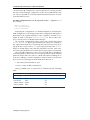
For hard drives that have less than about 500GB space, the XML file
master-one-big-partition.xml is used by default:
Partition
Space
Mounted At
Filesystem Type
1
512M
/boot
ext2
2
16G
-
swap
3
rest
/
ext3
Default layout for up to 500GB: One big partition.
For hard drives that have about 500GB or more of space, the XML
file master-standard.xml is used by default:
Partition
Space
Mounted At
Filesystem Type
1
512M
/boot
ext2
2
16G
-
swap
3
8G
/tmp
ext3
4
16G
/var
ext3
5
10G
/var/lib/mysql/
cmdaemon_mon
ext3
6
rest
/
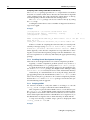
ext3
Default layout for more than 500GB: Several partitions.
The layouts indicated by these tables may be fine-tuned by editing
the XML partitioning definition during this stage. The “max” setting in the XML file corresponds to the “rest” entry in these tables,
and means the rest of the drive space is used up for the associated
partition, whatever the leftover space is.
There are also other layout templates available from a menu.
Continue is clicked, and then the administrator must confirm that
the data on the listed drive(s) may be erased by clicking Yes.
18. At the Time Configuration screen, a time-zone should be selected, and optionally, NTP time-servers should be added. Continue
should be clicked.
19. At the Cluster Access screen, some network restrictions can be
set. By default there are no network-specific restrictions on access
to the cluster (e.g. using ssh or cmgui). To accept the defaults,
Continue should be clicked.
© Bright Computing, Inc.
1.2 First Boot
20. At the Authentication screen, a hostname should be entered for
the head node. Also a password should be entered, twice, for use in
system administration. Continue should then be clicked.
21. At the Console screen, a text or graphical console can be configured for the nodes in the cluster. It should be noted that the Cluster
Management GUI can still be used remotely even if the console of
the head node is set to text mode. Continue should then be clicked.
22. At the Summary screen, the network summary should be reviewed.
The Start button then starts the installation. Yes should be clicked
to confirm that the data on the listed drive(s) may be erased.
23. The Installation Progress screen should eventually complete.
Clicking on Reboot and then clicking Yes to confirm, reboots the
head node.
1.2
First Boot
1. The DVD should be removed or the boot-order altered in the BIOS
to ensure that the head node boots from the first hard drive.
2. Once the machine is fully booted, a log in should be done as root
with the password that was entered during installation.
3. A check should be done to confirm that the machine is visible on the
external network. Also, it should be checked that the second NIC
(i.e. eth1) is physically connected to the external network.
4. If the parent distribution for Bright Cluster Manager is RHEL and
SUSE then registration (Chapter 5) should usually be done.
5. The license parameters should be verified to be correct:
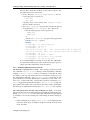
cmsh -c "main licenseinfo"
If the license being used is a temporary license (see End Time
value), a new license should be requested well before the temporary license expires. The procedure for requesting and installing a
new license is described in Chapter 4.
1.3
Booting Regular Nodes
1. A check should be done to make sure the first NIC (i.e. eth0) on the
head node is physically connected to the internal cluster network.
2. The BIOS of regular nodes should be configured to boot from the
network. The regular nodes should then be booted. No operating
system is expected to be on the regular nodes already. If there is an
operating system there already, then by default, it is overwritten by
a default image provided by the head node during the next stages.
3. If everything goes well, the node-installer component starts on each
regular node and a certificate request is sent to the head node.
If a regular node does not make it to the node-installer stage, then
it is possible that additional kernel modules are needed. Section 5.8
of the Administrator Manual contains more information on how to
diagnose problems during the regular node booting process.
© Bright Computing, Inc.
5
6
Quickstart Installation Guide
4. To identify the regular nodes (that is, to assign a host name to each
physical node), several options are available. Which option is most
convenient depends mostly on the number of regular nodes and
whether a (configured) managed Ethernet switch is present.
Rather than identifying nodes based on their MAC address, it is
often beneficial (especially in larger clusters) to identify nodes based
on the Ethernet switch port that they are connected to. To allow
nodes to be identified based on Ethernet switch ports, section 3.8 of
the Administrator Manual should be consulted.
Any one of the following methods may be used to assign node identities when all nodes have been booted:
a. Identifying each node on the node console: To manually identify each node, the “Manually select node” option is selected for each node. The node is then identified manually by
selecting a node-entry from the list, choosing the Accept option. This option is easiest when there are not many nodes. It
requires being able to view the console of each node and keyboard entry to the console.
b. Identifying nodes using cmgui: The Node Identification Wizard (page 178, section 5.4.2 of the Administrator Manual) in
cmgui automates the process of assigning identities so that
nodes do not require manual identification on the console.
c. Identifying nodes using cmsh: In cmsh the newnodes command in device mode (page 173, section 5.4.2 of the Administrator Manual) can be used to assign identities to nodes
from the command line. When called without parameters,
the newnodes command can be used to verify that all nodes
have booted into the node-installer and are all waiting to be
assigned an identity.
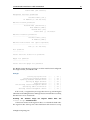
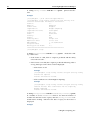
Example
To verify that all regular nodes have booted into the nodeinstaller:
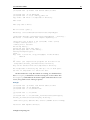
[root@mycluster ~]# cmsh
[mycluster]% device newnodes
MAC
First appeared
Detected on switch port
----------------- ------------------------ ----------------------00:0C:29:D2:68:8D 05 Sep 2011 13:43:13 PDT [no port detected]
00:0C:29:54:F5:94 05 Sep 2011 13:49:41 PDT [no port detected]
..
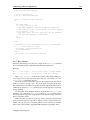
[mycluster]% device newnodes | wc -l
MAC
First appeared
Detected on switch port
----------------- ------------------- ----------------------32
[mycluster]% exit
[root@mycluster ~]#
Example
Once all regular nodes have been booted in the proper order,
the order of their appearance on the network can be used to
© Bright Computing, Inc.
1.4 Running Cluster Management GUI
assign node identities. To assign identities node001 through
node032 to the first 32 nodes that were booted, the following
commands may be used:
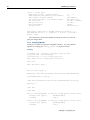
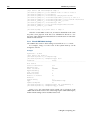
[root@mycluster ~]# cmsh
[mycluster]% device newnodes -s -n node001..node032
MAC
First appeared
Hostname
----------------- ----------------------------- --------00:0C:29:D2:68:8D Mon, 05 Sep 2011 13:43:13 PDT node001
00:0C:29:54:F5:94 Mon, 05 Sep 2011 13:49:41 PDT node002
..
[mycluster]% exit
[root@mycluster ~]#
5. Each regular node is now provisioned and eventually fully boots.
In case of problems, section 5.8 of the Administrator Manual should
be consulted.
6. Optional: To configure power management, Chapter 4 of the Administrator Manual should be consulted.
1.4
Running Cluster Management GUI
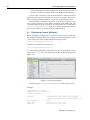
To run the Cluster Management GUI (cmgui) on the cluster from a
workstation running X11:
1. From a Linux desktop PC, the cmgui user, typically root, should
log in to the cluster with SSH X-forwarding:
ssh -X root@mycluster
2. the Cluster Management GUI is then started:
cmgui
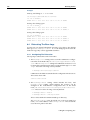
3. The connect button is clicked (figure 2.2 of the Administrator Manual) and the password that was configured during installation is entered.
4. Optional: For more information on how the Cluster Management
GUI can be used to manage one or more clusters, section 2.4 of the
Administrator Manual can be consulted.
To run the Cluster Management GUI on a desktop PC:
1. The appropriate package(s) for MS Windows, Linux, or Mac OS
should be copied from /cm/shared/apps/cmgui/dist to the
desktop PC:
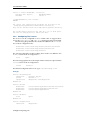
scp root@mycluster:/cm/shared/apps/cmgui/dist/* /tmp
On MS windows WinSCP can be used.
2. The package is installed.
On Windows: the installer is executed and the steps are followed.
On Linux: the contents are extracted using tar -xvjf filename.
On Mac OS: the installer is executed and the steps are followed.
© Bright Computing, Inc.
7
8
Quickstart Installation Guide
3. The cluster management GUI is started
On Windows: from the Start menu or by clicking the desktop icon.
On Linux: by changing into the cmgui directory and executing:
./cmgui
On Mac OS: from the Start menu or by clicking the desktop icon.
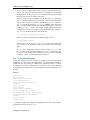
4. Add a new cluster should be clicked on, and the following parameters entered:
Host: Hostname or IP address of the cluster
Password: Password entered during installation
5. The connect button should be clicked on (figure 2.2 of the Administrator Manual)
6. Optional: For more information on how the Cluster Management
GUI can be used to manage one or more clusters, section 2.4 of the
Administrator Manual can be consulted.
The cluster should now be ready for running compute jobs.
For more information:
• This manual, the Installation Manual, has more details and background on the installation of the cluster in the next chapters.
• The Administrator Manual describes the general management of
the cluster.
• The User Manual describes the user environment and how to submit jobs for the end user
• The Cloudbursting Manual describes how to deploy the cloud capabilities of the cluster.
• The Developer Manual has useful information for developers who
would like to program with Bright Cluster Manager.
• The OpenStack Deployment Manual describes how to deploy OpenStack with Bright Cluster Manager
• The Hadoop Deployment Manual describes how to deploy Hadoop
with Bright Cluster Manager
• The UCS Deployment Manual describes how to deploy the Cisco
UCS server with Bright Cluster Manager.
© Bright Computing, Inc.
2
Introduction
2.1
What Is Bright Cluster Manager?
Bright Cluster Manager 7.0 is a cluster management application built on
top of a major Linux distribution. It is available for:
• Versions 6 and 7 of
– Scientific Linux
– Red Hat Enterprise Linux Server
– CentOS
• and also
– SUSE Enterprise Server 11sp2, 11sp3
– SUSE Enterprise Server 12
The application runs on an x86_64 architecture.
This chapter introduces some features of Bright Cluster Manager and
describes a basic cluster in terms of its hardware.
2.2
Cluster Structure
In its most basic form, a cluster running Bright Cluster Manager contains:
• One machine designated as the head node
• Several machines designated as compute nodes
• One or more (possibly managed) Ethernet switches
• One or more power distribution units (Optional)
The head node is the most important machine within a cluster because it controls all other devices, such as compute nodes, switches and
power distribution units. Furthermore, the head node is also the host
that all users (including the administrator) log in to. The head node is
the only machine that is connected directly to the external network and
is usually the only machine in a cluster that is equipped with a monitor
and keyboard. The head node provides several vital services to the rest
of the cluster, such as central data storage, workload management, user
management, DNS and DHCP service. The head node in a cluster is also
frequently referred to as the master node.
© Bright Computing, Inc.
10
Introduction
Often, the head node is replicated to a second head node, frequently
called a passive head node. If the active head node fails, the passive head
node can become active and take over. This is known as a high availability setup, and is a typical configuration (Chapter 12 of the Administrator
Manual) in Bright Cluster Manager.
A cluster normally contains a considerable number of non-head, or
regular nodes, also referred to simply as nodes.
Most of these nodes are compute nodes. Compute nodes are the machines that will do the heavy work when a cluster is being used for large
computations. In addition to compute nodes, larger clusters may have
other types of nodes as well (e.g. storage nodes and login nodes). Nodes
can be easily installed through the (network bootable) node provisioning system that is included with Bright Cluster Manager. Every time a
compute node is started, the software installed on its local hard drive is
synchronized automatically against a software image which resides on
the head node. This ensures that a node can always be brought back to
a “known state”. The node provisioning system greatly eases compute
node administration and makes it trivial to replace an entire node in the
event of hardware failure. Software changes need to be carried out only
once (in the software image), and can easily be undone. In general, there
will rarely be a need to log on to a compute node directly.
In most cases, a cluster has a private internal network, which is usually built from one or multiple managed Gigabit Ethernet switches, or
made up of an InfiniBand fabric. The internal network connects all nodes
to the head node and to each other. Compute nodes use the internal
network for booting, data storage and interprocess communication. In
more advanced cluster setups, there may be several dedicated networks.
It should be noted that the external network—which could be a university campus network, company network or the Internet—is not normally
directly connected to the internal network. Instead, only the head node is
connected to the external network.
Figure 2.1 illustrates a typical cluster network setup.
Figure 2.1: Cluster network
Most clusters are equipped with one or more power distribution units.
These units supply power to all compute nodes and are also connected to
the internal cluster network. The head node in a cluster can use the power
© Bright Computing, Inc.
2.2 Cluster Structure
control units to switch compute nodes on or off. From the head node, it is
straightforward to power on/off a large number of compute nodes with
a single command.
© Bright Computing, Inc.
11
3
Installing Bright Cluster
Manager
This chapter describes in detail the installation of Bright Cluster Manager
onto the head node of a cluster. Sections 3.1 and 3.2 list hardware requirements and supported hardware. Section 3.3 gives step-by-step instructions on installing Bright Cluster Manager from a DVD onto a head node
that has no operating system running on it initially, while section 3.4 gives
instructions on installing onto a head node that already has an operating
system running on it.
Once the head node is installed, the other, regular, nodes can (PXE)
boot off the head node and provision themselves from it with a default
image, without requiring a Linux distribution DVD themselves. Regular nodes normally have any existing data wiped during the process of
provisioning from the head node, which means that a faulty drive can
normally simply be replaced by taking the regular node offline, replacing
its drive, and then bringing the node back online, without special reconfiguration. The details of the PXE boot and provisioning process for the
regular nodes are described in Chapter 5 of the Administrator Manual.
The installation of software on an already-configured cluster running
Bright Cluster Manager is described in Chapter 8 of the Administrator
Manual.
3.1
Minimal Hardware Requirements
The following are minimal hardware requirements:
3.1.1 Head Node
• Intel Xeon or AMD Opteron CPU (64-bit)
• 2GB RAM
• 80GB diskspace
• 2 Gigabit Ethernet NICs (for the most common Type 1 topology (section 3.3.6))
• DVD drive
© Bright Computing, Inc.
14
Installing Bright Cluster Manager
3.1.2 Compute Nodes
• Intel Xeon or AMD Opteron CPU (64-bit)
• 1GB RAM (at least 4GB is recommended for diskless nodes)
• 1 Gigabit Ethernet NIC
3.2
Supported Hardware
The following hardware is supported:
3.2.1 Compute Nodes
• SuperMicro
• Cray
• Cisco
• Dell
• IBM
• Asus
• Hewlett Packard
Other brands are also expected to work, even if not explicitly supported.
3.2.2 Ethernet Switches
• HP ProCurve
• Nortel
• Cisco
• Dell
• SuperMicro
• Netgear
Other brands are also expected to work, although not explicitly supported.
3.2.3 Power Distribution Units
• APC (American Power Conversion) Switched Rack PDU
Other brands with the same SNMP MIB mappings are also expected
to work, although not explicitly supported.
3.2.4 Management Controllers
• IPMI 1.5/2.0
• HP iLO 1/2/3
© Bright Computing, Inc.
3.3 Head Node Installation: Bare Metal Method
3.2.5 InfiniBand
• Mellanox HCAs, and most other InfiniBand HCAs
• Mellanox InfiniBand switches
• QLogic (Intel True Scale) InfiniBand switches
• Most other InfiniBand switches
3.2.6 GPUs
• NVIDIA Tesla with latest recommended drivers
• NVIDIA GeForce and other older generations are mostly supported.
Bright Computing can be consulted for details.
3.2.7 MICs
• Xeon Phi: All processor versions
3.3
Head Node Installation: Bare Metal Method
A bare metal installation, that is, installing the head node onto a machine
with no operating system on it already, is the recommended option. This
is because it cannot run into issues from an existing configuration. An operating system from one of the ones listed in section 2.1 is installed during
a bare metal installation. The alternative to a bare metal installation is the
add-on installation of section 3.4.
To start a bare metal installation, the time in the BIOS of the head
node is set to local time. The head node is then made to boot from DVD,
which can typically be done by appropriate keystrokes when the head
node boots, or via a BIOS configuration.
Booting from the DVD first loads up and presents a pre-installer menu.
The pre-installer menu offers a default option of booting from the hard
drive, and has a countdown to deploying that. The countdown should
be interrupted by selecting the option of “Install Bright Cluster
Manager” instead, which starts the installer, which will then bring up the
welcome screen.
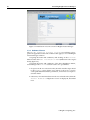
3.3.1 Welcome Screen
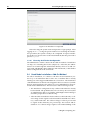
The welcome screen (figure 3.1) displays version and license information.
Two installation modes are available: normal mode and express mode.
Selecting the express mode installs the head node with the predefined
configuration that the DVD was created with. The administrator password automatically set when express mode is selected is: system.
Clicking on the Continue button brings up the Bright Cluster Manager software license screen, described next.
© Bright Computing, Inc.
15
16
Installing Bright Cluster Manager
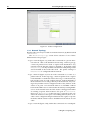
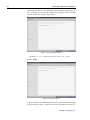
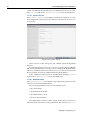
Figure 3.1: Installation welcome screen for Bright Cluster Manager
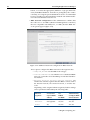
3.3.2 Software License
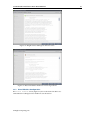
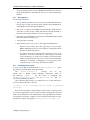
The “Bright Computing Software License” screen (figure 3.2) explains the applicable terms and conditions that apply to use of the Bright
Cluster Manager software.
Accepting the terms and conditions, and clicking on the Continue
button leads to the Base Distribution EULA (End User License Agreement) (figure 3.3).
Accepting the terms and conditions of the base distribution EULA,
and clicking on the Continue button leads to two possibilities.
1. If express mode was selected earlier, then the installer skips ahead
to the Summary screen (figure 3.31), where it shows an overview
of the predefined installation parameters, and awaits user input to
start the install.
2. Otherwise, if normal installation mode was selected earlier, then the
“Kernel Modules” configuration screen is displayed, described
next.
© Bright Computing, Inc.
3.3 Head Node Installation: Bare Metal Method
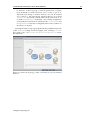
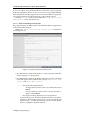
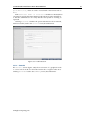
Figure 3.2: Bright Cluster Manager Software License
Figure 3.3: Base Distribution End User License Agreement
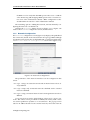
3.3.3 Kernel Modules Configuration
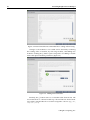
The Kernel Modules screen (figure 3.4) shows the kernel modules recommended for loading based on hardware auto-detection.
© Bright Computing, Inc.
17
18
Installing Bright Cluster Manager
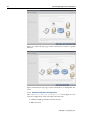
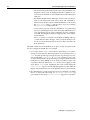
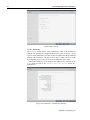
Figure 3.4: Kernel Modules Recommended For Loading After Probing
Changes to the modules to be loaded can be entered by reordering
the loading order of modules, by removing modules, and adding new
modules. Clicking the + button opens an input box for adding a module
name and optional module parameters (figure 3.5).
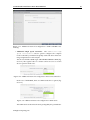
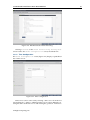
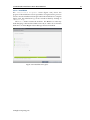
Figure 3.5: Adding Kernel Modules
Similarly, the - button removes a selected module from the list. The
arrow buttons move a kernel module up or down in the list. Kernel module loading order decides the exact name assigned to a device (e.g. sda,
sdb, eth0, eth1).
© Bright Computing, Inc.
3.3 Head Node Installation: Bare Metal Method
After optionally adding or removing kernel modules, clicking the
reload button shows the modules list that will then be implemented.
Clicking Continue then leads to the “Hardware Information”
overview screen, described next.
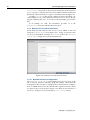
3.3.4 Hardware Overview
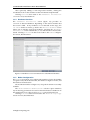
The “Hardware Information” screen (figure 3.6) provides an
overview of detected hardware depending on the kernel modules that
have been loaded. If any hardware is not detected at this stage, the
“Go Back” button is used to go back to the “Kernel Modules” screen
(figure 3.4) to add the appropriate modules, and then the “Hardware
Information” screen is returned to, to see if the hardware has been detected. Clicking Continue in this screen leads to the Nodes configuration screen, described next.
Figure 3.6: Hardware Overview Based On Loaded Kernel Modules
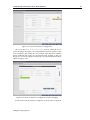
3.3.5 Nodes Configuration
The Nodes screen (figure 3.7) configures the number of racks, the number
of regular nodes, the node basename, the number of digits for nodes, and
the hardware manufacturer.
The maximum number of digits is 5, to keep the hostname reasonably
readable.
The “Node Hardware Manufacturer” selection option initializes
any monitoring parameters relevant for that manufacturer’s hardware. If
the manufacturer is not known, then Other is selected from the list.
Clicking Continue in this screen leads to the “Network Topology”
selection screen, described next.
© Bright Computing, Inc.
19
20
Installing Bright Cluster Manager
Figure 3.7: Nodes Configuration
3.3.6 Network Topology
Regular nodes are always located on an internal network, by default called
Internalnet.
The “Network Topology” screen allows selection of one of three
different network topologies.
A type 1 network (figure 3.8), with nodes connected on a private internal network. This is the default network setup. In this topology,
a network packet from a head or regular node destined for any
external network that the cluster is attached to, by default called
Externalnet, can only reach the external network by being routed
and forwarded at the head node itself. The packet routing for
Externalnet is configured at the head node.
A type 2 network (figure 3.9) has its nodes connected via a router to a
public network. In this topology, a network packet from a regular
node destined for outside the cluster does not go via the head node,
but uses the router to reach a public network. Packets destined for
the head node however still go directly to the head node. Any routing for beyond the router is configured on the router, and not on the
cluster or its parts. Care should be taken to avoid DHCP conflicts
between the DHCP server on the head node and any existing DHCP
server on the internal network if the cluster is being placed within
an existing corporate network that is also part of Internalnet
(there is no Externalnet in this topology). Typically, in the case
where the cluster becomes part of an existing network, there is another router configured and placed between the regular corporate
machines and the cluster nodes to shield them from effects on each
other.
A type 3 network (figure 3.10), with nodes connected on a routed pub-
© Bright Computing, Inc.
3.3 Head Node Installation: Bare Metal Method
lic network. In this topology, a network packet from a regular
node, destined for another network, uses a router to get to it.
The head node, being on another network, can only be reached
via a router too. The network the regular nodes are on is called
Internalnet by default, and the network the head node is on
is called Managementnet by default. Any routing configuration
for beyond the routers that are attached to the Internalnet and
Managementnet networks is configured on the routers, and not on
the clusters or its parts.
Selecting the network topology helps decide the predefined networks
on the Networks settings screen later (figure 3.15). Clicking Continue
here leads to the “Additional Network Configuration” screen,
described next.
Figure 3.8: Networks Topology: nodes connected on a private internal
network
© Bright Computing, Inc.
21
22
Installing Bright Cluster Manager
Figure 3.9: Networks Topology: nodes connected via router to a public
network
Figure 3.10: Network Topology: nodes connected on a routed public network
3.3.7 Additional Network Configuration
The “Additional Network Configuration” screen (figure 3.11) allows the configuration of the following extra networks:
1. additional high speed interconnect networks
2. BMC networks
© Bright Computing, Inc.
3.3 Head Node Installation: Bare Metal Method
Figure 3.11: Additional Network Configuration: OFED and BMC Networking
• Additional High Speed Networks: The Additional high
speed interconnect selector options configure the compute
nodes so that they communicate quickly with each other while running computational workload jobs.
The choices include 10/40 Gig-E and InfiniBand RDMA OFED (figure 3.12). The regular nodes of a cluster can be set to boot over the
chosen option in both cases.
Figure 3.12: Additional Network Configuration: Interconnect Interface
In the case of InfiniBand, there are OFED stack driver options (figure 3.13).
Figure 3.13: Additional Network Configuration: OFED stack
The OFED stack used can be the stack packaged by the parent distri-
© Bright Computing, Inc.
23
24
Installing Bright Cluster Manager
bution, or it can be the appropriate (Mellanox or QLogic/Intel True
Scale) InfiniBand hardware stack that is packaged by the vendor.
Currently, choosing the parent distribution stack is recommended
because it tends to be integrated better with the OS. OFED installation is discussed further in section 7.6.
• BMC Network Configuration: If the administrator confirms that
the nodes are to use BMCs (Baseboard Management Controllers)
that are compatible with IPMI, iLO, or CIMC, then the BMC network options appear (figure 3.14).
Figure 3.14: Additional Network Configuration: BMC Network
These options configure the BMC network for the regular nodes:
– IPMI, iLO, or CIMC: sets the BMC network type.
– Dedicated or Shared: sets whether to use a dedicated BMC
network, or instead to share the BMC port with the first Ethernet interface.
– External Network, Internal Network, or Other: sets
whether the ethernet segment that the BMCs connect with is
the internal network, the external network, or another network.
Depending on the assigned ethernet segment, further settings
can be specified as indicated by the following table:
Ethernet
Create New
Use
Automatically
Segment
Layer-3 BMC
DHCP
Configure BMC
Subnet
For BMC
On Node Boot
Internal
Yes/No
Yes/No
Not applicable
External
Not applicable
Yes/No
Yes/No
Other
Yes
Yes/No
Yes/No
© Bright Computing, Inc.
3.3 Head Node Installation: Bare Metal Method
If a BMC is to be used, then the BMC password is set to a random
value. Retrieving and changing a BMC password is covered in section 3.7.2 of the Administrator Manual. BMC configuration is discussed further in section 3.7 of the Administrator Manual.
The remaining options—adding the network, and automatically configuring the network—can then be set.
Clicking the Continue button shown in figure 3.11 or figure 3.14
leads to the Networks configuration screen, described next.
3.3.8 Networks Configuration
The Networks configuration screen (figure 3.15) displays the predefined
list of networks, based on the selected network topology. BMC and high
speed interconnect networks are defined based on selections made in the
“Additional Network Configuration” screen earlier (figure 3.11).
Figure 3.15: Networks Configuration
The parameters of the network interfaces can be configured in this
screen.
For a type 1 setup, an external network and an internal network are always defined.
For a type 2 setup only an internal network is defined and no external
network is defined.
For a type 3 setup, an internal network and a management network are
defined.
A pop-up screen is used to help fill these values in for a type 1 network. The values can be provided via DHCP, but usually static values
are used in production systems to avoid confusion. The pop-up screen
asks for IP address details for the external network, where the network
© Bright Computing, Inc.
25
26
Installing Bright Cluster Manager
externalnet corresponds to the site network that the cluster resides in
(e.g. a corporate or campus network). The IP address details are therefore
the details of the head node for a type 1 externalnet network (figure 3.8).
Clicking Continue in this screen validates all network settings. Invalid settings for any of the defined networks cause an alert to be displayed, explaining the error. A correction is then needed to proceed further.
If all settings are valid, the installation proceeds on to the
Nameservers screen, described in the next section.
3.3.9 Nameservers And Search Domains
Search domains and external name servers can be added or removed
using the Nameservers screen (figure 3.16). Using an external name
server is recommended. Clicking on Continue leads to the “Network
Interfaces” configuration screen, described next.
Figure 3.16: Nameservers and search domains
3.3.10 Network Interfaces Configuration
The “Network Interfaces” screen (figure 3.17) allows a review of the
list of network interfaces with their proposed settings. The head node
and regular nodes each have a settings pane for their network configurations. If a BMC network is to be shared with a regular network—which
an option in the screen shown in figure 3.14—then an alias interface is
shown too. In figure 3.17 an alias interface, eth0:ipmi, is shown.
© Bright Computing, Inc.
3.3 Head Node Installation: Bare Metal Method
Figure 3.17: Network Interface Configuration
An icon in the Head Node Interfaces section, where the hovertext is showing in the figure, allows the Ethernet network interface order
to be changed on the head node. For example, if the interfaces with the
names eth0 and eth1 need to be swapped around, clicking on the icon
brings up a screen allowing the names to be associated with specific MAC
addresses (figure 3.18).
Figure 3.18: Network Interface Configuration Order Changing
For the node network interfaces of figure 3.17, the IP offset can be mod-
© Bright Computing, Inc.
27
28
Installing Bright Cluster Manager
ified. 1
A different network can be selected for each interface using the dropdown box in the Network column. Selecting Unassigned disables a
network interface.
If the corresponding network settings are changed (e.g., base address
of the network) the IP address of the head node interface needs to be modified accordingly. If IP address settings are invalid, an alert is displayed,
explaining the error.
Clicking Continue on a “Network Interfaces” screen validates
IP address settings for all node interfaces.
If all settings are correct, and if InfiniBand networks have been defined, then clicking on Continue leads to the “Subnet Managers”
screen (figure 3.19), described in the next section.
If no InfiniBand networks are defined, or if InfiniBand networks
have not been enabled on the networks settings screen, then clicking Continue instead leads to the CD/DVD ROMs selection screen (figure 3.20).
3.3.11 Select Subnet Managers
The “Subnet Managers” screen in figure 3.19 is only displayed if an InfiniBand network was defined, and lists all the nodes that can run the
InfiniBand subnet manager. The nodes assigned the role of a subnet
manager are ticked, and the Continue button is clicked to go on to the
“CD/DVD ROMs” selection screen, described next.
1 The IP offset is used to calculate the IP address assigned to a regular node interface. The
nodes are conveniently numbered in a sequence, so their interfaces are typically also given a
network IP address that is in a sequence on a selected network. In Bright Cluster Manager,
interfaces by default have their IP addresses assigned to them sequentially, in steps of 1,
starting after the network base address.
The default IP offset is 0.0.0.0, which means that the node interfaces by default start their
range at the usual default values in their network.
With a modified IP offset, the point at which addressing starts is altered. For example, a
different offset might be desirable when no IPMI network has been defined, but the nodes
of the cluster do have IPMI interfaces in addition to the regular network interfaces. If a
modified IP offset is not set for one of the interfaces, then the BOOTIF and ipmi0 interfaces
get IP addresses assigned on the same network by default, which could be confusing.
However, if an offset is entered for the ipmi0 interface, then the assigned IPMI IP addresses start from the IP address specified by the offset. That is, each modified IPMI address
takes the value:
address that would be assigned by default + IP offset
Example
Taking the case where BOOTIF and IPMI interfaces would have IP addresses on the same
network with the default IP offset:
Then, on a cluster of 10 nodes, a modified IPMI IP offset of 0.0.0.20 means:
• the BOOTIF interfaces stay on 10.141.0.1,...,10.141.0.10 while
• the IPMI interfaces range from 10.141.0.21,...,10.141.0.30
© Bright Computing, Inc.
3.3 Head Node Installation: Bare Metal Method
Figure 3.19: Subnet Manager Nodes
3.3.12 Select CD/DVD ROM
The “CD/DVD ROMs” screen in figure 3.20 lists all detected CD/DVDROM devices. If multiple drives are found, then the drive with the Bright
Cluster Manager DVD needs to be selected by the administrator. If the
installation source is not detected, it can be added manually using the +
button.
Optionally, a media integrity check can be set.
Clicking on the Continue button starts the media integrity check, if
it was set. The media integrity check can take about a minute to run. If all
is well, then the “Workload Management” setup screen is displayed, as
described next.
© Bright Computing, Inc.
29
30
Installing Bright Cluster Manager
Figure 3.20: DVD Selection
3.3.13 Workload Management Configuration
The “Workload Management” configuration screen (figure 3.21) allows
selection from a list of supported workload managers. A workload management system is highly recommended to run multiple compute jobs on
a cluster.
Figure 3.21: Workload Management Setup
The Maui and Moab scheduler can be configured to run on the cluster
if selected. However, these are not installed by the Bright Cluster Manager installer because Adaptive Computing prefers to distribute them di-
© Bright Computing, Inc.
3.3 Head Node Installation: Bare Metal Method
rectly. Details on installing the packages after the cluster has been installed are given in Chapter 7 on workload management of the Administrator Manual.
To prevent a workload management system from being set up, the
option to select is: None. If a workload management system is selected,
then the number of slots per node is set by default to 8.
The head node can also be selected for use as a compute node, which
can be a sensible choice on small clusters.
Clicking Continue on this screen leads to the “Hadoop” screen for
the Bright Cluster Manager Hadoop edition, described next.
3.3.14 Hadoop
The Bright Cluster Manager Hadoop edition can be configured to support
Hadoop installation in this screen (figure 3.22).
Hadoop is used for processing extremely large unstructured data. It is
available in several flavors, and evolving rapidly. It can therefore be hard
to manage. The introduction of Hadoop integration for the main Hadoop
flavors in version Bright Cluster Manager 7.0 makes its installation, configuration, and support much simpler for cluster administrators.
Bright Cluster Manager provides the Apache, Cloudera, and Hortonworks flavors of Hadoop.
Figure 3.22: Hadoop Option
The Hadoop Deployment Manual has more on deploying and running
Hadoop.
Clicking Continue on this screen leads to the “OpenStack” screen,
if the OpenStack edition of Bright Cluster Manager has been purchased.
3.3.15 OpenStack
OpenStack is an Open Source implementation of cloud services. It is under rapid development, but Bright Cluster Manager integrates a relatively
© Bright Computing, Inc.
31
32
Installing Bright Cluster Manager
stable implementation of it in the Bright Cluster Manager OpenStack edition. Selecting it means that the OpenStack packages will be installed
onto the head node, ready for deployment.
Figure 3.23: OpenStack Option
Clicking Continue on this screen leads to the “Ceph” screen.
3.3.16
Ceph
Figure 3.24: Ceph Option
Ceph is an object-based distributed parallel filesystem with self-managing
and self-healing features. Object-based means it handles each item na-
© Bright Computing, Inc.
3.3 Head Node Installation: Bare Metal Method
tively as an object, along with meta-data for that item. Ceph is typically
used with OpenStack, but it can also be used for storage independently
from OpenStack. Selecting Ceph in this screen means that the Ceph packages will be installed onto the head node, ready for deployment.
Clicking Continue on this screen leads to the “Disk Partitioning
and Layouts” screen, described next.
3.3.17 Disk Partitioning And Layouts
The partitioning layout XML schema is described in detail in Appendix D
of the Administrator Manual.
Within the “Disk Partitioning and Layouts” configuration
screen (figure 3.25):
Figure 3.25: Disk Partitioning And Layouts
• the administrator must select the drive on the head node where the
cluster manager is to be installed.
• the administrator must set the disk partitioning layout for the head
node and regular nodes with the two options: “Head node disk
layout” and “Node disk layout”.
–
* The head node by default uses
· one big partition if it has a drive size smaller than about
500GB
· several partitions if it has a drive size greater than or
equal to about 500GB.
* The regular node by default uses several partitions.
A partitioning layout other than the default can be selected for
installation from the drop-down boxes for the head node and
regular nodes. Possible partitioning options include RAID,
failover, and STIG-compliant schemes.
© Bright Computing, Inc.
33
34
Installing Bright Cluster Manager
– The head node partitioning layout is the only installation setting that cannot easily be changed after the completion (section 3.3.23) of installation. It should therefore be decided upon
with care.
– By default, Bright Cluster Manager mounts ext2/3/4 filesystems on the head node with ACLs unset and extended attributes unset. If files require extended attributes or ACLs then
the user_xattr and acl options can be set in, for example,
the /etc/fstab configuration file.
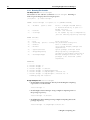
– A text editor pops up when the edit button of a partitioning
layout is clicked (figure 3.26). This allows the administrator to
view and change layout values within the layout’s configuration XML file using the schema in Appendix D.1 of the Administrator Manual.
The Save and Reset buttons are enabled on editing, and save
or undo the text editor changes. Once saved, the changes cannot be reverted automatically in the text editor, but must be
done manually.
The XML schema allows the definition of a great variety of layouts in the
layout’s configuration XML file. For example:
1. for a large cluster or for a cluster that is generating a lot of monitoring or burn data, the default partition layout partition size for
/var may fill up with log messages because log messages are usually stored under /var/log/. If /var is in a partition of its own,
as in the default head node partitioning layout presented when the
hard drive is about 500GB or more, then providing a larger size
of partition than the default for /var allows more logging to take
place before /var is full. Modifying the value found within the
<size></size> tags associated with that partition in the XML file
(figure 3.26) modifies the size of the partition that is to be installed.
2. the administrator could specify the layout for multiple non-RAID
drives on the head node using one <blockdev></blockdev> tag
pair within an enclosing <device></device> tag pair for each drive.
© Bright Computing, Inc.
3.3 Head Node Installation: Bare Metal Method
Figure 3.26: Edit Head Node Disk Partitioning
Clicking Continue on the “Disk Partitioning and Layouts”
screen leads to the “Time Configuration” screen, described next.
3.3.18 Time Configuration
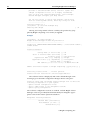
The “Time Configuration” screen (figure 3.27) displays a predefined
list of time servers.
Figure 3.27: Time Configuration
Timeservers can be removed by selecting a time server from the list
and clicking the - button. Additional time servers can be added by entering the name of the time server and clicking the + button. A timezone
© Bright Computing, Inc.
35
36
Installing Bright Cluster Manager
can be selected from the drop-down box if the default is incorrect. Clicking Continue leads to the “Cluster Access” screen, described next.
3.3.19 Cluster Access
The “Cluster Access” screen (figure 3.28) sets the existence of a cluster management web portal service, and also sets network access to several services.
Figure 3.28: Cluster Access
These services are the web portal, ssh, and the cluster management
daemon.
If restricting network access for a service is chosen, then an editable
list of networks that may access the service is displayed. By default the
list has no members. The screen will not move on to the next screen until
the list contains at least one CIDR-format network IP address.
If the conditions for this screen are satisfied, then clicking Continue
leads to the Authentication screen, described next.
3.3.20 Authentication
The Authentication screen (figure 3.29) requires the password to be
set twice for the cluster administrator.
The following parameters can also be set in this screen:
• the cluster name
• the head node hostname
• the administrator e-mail
• the test e-mail checkbox
The administrator e-mail is where critical cluster mail is sent. If it is
left blank then such mail is sent by default to the mail spool at /var/
© Bright Computing, Inc.
3.3 Head Node Installation: Bare Metal Method
spool/mail/root, where it can be viewed with a mail client such as
mutt.
If the Send test email on first boot checkbox is checked, then
a test mail is sent the first time that the head node boots after installation,
so that the administrator can verify that the mail system is working as
expected.
Clicking Continue validates the passwords that have been entered,
and if successful, leads to the Console screen, described next.
Figure 3.29: Authentication
3.3.21 Console
The Console screen (figure 3.30) allows selection of a graphical mode
or a text console mode for when the head node or regular nodes boot.
Clicking Continue leads to the Summary screen, described next.
© Bright Computing, Inc.
37
38
Installing Bright Cluster Manager
Figure 3.30: Console
3.3.22 Summary
The Summary screen (figure 3.31), summarizes some of the installation
settings and parameters configured during the previous stages. If the
express mode installation was chosen, then it summarizes the predefined
settings and parameters. Changes to the values on this screen are made
by navigating to previous screens and correcting the values there.
When the summary screen displays the right values, clicking on the
Start button leads to the “Installation Progress” screen, described next.
Figure 3.31: Summary of Installation Settings
© Bright Computing, Inc.
3.3 Head Node Installation: Bare Metal Method
3.3.23 Installation
The “Installation Progress” screen (figure 3.32) shows the
progress of the installation. It is not possible to navigate back to previous
screens once the installation has begun. When the installation is complete
(figure 3.33), the installation log can be viewed in detail by clicking on
“Install Log”.
The Reboot button restarts the machine. The BIOS boot order may
need changing or the DVD should be removed, in order to boot from the
hard drive on which Bright Cluster Manager has been installed.
Figure 3.32: Installation Progress
© Bright Computing, Inc.
39
40
Installing Bright Cluster Manager
Figure 3.33: Installation Completed
After rebooting, the system starts and presents a login prompt. After
logging in as root using the password that was set during the installation procedure, the system is ready to be configured. If express installation mode was chosen earlier as the install method, then the password is
preset to system.
3.3.24 Licensing And Further Configuration
The administrator with no interest in the add-on method of installation
can skip on to installing the license (Chapter 4). After that, the administrator can look through the Administrator Manual, where tools and concepts used with Bright Cluster Manager and introduced, so that further
cluster configuration can be carried out.
3.4
Head Node Installation: Add-On Method
An add-on installation, in contrast to the bare metal installation (section 3.3), is an installation that is done onto a machine that is already
running one of the supported distributions of section 2.1. The installation
of the distribution can therefore be skipped for this case. However, unlike
the bare metal installation, the add-on is not recommended for inexperienced cluster administrators. This is because of the following reasons:
• The installation configuration may conflict with what has already
been installed. The problems that arise can always be resolved, but
an administrator that is not familiar with Bright Cluster Manager
should be prepared for troubleshooting.
• After the add-on installation has been done to the head node, a software image for the regular nodes must still be installed into a directory on the head node. The software image is what is provisioned
to regular nodes when they are powered up. The creation and installation of a software image requires some understanding of the
© Bright Computing, Inc.
3.4 Head Node Installation: Add-On Method
Linux operating system as well as Bright Cluster Manager. Software
image management is described in section 8.6 of the Administrator
Manual.
3.4.1 Prerequisites
For the add-on method
• The operating system must obviously follow system administration
best practices so that it works properly with the official distribution,
when Bright Cluster Manager is added on
• The items of software that Bright Cluster Manager adds must be
allowed to overrule in any conflict with what is already installed, or
the end result of the installation cannot be supported.
• It is highly recommended to use a freshly-installed distribution rather
than one which is already in use.
• A product key is needed
• There must be repository access to the supported distribution.
– Internet access makes up-to-date repository access possible.
RHEL and SLES repository access requires a subscription from
Red Hat or SUSE (Chapter 5).
– For high-security environments without internet access, an alternative is to mount a DVD device or ISO image to the head
node containing a local repository snapshot of the parent distribution, and specify the repository location when running the
installation command. Configuring a local repository is described in section 8.6.3 of the Administrator Manual.
3.4.2 Installing The Installer
To carry out an add-on installation, the bright-installer-7.0 package must be installed with a package installer.
The
bright-installer-7.0
package
can
be
obtained from a Bright Cluster Manager installation DVD, in
the directory /addon/.
The file name is something like
bright-installer-7.0-129_cmbright.noarch.rpm (the exact version number may differ).
After obtaining the package, it is installed as root on the node that is
to become the head node, as follows:
[root@rhel6 ~]# rpm -ivh bright-installer-bright-129_cmbright.\
noarch.rpm
Because the installation of the package is done using rpm directly, and
is not using a dependency resolver such as YUM, some packages may still
need to be installed first. The administrator is prompted by the installer
to install these packages, and they can be installed with YUM as usual.
Installation progress is logged in /var/log/install-bright.log.
© Bright Computing, Inc.
41
42
Installing Bright Cluster Manager
3.4.3
Running The Installer
The Help Text For install-bright
The installer is run with the command install-bright. Running it
without options displays the following help text:
[root@rhel6 ~]# install-bright
USAGE: install-bright <-d <path>|-n|-l> [EXTRA OPTIONS]
-d | --fromdvd
<path to dvd>
-n | --network
-l | --localrepo
Path to a Bright DVD/USB device,
or mounted directory or path to a
Bright ISO file
Install over network
Do not update any repo configuration,
just use existing repository settings
EXTRA OPTIONS:
--------------h | --help
-c | --useconfig
-v | --verbose
-m | --minimal
Print this help
<path to config> Use predefined config file
Turn on verbose mode
Only install Bright packages and
dependencies
-f | --ignoreconflicts
Ignore package conflicts check
-s | --skippackagesetup
Skip repository configuration,
validation and package installation
-x | --excludepackages
Exclude packages from the list of
packages to be installed (commaseparated)
EXAMPLES:
--------1. install-bright -n
2. install-bright -l
3. install-bright -d /dev/sr0
4. install-bright -d /media/Bright-DVD
5. install-bright -d /tmp/bright7.0-rhel6u5.iso
6. install-bright -d /tmp/bright7.0-rhel6u5.iso -x
libXTrap,xorg-x11-resutils
Usage Examples For install-bright
• Install Bright Cluster Manager directly from the Bright Computing
repositories over the internet:
install-bright -n
• Install Bright Cluster Manager using a Bright Computing DVD as
the package repository:
install-bright -d /dev/sr0
• Install Bright Cluster Manager using a Bright Computing ISO as the
package repository:
install-bright -d /tmp/bright-centos5.iso
© Bright Computing, Inc.
3.4 Head Node Installation: Add-On Method
• Install Bright Cluster Manager using a Bright Computing ISO (-d
option) as the package repository, and create the repository (-r option) in the specified directory:
install-bright -d /tmp/bright-centos5.iso -r /tmp/repodir
• Install Bright Cluster Manager using a Bright Computing ISO as
the package repository (-d option), and create the repository in the
specified directory (-r option), but overwrite contents (-o option),
if the directory already exists:
install-bright -d /tmp/bright-centos5.iso -r /tmp/repodir -o
• Install Bright Cluster Manager from a local repository which has
already been configured. This also assumes that the repository configuration files for zypper/YUM use are already in place:
install-bright -l
• Install Bright Cluster Manager from a local repository (-l option)
which has already been configured, and specify a path to the repository directory with the -r option. This can be used when the
repository configuration file has not yet been generated and created. A repository configuration file is generated, and placed permanently in the appropriate directories (/etc/yum.repos.d/ or
/etc/zypp/repos.d/):
install-bright -l -r /tmp/repodir
An Installation Run For install-bright
The most common installation option is with an internet connection. Any
required software packages are asked for at the start:
Example
[root@rhel6 ~]# install-bright -n
Please install the follow pre-requisites
---------------------------------------createrepo
[root@rhel6 ~]# yum install createrepo
...
After all the packages are installed on the head node, the installer can be
run again. It checks for some software conflicts, and warns about the ones
it runs into.:
Example
[root@rhel6 ~]# install-bright -n
INFO/ERROR/WARNING:
-------------------WARNING:
A DHCP daemon is already running. Bright Cluster Manager
© Bright Computing, Inc.
43
44
Installing Bright Cluster Manager
provides a customized DHCP server, and will update the
’dhcpd’ configuration files. It is highly recommended
that you stop your existing DHCP server, and let Bright
Cluster Manager configure your dhcp server.
You can also choose to ignore this message, and proceed
with the existing DHCP server, which may or may not work.
-------------------Continue(c)/Exit(e)? e
[root@rhel6 ~]# /etc/init.d/dhcpd stop
Shutting down dhcpd:
[
OK
]
Having resolved potential software conflicts, the product key (supplied by Bright Computing or its vendor) is supplied:
Example
[root@rhel6 ~]# install-bright -n
Bright Cluster Manager Product Key Activation
--------------------------------------------Product key [XXXXX-XXXXX-XXXXX-XXXXX-XXXXX]: 001323-134122-134134-\
314384-987986
...
License Parameters
-----------------Country Name (2 letter code) []: US
State or Province Name (full name) []: CA
Locality (city) []: San Francisco
Organization Name (e.g. company) []: Bright
Organization Unit (e.g. department) []: Development
Cluster Name []: bright70
MAC address [??:??:??:??:??:??]: 08:B8:BD:7F:59:4B
Submit certificate request to Bright Computing? [y(yes)/n(no)]: y
Contacting license server ... License granted.
License has been installed in /cm/local/apps/cmd/etc/
The software license is displayed, and can be clicked through. Some
warning is given about the configuration changes about to take place:
Please be aware that the Bright Cluster Manager will re-write the
following configuration on your system:
- Update network configuration files.
- Start a DHCP server on the management network.
- Update syslog configuration
The software configuration sections is reached. Default Bright Cluster
Manager values are provided, but should normally be changed to appropriate values for the cluster. Questions asked are:
Management network parameters
----------------------------Network Name [internalnet]:
Base Address [10.141.0.0]:
Netmask Bits [16]:
© Bright Computing, Inc.
3.4 Head Node Installation: Add-On Method
45
Domain Name [eth.cluster]:
Management interface parameters
------------------------------Interface Name [eth0]:
IP Address [10.141.255.254]:
External network parameters
--------------------------Network Name [externalnet]:
Base Address [DHCP]:
Netmask Bits [24]:
Domain Name []: cm.cluster
External interface parameters
----------------------------Interface Name [eth1]:
IP Address [DHCP]:
External name servers list (space separated)
-------------------------------------------List [10.150.255.254]:
Root password
------------Please enter the cluster root password:
MySQL root password
------------------Please enter the MySQL root password:
The Bright Cluster Manager packages are then installed and configured.
The stages include, towards the end:
Example
Setting up repositories
Installing required packages
Updating database authentication
Setting up MySQL database
Starting syslog
Initializing cluster management daemon
Generating admin certificates
Starting cluster management daemon
.....
.....
.....
.....
.....
.....
.....
.....
[
[
[
[
[
[
[
[
OK
OK
OK
OK
OK
OK
OK
OK
]
]
]
]
]
]
]
]
If all is well, a congratulatory message then shows up, informing the
administrator that Bright Cluster Manager has been installed successfully,
that the host is now a head node.
Installing
The
Software
Image
For
Regular
Nodes
After
The
install-bright Installation Run
A functional cluster needs regular nodes to work with the head node.
The regular nodes at this point of the installation still need to be set up.
© Bright Computing, Inc.
46
Installing Bright Cluster Manager
To do that, a software image (section 2.1.2 of the Administrator Manual)
must now be created for the regular nodes on the head node. The regular
nodes, when booting, use such a software image when they boot up to
become a part of the cluster. A software image can be created using the
base tar image included on the DVD, or as a custom image. The details
on how to do this with cm-create-image are given in section 8.6 of the
Administrator Manual.
Once the head node and software image have been built, the head
node installation is complete, and the cluster is essentially at the same
stage as that at the end of section 3.3.23 of the bare metal installation,
except for that the software image is possibly a more customized image
than the default image provided with the bare-metal installation.
The Build Configuration Files
This section is mainly intended for deploying installations that have been
pre-configured by the administrator. It can therefore be skipped in a first
reading.
The build configuration file of a cluster contains the configuration
scheme for a cluster. The bare metal and add-on installations both generate their own, separate build configuration files, stored in separate locations.
Most administrators do not deal with a build configuration file directly, partly because a need to do this arises only in rare and special cases,
and partly because it is easy to make mistakes. An overview, omitting details, is given here to indicate how the build configuration file relates to
the installations carried out in this chapter and how it may be used.
The bare metal build configuration file: The file at:
/root/cm/build-config.xml
on the head node contains cluster configuration settings and the list of
distribution packages that are installed during the bare metal installation.
Once the installation has completed, this file is static, and does not change
as the cluster configuration changes.
The add-on installation build configuration file: Similarly, the file at:
/root/.brightcm/build-config.xml
contains configuration settings. However, it does not contain a list of distribution packages. The file is created during the add-on installation, and
if the installation is interrupted, the installation can be resumed at the
point of the last confirmation prior to the interruption. This is done by
using the -c option to install-bright as follows:
Example
install-bright -c /root/.brightcm/build-config.xml
Both original “build” configuration XML files can be copied and installed via the -i initialize option: For example:
service cmd stop
cmd -i build-config-copy.xml
service cmd start
#reinitializes CMDaemon from scratch
© Bright Computing, Inc.
3.4 Head Node Installation: Add-On Method
47
overwrites the old configuration. It means that the new cluster presents
the same cluster manager configuration as the old one did initially. This
can only be expected to work with identical hardware because of hardware dependency issues.
An XML configuration file can be exported via the -x option to cmd:
For example:
service cmd stop
cmd -x myconfig.xml
service cmd start
Exporting the configuration is sometimes helpful in examining the
XML configuration of an existing cluster after configuration changes have
been made to the original installation. This “snapshot” can then, for example, be used to customize a build-config.xml file in order to deploy a custom version of Bright Cluster Manager.
An exported configuration cannot replace the original bare-metal
build-config.xml during the installation procedure. For example, if
the original bare-metal file is replaced by the exported version by opening up another console with alt-f2, before the point where the “Start”
button is clicked (figure 3.31), then the installation will fail. This is because the replacement does not contain the list of packages to be installed.
The exported configuration can however be used after a distribution
is already installed. This is true for a head node that has been installed
from bare-metal, and is also true for a head node that has undergone or
is about to undergo an add-on installation. This is because a head node
does not rely on a packages list in the XML file in the case of
• after a bare-metal installation, and
• before or after an add-on installation.
These possibilities for an export file are indicated by the following
table:
Can the cmd -x export file be used as-is for cluster installation?
install type
before or after installation
cluster installs from export?
bare metal
before
no
bare metal
after
yes
add-on install
before
yes
add-on install
after
yes
© Bright Computing, Inc.
4
Licensing Bright Cluster
Manager
This chapter explains how a Bright Cluster Manager license is viewed,
verified, requested, and installed.
Most administrators that have installed a new cluster, and who need
to request and install a license on the cluster in order to make their Bright
Cluster Manager fully functional, only need to do the following:
• Have their product key at hand
• Run the request-license script on the head node
The preceding takes care of the licensing needs for most administrators, and the rest of this chapter can then usually conveniently be skipped.
Administrators who would like a better background understanding
on how licensing is installed and used in Bright Cluster Manager can go
on to read the rest of this chapter.
Only after a license is installed, can CMDaemon run. CMDaemon
is the engine that runs Bright Cluster Manager, and is what is normally
recommended for further configuration of the cluster. Basic CMDaemonbased cluster configuration is covered in Chapter 3 of the Administrator
Manual.
Any Bright Cluster Manager installation requires a license file to be
present on the head node. The license file details the attributes under
which a particular Bright Cluster Manager installation has been licensed.
Example
• the “Licensee” details, which include the name of the organization, is an attribute of the license file that specifies the condition
that only the specified organization may use the software
• the “Licensed nodes” attribute specifies the maximum number
of nodes that the cluster manager may manage. Head nodes are
regarded as nodes too for this attribute.
• the “Expiration date” of the license is an attribute that sets when
the license expires. It is sometimes set to a date in the near future so
that the cluster owner effectively has a trial period. A new license
© Bright Computing, Inc.
50
Licensing Bright Cluster Manager
with a longer period can be requested (section 4.3) after the owner
decides to continue using the cluster with Bright Cluster Manager
A license file can only be used on the machine for which it has been
generated and cannot be changed once it has been issued. This means
that to change licensing conditions, a new license file must be issued.
The license file is sometimes referred to as the cluster certificate, or head
node certificate, because it is the X509v3 certificate of the head node, and
is used throughout cluster operations. Its components are located under
/cm/local/apps/cmd/etc/. Section 2.3 of the Administrator Manual
has more information on certificate-based authentication.
4.1
Displaying License Attributes
Before starting the configuration of a cluster, it is important to verify that
the attributes included in the license file have been assigned the correct
values. The license file is installed in the following location:
/cm/local/apps/cmd/etc/cert.pem
and the associated private key file is in:
/cm/local/apps/cmd/etc/cert.key
To verify that the attributes of the license have been assigned the correct
values, the License tab of the GUI can be used to display license details
(figure 4.1):
Figure 4.1: License Information
Alternatively the licenseinfo in cmsh main mode may be used:
Example
[root@bright70 ~]# cmsh
[bright70]% main licenseinfo
License Information
----------------------- ------------------------------------------Licensee
/C=US/ST=California/L=San Jose/O=Bright
Computing/OU=Temporary Licensing/CN=003040
Serial Number
4411
Start Time
Tue Apr 24 00:00:00 2012
End Time
Mon Dec 31 23:59:59 2012
© Bright Computing, Inc.
4.2 Verifying A License—The verify-license Utility
Version
Edition
Pre-paid Nodes
Max Pay-per-use Nodes
Node Count
MAC Address / Cloud ID
7.0
Advanced
10
1000
2
00:0C:29:E2:DA:2D
The license in the example above allows 1000 pay-per-use nodes to
be used. It is tied to a specific MAC address, so it cannot simply be
used elsewhere. For convenience, the Node Count field in the output
of licenseinfo shows the current number of nodes used.
4.2
4.2.1
Verifying A License—The verify-license
Utility
The verify-license Utility Can Be Used When
licenseinfo Cannot Be Used
Unlike the licenseinfo command in cmsh (section 4.1), the
verify-license utility can check licenses even if the cluster management daemon is not running.
When an invalid license is used, the cluster management daemon cannot start. The license problem is logged in the cluster management daemon log file:
Example
[root@bright70 ~]# /etc/init.d/cmd start
Waiting for CMDaemon to start...
CMDaemon failed to start please see log file.
[root@bright70 ~]# tail -1 /var/log/cmdaemon
Dec 30 15:57:02 bright70 CMDaemon: Fatal: License has expired
but further information cannot be obtained using cmgui and cmsh, because these clients themselves obtain their information from the cluster
management daemon.
In such a case, the verify-license utility allows the troubleshooting of license issues.
4.2.2
Using The verify-license Utility To Troubleshoot
License Issues
There are four ways in which the verify-license utility can be used:
1. Using verify-license with no options: simply displays a usage
text:
Example
[root@bright70 ~]# verify-license
Usage: /cm/local/apps/cmd/sbin/verify-license <path to certificate> \
<path to keyfile> <verify|info|monthsleft[=12]>
© Bright Computing, Inc.
51
52
Licensing Bright Cluster Manager
2. Using verify-license with the info option: prints license details:
Example
[root@bright70 ~]# cd /cm/local/apps/cmd/etc/
[root@bright70 etc]# verify-license cert.pem cert.key info
========= Certificate Information ===========
Version:
7.0
Edition:
Advanced
Common name:
bright70
Organization:
Bright Computing
Organizational unit:
Development
Locality:
San Jose
State:
California
Country:
US
Serial:
4411
Starting date:
24 Apr 2012
Expiration date:
31 Dec 2012
MAC address:
00:0C:29:E2:DA:2D
Pre-paid nodes:
10
Max Pay-per-use Nodes:
1000
=============================================
[root@bright70 etc]#
3. Using verify-license with the verify option: checks the validity of the license:
• If the license is valid, then no output is produced and the utility
exits with exit-code 0.
• If the license is invalid, then output is produced indicating what is
wrong. Messages such as these are then displayed:
– If the license is old:
Example
[root@bright70 etc]# verify-license cert.pem cert.key verify
License has expired
License verification failed.
– If the certificate is not from Bright Computing:
Example
[root@bright70 etc]# verify-license cert.pem cert.key verify
Invalid license: This certificate was not signed by
Bright Computing
License verification failed.
4. Using verify-license with the monthsleft[=<value>] option:
If a number is set for monthsleft which is less than the number of
months left until the license expires, then the verify-license command returns nothing. Otherwise the date of expiry for the license is
displayed.
Example
© Bright Computing, Inc.
4.3 Requesting And Installing A License Using A Product Key
[root@bright70 etc]# date
Tue Mar 12 14:23:21 CET 2013
[root@bright70 etc]# verify-license cert.{pem,key}
Bright Cluster Manager License expiration date: 31
[root@bright70 etc]# verify-license cert.{pem,key}
[root@bright70 etc]# verify-license cert.{pem,key}
Bright Cluster Manager License expiration date: 31
4.3
monthsleft
Dec 2013
monthsleft=9
monthsleft=10
Dec 2013
Requesting And Installing A License Using A
Product Key
The license file is introduced at the start of this chapter (Chapter 4). As
stated there, most administrators that have installed a new cluster, and
who need to install a license on the cluster in order to make their Bright
Cluster Manager fully functional, only need to do the following:
• Have their product key at hand
• Run the install-license script on the head node
The details of this section are therefore usually only of interest if a
more explicit understanding of the process is required for some reason.
4.3.1 Is A License Needed?—Verifying License Attributes
Before installing a license, the license attributes should be verified (section 4.2) to check if installation is actually needed. If the attributes of the
license are correct, the remaining parts of this section (4.3) may safely be
skipped. Otherwise the product key (page 53) is used to install a license.
Incorrect license attributes will cause cluster configuration to fail or
may lead to a misconfigured cluster. A misconfigured cluster may, for
example, not have the ability to handle the full number of nodes. In particular, the license date should be checked to make sure that the license
has not expired. If the license is invalid, and it should be valid according
to the administrator, then the Bright Computing reseller that provided the
software should be contacted with details to correct matters.
If Bright Cluster Manager is already running with a regular license,
and if the license is due to expire, then reminders are sent to the administrator e-mail address (page 54 of the Administrator Manual).
4.3.2 The Product Key
The product key looks like: the following pattern of digits:
000354-515786-112224-207441-186713
The product key allows: the administrator:
• to obtain and activate a license, which allows the cluster to function
• to register the key using the Bright Computing customer portal account. This allows cluster extension cloudbursting (Chapter 3 of the
Cloudbursting Manual) to function.
© Bright Computing, Inc.
53
54
Licensing Bright Cluster Manager
The following terminology is used: when talking about product keys,
locking, licenses, installation, and registration:
• activating a license: A product key is obtained from any Bright
Cluster Manager reseller. It is used to obtain and activate a license
file. Activation means that Bright Computing records that the product key has been used to obtain a license file. The license obtained
by product key activation permits the cluster to work with particular settings. For example, the period of use and the number of
nodes.
• locking a product key: The administrator is normally allowed to
use a product key to activate a license only once. This is because
a product key is locked on activation of the license. A locked state
means that product key cannot activate a new license—it is “used
up”.
An activated license only works on the hardware that the product
key was used with.This could obviously be a problem if the administrator wants to move Bright Cluster Manager to new hardware.
In such a case, the locked state is revocable by sending a request to
Bright Computing to unlock the product key. A product key that is
unlocked can be used once again to activate a new license.
• license installation: License installation occurs on the cluster after
the license is activated and issued. The installation is done automatically if possible. Sometimes installation needs to be done manually, as explained in the section on the request-license script
(page 54). The license can only work on the hardware it was specified for. After installation is complete, the cluster runs with the
activated license.
• product key registration: Product key registration occurs on the customer portal account when the product key is associated with the
account. Registered customers can view their cloud services billing
information amongst other items.
4.3.3 Requesting A License With The request-license Script
If the license has expired, or if the license attributes are otherwise not
correct, a new license file must be requested.
The request for a new license file is made using a product key (page 53)
with the request-license command.
The request-license command is used to request and activate a
license, and works most conveniently with a cluster that is able to access
the internet. The request can also be made regardless of cluster connectivity to outside networks.
There are four options to use the product key to get the license:
1. Direct WWW access: If the cluster has access to the WWW port,
then a successful completion of the request-license command
obtains and activates the license. It also locks the product key.
• Proxy WWW access: If the cluster uses a web-proxy, then
the environment variable http_proxy must be set before the
© Bright Computing, Inc.
4.3 Requesting And Installing A License Using A Product Key
request-license command is run. From a bash prompt
this is set with:
export http_proxy=<proxy>
where <proxy> is the hostname or IP address of the proxy. An
equivalent alternative is that the ScriptEnvironment directive (page 522 of the Administrator Manual), which is a CMDaemon directive, can be set and activated (page 505 of the
Administrator Manual).
2. Off-cluster WWW access: If the cluster does not have access to
the WWW port, but the administrator does have off-cluster webbrowser access, then the point at which the request-license
command
prompts
“Submit certificate request to
http://support.brightcomputing.com/licensing/ ?”
should be answered negatively. CSR (Certificate Sign Request) data
generated is then conveniently displayed on the screen as well as
saved in the file /cm/local/apps/cmd/etc/cert.csr.new.
The cert.csr.new file may be taken off-cluster and processed
with an off-cluster browser.
The CSR file should not be confused with the private key
file, cert.key.new, created shortly beforehand by the
request-license command.
In order to maintain cluster
security, the private key file must, in principle, never leave the
cluster.
At the off-cluster web-browser, the administrator may enter the
cert.csr.new content in a web form at:
http://support.brightcomputing.com/licensing
A signed license text is returned. At Bright Computing the license
is noted as having been activated, and the product key is locked.
The signed license text received by the administrator is in the form
of a plain text certificate. As the web form response explains, it can
be saved directly from most browsers. Cutting and pasting the text
into an editor and then saving it is possible too, since the response
is plain text. The signed license file, <signedlicense>, should
then be put on the head node. If there is a copy of the file on the
off-cluster machine, the administrator should consider wiping that
copy in order to reduce information leakage.
The command:
install-license <signedlicense>
installs the signed license on the head node, and is described further on page 56. Installation means the cluster now runs with the
activated certificate.
3. E-mail access: If web access of any kind is denied to the administrator on- or off-cluster, but e-mail is allowed, then the procedure of
option 2 can be followed partially.
That is, instead of processing the cert.csr.new file with an
off-cluster browser, the file is sent using an e-mail client to
[email protected]. The client can be on-cluster, if permitted, or it can be off-cluster.
© Bright Computing, Inc.
55
56
Licensing Bright Cluster Manager
As in option 2, the CSR file should not be confused with the private
key file, cert.key.new, which must, in principle, never leave the
cluster.
A signed certificate will be e-mailed back from the Bright Cluster
Manager License Desk. The license will be noted by Bright Computing as having been activated, and the product key is put in a locked
state. The signed certificate file, <signedlicense>, can then be
handled further as described in option 2. That is, it is saved to the
head node and installed with the install-license command.
4. Fax or physical delivery: If no internet access is available at all to
the administrator, the CSR data may be faxed or sent as a physical
delivery (postal mail print out, USB flash drive/floppy disk) to any
Bright Cluster Manager reseller. A certificate will be faxed or sent
back in response, the license will be noted by Bright Computing
as having been activated, and the associated product key will be
noted as being locked. The certificate can then be handled further
as described in option 2.
Example
[root@bright70 ~]# request-license
Product Key (XXXXXX-XXXXXX-XXXXXX-XXXXXX-XXXXXX):
000354-515786-112224-207440-186713
Country Name (2 letter code): US
State or Province Name (full name): California
Locality Name (e.g. city): San Jose
Organization Name (e.g. company): Bright Computing, Inc.
Organizational Unit Name (e.g. department): Development
Cluster Name: bright70
Private key data saved to /cm/local/apps/cmd/etc/cert.key.new
MAC Address of primary head node (bright70) for\
eth0 [00:0C:29:87:B8:B3]:
Will this cluster use a high-availability setup\
with 2 head nodes? [y/N] n
Certificate request data saved to /cm/local/apps/cmd/etc/cert.csr.new
Submit certificate request to http://support.brightcomputing.com\
/licensing/ ?
[Y/n] y
Contacting http://support.brightcomputing.com/licensing/...
License granted.
License data was saved to /cm/local/apps/cmd/etc/cert.pem.new
Install license ? [Y/n] n
Use "install-license /cm/local/apps/cmd/etc/cert.pem.new" to install\
the license.
4.3.4 Installing A License With The install-license Script
Referring to the preceding request-license example output:
The administrator is prompted to enter the (internal network facing)
MAC address.
© Bright Computing, Inc.
4.3 Requesting And Installing A License Using A Product Key
After the certificate request is sent to Bright Computing and approved,
the license is granted.
If the prompt “Install license?” is answered with a “Y” (the
default), the install-license script is run automatically by the
request-license script.
If the prompt is answered with an “n” then the install-license
script must be run explicitly later on by the administrator in order to complete installation of the license. This is typically needed for clusters that
have no direct or proxy web access (page 54).
The install-license script takes the temporary location of the
new license file generated by request-license as its argument, and
installs related files on the head node. Running it completes the license
installation on the head node.
Example
Assuming the new certificate is saved as cert.pem.new:
[root@bright70 ~]# install-license /cm/local/apps/cmd/etc/cert.pem.new
========= Certificate Information ========
Version:
7.0
Edition:
Advanced
Common name:
bright70
Organization:
Bright Computing, Inc.
Organizational unit: Development
Locality:
San Jose
State:
California
Country:
US
Serial:
9463
Starting date:
23 Dec 2012
Expiration date:
31 Dec 2013
MAC address:
08:0A:27:BA:B9:43
Pre-paid nodes:
10
Max Pay-per-use Nodes:
1000
==========================================
Is the license information correct ? [Y/n] y
Installed new license
Restarting Cluster Manager Daemon to use new license: OK
4.3.5
Re-Installing A License For Upgrading From Single Head
To High-Availability Configuration
A high availability (HA) cluster uses two head nodes so that if one fails
the other can take over (Chapter 12 of the Administrator Manual).
HA is available only in the Advanced Edition of Bright Cluster Manager. The Standard Edition can be upgraded to the Advanced Edition by
requesting the Bright Cluster Manager reseller for a new product key.
When originally installing HA using a Standard Edition product key,
the cluster license is configured as a single head node during the procedure covered in Chapter 3. After the cluster license is activated for the
single head node, then to upgrade to an HA configuration requires a new
product key, and requires activating a new license. To get a new product
© Bright Computing, Inc.
57
58
Licensing Bright Cluster Manager
key the Bright Computing reseller that issued the original key should be
contacted. After the reseller has given the new key, the license can be replaced by running the request-license tool once more. During the
rerun, the administrator is prompted to enter the (internalnet-facing)
MAC address on the new second head node.
When originally installing HA using an Advanced Edition product
key, the cluster is configured first as a single-headed cluster during the
installation as covered in Chapter 3. After the cluster license is activated,
no new product key and no new license is required to be able to install
HA.
The verify-license utility can be run (section 4.2) to check the
license. A cluster with two head nodes shows their MAC addresses separated by a | character.
Only with an HA license in place is it possible to complete the preparation stage of the head nodes for HA (section 12.2.1 of the Administrator
Manual).
4.3.6 Re-Installing A License After Replacing The Hardware
If a new head node is to be run on new hardware then:
• If the old head node is not able to run normally, then the new head
node can have the head node data placed on it from the old head
node data backup.
• If the old head node is still running normally, then the new head
node can have data placed on it by a cloning action run from the
old head node (section 12.4.8 of the Administrator Manual).
If the head node hardware has changed, then a request should be
put in to unlock the product key so that a new license can be requested and installed using the product key with the request-license
script, followed by running the install-license script.
The
install-license script may not actually be needed, but it does no
harm to run it just in case afterwards.
4.3.7
Re-Installing A License After Wiping Or Replacing The
Hard Drive
If the head node hardware has otherwise not changed:
• The full drive image can be copied on to a blank drive and the system will work as before.
• Alternatively, if a new installation from scratch is done
– then after the installation is done, a license can be requested
and installed once more using the same product key, using
the request-license command. Because the product key is
normally locked when the previous license request was done,
a request to unlock the product key usually needs to be sent to
Bright Computing before the license request can be executed.
– If the administrator wants to avoid using the
request-license command and having to type in a
product key, then some certificate key pairs must be placed on
© Bright Computing, Inc.
4.3 Requesting And Installing A License Using A Product Key
59
the new drive from the old drive, in the same locations. The
procedure that can be followed is:
1. in the directory /cm/local/apps/cmd/etc/, the following key pair is copied over:
* cert.key
* cert.pem
Copying these across means that request-license
does not need to be used.
2. The admin.{pem|key} key pair files can then be placed
in the directory /root/.cm/cmsh/. Two options are:
* the following key pair can be copied over:
· admin.key
· admin.pem
or
* a fresh admin.{pem|key} key pair can be generated
instead via a cmd -b option:
Example
[root@bright70 ~]# service cmd stop
[root@bright70 ~]# cmd -b
[root@bright70 ~]# [...]
Tue Jan 21 11:47:54 [ CMD ] Info: Created certificate in admin.pem
Tue Jan 21 11:47:54 [ CMD ] Info: Created certificate in admin.key
[root@bright70 ~]# [...]
[root@bright70 ~]# chmod 600 admin.*
[root@bright70 ~]# mv admin.* /root/.cm/cmsh/
[root@bright70 ~]# service cmd start
It is recommended for security reasons that the administrator ensure that unnecessary extra certificate key pair copies no
longer exist after installation on the new drive.
4.3.8 Rebooting Nodes After An Install
The first time a product key is used: After using a product key with
the command request-license during a cluster installation, and then
running install-license, a reboot is required of all nodes in order
for them to pick up and install their new certificates (section 5.4.1 of
the Administrator Manual). The install-license script has at this
point already renewed the administrator certificates for use with cmsh
and cmgui on the head node. The parallel execution command pexec
reboot suggested towards the end of the install-license script output is what can be used to reboot all other nodes. Since such a command is
best done by an administrator manually, pexec reboot is not scripted.
The subsequent times that the same product key is used: If a license
has become invalid, a new license may be requested. On running the command request-license for the cluster, the administrator is prompted
on whether to re-use the existing keys and settings from the existing license.
• If the existing keys are kept, a pexec reboot is not required. This
is because these keys are X509v3 certificates issued from the head
node. For these:
© Bright Computing, Inc.
60
Licensing Bright Cluster Manager
– Any node certificates (section 5.4.1 of the Administrator Manual)
that were generated using the old certificate are therefore still
valid and so regenerating them for nodes via a reboot is not required, allowing users to continue working uninterrupted. On
reboot new node certificates are generated and used if needed.
– User certificates (section 6.4 of the Administrator Manual) also
remain valid, but only while CMDaemon is not restarted. They
become invalid in any case with a new license on boot since
they do not regenerate automatically. It is therefore advised
to install a permanent license as soon as possible, or alternatively, to not bother creating user certificates until a permanent
license has been set up for the cluster.
• If the existing keys are not re-used, then node communication
ceases until the nodes are rebooted. If there are jobs running on
the Bright Cluster Manager nodes, they cannot then complete.
After the license is installed, verifying the license attribute values is a
good idea. This can be done using the licenseinfo command in cmsh,
or the License tab in cmgui’s cluster resource tabbed pane (section 4.1).
The License Log File
License installation and changes are logged in
/var/spool/cmd/license.log
to help debug issues.
© Bright Computing, Inc.
5
Linux Distributions That Use
Registration
This chapter describes setting up registered access for the Bright Cluster
Manager with the Red Hat and SUSE distributions.
The head node and regular node images can be set up with registered
access to the enterprise Linux distributions of Red Hat and SUSE so that
updates from their repositories can take place on the cluster correctly.
This allows the distributions to continue to provide support and security
updates. Registered access can also set up in order to create an up-to-date
custom software image (section 8.6 of the Administrator Manual) if using
Red Hat or SUSE as the base distribution.
Registered access can be avoided for the head node and regular node
images by moving the registration requirement to outside the cluster.
This can be done by configuring registration to run from a local mirror
to the enterprise Linux distributions. The head node and regular node
images are then configured to access the local mirror repository. This configuration has the benefit of reducing the traffic between the local network
and the internet. However it should be noted that the traffic from node
updates scales according to the number of regular node images, rather
than according to the number of nodes in the cluster. In most cases, therefore, the added complication of running a separate repository mirror, is
unlikely to be worth implementing.
5.1
Registering A Red Hat Enterprise Linux Based
Cluster
To register a Red Hat Enterprise Linux (RHEL) system, Red Hat subscriptions are needed as described at https://www.redhat.com/. Registration with the Red Hat Network is needed to install new RHEL packages or receive RHEL package updates, as well as carry out some other
tasks.
5.1.1 Registering A Head Node With RHEL
The rhn_register command can be used to register an RHEL head
node. If the head node has no direct connection to the internet, an HTTP
proxy can be configured as a command line option. The rhn_register
man pages give details on configuring the proxy from the command line.
© Bright Computing, Inc.
62
Linux Distributions That Use Registration
The head node can be registered in text mode by running:
[root@bright70 ~]# rhn_register --nox
When the rhn_register command is run, the following screens are
gone through in a standard run:
• Connect to Red Hat Network
• Information
• Enter login information for Red Hat Network
• Register a System Profile—Hardware
• Register a System Profile—Packages
• Send Profile Information to Red Hat Network
• Review system subscription details
• Finish setup
Some of the screens may require inputs before going on to the next
screen.
The Red Hat Network base software channel subscription configuration is displayed in the “Review system subscription details”
screen.
The Red Hat Network software channels subscriptions configuration
can also be viewed outside of the rhn_register command by using the
rhn-channel command.
For RHEL6 it can be run as:
[root@bright70˜]# rhn-channel -L -u <Red Hat Network username>
-p \
<Red Hat Network password>
For a head node based on RHEL6, the following Red Hat Network
software channels subscriptions need to be configured:
• rhel-x86_64-server-6
• rhel-x86_64-server-optional-6
Typically,
on
an
RHEL6-based
head
node,
the
rhel-x86_64-server-optional-6 channel must still be added
to the configuration. To do this, the rhn-channel command can be
used as follows:
[root@bright70˜]# rhn-channel -a -c rhel-x86_64-server-optional-6 -u \
<Red Hat Network username> -p <Red Hat Network password>
After registering the system with Red Hat Network the rhnsd daemon is enabled, and it then becomes active after a reboot. The rhnsd
daemon synchronizes information regularly with the Red Hat Network.
The following commands are useful for handling rhnsd options at
this stage:
© Bright Computing, Inc.
5.1 Registering A Red Hat Enterprise Linux Based Cluster
Command
Description
service rhnsd start
make it active without a reboot
chkconfig rhnsd off
stop it becoming active on boot
service rhnsd status
see if it is currently running
After registration, the yum-rhn-plugin is enabled, so that yum can
be used to install and update from the Red Hat Network repositories.
5.1.2 Registering A Software Image With RHEL
The rhn_register command can be used to register an RHEL software
image. If the head node, on which the software image resides, has no
direct connection to the internet, then an HTTP proxy can be configured
as a command line option. The rhn_register man pages give details
on configuring the proxy from the command line.
The default software image, default-image, can be registered by
running the following on the head node:
[root@bright70 ~]# chroot /cm/images/default-image rhn_register --nox
When the rhn_register command is run, the following screens are
gone through in a standard run:
• Connect to Red Hat Network
• Information
• Enter login information for Red Hat Network
• Register a System Profile—Hardware
• Register a System Profile—Packages
• Send Profile Information to Red Hat Network
• System subscription details
• Finish setup
Some of the screens may require inputs before going on to the next
screen.
The Red Hat Network base software channel subscription configuration is displayed in the “Review system subscription details”
screen.
The Red Hat Network software channels subscriptions configuration
can also be viewed outside of the rhn_register command by using the
rhn-channel command.
For RHEL6 it can be run from the head node as:
[root@bright70˜]# chroot /cm/images/default-image rhn-channel -L -u \
<Red Hat Network username> -p <Red Hat Network password>
For an RHEL6-based software image, the following Red Hat Network
software channels subscriptions need to be configured:
• rhel-x86_64-server-6
© Bright Computing, Inc.
63
64
Linux Distributions That Use Registration
• rhel-x86_64-server-optional-6
Typically,
for
an
RHEL6-based
software
image,
the
rhel-x86_64-server-optional-6 channel must still be added
to the configuration. To do this, the rhn-channel command can be
used as follows on the head node:
[root@bright70˜]# chroot /cm/images/default-image rhn-channel
-a -c \
rhel-x86_64-server-optional-6 -u <Red Hat Network username> -p \
<Red Hat Network password>
After registering the software image with the Red Hat Network, the
rhnsd daemon is enabled, and it then becomes active when a node boots.
The rhnsd daemon synchronizes information regularly with the Red Hat
Network.
The rhnsd daemon can be turned off in the default default-image
software image with:
[root@bright70 ~]# chroot /cm/images/default-image chkconfig rhnsd off
After registering, the yum-rhn-plugin is enabled within the software image, so yum can be used for the software image to install and
update from the Red Hat Network repositories.
5.2
Registering A SUSE Linux Enterprise Server
Based Cluster
To register a SUSE Linux Enterprise Server system, SUSE Linux Enterprise Server subscriptions are needed as described at http://www.
suse.com/. Registration with Novell helps with installing new SLES
packages or receiving SLES package updates, as well as to carry out some
other tasks.
5.2.1 Registering A Head Node With SUSE
The suse_register command can be used to register a SUSE head
node. If the head node has no direct connection to the internet, then the
HTTP_PROXY and HTTPS_PROXY environment variables can be set, to access the internet via a proxy. Running the command with the help option,
as “suse_register --help”, provides further information about the
command and its options.
The head node can be registered as follows:
[root@bright70˜]# suse_register -a email=<e-mail address> -a regcode-\
sles=<activation code> --restore-repos
The e-mail address used is the address that was used to register the
subscription with Novell. When logged in on the Novell site, the activation code or registration code can be found at the products overview page
after selecting “SUSE Linux Enterprise Server”.
After registering, the SLES and SLE SDK repositories are added to the
repository list and enabled.
The repository list can be viewed with:
© Bright Computing, Inc.
5.2 Registering A SUSE Linux Enterprise Server Based Cluster
[root@bright70 ~]# zypper lr
and the head node can be updated with:
[root@bright70 ~]# zypper refresh
[root@bright70 ~]# zypper update
5.2.2 Registering A Software Image With SUSE
The suse_register command can be used to register a SUSE software
image. If the head node on which the software image resides has no direct connection to the internet, then the HTTP_PROXY and HTTPS_PROXY
environment variables can be set to access the internet via a proxy. Running the command with the help option, as “suse_register --help”,
provides further information about the command and its options.
The default software image default-image can be registered by
running the following on the head node:
[root@bright70˜]# chroot /cm/images/default-image suse_register -n -a \
email=<e-mail address> -a regcode-sles=<activation code> --restore-repos
The e-mail address is the address used to register the subscription
with Novell. When logged in on the Novell site, the activation code or
registration code can be found at the products overview page after selecting “SUSE Linux Enterprise Server”.
When running the suse_register command, warnings about the
/sys or /proc filesystems can be ignored. The command tries to query
hardware information via these filesystems, but these are empty filesystems in a software image, and only fill up on the node itself after the
image is provisioned to the node.
Instead of registering the software image, the SLES repositories can be
enabled for the default-image software image with:
[root@bright70 ~]# cp /etc/zypp/repos.d/*novell* /cm/images/default-ima\
ge/etc/zypp/repos.d/
[root@bright70 ~]# cp /etc/zypp/credentials.d/NCCcredentials /cm/images\
/default-image/etc/zypp/credentials.d/
The repository list of the default-image software image can be
viewed with the chroot option, -R, as follows:
[root@bright70 ~]# zypper -R /cm/images/default-image lr
and the software image can be updated with:
[root@bright70
[root@bright70
[root@bright70
[root@bright70
~]#
~]#
~]#
~]#
export
zypper
zypper
zypper
© Bright Computing, Inc.
PBL_SKIP_BOOT_TEST=1
-R /cm/images/default-image refresh
-R /cm/images/default-image update
-R /cm/images/default-image clean --all
65
6
Changing The Network
Parameters Of The Head Node
6.1
Introduction
After a cluster physically arrives at its site, the administrator often has
to change the network settings to suit the site. Details on this are given
in section 3.2.1 of the Administrator Manual. However, it relies on understanding the material leading up to that section.
This document is therefore a quickstart document explaining how to
change the IPv4 network settings while assuming no prior knowledge of
Bright Cluster Manager and its network configuration interface.
6.2
Method
A cluster consists of a head node, say bright70 and one or more regular nodes. The head node of the cluster is assumed to face the internal
network (the network of regular nodes) on one interface, say eth0. The
external network leading to the internet is then on another interface, say
eth1. This is referred to as a type 1 configuration in this manual (section 3.3.6).
Typically, an administrator gives the head node a static external IP
address before actually connecting it up to the external network. This
requires logging into the physical head node with the vendor-supplied
root password. The original network parameters of the head node can
then be viewed and set. For example for eth1:
# cmsh -c "device interfaces bright70; get eth1 dhcp"
yes
Here, yes means the interface accepts DHCP server-supplied values.
Disabling DHCP acceptance allows a static IP address, for example
192.168.1.176, to be set:
# cmsh -c "device interfaces bright70; set eth1 dhcp no"
# cmsh -c "device interfaces bright70; set eth1 ip 192.168.1.176; commit"
# cmsh -c "device interfaces bright70; get eth1 ip"
192.168.1.176
Other external network parameters can be viewed and set in a similar
way, as shown in table 6.1. A reboot implements the networking changes.
© Bright Computing, Inc.
Changing The Network Parameters Of The Head Node
68
IP address
gateway (default route)
(number after “/”, or prefix
length)
netmask in CIDR notation
network
broadcast IP address of
address) of network
base IP address (network
on eth1 interface
IP address of head node
Description
set
view
set
view
set
view
set
view
set
view
set
view
Operation
cmsh -c "partition get base searchdomains"
cmsh -c "partition; set base nameservers address; commit"
cmsh -c "partition get base nameservers"
cmsh -c "network; set externalnet gateway address; commit"
cmsh -c "network get externalnet gateway"
cmsh -c "network; set externalnet netmaskbits bitsize;
commit"
cmsh -c "network get externalnet netmaskbits"
cmsh -c "network; set externalnet broadcastaddress address;
commit"
cmsh -c "network get externalnet broadcastaddress"
cmsh -c "network; set externalnet baseaddress address;
commit"
cmsh -c "network get externalnet baseaddress"
cmsh -c "device interfaces bright70; set eth1 ip address;
commit"
cmsh -c "device interfaces bright70; get eth1 ip"
Command Used
Table 6.1: External Network Parameters And How To Change Them On The Head Node
Network Parameter
IP∗
baseaddress∗
broadcastaddress∗
netmaskbits
gateway∗
view
cmsh -c "partition; set base searchdomains hostname;
commit"
nameserver IP addresses
∗∗
set
cmsh -c "partition get base timeservers"
nameservers∗,
view
cmsh -c "partition; set base timeservers hostname; commit"
name of search domains
set
name of timeservers
searchdomains∗∗
timeservers∗∗
* If address is set to 0.0.0.0 then the value offered by the DHCP server on the external network is accepted
** Space-separated multiple values are also accepted for these parameters when setting the value for address or hostname.
© Bright Computing, Inc.
6.3 Terminology
6.3
69
Terminology
A reminder about the less well-known terminology in the table:
• netmaskbits is the netmask size, or prefix-length, in bits. In IPv4’s
32-bit addressing, this can be up to 31 bits, so it is a number between
1 and 31. For example: networks with 256 (28 ) addresses (i.e. with
host addresses specified with the last 8 bits) have a netmask size of
24 bits. They are written in CIDR notation with a trailing “/24”,
and are commonly spoken of as “slash 24” networks.
• baseaddress is the IP address of the network the head node
is on, rather than the IP address of the head node itself. The
baseaddress is specified by taking netmaskbits number of bits
from the IP address of the head node. Examples:
– A network with 256 (28 ) host addresses: This implies the first
24 bits of the head node’s IP address are the network address,
and the remaining 8 bits are zeroed. This is specified by using
“0” as the last value in the dotted-quad notation (i.e. zeroing
the last 8 bits). For example: 192.168.3.0
– A network with 128 (27 ) host addresses: Here netmaskbits
is 25 bits in size, and only the last 7 bits are zeroed. In dottedquad notation this implies “128” as the last quad value (i.e.
zeroing the last 7 bits). For example: 192.168.3.128.
When in doubt, or if the preceding terminology is not understood, then
the values to use can be calculated using the head node’s sipcalc utility.
To use it, the IP address in CIDR format for the head node must be known.
When run using a CIDR address value of 192.168.3.130/25, the output
is (some output removed for clarity):
# sipcalc 192.168.3.130/25
Host address
Network address
Network mask
Network mask (bits)
Broadcast address
Addresses in network
Network range
-
192.168.3.130
192.168.3.128
255.255.255.128
25
192.168.3.255
128
192.168.3.128 - 192.168.3.255
Running it with the -b (binary) option may aid comprehension:
# sipcalc -b 192.168.3.130/25
Host address
Network address
Network mask
Broadcast address
Network range
© Bright Computing, Inc.
-
11000000.10101000.00000011.10000010
11000000.10101000.00000011.10000000
11111111.11111111.11111111.10000000
11000000.10101000.00000011.11111111
11000000.10101000.00000011.10000000 11000000.10101000.00000011.11111111
7
Third Party Software
In this chapter, several third party software packages included in the
Bright Cluster Manager repository are described briefly. For all packages,
references to the complete documentation are provided.
7.1
Modules Environment
Package name: env-modules for head node
The modules environment (http://modules.sourceforge.net/)
allows a user of a cluster to modify the shell environment for a particular application or even a particular version of an application. Typically,
a module file defines additions to environment variables such as PATH,
LD_LIBRARY_PATH, and MANPATH.
Cluster users use the module command to load or remove modules
from their environment. The module(1) man page has more details
about the command, and aspects of the modules environment that are
relevant for administrators are discussed in section 2.2 of the Administrator Manual.
The modules environment from a user’s perspective is covered in section 2.3 of the User Manual.
7.2
Shorewall
Package name: shorewall
7.2.1 The Shorewall Service Paradigm
Bright Cluster Manager provides the Shoreline Firewall (more commonly
known as “Shorewall”) package from the Bright repository. The package
provides firewall and gateway functionality on the head node of a cluster.
Shorewall is a flexible and powerful high-level interface for the netfilter packet filtering framework inside the 2.4 and 2.6 Linux kernels.
Behind the scenes, Shorewall uses the standard iptables command
to configure netfilter in the kernel. All aspects of firewall and gateway configuration are handled through the configuration files located in
/etc/shorewall.
After modifying Shorewall configuration files, Shorewall must be
restarted to have the new configuration take effect. From the shell
prompt, this can be carried out with:
© Bright Computing, Inc.
72
Third Party Software
service shorewall restart
In Bright Cluster Manager 7.0, Shorewall is managed by CMDaemon,
in order to handle the automation of cloud node access. Restarting Shorewall can thus also be carried out within the services submode (section 3.11
of the Administrator Manual) by default:
[bright70->device[bright70]->services[shorewall]]% restart
restart Successfully restarted service shorewall on: bright70
System administrators who need a deeper understanding of how Shorewall is implemented should be aware that Shorewall does not really run
as a daemon process. The command to restart the service therefore does
not stop and start a shorewall daemon. Instead it carries out the configuration of netfilter through implementing the iptables configuration settings, and then exits. It exits without leaving some kind of shorewall
process up and running.
7.2.2 Shorewall Zones, Policies, And Rules
In the default setup, Shorewall provides gateway functionality to the internal cluster network on the first network interface (eth0). This network
is known as the nat zone to Shorewall. The external network (i.e. the
connection to the outside world) is assumed to be on the second network
interface (eth1). This network is known as the net zone in Shorewall.
Letting Bright Cluster Manager take care of the network interfaces settings is recommended for all interfaces on the head node (section 3.2 of
the Administrator Manual). The interfaces file is generated by the cluster management daemon, and any extra instructions that cannot be added
via cmgui or cmsh can be added outside of the file section clearly demarcated as being maintained by CMDaemon.
Shorewall is configured by default (through /etc/shorewall/
policy) to deny all incoming traffic from the net zone, except for
the traffic that has been explicitly allowed in /etc/shorewall/rules.
Providing (a subset of) the outside world with access to a service running on a cluster, can be accomplished by creating appropriate rules in
/etc/shorewall/rules. By default, the cluster responds to ICMP
ping packets. Also, during cluster installation, the following ports are
open by default, but can be set to be blocked by the administrator (figure 3.28):
• SSH
• HTTP
• HTTPS
• port 8081, which allows access to the cluster management daemon.
7.2.3
Clear And Stop Behavior In service Options, bash Shell
Command, And cmsh Shell
To remove all rules, for example for testing purposes, the clear option
should be used from the Unix shell. This then allows all network traffic
through:
shorewall clear
© Bright Computing, Inc.
7.2 Shorewall
73
Administrators should be aware that in Red Hat distribution variants the service shorewall stop command corresponds to the unix
shell shorewall stop command, and not to the unix shell shorewall
clear command. The stop option for the service and shell blocks network traffic but allows a pre-defined minimal safe set of connections, and
is not the same as completely removing Shorewall from consideration.
The stop options discussed so far should not be confused with the equivalent stop option in the cmsh shell. This situation is indicated in the following table:
Correspondence Of Stop And Clear Options In Shorewall In Red Hat Derivatives
iptables rules
Service
Unix Shell
cmsh shell
keep a safe set:
service shorewall stop
shorewall stop
no equivalent
clear all rules:
no equivalent
shorewall clear
stop shorewall
7.2.4
Further Shorewall Quirks
Behavior That May Trip Debian Users
The situation differs from Debian-like distributions where “service
shorewall stop” corresponds to “shorewall clear” and removes
Shorewall from consideration.
Standard Distribution Firewall Should Be Disabled
Administrators should also be aware that distributions such as Red Hat
and SUSE run their own set of high-level iptables setup scripts if the standard distribution firewall is enabled. To avoid conflict, the standard distribution firewall must stay disabled, because Bright Cluster Manager requires Shorewall for regular functioning. Shorewall can be configured to
set up whatever iptables rules are installed by the standard distribution
script instead.
Shorewall Stopped Outside Of Bright Cluster Manager Considered Harmful
System administrators wishing to stop Shorewall should note that Bright
Cluster Manager by default has the autostart setting (section 3.11 of
the Administrator Manual) set to on. With such a value, CMDaemon attempts to restart a stopped Shorewall if the service has been stopped from
outside of cmsh or cmgui.
Stopping Shorewall outside of cmsh or cmgui is considered harmful, because it can trigger a failover. This is because stopping Shorewall
blocks the failover prevention monitoring tests. These tests are the status ping and backup ping (both based on SYN packet connections), and
the CMDaemon status (based on SOAP calls) (section 12.4.2 of the Administrator Manual). In most cases, with default settings, Shorewall is not
restarted in time, even when autostart is on, so that a failover then
takes place.
A failover procedure is quite a sensible option when Shorewall is
stopped from outside of cmsh or cmgui, because besides the failover
monitoring tests failing, other failures also make the head node pretty
useless. The blocking of ports means that, amongst others, workload
managers and NFS shares are also unable to connect. Ideally, therefore,
Shorewall should not be stopped outside cmsh or cmgui in the first place.
© Bright Computing, Inc.
74
Third Party Software
Full documentation on the specifics of Shorewall is available at
http://www.shorewall.net.
7.3
Compilers
Bright Computing provides convenient RPM packages for several compilers that are popular in the HPC community. All of those may be installed through yum or zypper (section 8.2 of the Administrator Manual)
but (with the exception of GCC) require an installed license file to be used.
7.3.1 GCC
Package name: gcc-recent
The GCC suite that the distribution provides is also present by default.
7.3.2 Intel Compiler Suite
Package names:
Packages In The Intel Compiler Suite
intel-compiler-common-<year>
intel-compiler-common-<year>-32
intel-cc-<year>
intel-cc-<year>-32
intel-fc-<year>
intel-fc-<year>-32
intel-idb-<year>
intel-idb-<year>-32
intel-ipp-<year>
intel-ipp-<year>-32
intel-mkl-<year>
intel-mkl-<year>-32
intel-openmp-<year>
intel-openmp-<year>-32
intel-sourcechecker-<year>
intel-sourcechecker-<year>-32
intel-tbb-<year>
<year>=2013 or 2015
The Intel compiler packages are provided as part of a suite. For example
• Intel® C++ Composer XE. Bright Cluster Manager provides a 2013
version of the suite
• Intel® Parallel Studio XE 2015 provides a 2015 version of the suite
© Bright Computing, Inc.
7.3 Compilers
Bright Cluster Manager supports the 2013 and 2015 versions of the
Intel compiler suites.
Typically the compiler suite includes the Intel Fortran (indicated by
fc) and Intel C++ compilers (part of the C compiler package, indicated
by cc). Along with the 64-bit (i.e. EM64T) version of both compilers,
the 32-bit version may optionally be installed. The 32-bit packages have
package names ending in “-32”
Both the 32-bit and 64-bit versions can be invoked through the same
set of commands. The modules environment (section 2.2 of the Administrator Manual) provided when installing the packages can be loaded accordingly, to select one of the two versions. For the C++ and Fortran
compilers the 64-bit and 32-bit modules are called as modules beginning
with intel/compiler/64 and intel/compiler/32 respectively.
Version 2013 of the suite introduces the ability to compile a native application on Intel Xeon Phi coprocessors. The compiler for this is installed
by default in /opt/intel/composer_xe_<version>.
Chapter 9 of the User Manual has more on compiling for the Intel Xeon
Phi.
The Intel compilers include a debugger, which can also be accessed by loading the compiler modules under intel/compiler/64 or
intel/compiler/32. The following commands can be used to run the
Intel compilers and debugger:
• icc: Intel C/C++ compiler
• ifort: Intel Fortran 90/95 compiler
• idb: Intel Debugger
Optional packages are:
• intel-ipp: Integrated Performance Primitives
• intel-mkl: Math Kernel Library
• intel-itac: Trace Analyzer And Collector
• intel-sourcechecker: Source Checker
• intel-tbb: Threading Building Blocks
A short summary of a package can be shown using, for example: “yum
info intel-fc-<year>”.
The compiler packages require a license, obtainable from Intel, and
placed in /cm/shared/licenses/intel.
Full documentation for the Intel compilers is available at http://
software.intel.com/en-us/intel-compilers/.
In the following example the license file is copied into the appropriate
location, the standard 64-bit version of the C/C++ and Fortran compilers are installed along with their 32-bit versions, a modules environment
(section 2.2 of the Administrator Manual) is loaded for use by the root user,
and the modules environment is added for regular root user use with
“module initadd”:
Example
© Bright Computing, Inc.
75
76
Third Party Software
[root@bright70~]# cp <license file> /cm/shared/licenses/intel/
[root@bright70~]# yum install intel-cc-< year> intel-cc-< year>-32\
intel-fc-< year> intel-fc-< year>-32
(installation text output skipped)
[root@bright70~]# module load intel/compiler/64/15.0/2015.1.133
[root@bright70~]# module initadd intel/compiler/64/15.0/2015.1.133
How to load modules for use and regular use by non-root users is
explained in section 2.2.3 of the Administrator Manual.
7.3.3 PGI High-Performance Compilers
Package name: pgi
The PGI compiler package contains the PGI C++ and Fortran 77/90/95
compilers.
• pgcc: PGI C compiler
• pgCC: PGI C++ compiler
• pgf77: PGI Fortran 77 compiler
• pgf90: PGI Fortran 90 compiler
• pgf95: PGI Fortran 95 compiler
• pgdbg: PGI debugger
Full documentation for the PGI High-Performance Compilers is available
at http://www.pgroup.com/resources/docs.htm.
7.3.4 AMD Open64 Compiler Suite
Package name: open64
The Open64 Compiler Suite contains optimizing C++ and Fortran compilers.
• opencc: Open64 C compiler
• openCC: Open64 C++ compiler
• openf90: Open64 Fortran 90 compiler
• openf95: Open64 Fortran 95 compiler
Full documentation for the AMD Open64 Compiler Suite is available at:
http://www.amd.com.
7.3.5 FLEXlm License Daemon
Package name: flexlm
For the Intel and PGI compilers a FLEXlm license must be present in
the /cm/shared/licenses tree.
For workstation licenses, i.e. a license which is only valid on the head
node, the presence of the license file is typically sufficient.
© Bright Computing, Inc.
7.4 Intel Cluster Checker
However, for floating licenses, i.e. a license which may be used on
several machines, possibly simultaneously, the FLEXlm license manager,
lmgrd, must be running.
The lmgrd service serves licenses to any system that is able to connect
to it through the network. With the default firewall configuration, this
means that licenses may be checked out from any machine on the internal cluster network. Licenses may be installed by adding them to /cm/
shared/licenses/lmgrd/license.dat. Normally any FLEXlm license starts with the following line:
SERVER hostname MAC port
Only the first FLEXlm license that is listed in the license.dat file
used by lmgrd may contain a SERVER line. All subsequent licenses listed
in license.dat should have the SERVER line removed. This means in
practice that all except for the first licenses listed in license.dat start
with a line:
DAEMON name /full/path/to/vendor-daemon
The DAEMON line must refer to the vendor daemon for a specific application. For PGI the vendor daemon (called pgroupd) is included in
the pgi package. For Intel the vendor daemon (called INTEL) must be
installed from the flexlm-intel.
Installing the flexlm package adds a system account lmgrd to the
password file. The account is not assigned a password, so it cannot be
used for logins. The account is used to run the lmgrd process. The lmgrd
service is not configured to start up automatically after a system boot, but
can be configured to do so with:
chkconfig lmgrd on
The lmgrd service is started manually with:
/etc/init.d/lmgrd start
The lmgrd service logs its transactions and any errors to
/var/log/lmgrd.log.
More details on FLEXlm and the lmgrd service are available at http:
//www.rovicorp.com.
7.4
Intel Cluster Checker
Package name: intel-cluster-checker
Intel Cluster Checker is a tool that checks the health of the cluster
and verifies its compliance against the requirements defined by the Intel
Cluster Ready Specification. This section lists the steps that must be taken
to certify a cluster as Intel Cluster Ready.
For additional instructions on using Intel Cluster Checker and its
test modules for a particular version <version>, the tool documentation located in the cluster at /opt/intel/clck/<version>/doc/
can be referred to. The URL http://software.intel.com/en-us/
cluster-ready/ has more information on the Intel Cluster Ready
(ICR) program.
© Bright Computing, Inc.
77
78
Third Party Software
7.4.1
Package Installation
Package Installation: Other Required Packages
The
Intel
Cluster
Checker
tool
is
provided
by
the
intel-cluster-checker package. To meet all the Intel Cluster
Ready specification requirements the following software packages also
need to be installed on the head and regular nodes:
• intel-cluster-runtime
• cm-config-intelcompliance-master
• cm-config-intelcompliance-slave
Package Installation: Where The Packages Go
The intel-cluster-checker and intel-cluster-runtime
packages are installed only on the head node, although libraries
are available to the regular nodes through the shared filesystem.
Packages cm-config-intelcompliance-master and
cm-config-intelcompliance-slave are installed on the head
node and software images respectively.
Package Installation: Installing The Packages With A Package Manager
The packages are normally already installed by default on a standard
Bright Cluster Manager cluster. If they are not installed then the packages can be installed using yum (or zypper if using SLES 11).
Example
[root@mycluster ~]# yum install intel-cluster-runtime intel-cluster-che\
cker cm-config-intelcompliance-master
[root@mycluster ~]# chroot /cm/images/default-image
[root@mycluster /]# yum install cm-config-intelcompliance-slave
The packages guarantee through package dependencies that all Intel
Cluster Ready package requirements are satisfied. If the package manager reports that any additional packages need to be installed, simply
agreeing to install them is enough to satisfy the requirements. To ensure compatibility throughout the cluster for packages released by Intel,
such as the Intel compilers (section 7.3.2), it is usually necessary to keep
cm-config-intelcompliance-slave on the regular nodes updated
to the same release version as the corresponding packages running on the
head node.
Package Installation: Updating The Nodes
After installing the necessary packages the nodes need to be updated.
This can be done with an updateprovisioners command (if there
are node provisioners in the cluster) followed by an imageupdate command.
7.4.2 Preparing Configuration And Node List Files
The configuration and package list files are located in the /etc/intel/
clck directory:
• config-ib.xml
© Bright Computing, Inc.
7.4 Intel Cluster Checker
79
• config-nonib.xml
• packagelist.head
• packagelist.node
The input files, containing a list of the nodes to be checked, are created
in the /home/cmsupport/intel-cluster-ready directory:
• nodelist
• nodelist.ib
These files are used during the cluster checker execution. During the
cluster checker preparation, the nodelist and nodelist.ib files must
be generated. During the first boot of a head node the package list files
packagelist.head and packagelist.node are generated.
Configuration Files
The config-nonib.xml and config-ib.xml files are default configuration files that have been included as part of the
cm-config-intelcompliance-master package.
Both configuration files may need small modifications based on the cluster for which
certification is required.
The configuration file can be copied to the user’s home directory and
edited as needed. The adjusted configuration file name needs to be provided to the Intel cluster checker command as an argument. Otherwise,
the tool uses /etc/intel/clck/config.xml by default.
For the certification run, two configuration files are available:
• config-nonib.xml
• config-ib.xml
During
the
first
boot
of
the
head
/etc/intel/clck/config.xml link is created.
node,
the
• If no configuration file is provided when running the cluster check,
then /etc/intel/clck/config.xml is used as the configuration file
• If
the
cluster
has
no
InfiniBand
interconnect,
then
/etc/intel/clck/config.xml
links
to
the
config-nonib.xml file
• If the cluster uses an InfiniBand interconnect,
then
/etc/intel/clck/config.xml links to the config-ib.xml
file
The existence of a link and where it points to can be checked as follows:
[root@mycluster ~]# ls -l /etc/intel/clck/config.xml
The file or link /etc/intel/clck/config.xml can be changed if
needed.
© Bright Computing, Inc.
80
Third Party Software
Although it is not required for an ICR certification, several performance thresholds can be defined which require tuning based on the hardware that is included in the cluster.
When in doubt, it can be useful to configure threshold values which
are certainly too high in performance for the cluster to meet. For example,
too high a throughput for disk I/O bandwidth, or too low a time in the
case of latency. After running the cluster checker, a (failed) value for the
concerned performance parameters will be given, and the performance
thresholds can then be adjusted to more realistic numbers based on the
results obtained from the run.
Intel Cluster Checker can also be run with the --autoconfigure
option for automatic configuration, in which case a basic configuration is
written to an existing configuration file before the execution starts.
Node Lists
The nodelist and nodelist.ib files list the nodes which are considered by the Intel Cluster Checker. In the normal case nodelist is used.
When an InfiniBand interconnect is used in the cluster, the nodelist.ib
file can be used to run the cluster check entirely over InfiniBand. When
the cluster changes, the node lists files must be regenerated with the
clck-prepare command.
Updating the Node Lists
The clck-prepare command is used to generate or update the node
lists files. The cmsupport account is used to generate the files, since the
cmsupport account is used to perform the cluster check run. For clusters
without InfiniBand interconnect, the nodelist.ib file is not generated.
Example
[root@mycluster ~]# su - cmsupport
[cmsupport@mycluster ~]$ clck-prepare
Created non InfiniBand node list file /home/cmsupport/intel-cluster-rea\
dy/nodelist
Created InfiniBand node list file /home/cmsupport/intel-cluster-ready/n\
odelist.ib
Package Lists
The package list files packagelist.head and packagelist.node contain lists of all packages installed on the head node and on the regular
nodes. These lists are used to ensure that the same software is available
on all nodes. The package lists are created on the first boot, and do not
change unless explicitly regenerated.
Regenerating Package Lists
The package list files are generated during the first boot of the head node.
They can be regenerated, if needed.
An old version of the head node package list can be backed up, and a
current one generated, by running the following on the head node:
[root@mycluster ~]# cp -p /etc/intel/clck/packagelist.head /etc/intel/c\
lck/packagelist.head.old
[root@mycluster ~]# rpm -qa | sort > /etc/intel/clck/packagelist.head
© Bright Computing, Inc.
7.4 Intel Cluster Checker
81
Similarly, an old version of the regular node package list can be backed
up, and a current one generated, for node001 for example, by running
the following on the head node:
[root@mycluster ~]# cp -p /etc/intel/clck/packagelist.node /etc/intel/c\
lck/packagelist.node.old
[root@mycluster ~]# ssh node001 rpm -qa | sort > /etc/intel/clck/packag\
elist.node
7.4.3 Running Intel Cluster Checker
The cmsupport account, which is part of a default installation, is used to
perform the cluster check run.
The following commands start the cluster checker:
[root@mycluster ~]# su [cmsupport@mycluster ~]$
[cmsupport@mycluster ~]$
[cmsupport@mycluster ~]$
cmsupport
module initadd intel-cluster-runtime
module load intel-cluster-runtime
cluster-check --certification
The last line could instead be:
[cmsupport@mycluster ~]$ cluster-check --certification ~/custom_con\
fig.xml
if a configuration file config-ib.xml from the default location has been
copied over to the cmsupport account directory, and then modified for
use by the cluster checker.
Handling Test Failures
The cluster checker produces several output files, with .xml, .out, .debug
suffixes, which include time stamps in the file names. If tests fail, the output files can be consulted for details. The output files can be found in the
˜/intel-cluster-ready/logs directory.
When debugging and re-running tests, the option
--include_only <test>
can be passed to cluster-check to execute only the test named “<test>”
(and the tests on which it depends).
In a heterogeneous cluster the cluster check run fails as a result of
hardware differences. To resolve the failures, it is necessary to create multiple groups of homogeneous hardware. For more information, the Intel
Cluster Checker documentation can be consulted.
7.4.4 Applying For The Certificate
When the cluster check run has reported that the “Check has
Succeeded”, a certificate may be requested for the cluster. Requesting a certificate involves creating a “Bill of Materials”, which includes software as well as hardware. This is then submitted together
with the output files from Intel Cluster Checker runs and the packages
lists to [email protected]. The Intel Cluster Ready site contains interactive submissions forms that make the application process as easy
as possible. For more details, http://software.intel.com/en-us/
cluster-ready/ can be visited.
© Bright Computing, Inc.
82
Third Party Software
7.5
CUDA For GPUs
The optional CUDA packages should be deployed in order to take advantage of the computational capabilities of NVIDIA GPUs. The packages may already be in place, and ready for deployment on the cluster,
depending on the particular Bright Cluster Manager software that was
obtained. If the CUDA packages are not in place, then they can be picked
up from the Bright Computing repositories, or a local mirror.
7.5.1
Installing CUDA
Where And What CUDA Packages Are Available
CUDA 5.5, 6.0, and 6.5 packages exist in the YUM repository. The CUDA 5.5
and generic driver packages are:
Package
Type
Description
cuda55-toolkit
shared
CUDA math libraries and utilities
cuda55-sdk
shared
CUDA software development kit
cuda55-profiler
shared
CUDA profiler
cuda55-tdk∗
shared
CUDA Tesla deployment kit tools
cuda-driver
local
CUDA driver
cuda-xorg∗
local
CUDA X.org driver and libraries
* optional
For CUDA 6.0 or CUDA 6.5 package names, 60 or 65 is used instead
of 55. The packages listed in the table of type local can be used for all version. For CUDA 6.0 and beyond, profiler components have been moved
into the CUDA toolkit package, and the CUDA profiler package no longer
exists.
X is used in the following sections to indicate all three possible CUDA
version numbers. The installation procedure for CUDA 5.5, CUDA 6.0, or
CUDA 6.5, described next, is thus indicated as the installation procedure
for CUDAX.
The packages of type “shared” in the preceding table should be installed on the head nodes of a cluster using CUDA-compatible GPUs. The
packages of type “local” should be installed to all nodes that access the
GPUs. In most cases this means that the cuda-driver package should
be installed in a software image (section 2.1.2 of the Administrator Manual).
If a head node also accesses GPUs, the cuda-driver package should
be installed on it, too.
For packages of type shared, multiple versions can be installed on the
head node at one time, out of the choice of CUDAX. The particular CUDA
version that is run on the node can be selected via a modules environment
command:
Example
module add shared cuda60/toolkit
© Bright Computing, Inc.
7.5 CUDA For GPUs
CUDA Package Dependencies
The CUDA packages have additional dependencies that may require
access to repositories besides the main repository in order to resolve
them automatically. For example, for Red Hat, a subscription (section 5.1.2) is needed to the rhel-x86_64-server-optional-6 channel for RHEL6.
In particular,
the freeglut,
freeglut-devel,
and
xorg-x11-util-macros packages are required. The installation
ISO/DVD that Red Hat provides contains packages from the main
repository, and does not contain these packages. These packages are
provided with a Bright Cluster Manager installation ISO/DVD for Red
Hat. Updates must however come from a subscription to the Red Hat
supplementary/optional channels. Packages that are needed for a working Bright cluster, and which are provided by the Bright Cluster Manager
installation ISO/DVD, but which are not provided in the Red Hat installation DVD, are discussed in general in section 8.6.2 of the Administrator
Manual, where the problems that such package dependencies can cause
when creating a software image for a cluster with cm-create-image
are discussed.
As a separate issue, one of the dependencies of the cuda-driver
package is the freeglut-devel package, so it should be installed on
a node that accesses a GPU. If the CUDA SDK source is to be compiled on the head node (with the head node not accessing a GPU,
and with the cuda-driver package not installed) then the freeglut,
freeglut-devel, and libXi-devel packages should be installed on
the head node.
The cuda-driver package is used to compile the kernel driver,
which manages the GPU. Therefore, when installing cuda-driver with
yum, several other X11-related packages are installed too, due to package
dependencies.
The cudaX-sdk can be used to compile libraries and tools that are
not part of the CUDA toolkit, but used by CUDA software developers,
such as the deviceQuery binary (section 7.5.3).
The cuda-xorg and cudaX-tdk packages are optional.
• The cuda-xorg package contains the driver and libraries for an X
server.
• For X= 6.5 and beyond, the -tdk suffix is replaced with a -gdk suffix. The cudaX-{tdk|gdk} package contains files for the CUDA
profiling tools interface, CUDA debugging API and the NVIDIA
Management Library.
Example
For example, on a cluster where (some of) the nodes access GPUs, but the
head node does not access a GPU, the following commands can be issued
on the head node to install the CUDA 5.5 packages through YUM:
yum install cuda55-toolkit cuda55-sdk cuda55-profiler
yum --installroot=/cm/images/default-image install cuda-driver
© Bright Computing, Inc.
83
84
Third Party Software
Compiling And Loading CUDA Drivers On The Fly
The cuda-driver package provides an init script which is executed at
boot-time to load the CUDA driver. Because the CUDA driver depends
on the running kernel, the script compiles the CUDA driver on the fly,
and subsequently loads the module into the running kernel.
The cuda-driver package can also be loaded on the fly by calling
the init script.
Loading the CUDA driver causes a number of diagnostic kernel messages to be logged:
Example
[root@mycluster ~]# /etc/init.d/cuda-driver start
Compiling nvidia driver.. installing.. loading..
[ OK ]
[root@mycluster ~]# dmesg
...
NVRM: loading NVIDIA UNIX x86_64 Kernel Module 331.67 Fri Apr 4 13:\
48:39 PDT 2014
nvidia_uvm: Loaded the UVM driver, major device number 244
If there is a failure in compiling the CUDA module, it is usually indicated by a message saying “Could not make module”, “NVRM: API
mismatch:”, or “Cannot determine kernel version”. Such a
failure typically occurs because compilation is not possible due to missing the correct kernel development package from the distribution. Section 7.5.2 explains how to check for, and install, the appropriate missing
package.
7.5.2 Installing Kernel Development Packages
This section can be skipped if there is no CUDA compilation problem.
Typically, a CUDA compilation problem (section 7.5.1) is due to a
missing or mismatched kernel package and kernel-devel package.
To check the head node and software images for the installation status of the kernel-devel package, the Bright Cluster Manager utility
kerneldevel-check is used (section 8.3.5 of the Administrator Manual).
Alternatively, if a standard kernel is in use by the image, then simply upgrading CUDA, the standard kernel, and kernel-devel, to their
latest versions may be a good tactic to fix a CUDA compilation problem,
because the kernel and kernel-devel package versions become synchronized during such an upgrade.
7.5.3 Verifying CUDA
An extensive method to verify that CUDA is working is to run the
verify_cudaX.sh script, located in the CUDA SDK directory.
This script first copies the CUDA SDK source to a local directory under /tmp or /local. It then builds CUDA test binaries and runs them.
It is possible to select which of the CUDA test binaries are run. These binaries clutter up the disk and are not intended for use as regular tools, so
the administrator is urged to remove them after they are built and run.
A help text showing available script options is displayed when
“verify_cudaX.sh -h” is run.
Example
© Bright Computing, Inc.
7.5 CUDA For GPUs
[root@cuda-test ~]# module load shared cuda60/toolkit
[root@cuda-test ~]# cd $CUDA_SDK
[root@cuda-test 6.0.37]# ./verify_cuda60.sh
Copy cuda60 sdk files to "/tmp/cuda60" directory.
make clean
make (may take a while)
Run all tests? (y/N)? y
Executing: /local/cuda55/bin/linux/release/alignedTypes
[/tmp/cuda60/bin/x86_64/linux/release/alignedTypes] - Starting...
GPU Device 0: "Tesla K40c" with compute capability 3.5
[Tesla K40c] has 15 MP(s) x 192 (Cores/MP) = 2880 (Cores)
> Compute scaling value = 1.00
> Memory Size = 49999872
Allocating memory...
Generating host input data array...
Uploading input data to GPU memory...
Testing misaligned types...
uint8...
Avg. time: 1.697937 ms / Copy throughput: 27.425044 GB/s.
TEST OK
...
...
All cuda60 just compiled test programs can be found in the
"/tmp/cuda60/bin/x86_64/linux/release/" directory
They can be executed from the "/tmp/cuda60" directory.
The "/tmp/cuda60" directory may take up a lot of disk space.
Use "rm -rf /tmp/cuda60" to remove the data.
Another method to verify that CUDA is working, is to build and use
the deviceQuery command on a node accessing one or more GPUs. The
deviceQuery command lists all CUDA-capable GPUs that a device can
access, along with several of their properties.
Example
[root@cuda-test ~]# module load shared cuda60/toolkit
[root@cuda-test ~]# cd $CUDA_SDK
[root@cuda-test 6.0.37]# make clean
...
[root@cuda-test 6.0.37]# make
...
[root@cuda-test 6.0.37]# bin/x86_64/linux/release/deviceQuery
bin/x86_64/linux/release/deviceQuery Starting...
CUDA Device Query (Runtime API) version (CUDART static linking)
Detected 1 CUDA Capable device(s)
© Bright Computing, Inc.
85
86
Third Party Software
Device 0: "Tesla K40c"
CUDA Driver Version / Runtime Version
6.0 / 6.0
CUDA Capability Major/Minor version number:
3.5
Total amount of global memory:
11520 MBytes
(15) Multiprocessors, (192) CUDA Cores/MP:
2880 CUDA Cores
GPU Clock rate:
876 MHz (0.88 GHz)
Memory Clock rate:
3004 Mhz
Memory Bus Width:
384-bit
L2 Cache Size:
1572864 bytes
...
...
deviceQuery, CUDA Driver = CUDART, CUDA Driver Version = 6.0,
CUDA Runtime Version = 6.0, NumDevs = 1, Device0 = Tesla K40c
Result = PASS
The CUDA user manual has further information on how to run compute jobs using CUDA.
7.5.4 Verifying OpenCL
CUDA also contains an OpenCL compatible interface. To verify that the
OpenCL is working, the verify_opencl.sh script can be run.
Example
[root@cuda-test ~]# module load shared cuda60/toolkit
[root@cuda-test ~]# cd $CUDA_SDK
[root@cuda-test 6.0.37]# ./verify_opencl.sh
Copy opencl files to "/tmp/opencl" directory.
make clean
make (may take a while)
Run all tests? (y/N)? y
Executing: /tmp/opencl/OpenCL/bin/linux/release/oclBandwidthTest
[oclBandwidthTest] starting...
/tmp/opencl/OpenCL/bin/linux/release/oclBandwidthTest Starting...
Running on...
Tesla K40c
Quick Mode
Host to Device Bandwidth, 1 Device(s), Paged memory, direct access
Transfer Size (Bytes)
Bandwidth(MB/s)
33554432
2558.3
Device to Host Bandwidth, 1 Device(s), Paged memory, direct access
Transfer Size (Bytes)
Bandwidth(MB/s)
33554432
2337.5
© Bright Computing, Inc.
7.5 CUDA For GPUs
87
Device to Device Bandwidth, 1 Device(s)
Transfer Size (Bytes)
Bandwidth(MB/s)
33554432
175631.7
[oclBandwidthTest] test results...
PASSED
...
All opencl just compiled test programs can be found in the
"/tmp/opencl/OpenCL/bin/linux/release/" directory
They can be executed from the "/tmp/opencl/OpenCL" directory.
The "/tmp/opencl" directory may take up a lot of disk space.
Use "rm -rf /tmp/opencl" to remove the data.
7.5.5 Configuring The X server
The X server can be configured to use a CUDA GPU. To support the X
server, the cuda-driver, and cuda-xorg packages need to be installed.
The following file pathname lines need to be added to the Files section of the X configuration file:
ModulePath "/usr/lib64/xorg/modules/extensions/nvidia"
ModulePath "/usr/lib64/xorg/modules/extensions"
ModulePath "/usr/lib64/xorg/modules"
The following dynamic module loading lines need to be added to the
Module section of the X configuration:
Load
"glx"
The following graphics device description lines need to be replaced in the
Device section of the X configuration:
Driver
"nvidia"
The default configuration file for X.org is /etc/X11/xorg.conf.
Example
Section "ServerLayout"
Identifier
"Default Layout"
Screen
0 "Screen0" 0 0
InputDevice
"Keyboard0" "CoreKeyboard"
EndSection
Section "Files"
ModulePath
ModulePath
ModulePath
EndSection
"/usr/lib64/xorg/modules/extensions/nvidia"
"/usr/lib64/xorg/modules/extensions"
"/usr/lib64/xorg/modules"
Section "Module"
Load
EndSection
"glx"
Section "InputDevice"
Identifier
"Keyboard0"
© Bright Computing, Inc.
88
Third Party Software
Driver
Option
Option
EndSection
Section "Device"
Identifier
Driver
BusID
EndSection
Section "Screen"
Identifier
Device
DefaultDepth
SubSection
Viewport
Depth
EndSubSection
EndSection
7.6
"kbd"
"XkbModel" "pc105"
"XkbLayout" "us"
"Videocard0"
"nvidia"
"PCI:14:0:0"
"Screen0"
"Videocard0"
24
"Display"
0 0
24
OFED Software Stack
7.6.1
Choosing A Distribution Version Or Bright Cluster
Manager Version, Ensuring The Kernel Matches, And
Logging The Installation
By default, the Linux distribution OFED packages are matched to the distribution kernel version and installed on the cluster. This is the safest
option in most cases, and also allows NFS over RDMA.
Bright Cluster Manager also packages the OFED software developed
by Mellanox and QLogic (Intel True Scale). The Bright Cluster Manager
packages can be more recent than the distribution packages and in that
case can provide support for more recent hardware and firmware, as well
as more features. The Bright Cluster Manager OFED packages can be
selected and installed during the initial cluster installation (figure 3.11),
replacing the default distribution OFED stack. The stack can also be installed later on, after the cluster is set up.
If there is no OFED kernel modules package available for the kernel
in use, then the Bright Computing OFED install script tries to build the
package from the source package provided by the vendors Mellanox or
QLogic (Intel True Scale). However, very recent kernels may not yet be
supported by the source package. If a build fails for such a kernel, then
the OFED software stack will fail to install, and nothing is changed on the
head node or the software image. OFED hardware manufacturers resolve
build problems with their software shortly after they become aware of
them, but in the meantime a supported kernel must be used.
When updating kernels on the head or the regular nodes, the updated
Bright Cluster Manager OFED software stack must be reinstalled (if there
are packages already available for the kernel) or rebuilt (if there are no
such packages provided).
If the Bright Cluster Manager OFED software stack is installed during the cluster installation procedure itself (section 3.3.7), then some basic
information is logged to /var/log/cmfirstboot.log, which is the
© Bright Computing, Inc.
7.6 OFED Software Stack
general first boot log.
If the Bright Cluster Manager OFED software stack is not installed
during the cluster installation procedure itself, then it can be installed
later when the cluster is up and running. A successful installation of the
Bright Cluster Manager OFED software stack (section 7.6.2) onto a running cluster includes the running of an installation script after the Bright
Cluster Manager OFED package installation. The vendor and version
number installed can then be found in /etc/cm-ofed. Further installation details can be found in /var/log/cm-ofed.log.
7.6.2
Mellanox and QLogic (Intel True Scale) OFED Stack
Installation Using The Bright Computing Repository
Package names:
mlnx-ofed21, mlnx-ofed22, mlnx-ofed23,
mlnx-ofed24, qlgc-ofed
The Mellanox or QLogic (Intel True Scale) OFED stacks are installed
and configured by Bright Cluster Manager in an identical way as far as
the administrator is concerned. In this section (section 7.6.2):
<vendor-ofedVersion>
is used to indicate where the administrator must carry out a substitution.
Depending on the vendor and version used, the substitution is one of the
following:
• for the Mellanox stacks:
– mlnx-ofed21 for the Mellanox version 2.1 stack
– mlnx-ofed22 for the Mellanox version 2.2 stack
– mlnx-ofed23 for the Mellanox version 2.3 stack
– mlnx-ofed24 for the Mellanox version 2.4 stack
These stacks are currently supported in Bright Cluster Manager 7.0
for:
- Red Hat and derivatives versions 6.2 to 6.5
- SLES11SP2, SLES11SP3
Red Hat and derivatives version 7 support only mlnx-ofed22,
mlnx-ofed23, and mlnx-ofed24.
• for the QLogic (Intel True Scale) stack, qlgc-ofed is used as the
substitution.
Thus, for example, a yum install command indicated by:
yum install <vendor-ofedVersion>
means that the installation of the Bright Computing OFED package is executed with one of these corresponding yum install commands:
yum install mlnx-ofed21,
or
yum install mlnx-ofed22,
or
yum install mlnx-ofed23,
or
yum install mlnx-ofed24,
or
yum install qlgc-ofed
© Bright Computing, Inc.
89
90
Third Party Software
Installing The OFED Stack Provided By The Bright Computing Repository Vendor Package
Running the command:
yum install <vendor-ofedVersion>
unpacks and installs or updates several packages and scripts, but it does
not carry out the installation and configuration of the driver itself due to
the fundamental nature of the changes it would carry out. The script:
<vendor-ofedVersion>-install.sh
can then be used to install and configure the driver on the nodes as follows:
• On the head node, the default distribution OFED software stack can
be replaced with the vendor OFED software stack made available
from the Bright Computing repository, by using the script’s head
option, -h:
[root@bright70~]# /cm/local/apps/<vendor-ofedVersion>/current/\
bin/<vendor-ofedVersion>-install.sh -h
A reboot is recommended after the script completes the install.
• For a software image, for example default-image, used by the
regular nodes, the default distribution OFED software stack can be
replaced with the vendor OFED software stack made available from
the Bright Computing repository, by using the script’s software image option, -s:
[root@bright70~]# /cm/local/apps/<vendor-ofedVersion>/current/\
bin/<vendor-ofedVersion>-install.sh -s default-image
A reboot updates the software image on the regular node.
If the distribution kernel is updated on any of these head or regular
nodes after the vendor OFED stack has been installed, then the vendor
OFED kernel modules made available from the Bright Computing repository must be recompiled and reinstalled. This can be done by running the
installation scripts again. This replaces the kernel modules, along with all
the other OFED packages again.
The OFED Stack provided by Bright Computing can be removed appending the -r option to the appropriate -h or -s option.
Upgrading Kernels When The OFED Stack Has Been Provided By The
Bright Computing Repository Vendor Package
If a vendor OFED stack is installed and configured via the script:
<vendor-ofedVersion>-install.sh
then kernel and kernel development updates are prevented from taking
place by the configuration. The reason for setting such a block is that the
OFED stack is customized for the kernel, and updating the kernel without updating the stack along with it, could lead to unexpected behavior.
Updating the kernel, kernel development, and OFED stack in such a configuration therefore requires that the administrator intervene to manually
override the block.
The following procedure overrides the block, then updates and installs the kernel packages and OFED stack:
© Bright Computing, Inc.
7.6 OFED Software Stack
1. Overriding the block:
• In Red Hat-based systems, The /etc/yum.conf file must be
edited. In that file, in the line that starts with exclude, the
kernel and kernel-devel packages need to be removed,
so that they are no longer excluded from updates.
• In SUSE, the kernel-default and kernel-default-devel
packages must be unlocked. The command:
zypper removelock kernel-default kernel-default-devel
unlocks them so that they can take part in updates again.
2. Updating the kernel and kernel development packages:
• yum update—or for SUSE zypper up—updates the packages on the head node.
• To update the packages on the regular nodes the procedure
outlined in section 8.3.3 of the Administrator Manual is followed:
– The packages on the regular node image (for example,
default-image) are updated in Red Hat-based systems
as follows:
yum --installroot=/cm/images/default-image update
or in SUSE as follows:
zypper --root=/cm/images/default-image up
– The kernelversion setting (the exact value used varies)
is updated as follows:
Example
cmsh -c "softwareimage use default-image; set kernel\
version 2.6.32-220.17.1.el6.x86_64; commit"
This ensures that the updated kernel is used after reboot.
3. A reboot of the regular and head nodes installs the new kernel.
4. Configuring and installing the OFED stack driver for the new kernel
is done by running the script <vendor-ofedVersion>-install.sh as
follows:
• For a stack that is on the head node, the compilation should be
done together with the -h option:
[root@bright70~]# /cm/local/apps/<vendor-ofedVersion>/current/\
bin/<vendor-ofedVersion>-install.sh -h
• For a software image used by the regular nodes, for example default-image, the compilation should be done together
with the -s option:
[root@bright70~]# /cm/local/apps/<vendor-ofedVersion>/current/\
bin/<vendor-ofedVersion>-install.sh -s default-image
© Bright Computing, Inc.
91
92
Third Party Software
7.7
Lustre
This section covers integrating Bright Cluster Manager with Lustre, a parallel distributed filesystem which can be used for clusters.
After a short architectural overview of Lustre, (section 7.7.1), steps
to set up a Lustre filesystem to work with Bright Cluster Manager are
described (sections 7.7.2 to 7.7.4).
Further details on Lustre, including the Lustre manual, can be found
at https://wiki.hpdd.intel.com.
7.7.1 Architecture
There are four components to a Lustre filesystem:
1. One management service (MGS)
2. One metadata target (MDT) on the metadata server (MDS)
3. Multiple object storage target (OSTs), on an object storage server
(OSS)
4. Clients that access and use the data on the Lustre filesystem
The management services run on the metadata server, and hold information for all Lustre filesystems running in a cluster. Metadata values,
like filenames, directories, permissions, and file layout are stored on the
metadata target. The file data values themselves are stored on the object
storage targets.
This section describes how to install and run Lustre so that it works
with a Bright Cluster Manager running on one head node and four regular nodes. Lustre itself will be set up entirely on the regular nodes. The
components will be implemented as follows:
• mycluster: The Head Node
• mds001: Lustre Server running both the MGS and MDS. Contains
the MDT
• oss001: Lustre Server running OSS. Contains one OST
• oss002: Lustre Server running OSS. Contains another OST
• lclient001: Lustre Client
The examples in this section (7.7) are for an installation of Lustre 2.6
onto a cluster running on CentOS 6.6.
7.7.2 Preparation
To prepare the Lustre integration, a head node is installed by the administrator. The head node uses close-to-default Bright Cluster Manager settings.
An exception to the default settings is for the disk layout, for the nodes
which are to contain an OST or MDT. These nodes need an extra partition
for their storage. The non-head nodes are installed later on in the procedure.
Most of the configuration will be done on the head node by creating
and configuring disk images for the servers. After each node is booted
and running, some additional configuration needs to be done via cmsh,
and also on the node itself via the regular operating system.
© Bright Computing, Inc.
7.7 Lustre
7.7.3 Server Implementation
The Lustre servers, MDS, and OSSs, run on a patched kernel. The patched
kernel, kernel modules, and software can be installed with RPM packages. The Lustre server software can also be compiled from source, but
the kernel needs to be patched and recreated. Lustre supports one kernel
version per Lustre version.
To use Lustre with Bright Cluster Manager, a Lustre server image and
a Lustre client image are installed onto the head node so that they can
provision the Lustre nodes.
Creating The Lustre Server Image
To create a Lustre server image, a clone is made of an existing software
image, for example from default-image. In cmsh a clone image is
created by the administrator as follows:
Example
[root@mycluster ~]# cmsh
[mycluster]% softwareimage
[mycluster->softwareimage]% clone default-image lustre-server-image
[mycluster->softwareimage*[lustre-server-image*]]% commit
It is best to first check which version of Lustre can be used for a
particular distribution against the Lustre Support Matrix at:
https://wiki.hpdd.intel.com/display/PUB/Lustre+
Support+Matrix
After choosing a Lustre version from the Lustre Support Matrix, the
appropriate distribution and platform can be chosen. For CentOS and
Scientific Linux (SL), Red Hat packages can be used.
Download links for Lustre releases, which include the kernel,
module, lustre and lustre-osd-ldiskf packages, can be found at:
https://wiki.hpdd.intel.com/display/PUB/Lustre+
Releases
For the session described here, the packages were downloaded from:
https://downloads.hpdd.intel.com/public/lustre/
latest-feature-release/el6/server/RPMS/x86_64/
Download links for Lustre tools, including the e2fsprogs package,
can be found at:
https://wiki.hpdd.intel.com/display/PUB/Lustre+Tools
The packages that should be picked up are:
• kernel: Lustre-patched kernel (MDS/MGS/OSS only)
• lustre-modules: Lustre kernel modules (client and server for the
Lustre-patched kernel)
© Bright Computing, Inc.
93
94
Third Party Software
• lustre: Lustre user space tools (client and server for the Lustrepatched kernel)
• lustre-osd-ldiskfs:
(MDS/MGS/OSS only)
Backing filesystem kernel module
• e2fsprogs:
Backing filesystem creation and repair tools
(MDS/MGS/OSS only)
• e2fsprogs-libs: Backing filesystem creation and repair tools libraries (MDS/MGS/OSS and EL6 only)
• e2fsprogs-devel: Backing filesystem creation and repair tools
development (MDS/MGS/OSS and EL6 only)
The e2fsprogs package requires the libss and libcom_err packages, also available from the same location as e2fsprogs. All three packages should be installed on the system if they are not already there.
In most cases, the e2fsprogs package from the distribution is already installed, so the package only has to be upgraded. If the Lustre
kernel version has a lower version number than the already-installed kernel, then the Lustre kernel needs to be installed with the --force option.
Warning and error messages that may display about installing packages
in a software image can be ignored.
The packages can be placed by the administrator into a subdirectory
of the lustre-server-image. They can then be installed within the
image by using the rpm command within chroot:
Example
[root@mycluster ~]# mkdir /cm/images/lustre-server-image/root/lustre
[root@mycluster ~]# cp kernel-* lustre-* e2fsprogs-* \
/cm/images/lustre-server-image/root/lustre/
[root@mycluster ~]# chroot /cm/images/lustre-server-image
[root@mycluster /]# cd /root/lustre
[root@mycluster lustre]# rpm -Uvh \
e2fsprogs-1.42.12.wc1-7.el6.x86_64.rpm \
e2fsprogs-libs-1.42.12.wc1-7.el6.x86_64.rpm \
e2fsprogs-devel-1.42.12.wc1-7.el6.x86_64.rpm \
libcom_err-1.42.12.wc1-7.el6.x86_64.rpm \
libss-1.42.12.wc1-7.el6.x86_64.rpm
[root@mycluster lustre]# rpm -ivh --force \
kernel-2.6.32-431.20.3.el6_lustre.x86_64.rpm
[root@mycluster lustre]# rpm -ivh \
lustre-2.6.0-2.6.32_431.20.3.el6_lustre.x86_64.x86_64.rpm \
lustre-modules-2.6.0-2.6.32_431.20.3.el6_lustre.x86_64.x86_64.rpm \
lustre-osd-ldiskfs-2.6.0-2.6.32_431.20.3.el6_lustre.x86_64.x86_64.rpm
[root@mycluster lustre]# exit
[root@mycluster ~]# rm -r /cm/images/lustre-server-image/root/lustre
The kernel version is set to the Lustre kernel version for the Lustre server
image:
Example
© Bright Computing, Inc.
7.7 Lustre
[root@mycluster ~]# cd /cm/images/lustre-server-image/boot
[root@mycluster boot]# ls -1 vmlinuz-*
/boot/vmlinuz-2.6.32-431.20.3.el6_lustre.x86_64
/boot/vmlinuz-2.6.32-504.8.1.el6.x86_64
[root@mycluster boot]# cmsh
[mycluster]% softwareimage
[mycluster->softwareimage]% use lustre-server-image
[mycluster->softwareimage[lustre-server-image]]% set kernelversion \
2.6.32-431.20.3.el6_lustre.x86_64
[mycluster->softwareimage*[lustre-server-image*]]% commit
Creating The Lustre Server Category
A node category is cloned. For example, default to lustre-server.
The software image is set to the Lustre server image, the
installbootrecord option is enabled, and the roles option is
cleared:
Example
[root@mycluster ~]# cmsh
[mycluster]% category
[mycluster->category]% clone default lustre-server
[mycluster->category*[lustre-server*]]% set softwareimage lustre-server\
-image
[mycluster->category*[lustre-server*]]% set installbootrecord yes
[mycluster->category*[lustre-server*]]% clear roles
[mycluster->category*[lustre-server*]]% commit
The command set installbootrecord yes installs a Master
Boot Record on a node. It enables a node to boot from the local drive instead of from the network. The BIOS on the node also has to be configured
to boot from the local drive instead of the network. After this change,
cmsh will keep showing a restart-required flag (section 5.5.2 of the
Administrator Manual) for those nodes. The flag normally only clears during a boot from the network, so in this case it has to be cleared manually
using the --reset option:
[mycluster->[device]]% foreach -c lustre-server (open --reset)
Creating Lustre Server Nodes
The MDS node is created with cmsh:
Example
[root@mycluster ~]# cmsh
[mycluster]% device
[mycluster->[device]]% add physicalnode mds001 10.141.16.1
[mycluster->[device*[mds001*]]]% set category lustre-server
[mycluster->[device*[mds001*]]]% commit
One or more OSS nodes are created with cmsh:
Example
[root@mycluster ~]# cmsh
[mycluster]% device
[mycluster->[device]]% add physicalnode oss001 10.141.32.1
[mycluster->[device*[oss001*]]]% set category lustre-server
[mycluster->[device*[oss001*]]]% commit
© Bright Computing, Inc.
95
96
Third Party Software
For nodes based on EL6 the Lustre initrd file needs to regenerated,
after the first boot and initial installation. To regenerate the initrd image
file, for the nodes in the lustre-server category, :
[root@mycluster ~]# cmsh
[mycluster]% device
[mycluster->device]% pexec -c lustre-server "mv \
/boot/initrd-2.6.32-431.20.3.el6_lustre.x86_64.orig \
/boot/initrd-2.6.32-431.20.3.el6_lustre.x86_64.old"
[mycluster->device]% pexec -c lustre-server "mkinitrd \
/boot/initrd-2.6.32-431.20.3.el6_lustre.x86_64.orig \
2.6.32-431.20.3.el6_lustre.x86_64"
Warning and error messages that display about write errors or broken
pipes can be ignored.
Creating The Lustre Metadata Target
On the metadata server a metadata target must be created. To create the
metadata target, a raw block device without partitioning should be used.
The device can also be an external storage device or a redundant storage
device, or both.
Setting up a RAID mode capable of dealing with device failure is
strongly recommended for block devices to be used as metadata targets,
since Lustre itself does not support any redundancy at filesystem level.
The metadata server also acts as a management server.
To format a metadata target, mkfs.lustre is used. For example,
the following formats /dev/sdb, and sets the Lustre filesystem name to
lustre00:
Example
[root@mds001 ~]# mkfs.lustre --fsname lustre00 --mdt --mgs /dev/sdb
The filesystem is mounted and the entry added to /etc/fstab:
Example
[root@mds001 ~]# mkdir /mnt/mdt
[root@mds001 ~]# mount -t lustre /dev/sdb /mnt/mdt
[root@mds001 ~]# echo "/dev/sdb /mnt/mdt lustre rw,_netdev 0 0" \
>> /etc/fstab
Creating The Lustre Object Storage Target
On the object storage server one or multiple object storage target(s) can
be created. To create the object storage target, a raw block device without
partitioning should be used. The device can also be an external storage
device or a redundant storage device, or both.
Setting up a RAID mode capable of dealing with device failure is
strongly recommend for block devices to be used as object storage targets, since Lustre itself does not support any redundancy at filesystem
level.
The mkfs.lustre command can be used to format an object storage
target. For example, a Lustre filesystem can be formatted on /dev/sdb
as follows:
Example
© Bright Computing, Inc.
7.7 Lustre
[root@oss001 ~]# mkfs.lustre --fsname lustre00 --ost --index=0\
--mgsnode=10.141.16.1@tcp0 /dev/sdb
With the options used here, the command also sets the:
• filesystem name to lustre00
• OST index number to 0
• management node to 10.141.16.1
• network type to TCP/IP
Specifying the OST index at format time simplifies certain debugging
and administrative tasks.
After formatting the filesystem, it can be mounted, and an entry can
be added to /etc/fstab:
Example
[root@oss001 ~]# mkdir /mnt/ost01
[root@oss001 ~]# mount -t lustre /dev/sdb /mnt/ost01
[root@oss001 ~]# echo "/dev/sdb /mnt/ost01 lustre rw,_netdev 0 0" >> /e\
tc/fstab
After mounting the OST(s) the Lustre clients can mount the Lustre filesystem.
7.7.4 Client Implementation
There are several ways to install a Lustre client.
The client kernel modules and client software can be built from
source. Alternatively, if the client has a supported kernel version, the
lustre-client RPM package and lustre-client-modules RPM
package can be installed. The lustre-client-modules package installs the required kernel modules.
If the client does not have a supported kernel, then a Lustre kernel,
Lustre modules, and Lustre user space software can be installed with
RPM packages.
In the following example the previously created server-image is simply cloned by the administrator, since it already contains all necessary
components.
Creating The Lustre Client Image
A clone software image is created using cmsh on the head node.
Example
[root@mycluster ~]# cmsh
[mycluster]% softwareimage
[mycluster->softwareimage]% clone lustre-server-image lustre-client-image
[mycluster->softwareimage*[lustre-client-image*]]% commit
To configure the lnet kernel module to use TCP/IP interface eth1,
the string “options lnet networks=tcp(eth1)” is added to the
/etc/modprobe.conf file of the client image:
[root@mycluster ~]# echo "options lnet networks=tcp(eth1)" >> /cm/image\
s/lustre-client-image/etc/modprobe.conf
© Bright Computing, Inc.
97
98
Third Party Software
To specify that a Lustre node uses both a TCP/IP interface and an InfiniBand interface, the string “options lnet
networks=tcp0(eth0),o2ib(ib0)”
is
appended
to
the
/etc/modprobe.conf file of the client image:
[root@mycluster ~]# echo "options lnet networks=tcp0(eth0),o2ib(ib0)" >\
> /cm/images/lustre-client-image/etc/modprobe.d/lustre.conf
Creating The Lustre Client Category
A node category is cloned. For example: default is cloned to a new
category lustre-client. The software image in this category is set to
the Lustre client image, lustre-client:
Example
[root@mycluster ~]# cmsh
[mycluster]% category
[mycluster->category]% clone default lustre-client
[mycluster->category*[lustre-client*]]% set softwareimage lustre-client\
-image
[mycluster->category*[lustre-client*]]% commit
Configuring The Lustre Mount On The Client For A Category
The Lustre client category can then be configured to mount the Lustre
filesystem. Some text in the display here is elided:
Example
[root@mycluster ~]# cmsh
[mycluster]% category
[mycluster->category]% use lustre-client
[mycluster->category[lustre-client]]% fsmounts
[mycl...fsmounts]% add /mnt/lustre00
[myc...fsmounts*[/mnt/lustre00*]]% set device 10.141.16.1@tcp0:/lustre00
[myc...fsmounts*[/mnt/lustre00*]]% set filesystem lustre
[myc...fsmounts*[/mnt/lustre00*]]% set mountoptions rw,_netdev
[myc...fsmounts*[/mnt/lustre00*]]% commit
The configured fsmounts device is the MGS, which in the example
has the IP address 10.141.16.1, and a network type of TCP/IP.
Creating Lustre Client Nodes
A client node is created as follows:
Example
[root@mycluster ~]# cmsh
[mycluster]% device
[mycluster->device]% add physicalnode lclient001 10.141.48.1
[mycluster->device*[lclient001*]]% set category lustre-client
[mycluster->device*[lclient001*]]% commit
The Lustre client is booted and checked to see if the Lustre filesystem is
mounted. The stripe configuration of the filesystem can be checked with
lfs getstripe, and it can be set with lfs setstripe:
Example
© Bright Computing, Inc.
7.8 ScaleMP
[root@lclient001 ~]# lfs getstripe /mnt/lustre00
[root@lclient001 ~]# lfs setstripe -s 1M -i -1 -c -1 /mnt/lustre00
The lfs setstripe command in the example sets the filesystem to use
1MB blocks, the start OST is chosen by the MDS, and data is striped over
all available OSTs.
7.8
ScaleMP
This section describes how to use ScaleMP’s vSMP for Cloud product to
create virtual SMP nodes in a cluster.
7.8.1 Installing vSMP For Cloud
Before virtual SMP nodes can be created, the ScaleMP vSMP for Cloud
software needs to be installed on the head node of the cluster. The vSMP
for Cloud software consists of two components:
• The image_manager utility
• The vSMP image
Both components have to be copied to the /cm/local/apps/vsmp
directory
on
the
head
node.
In
addition,
the
/cm/local/apps/vsmp/vSMP.img symbolic link should point to
the vSMP image that should be used.
Example
Installing image_manager and version 3.5.155 of the vSMP image:
[root@mc ~]# cp image_manager /cm/local/apps/vsmp/
[root@mc ~]# cp vSMP-3.5.155.img /cm/local/apps/vsmp
[root@mc ~]# ln -sf vSMP-3.5.155.img /cm/local/apps/vsmp/vSMP.img
7.8.2 Creating Virtual SMP Nodes
After the vSMP for Cloud software has been installed, virtual SMP nodes
may be created using cmsh or cmgui.
Creating a virtual SMP node in cmgui is done by clicking the Virtual
SMP Nodes folder, clicking the Add button and entering a hostname (e.g.
vsmp001). A virtual SMP node behaves like any other physical node,
but has an extra configuration tab: Virtual SMP. This tab can be used
to configure which physical nodes should be used as components of the
virtual SMP node.
Nodes that are made members of a virtual SMP node, go into the
Aggregated state and when booted load the vSMP kernel. After all
members of a vSMP nodes have booted the vSMP kernel, the virtual SMP
node boots as a single (large) node.
Example
Creating and powering up a virtual SMP node using cmsh is done as
follows:
© Bright Computing, Inc.
99
100
Third Party Software
[mc]% device add virtualsmpnode vsmp001
[mc->device*[vsmp001*]]% set members node001 node002 node003
[mc->device*[vsmp001*]]% interfaces
[mc->device*[vsmp001*]->interfaces]% add physical BOOTIF
[mc->device*[vsmp001*]->interfaces*[BOOTIF*]]% set ip 10.141.10.1
[mc->device*[vsmp001*]->interfaces*[BOOTIF*]]% set network internalnet
[mc->device*[vsmp001*]->interfaces*[BOOTIF*]]% exit
[mc->device*[vsmp001*]->interfaces*]% exit
[mc->device*[vsmp001*]]% set provisioninginterface BOOTIF
[mc->device*[vsmp001*]]% commit
...
[mc->device[vsmp001]]% power reset -n vsmp001
After the virtual SMP node boots, it must be identified in the same
way that a new physical node has to be identified at first boot. Section 5.4.2 of the Administrator Manual has more information on node identification and selection.
7.8.3 Virtual SMP Node Settings
The vSMP nodes can have their settings accessed from device mode.
For example, using cmsh the value of the system memory can be
changed as follows:
Example
mycluster:~ # cmsh
[mc]% device use vnode001
[mc->device[vnode001]]% vsmpsettings
[mc->device[vnode001]->vsmpsettings]% show
Parameter
Value
------------------------------ ----------------------------------------Boot device
Console redirection
all
Extended acpi
no
Fault tolerance
RESTART
Hyperthreading
no
List of boards
Minimal boards
2
Restart on failure
no
Revision
System memory
100
Type
VScaleMPSettings
Update backplane
no
[mc->device[vnode001]->vsmpsettings]% set systemmemory 90
[mc->device[vnode001]->vsmpsettings*]% commit
Using cmgui, the equivalent can be carried out via selection of the
vSMP node from the resource tree. This brings up the vSMP tabbed pane,
within which settings can be modified and saved.
© Bright Computing, Inc.
8
Burning Nodes
The burn framework is a component of Bright Cluster Manager 7.0 that can
automatically run test scripts on specified nodes within a cluster. The
framework is designed to stress test newly built machines and to detect
components that may fail under load. Nodes undergoing a burn session
with the default burn configuration, lose their filesystem and partition
data for all attached drives, and revert to their software image on provisioning after a reboot.
8.1
Test Scripts Deployment
The framework requires power management to be running and working
properly so that the node can be power cycled by the scripts used. In
modern clusters power management is typically achieved by enabling a
baseboard management controller such as IPMI or iLO. Details on power
management are given in Chapter 4 of the Administrator Manual.
The framework can run any executable script. The default test
scripts are mostly bash shell scripts and Perl scripts. Each test script
has a directory in /cm/shared/apps/cmburn containing the script.
The directory and test script must have the same name. For example: /cm/shared/apps/cmburn/disktest/disktest is the default
script used for testing a disk. More on the contents of a test script is given
in section 8.3.3.
8.2
Burn Configurations
A burn configuration file specifies the order of the tests that are run. Within
the burn configuration the tests are normally grouped into sequences, and
several sequences typically make up a phase. Phases in turn are grouped
in either a pre-install section or post-install section. A simple example of
such a burn configuration could therefore look like:
Example
<?xml version="1.0"?>
<burnconfig>
<mail>
<address>root@master</address>
<address>[email protected]</address>
© Bright Computing, Inc.
102
Burning Nodes
</mail>
<pre-install>
<phase name="01-hwinfo">
<test name="hwinfo"/>
<test name="hwdiff"/>
<test name="sleep" args="10"/>
</phase>
<phase name="02-disks">
<test name="disktest" args="30"/>
<test name="mce_check" endless="1"/>
</phase>
</pre-install>
<post-install>
<phase name="03-hpl">
<test name="hpl"/>
<test name="mce_check" endless="1"/>
</phase>
<phase name="04-compile">
<test name="compile" args="6"/>
<test name="mce_check" endless="1"/>
</phase>
</post-install>
</burnconfig>
8.2.1 Mail Tag
The optional <mail> tag pair can add a sequence of e-mail addresses,
with each address enclosed in an <address> tag pair. These addresses
receive burn failure and warning messages, as well as a notice when the
burn run has completed.
8.2.2 Pre-install And Post-install
The pre-install part of a burn configuration is configured with the
<pre-install> tag pair, and run from inside a node-installer environment. This environment is a limited Linux environment and allows some
simpler tests to run before loading up the full Linux node environment.
Similarly, the post-install part of a burn configuration uses the
<post-install> tag pair to run from inside the full Linux node environment. This environment allows more complex tests to run.
8.2.3 Post-burn Install Mode
The optional <post-burn-install> tag pair allows the administrator
to specify the install mode after burn (section 5.4.4 of the Administrator
Manual). The tag pair can enclose a setting of AUTO, FULL, MAIN, or
NOSYNC. The default setting is the install mode that was set before burn
started.
© Bright Computing, Inc.
8.3 Running A Burn Configuration
8.2.4 Phases
The phases sections must exist. If there is no content for the phases, the
phases tags must still be in place (“must exist”). Each phase must have
a unique name and must be written in the burn configuration file in alphanumerical order. By default, numbers are used as prefixes. The phases
are executed in sequence.
8.2.5 Tests
Each phase consists of one or more test tags. The tests can optionally be
passed arguments using the args property of the burn configuration file
(section 8.2). If multiple arguments are required, they should be a space
separated list, with the (single) list being the args property.
Tests in the same phase are run simultaneously.
Most tests test something and then end. For example, the disk test
tests the performance of all drives and then quits.
Tests which are designed to end automatically are known as non-endless
tests.
Tests designed to monitor continuously are known as endless tests.
Endless tests are not really endless. They end once all the non-endless
tests in the same phase are ended, thus bringing an end to the phase.
Endless tests typically test for errors caused by the load induced by the
non-endless tests. For example the mce_check test continuously keeps
an eye out for Machine Check Exceptions while the non-endless tests in
the same phase are run.
A special test is the final test, memtest86, which is part of
the default burn run, as configured in the XML configuration
default-destructive. It does run endlessly if left to run. To end
it, the administrator can deal with its output at the node console or can
power reset the node. It is usually convenient to remove memtest86
from the default XML configuration in larger clusters, and to rely on the
HPL and memtester tests instead, for uncovering memory hardware errors.
8.3
Running A Burn Configuration
Burn configurations can be viewed and executed from cmsh or cmgui.
8.3.1 Burn Configuration And Execution In cmgui
From within cmgui the configuration can be selected for a particular node
by selecting a node from the Nodes resource, then selecting the Burn tab.
Clicking on the “Start New Burn” button opens up the burn configuration file selection dialog (figure 8.1).
Clicking on the OK button then means the burn setting is turned on,
as well as sending a power reset signal to the node via the Baseboard
Management Controller or the APC. The burn setting being on means the
node starts up in burn mode when starting up from now on (section 5.5.3
of the Administrator Manual). The “Cancel burn” button can be used to
turn the burn setting off from cmgui, and then also sends a power reset
signal.
The burn status of a node can be monitored for each individual node
(figure 8.2).
© Bright Computing, Inc.
103
104
Burning Nodes
Figure 8.1: cmgui: Starting A New Burn
Figure 8.2: cmgui: Status Of A Burn Run—Node View
An overview of the burn status of nodes in a particular category can
also be viewed for all nodes in the category (figure 8.3). The category
view is accessible when selecting the Nodes resource folder, and then
selecting the “Burn Overview” tab. It can also be accessed by selecting
the category item associated with the node from “Node Categories”
resource, and then selecting the “Burn Overview” tab.
Figure 8.3: cmgui: Status Of A Burn Run—Category View
8.3.2 Burn Configuration And Execution In cmsh
Burn configuration and execution can be carried out using cmgui (section 8.3.1), or using cmsh. Using cmsh has some extra features, including
© Bright Computing, Inc.
8.3 Running A Burn Configuration
the ability to create or modify a new burn configuration file, and also the
ability to have the burn execution wait for a separate manual power reset.
Burn Configuration File Settings
From cmsh, the burn configurations can be accessed from partition
mode as follows:
Example
[bright70]% partition use base
[bright70->partition[base]]% burnconfigs
[bright70->partition[base]->burnconfigs]% list
Name (key)
Description
XML
------------------- ------------------------ ------------default-destructive Standard burn test.
<2780 bytes>
long-hpl
Run HPL test for a long+ <879 bytes>
The values of a particular burn configuration (default-destructive
in the following example) can be viewed as follows:
Example
[bright70->partition[base]->burnconfigs]% use default-destructive
[bright70->partition[base]->burnconfigs[default-destructive]]% show
Parameter
Value
------------------------------ ---------------------------Description
Standard burn test.
Name
default-destructive
Revision
XML
<2780 bytes>
The set command can be used to modify existing values of the burn
configuration, that is: Description, Name and XML. XML is the burn
configuration file itself. The get xml command can be used to view the
file, while using set xml opens up the default text editor, thus allowing
the burn configuration to be modified.
A new burn configuration can also be added with the add command.
The new burn configuration can be created from scratch with the set
command. However, an XML file can also be imported to the new burn
configuration by specifying the full path of the XML file to be imported:
Example
[bright70->partition[base]->burnconfigs]% add boxburn
[bright70->partition[base]->burnconfigs*[boxburn*]]% set xml /tmp/im.xml
The burn configuration can also be edited when carrying out burn
execution with the burn command.
Executing A Burn
A burn as specified by the burn configuration file can be executed using
cmgui (section 8.3.1), or using cmsh. Execution using cmsh has some
extra features, including the ability to have the burn execution wait for a
separate manual power reset.
© Bright Computing, Inc.
105
106
Burning Nodes
Burn-related properties: To execute a burn configuration file on a node
in cmsh, the node object is accessed from device mode in cmsh. Among
its properties, a node has
• Burn config: the selected burn configuration file
• Burning: the burn setting of the node. When its value is “on”,
and if the node has been power reset, then the node PXE boots into
an image that runs burn tests according to the specifications of the
burn configuration file
These properties can be viewed in device mode with the show command:
Example
[bright70->device[node001]]% show | grep ^Burn
Burn config
custom <2780 bytes>
Burning
no
Burn commands: The burn commands can modify these properties, as
well as execute other burn-related operations.
The burn commands are executed within device mode, and are:
• burn start
• burn stop
• burn status
• burn log
The burn help text lists the detailed options (figure 8.4). Next, operations with the burn commands illustrate how the options may be used
along with some features.
Burn command operations: Burn commands allow the following operations, and have the following features:
• start, stop, status, log: The basic burn operations allow a burn
to be started or stopped, and the status of a burn to be viewed and
logged.
– The “burn start” command always needs a configuration
file name (here it is “default-destructive”), and also always needs to be given the nodes it operates on. For example:
burn start -o default-destructive -n node001
– The “burn stop” command only needs to be given the nodes
it operates on, for example:
burn stop -n node001
– The “burn status” command:
© Bright Computing, Inc.
8.3 Running A Burn Configuration
[head1->device]% burn
Name:
burn - Node burn control
Usage:
burn
burn
burn
burn
[OPTIONS]
[OPTIONS]
[OPTIONS]
[OPTIONS]
status
start
stop
log
Options:
-n, --nodes node(list)
List of nodes, e.g. node001..node015,node20..node028,nod\
e030 or ^/some/file/containing/hostnames
-g, --group group(list)
Include all nodes that belong to the node group, e.g. te\
stnodes or test01,test03
-c, --category category(list)
Include all nodes that belong to the category, e.g. defa\
ult or default,gpu
-r, --rack rack(list)
Include all nodes that are located in the given rack, e.\
g rack01 or rack01..rack04
-h, --chassis chassis(list)
Include all nodes that are located in the given chassis,\
e.g chassis01 or chassis03..chassis05
-o, --config <name>
Burn with the specified burn configuration. See in parti\
tion burn configurations for a list of valid names
-l, --later
Do not reboot nodes now, wait until manual reboot
-e, --edit
Open editor for last minute changes
-p, --path
Show path to the burn log files. Of the form: /var/spool\
/burn/<mac>.
Examples: burn -o default-destructive start -n node001
Figure 8.4: Usage information for burn
* may be given the nodes for which the status is to be found,
for example:
burn status -n node001
* need not have any nodes specified for it, for example:
burn status
in which case the burn status is shown for all nodes.
© Bright Computing, Inc.
107
108
Burning Nodes
– The “burn log” command displays the burn log for specified node groupings. Each node with a boot MAC address
of <mac> has an associated burn log file, by default under
/var/spool/burn/<mac> on the head node.
• Advanced options allow the following:
– -n|--nodes, -g|--group, -c|--category, -r|--rack,
-h|--chassis: Burn commands can be executed over various node groupings.
– -o|--config: The burn configuration file can be chosen from
one of the burn configuration file names from partition
mode.
– -l|--later: This option disables the immediate power reset
that occurs on running the “burn start” or “burn stop”
command on a node. This allows the administrator to power
down manually, when preferred.
– -e|--edit: The burn configuration file can be edited with
the -e option for the “burn start” command. This is an
alternative to editing the burn configuration file in partition
mode.
– -p|--path: This shows the burn log path. The default burn
log path is under /var/spool/burn/<mac>.
Burn command output examples: The burn status command has a
compact one-line output per node:
Example
[bright70->device]% burn -n node001 status
node001 (00000000a000) - W(0) phase 02-disks 00:02:58 (D:H:M) FAILED, m\
ce_check (SP), disktest (SF,61), kmon (SP)
The fields in the preceding output example are:
Description
Value
Meaning Here
The node name
node001
The node tag
(00000000a000)
Warnings since start of burn
(0)
The current phase name
02-disks
Burn configuration phase
being run is 02-disks
Time since phase started
00:02:58 (D:H:M)
2 hours 58 minutes
State of current phase
FAILED
Failed in 02-disks
burn test for MCE
mce_check (SP)
Started and Passed
burn test for disks
disktest (SF,61)
Started and Failed
61 is the speed
and is custom information
burn test kernel log monitor
kmon (SP)
Started and Passed
© Bright Computing, Inc.
8.3 Running A Burn Configuration
109
Each test in a phase uses these letters to display its status:
Letter
Meaning
S
started
W
warning
F
failed
P
passed
The “burn log” command output looks like the following (some
output elided):
[bright70->device]% burn -n node001 log
Thu ... 2012: node001 - burn-control: burn framework initializing
Thu ... 2012: node001 - burn-control: e-mail will be sent to: root@master
Thu ... 2012: node001 - burn-control: finding next pre-install phase
Thu ... 2012: node001 - burn-control: starting phase 01-hwinfo
Thu ... 2012: node001 - burn-control: starting test /cm/shared/apps/cmburn/hwinfo
Thu ... 2012: node001 - burn-control: starting test /cm/shared/apps/cmburn/sleep
Thu ... 2012: node001 - sleep: sleeping for 10 seconds
Thu ... 2012: node001 - hwinfo: hardware information
Thu ... 2012: node001 - hwinfo: CPU1: vendor_id = AuthenticAMD
...
Thu ... 2012: node001 - burn-control: test hwinfo has ended, test passed
Thu ... 2012: node001 - burn-control: test sleep has ended, test passed
Thu ... 2012: node001 - burn-control: all non-endless test are done, terminating end\
less tests
Thu ... 2012: node001 - burn-control: phase 01-hwinfo passed
Thu ... 2012: node001 - burn-control: finding next pre-install phase
Thu ... 2012: node001 - burn-control: starting phase 02-disks
Thu ... 2012: node001 - burn-control: starting test /cm/shared/apps/cmburn/disktest
Thu ... 2012: node001 - burn-control: starting test /cm/shared/apps/cmburn/mce_check
Thu ... 2012: node001 - burn-control: starting test /cm/shared/apps/cmburn/kmon
Thu ... 2012: node001 - disktest: starting, threshold = 30 MB/s
Thu ... 2012: node001 - mce_check: checking for MCE’s every minute
Thu ... 2012: node001 - kmon: kernel log monitor started
Thu ... 2012: node001 - disktest: detected 1 drives: sda
...
Thu ... 2012: node001 - disktest: drive sda wrote 81920 MB in 1278.13
Thu ... 2012: node001 - disktest: speed for drive sda was 64 MB/s -> disk passed
Thu ... 2012: node001 - burn-control: test disktest has ended, test FAILED
Thu ... 2012: node001 - burn-control: all non-endless test are done, terminating end\
less tests
Thu ... 2012: node001 - burn-control: asking test /cm/shared/apps/cmburn/kmon/kmon t\
o terminate
Thu ... 2012: node001 - kmon: kernel log monitor terminated
Thu ... 2012: node001 - burn-control: test kmon has ended, test passed
Thu ... 2012: node001 - burn-control: asking test /cm/shared/apps/cmburn/mce_check/m\
ce_check to terminate
Thu ... 2012: node001 - mce_check: terminating
Thu ... 2012: node001 - mce_check: waiting for mce_check to stop
Thu ... 2012: node001 - mce_check: no MCE’s found
Thu ... 2012: node001 - mce_check: terminated
Thu ... 2012: node001 - burn-control: test mce_check has ended, test passed
Thu ... 2012: node001 - burn-control: phase 02-disks FAILED
Thu ... 2012: node001 - burn-control: burn will terminate
© Bright Computing, Inc.
110
Burning Nodes
The output of the burn log command is actually the messages file
in the burn directory, for the node associated with a MAC-address directory <mac>. The burn directory is at /var/spool/burn/ and the
messages file is thus located at:
/var/spool/burn/<mac>/messages
The tests have their log files in their own directories under the MACaddress directory, using their phase name. For example, the pre-install
section has a phase named 01-hwinfo. The output logs of this test are
then stored under:
/var/spool/burn/<mac>/01-hwinfo/
8.3.3 Writing A Test Script
This section describes a sample test script for use within the burn framework. The script is typically a shell or Perl script. The sample that follows
is a Bash script, while the hpl script is an example in Perl.
Section 8.1 describes how to deploy the script.
Non-endless Tests
The following example test script is not a working test script, but can be
used as a template for a non-endless test:
Example
#!/bin/bash
# We need to know our own test name, amongst other things for logging.
me=‘basename $0‘
# This first argument passed to a test script by the burn framework is a
# path to a spool directory. The directory is created by the framework.
# Inside the spool directory a sub-directory with the same name as the
# test is also created. This directory ($spooldir/$me) should be used
# for any output files etc. Note that the script should possibly remove
# any previous output files before starting.
spooldir=$1
# In case of success, the script should touch $passedfile before exiting.
passedfile=$spooldir/$me.passed
# In case of failure, the script should touch $failedfile before exiting.
# Note that the framework will create this file if a script exits without
# creating $passedfile. The file should contain a summary of the failure.
failedfile=$spooldir/$me.failed
# In case a test detects trouble but does not want the entire burn to be
# halted $warningfile _and_ $passedfile should be created. Any warnings
# should be written to this file.
warningfile=$spooldir/$me.warning
# Some short status info can be written to this file. For instance, the
© Bright Computing, Inc.
8.3 Running A Burn Configuration
# stresscpu test outputs something like 13/60 to this file to indicate
# time remaining.
# Keep the content on one line and as short as possible!
statusfile=$spooldir/$me.status
# A test script can be passed arguments from the burn configuration. It
# is recommended to supply default values and test if any values have
# been overridden from the config file. Set some defaults:
option1=40
option2=some_other_value
# Test if option1 and/or option2 was specified (note that $1 was to
# spooldir parameter):
if [ ! x$2 = "x" ]; then
option1=$2
fi
if [ ! x$3 = "x" ]; then
option2=$3
fi
# Some scripts may require some cleanup. For instance a test might fail
# and be
# restarted after hardware fixes.
rm -f $spooldir/$me/*.out &>/dev/null
# Send a message to the burn log file, syslog and the screen.
# Always prefix with $me!
blog "$me: starting, option1 = $option1 option2 = $option2"
# Run your test here:
run-my-test
if [ its_all_good ]; then
blog "$me: wOOt, it’s all good! my-test passed."
touch $passedfile
exit 0
elif [ was_a_problem ]; then
blog "$me: WARNING, it did not make sense to run this test. You don’t\
have special device X."
echo "some warning" >> $warningfile # note the append!
touch $passedfile
exit 0
else
blog "$me: Aiii, we’re all gonna die! my-test FAILED!"
echo "Failure message." > $failedfile
exit 0
fi
Endless Tests
The following example test script is not a working test, but can be used
as a template for an endless test.
Example
#!/bin/bash
# We need to know our own test name, amongst other things for logging.
© Bright Computing, Inc.
111
112
Burning Nodes
me=‘basename $0‘
# This first argument passed to a test script by the burn framework is a
# path to a spool directory. The directory is created by the framework.
# Inside the spool directory a sub-directory with the same name as the
# test is also created. This directory ($spooldir/$me) should be used
# for any output files etc. Note that the script should possibly remove
# any previous output files before starting.
spooldir=$1
# In case of success, the script should touch $passedfile before exiting.
passedfile=$spooldir/$me.passed
# In case of failure, the script should touch $failedfile before exiting.
# Note that the framework will create this file if a script exits without
# creating $passedfile. The file should contain a summary of the failure.
failedfile=$spooldir/$me.failed
# In case a test detects trouble but does not want the entire burn to be
# halted $warningfile _and_ $passedfile should be created. Any warnings
# should be written to this file.
warningfile=$spooldir/$me.warning
# Some short status info can be written to this file. For instance, the
# stresscpu test outputs something like 13/60 to this file to indicate
# time remaining.
# Keep the content on one line and as short as possible!
statusfile=$spooldir/$me.status
# Since this in an endless test the framework needs a way of stopping it
# once all non-endless test in the same phase are done. It does this by
# calling the script once more and passing a "-terminate" argument.
if [ "$2" == "-terminate" ]; then
blog "$me: terminating"
# remove the lock file the main loop is checking for
rm $spooldir/$me/running
blog "$me:
# wait for
while [ -d
do
sleep 1
done
blog "$me:
waiting for $me to stop"
the main loop to die
/proc/‘cat $spooldir/$me/pid‘ ]
terminated"
else
blog "$me: starting test, checking every minute"
# Some scripts may require some cleanup. For instance a test might fail
# and be restarted after hardware fixes.
rm -f $spooldir/$me/*.out &>/dev/null
# create internal lock file, the script will remove this if it is
# requested to end
© Bright Computing, Inc.
8.3 Running A Burn Configuration
touch $spooldir/$me/running
# save our process id
echo $$ > "$spooldir/$me/pid"
while [ -e "$spooldir/$me/running" ]
do
run-some-check
if [ was_a_problem ]; then
blog "$me: WARNING, something unexpected happened."
echo "some warning" >> $warningfile # note the append!
elif [ failure ]; then
blog "$me: Aiii, we’re all gonna die! my-test FAILED!"
echo "Failure message." > $failedfile
fi
sleep 60
done
# This part is only reached when the test is terminating.
if [ ! -e "$failedfile" ]; then
blog "$me: no problem detected"
touch $passedfile
else
blog "$me: test ended with a failure"
fi
fi
8.3.4 Burn Failures
Whenever the burn process fails, the output of the burn log command
shows the phase that has failed and that the burn terminates.
Example
Thu ... 2012: node001 - burn-control: phase 02-disks FAILED
Thu ... 2012: node001 - burn-control: burn will terminate
Here, burn-control, which is the parent of the disk testing process, keeps track of the tests that pass and fail. On failure of a test,
burn-control terminates all tests.
The node that has failed then requires intervention from the administrator in order to change state. The node does not restart by default.
The administrator should be aware that the state reported by the node to
CMDaemon remains burning at this point, even though it is not actually
doing anything.
To change the state, the burn must be stopped (the burn stop command in cmsh, and the Cancel burn button in cmgui). If the node is
restarted without explicitly stopping the burn, then it simply retries the
phase at which it failed.
Under the burn log directory, the log of the particular test that failed
for a particular node can sometimes suggest a reason for the failure. For
retries, old logs are not overwritten, but moved to a directory with the
same name, and a number appended indicating the try number. Thus:
© Bright Computing, Inc.
113
114
Burning Nodes
Example
First try, and failing at 02-disks tests:
cd /var/spool/burn/48:5b:39:19:ff:b3
ls -ld 02-disks*/
drwxr-xr-x 6 root root 4096 Jan 10 16:26 02-disks
2nd try, after failing again:
ls -ld 02-disks*/
drwxr-xr-x 6 root root 4096 Jan 10 16:49 02-disks
drwxr-xr-x 6 root root 4096 Jan 10 16:26 02-disks.1
3rd try, after failing again:
ls -ld 02-disks*/
drwxr-xr-x 6 root root 4096 Jan 10 16:59 02-disks
drwxr-xr-x 6 root root 4096 Jan 10 16:49 02-disks.1
drwxr-xr-x 6 root root 4096 Jan 10 16:26 02-disks.2
8.4
Relocating The Burn Logs
A burn run can append substantial amounts of log data to the default
burn spool at /var/spool/burn. To avoid filling up the head node
with such logs, they can be appended elsewhere.
8.4.1 Configuring The Relocation
The 3-part procedure that can be followed is:
1. The BurnSpoolDir setting can be set in the CMDaemon configuration file on the head node, at /cm/local/apps/cmd/etc/cmd.
conf. The BurnSpoolDir setting tells CMDaemon where to look
for burn data when the burn status is requested through cmsh and
cmgui. It has the following value by default:
• BurnSpoolDir="/var/spool/burn"
CMDaemon should be restarted after the configuration has been set.
This can be done with:
service cmd restart
2. The burnSpoolHost setting, which matches the host, and
burnSpoolPath setting, which matches the location, can be
changed in the node-installer configuration file on the head
node, at /cm/node-installer/scripts/node-installer.
conf. These have the following values by default:
• burnSpoolHost = master
• burnSpoolPath = /var/spool/burn
These values define the NFS-mounted spool directory.
The burnSpoolHost value should be set to the new DNS host
name, or to an IP address. The burnSpoolPath value should be
set to the new path for the data.
© Bright Computing, Inc.
8.4 Relocating The Burn Logs
3. Part 3 of the procedure adds a new location to export the burn log.
This is only relevant if the spool directory is being relocated within
the head node. If the spool is on an external fileserver, the existing
burn log export may as well be removed.
The new location can be added to the head node as a path value,
from a writable filesystem export name. The writable filesystem
export name can most easily be added using cmgui, under FS
Exports for the host in the Head Nodes. Adding a new name like
this is recommended, instead of just modifying the path value in an
existing FS Exports name, just so that changing things back if the
configuration is done incorrectly is easy. By default, the existing FS
Exports for the burn directory has the name:
• /var/spool/burn@internalnet
and has a path associated with it with a default value of:
• /var/spool/burn
A new name can be set in FS Exports, and the associated path
value can be set in agreement with the values set earlier in parts 1
and 2.
In cmgui the configuration change is done via the FS Exports tab.
In cmsh this can be set from within the fsexports submode. Section 3.10.1 of the Administrator Manual gives more detail on similar
examples of how to add such filesystem exports.
8.4.2 Testing The Relocation
To test the changes, it is wise to first try a single node with a short burn
configuration. This allows the administrator to check install and postinstall tests can access the spool directories. Otherwise there is a risk of
waiting hours for the pre-install tests to complete, only to have the burn
abort on the post-install tests. The following short burn configuration can
be used:
Example
<burnconfig>
<pre-install>
<phase name="01-hwinfo">
<test name="hwinfo"/>
<test name="sleep" args="10"/>
</phase>
</pre-install>
<post-install>
<phase name="02-mprime">
<test name="mprime" args="2"/>
<test name="mce_check" endless="1"/>
<test name="kmon" endless="1"/>
</phase>
</post-install>
</burnconfig>
To burn a single node with this configuration, the following could be
run from the device mode of cmsh:
© Bright Computing, Inc.
115
116
Burning Nodes
Example
[bright70->device]% burn start -o default-destructive -e -n node001
This makes an editor pop up containing the default burn configuration. The content can be replaced with the short burn configuration. Saving and quitting the editor causes the node to power cycle and start its
burn.
The example burn configuration typically completes in less then 10
minutes or so, depending mostly on how fast the node can be provisioned. It runs the mprime test for about two minutes.
© Bright Computing, Inc.
9
Installing And Configuring
SELinux
9.1
Introduction
Security-Enhanced Linux (SELinux) can be enabled on selected nodes.
On a standard Linux operating system where SELinux is enabled, it is
typically initialized in the kernel during the execution of the init script
inside the initrd when booting from a hard drive. However, in the case of
nodes provisioned by Bright Cluster Manager, via PXE boot, the SELinux
initialization occurs at the very end of the node installer phase.
SELinux is disabled by default because its security policies are typically customized to the needs of the organization using it. The administrator is therefore the one who must decide on appropriate access control
security policies. When creating such custom policies special care should
be taken that the cmd process is executed in, ideally, an unconfined context.
Before enabling SELinux on a cluster, the administrator is advised to
first check that the Linux distribution used offers enterprise support for
SELinux-enabled systems. This is because support for SELinux should be
provided by the distribution in case of issues.
Enabling SELinux is only advised by Bright Cluster Manager if the internal security policies of the organization absolutely require it. This is
because it requires custom changes from the administrator. If something
is not working right, then the effect of these custom changes on the installation must also be taken into consideration, which can sometimes be
difficult.
9.2
Enabling SELinux On SLES11SP2 Systems
The default kernel provided with SLES11SP2 contains SELinux functionality. This functionality is, however, disabled by default. Furthermore, by
default, the system does not have some important SELinux-related packages installed. SUSE openly states that it leaves it up to the user to configure the system to run properly with SELinux. It is, therefore, advised
to use a Linux distribution based on Red Hat 6 with SELinux, if possible,
as these have superior SELinux integration.
Some of the manual configuration changes required for SLES11SP2specific systems are described in the following subsection. After these
© Bright Computing, Inc.
118
Installing And Configuring SELinux
changes are in place, the process of enabling SELinux is analogous to the
one for RHEL6-based systems, described in Section 9.3.
9.2.1 Regular Nodes
Bright Cluster Manager supports PXE booting of SLES11SP2 software images which have the SELinux functionality enabled. During the node installer phase SELinux is enabled by means of loading the initial policy,
and applying the file security contexts to the filesystems.
The following subsections describe the minimal steps which have to
be taken in order to prepare the SLES11SP2 software image to be run with
SELinux.
Installing Missing SELinux Packages
SLES11SP2 by default comes with only some of the required SELinuxrelated packages installed. The missing packages have to be installed.
SELinux core utilities are installed under <image>, the software image directory name, for regular node use:
chroot /cm/images/<image>/ zypper in policycoreutils
It is also worth checking if are any other SELinux-related packages
available in the public repositories. The SLES11SP2 release notes state
that such packages might be released in the future.
chroot /cm/images/<image>/ zypper se --search-descriptions SELinux policy
Enabling SELinux In The kernel
In order to enable SELinux support in the kernel, two kernel parameters
have to be added to the software image for regular node use:
[bright70->softwareimage[default-image]]% set kernelparameters "security\
=selinux selinux=1"
[bright70->softwareimage*[default-image*]]% commit
Creating The SELinux Configuration File
If the /cm/images/<image>/etc/selinux/config file is missing after installing additional packages, the file must be created. An example
of a valid SELinux configuration file is:
Example
# This file controls the state of SELinux on the system.
# SELINUX= can take one of these three values:
#
enforcing - SELinux security policy is enforced.
#
permissive - SELinux prints warnings instead of enforcing.
#
disabled - No SELinux policy is loaded.
SELINUX=permissive
SELINUXTYPE=targeted
Providing A Security Policy
SLES11SP2 release notes state that a default reference security policy might be provided at some point.
If there is
no such policy in the public repositories, then a policy has
to be provided by the user and installed in the directory:
/cm/images/<image>/etc/selinux/<policyname>.
The
© Bright Computing, Inc.
9.3 Enabling SELinux on RHEL6
<policyname> file must match the value of the SELINUXTYPE
directive in the SELinux configuration file.
Organizations intending to use SELinux typically already have such
a security policy prepared. If not, such a policy must be created. The
security policy provided as part of the OpenSUSE project could be used
as a reference policy. Such a policy may yet require some changes in order
to work properly in an SLES11SP2 environment.
Additional Steps
Depending on the security policy used and on the current state of the
SELinux integration into SLES11SP2, some additional steps may still need
to be taken by the user to make an SLES11SP2 system boot properly with
SELinux enabled.
After the software image has been prepared, the remaining steps to
enabling SELinux on SLES11SP2 are the same as for RHEL6 regular nodes
(section 9.3.1).
9.2.2 Head Node
Head nodes have SELinux enabled on them by following the same steps
as regular nodes. The most obvious difference being that the operations
apply to the / directory instead of the /cm/images/<image>/ directory.
Another
difference
is
that
the
kernel
parameters
("security=selinux selinux=1") must be manually added to
the /boot/grub/menu.lst file for head nodes, instead of via the
softwareimage mode of cmsh.
For head nodes, the user may need to perform filesystem security context relabeling, e.g. by using the fixfiles restore command. Such a
relabeling should be done while running SELinux in permissive mode,
and should be followed by a system restart.
9.3
Enabling SELinux on RHEL6
RedHat-based systems come with a default targeted policy which confines only some selected (“targeted”) system services.
9.3.1 Regular Nodes
There are two ways to enable SELinux on regular nodes for RHEL6:
1. by configuring the node to boot a local disk.
2. using the node installer to set up SELinux during PXE boot
In both cases, before the regular node is provisioned, the
/cm/images/<image>/etc/selinux/config file must be properly
configured. This means configuring appropriate values for the SELINUX
and SELINUXTYPE directives.
SELinux, With Booting Off A Local Disk
SELinux can be enabled on a regular node by first provisioning it via PXE,
and then setting the installbootrecord property (section 5.4.10 of the
Administrator Manual). The node will subsequently boot via the local hard
drive, instead of from the network.
© Bright Computing, Inc.
119
120
Installing And Configuring SELinux
The downside to this method is that if the software image is updated,
the filesystem of the node is not updated after a reboot.
SELinux with PXE booting
The other, and recommended, way to enable SELinux on a regular node
is to have the node installer initialize the SELinux environment after provisioning the node. That is, the node installer loads the initial policy and
applies proper security contexts to the filesystem.
To make the node installer initialize SELinux, the content of the
/cm/node-installer/scripts/node-installer.conf file (located on the head node) must be edited.
The value of the
SELinuxInitialize directive should be changed from false to true.
When the node is rebooted with this setting, SELinux initializes via the
node installer after provisioning has been completed, and before the node
installer finishes its execution.
9.3.2 Head Node
In order to enable SELinux on the head node in RHEL6:
• The /etc/selinux/config file must be edited (according to the
organizational requirements) in the same way as for regular nodes.
• An /.autorelabel file should be created on the head node’s
filesystem.
• The kernel parameters ("security=selinux selinux=1")
must be manually added to the /boot/grub/menu.lst file.
• The head node must then be restarted.
9.4
Additional Considerations
9.4.1 Provisioning The .autorelabel File Tag
It is advised that the /cm/images/<image>/.autorelabel file only
get transferred to the regular nodes during a FULL node installation. I.e., it should not be transferred during the AUTO node installation. This can be achieved by appending the following entry to the
excludelistsyncinstall property of the node category:
no-new-files: - /.autorelabel
Why this is done is explained in section 9.5.
9.4.2 SELinux Warnings During Regular Node Updates
When software images are updated (section 8.4 of the Administrator Manual), messages such as the following may be displayed:
SELinux: Could not downgrade policy file /etc/selinux/targeted/policy/\
policy.24, searching for an older version.
SELinux: Could not open policy file <= /etc/selinux/targeted/policy/po\
licy.24: No such file or directory
These messages are displayed if the SELinux status cannot be retrieved.
For a default image, the SELinux status is disabled by default, in which
case the messages can safely be ignored.
© Bright Computing, Inc.
9.5 Filesystem Security Context Checks
9.5
Filesystem Security Context Checks
Ensuring that the files present on the node have correct security contexts
applied to them is an important part of enforcing a security policy.
In the case of the head nodes, the filesystem security context check
is performed by the default system startup scripts. This is, by default,
performed only if the presence of the /.autorelabel file on the root
filesystem is detected.
In the case of the regular nodes the process is significantly different.
For these, by default, it is the node installer that is responsible for the
correctness of security contexts on the filesystem of the nodes.
If the regular node has undergone full provisioning, then if the
/.autorelabel file exists on the node’s local filesystem, the security
contexts of all eligible filesystems of that node are restored by the node installer. This behavior is analogous to what the startup subsystem scripts
would normally do. However, since the node installer removes the
/.autorelabel file after performing the context restore, the operating
system startup script does not detect it once the system boot continues.
If the node has undergone a sync provisioning (e.g. installed in AUTO
mode), then after enabling SELinux, the node installer will only restore
the security context on the files which were modified during provisioning and on files which were generated by the node installer itself. This
is typically significantly faster than performing a full filesystem security
context restore on all eligible filesystems.
The behavior described above can be altered using the
/cm/node-installer/script/node-installer.conf
configuration file. For example, it is always possible to force a full filesystem
security context restore in the AUTO install mode, or to leave the context
checking to the operating system’s startup scripts.
© Bright Computing, Inc.
121