1
Appendix C
C.3 The RExpression Actor
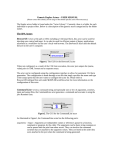
To get started using R in Kepler, drag-and-drop the RExpression actor onto the Workflow
canvas (Figure C.3). A search for "RExpression" in the Components tab will return all Rrelated actors. The RExpression actor is under the ‘General Purpose’ heading. Note that
all R actors are represented by the same icon: a teal rectangle with a blue square/white R
in the bottom left corner. Once the RExpression actor is on the Workflow canvas, it can
be customized with additional ports and a user-defined R-script.
Figure C.3: The RExpression actor.