1
®
PROCESS FIELD BUS
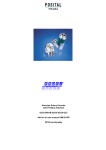
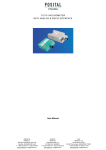
Absolute Inclinometer
with Profibus-DP-Interface
ANS XX-DP223PG
User Manual
Imprint
POSITAL GmbH
Carlswerkstr. 13c
D-51063 Cologne
P.O. Box 80 03 09
D-51003 Cologne
Telephone ++49 (0) 221 96213-0
Fax ++49 (0) 221 96213-20
Internet: http://www.posital.de
Email: [email protected]
Specifications are subject to change without
notice
Technical specifications, which are described in
this manual, are subject to change due to our permanent strive to improve our products.
Document information
Revision:
January 2007
Version number:
2.1
Part number:
99998141
Author:
DJU
Disclaimer of Warranty
POSITAL GmbH makes no representations or
warranties, either express or implied, by or with
respect to anything in this manual, and shall not be
liable for any implied warranties of merchantability
and fitness for a particular purpose or for any indirect, special, or consequential damages.
Page 2
Service-Phone
For technical support, questions and suggestions
for improving our products and documentation call
our telephone line: +49(0)221-96213-0
UME-ANS-DP
Revision 01/07
Contents
Introduction .............................................. 4
1
1.1 Mode of operation of the absolute inclinometer 4
1.2 The Profibus Interface 5
1.3 Structure of a Profibus-DP network 5
2
Installation ................................................ 6
2.1 Setting the station address 6
2.2 Bus termination 6
2.3 Connecting bus lines and power supply 7
2.4 Connecting-up the connection cap
7
2.5 Connecting the screen 8
2.6 Instructions to mechanically install and
electrically connect the inclinometer 8
3
Configuration............................................ 9
3.1 Configuration 9
3.2 Parameter data 10
3.3 Parameter description 10
4
Configuring with SIMATIC Manager ..... 11
4.1 Installing the GSD file
11
4.2 Configuring the Inclinometer 12
4.3 Selecting the device configuration
13
4.4 Parameter settings (only “Inclinometer
programmable” 14
5
Data Exchange in normal operation
mode .................................................................. 15
5.1 Configuration “Inclinometer“ 15
Revision 01/07
5.2 Configuration “Inclinometer programmable“
15
5.2.1 Transmission if the inclination values ....... 15
5.2.2 Transmission of the preset values ............ 16
5.2.3 The control byte ........................................ 16
5.2.4 The status byte.......................................... 17
5.2.5 Setting preset values ................................ 17
5.2.6 Overflow detection .................................... 18
6
Diagnosis ................................................ 19
6.1 Overview of the diagnostics data output
19
6.2 Description of the diagnostics messages
supported 20
6.2.1 Extended diagnostics header.................... 20
6.2.2 Memory error............................................. 20
6.2.3 Inclinometer type....................................... 20
6.2.4 Operating time alarm................................. 20
6.2.5 Version (hardware).................................... 21
6.2.6 Software version ....................................... 21
6.2.7 Operating time........................................... 21
6.2.8 Zero offset ................................................. 21
6.2.9 Serial number............................................ 21
6.3 Status messages using the LEDs in the
connection cap 22
7
Technical data......................................... 23
7.1 Electrical data 23
7.2 Environmental conditions
23
7.3 Dimension drawings 24
UME-ANS-DP
Page 3
1
Introduction
1.1 Mode of operation of the absolute inclinometer
The determination of the angle of inclination is
based on the measurement of conductivity over
plane electrode structures. On the bottom of a cell,
partly filled with a conductive fluid, electrodes are
applied parallel to the axes. An electrical stray field
is formed out by applying an AC-voltage to the
planar electrode structures. By tilting the sensor
Page 4
the fluid level over the different electrodes and in
consequence the conductivity, respectively the
stray field changes.
Now the tilt angle and the tilt direction can be
measured using a differential measurement principle.
UME-ANS-DP
Revision 01/07
1.2 The Profibus Interface
Profibus was the first international, open nonproprietary fieldbus standard for building management, production and process automation. There
are three different versions: Profibus-FMS,
Profibus-PA and Profibus-DP. The FRABA inclinometers are designed for the DP-version.
The competent contact partner for the Profibus
system in general, with a broad spectrum of information about the technology, manufacturers and
suppliers is
The FRABA absolute inclinometers fulfill all of the
requirements according to Profibus-DP from DIN
19245 parts 1 and 3. The integrated Profibus-DP
interface of the inclinometer is designed for a
maximum data transfer rate of 12 MBaud.
We leave out a detailed description of telegram
structure and data communication. You can get
those information at the Profibus-Trade Organization if necessary.
PROFIBUS - Trade Organization
Haid-und-Neu-Straße 7
76131 Karlsruhe
Germany
Tel.: ++49 (0) 721 - 9658590
Fax: ++49 (0) 721 - 9658589
1.3 Structure of a Profibus-DP network
In order to be able to use an absolute inclinometer
as Slave with the Profibus-DP interface, an interface board is required in the control system which
works as Profibus master.
Revision 01/07
The inclinometer is connected to the master by a
two-wire Profibus cable which is connected in the
connection cap. A detailed description of the cap
can be found in chapter 2.
UME-ANS-DP
Page 5
2
Installation
The inclinometer is connected with a connection
cap. This cap is connected to the sensor with a 15pin-D-Sub connector and can be removed by loos-
ening two screws on the backside of the device.
Bus lines and power supply are led into the cap via
cable glands and connected to terminal blocks.
2.1 Setting the station address
2.2 Bus termination
The station (node) address is set by using the
rotary switches in the cap. The values (x 10 or x 1)
for the switches are marked at the switch. Possible
If the inclinometer is connected at the end or beginning of the bus line the termination resistor must
be switched on (slide switch in position “ON”).
addresses are between 0 and 99. Each address
can only be used once in the network. The station
address is read in when switching on the power
supply. An address change by the Master
(“Set_Slave_Add“) is not supported.
ON
A
+
B
A
901
ON
device X
last device
78
+
The bus is only correctly terminated when the
sensor is connected to the connection cap. If the
device must be changed during operation, a separate active bus termination should be used.
23
23
78
901
456
456
Page 6
ON
Note
The outgoing bus line is disconnected if the resistor is switched on!
R
B
R
R
x10
x1
UME-ANS-DP
Revision 01/07
2.3 Connecting bus lines and power supply
R
ON
B
A
+
B
A
+
Clamp
Description
B (left)
Bus line B (Bus in)
A (left)
Bus line A (Bus in)
-
0V
+
10 – 30 V
B (right)
Bus line B (Bus out)
A (right)
Bus line A (Bus out)
-
0V
+
10 – 30 V
B
A
+
B
A
+
The power supply has to be connected once (no
matter which clamps). If the terminating resistor is
switched on, the outgoing bus lines are disconnected.
2.4 Connecting-up the connection cap
Remove screw, sealing and cone from the cable
gland. Remove 55 mm of the cable sheath and 50
mm of the shielding. About 5 mm of the wires
should be stripped. Put screw and sealing on the
cable. The cone should be mounted under the
shielding according to the figure. Put the whole
cable into the cable gland and tighten the screw.
Note: If a combined cable (power supply and bus
lines in one cable) is used the large cable diameter
can lead to problems. For these cases FRABA
offers connection caps with larger cable glands
(refer to product catalogue).
55 mm
50 mm
5 mm
Revision 01/07
5 mm
UME-ANS-DP
Page 7
2.5 Connecting the screen
To achieve the highest possible noise immunity
shielded cables should be used for data transmission. The shield should be connected to ground on
both ends of the cable. In certain cases, a com-
pensation current might flow over the shield.
Therefore a potential compensation cable is recommended.
2.6 Instructions to mechanically install and electrically connect the inclinometer
The inclinometer has to be mounted as shown in
the picture:
The device cannot be used in the following
mounting positions:
The following points should be observed:
• Do not drop the inclinometer or subject it to
excessive vibration. The inclinometer is a
precision device.
•
Do not open the inclinometer housing (this
does not mean that you cannot remove the
connection cap). If the device is opened it
can be damaged and dirt may enter the unit.
Page 8
•
Only qualified personnel may commission and
operate the inclinometer. This is personnel who is
authorized to commission, ground and tag devices, systems and circuits according to the current state of safety technology.
•
It is not permissible to make any electrical
changes to the inclinometer.
•
Route the connecting cable to the inclinometer at
a considerable distance away or completely separated from power cables with their associated
noise. Completely screened cables must be used
for reliable data transfer and good grounding
must be provided.
•
Cabling, establishing and interrupting electrical
connections may only be carried-out when the
equipment is in a no-voltage condition. Shortcircuits, voltage spikes etc. can cause erroneous
functions and uncontrolled statuses which can
even result in severe personnel injury and material damage.
•
Before powering-up the system, check all of the
electrical connections. Connections, which are incorrect, can cause the system to function incorrectly and may result in severe personnel injury
and material damage.
UME-ANS-DP
Revision 01/07
3
Configuration
To put a Profibus network into operation it is necessary to define a database for the master which
contains the characteristics of the different devices
(e.g. station-address, Profibus ID number) and the
bus parameters (e.g. Baudrate). This database is
generated with a software tool (see the example in
chapter 4). Additionally the configuration and pa-
rameter data of the individual slaves are determined. These data are transmitted to the different
slaves once when starting up the system (the
properties of the slave depend on the configuration
and parameter data). By using the GSD-file the
parameter data can be entered into user-friendly
forms with most control software tools.
3.1 Configuration
The configuration data contain information about
number and length of the input and output data of
the different slaves. There are two possibilities to
configure the FRABA-inclinometer:
Inclinometer: not programmable
Inclinometer programmable: Possibility to set
preset values, exceeding of the measuring range
can be detected by an additional status byte.
Overview
Designation
Configuration
hex.
dec.
Number of input data
(inclinometer -> control)
Number of output data
(control -> inclinometer)
Inclinometer
D0
D0
208
208
1 input word (x-axis)
1 input word (y-axis)
-
Inclinometer
programmable
F0
F0
30
240
240
48
1 input word (x-axis)
1 input word (y-axis)
1 input byte (status)
1 output word (preset x)
1 output word (preset y)
1 output byte (control)
Attention:
If the configuration of the inclinometer is changed
the power supply should be switched of to guarantee a faultless function!
Revision 01/07
UME-ANS-DP
Page 9
3.2 Parameter data
Additionally to the configuration data, parameter
data will be transferred to the slave when starting
up the system. Generally this is realized automatically and the parameters are entered into a mask
of the operation control software (see chapter 4).
However sometimes it can be necessary to individually process the different bits. The meaning of
the parameter bits can be found in the following
table. For the non-programmable inclinometer
there are no user-specific parameter data.
Octet (= byte) No. Parameter
Bit No.
Description
1- 8
Reserved for profibus-specific data
9
Overflow detection X-axis
0
1 = enabled
Overflow detection Y-axis
1
1 = enabled
-
2
-
-
3
-
Shorter diagnostics (16 bytes)
4
1 = short (16 bytes)
-
5
-
-
6
-
-
7
-
3.3 Parameter description
Overflow detection X-axis
If the overflow-detection is enabled bit 1 in the
status byte will be set if the measuring range of
the X-axis is exceeded.
Shorter diagnostics (16 bytes)
Some (older) Profibus masters can not operate
with the full number of diagnostic bytes (57). In
this case the number of diagnostic bytes can be
reduced to 16 by setting this parameter.
Overflow detection Y-axis
If the overflow-detection is enabled bit 0 in the
status byte will be set if the measuring range of
the Y-axis is exceeded.
Page 10
UME-ANS-DP
Revision 01/07
4
Configuring with SIMATIC Manager
In the following the configuration of the FRABA
inclinometer with the configuration tool STEP 7 (is
shown exemplarily. In this example STEP 7 Version 5.2 and the CPU 315-2DP (Profibus-master
integrated) are used. If there are questions about
other software tools please contact the manufacturer.
4.1 Installing the GSD file
If FRABA inclinometers are used for the first time it
is
necessary
to
install
the
GSD
file
(„FRAB056A.gsd“) to take over the encoder into
the hardware catalogue of the tool:
Choose “Install New GSD” in the “HW Config”window of the project (menu item “Options”) and
select the GSD-file (“FRAB056A.gsd”).
The GSD file can be downloaded from our homepage www.posital.de.
After the successful installation of the GSD file the
FRABA inclinometer can be found in the hardware
catalogue under „PROFIBUS-DP“ – „Additional
Field Devices“ – „General“.
Revision 01/07
In order to represent the inclinometer with a bitmap
in STEP7 the bitmap file „ ANSxxxxn.bmp“ has to
be installed. The procedure is the same as with the
GSD file.
UME-ANS-DP
Page 11
4.2 Configuring the Inclinometer
After inserting the Profibus master system in the
hardware configuration (“Insert” – “Master System”) the FRABA encoder can be chosen from the
hardware catalogue and added to the Profibus
network: Select the device “FRABA Inclinometer”
and drag it with the mouse to the network (or
choose the network and double click the “FRABA
Inclinometer”).
Now the slave address has to be entered (has to
be equal to the address setting in the connection
cap).
Page 12
UME-ANS-DP
Revision 01/07
4.3 Selecting the device configuration
As described in chapter Fehler! Verweisquelle
konnte nicht gefunden werden..1 the functionality of the inclinometer depends on the selected
configuration. After the “FRABA Inclinometer” has
been added to the network the desired configura-
tion “Inclinometer” or “Inclinometer programmable”
can be chosen For this, one of the modules listed
under FRABA Inclinometer has to be dragged to
Slot 1 in the displayed configuration table of the
device:
4.4 Parameter settings (only “Inclinometer programmable”
Select the encoder in the hardware configuration
and double click slot one in the configuration table
of the encoder. The dialog „Properties – DP slave“
appears. The input and output addresses can be
changed (if desired). To set the encoder parameters the tab “Parameter Assignment” has to be
selected.
Device Parameter can be set in the following
dialog box. For a detailed description of the
parameters please refer to chapter 3.3.
Page 14
UME-ANS-DP
Revision 01/07
5
Data Exchange in normal operation mode
5.1 Configuration “Inclinometer“
If „Inclinometer” was selected in the configuration
there is no possibility to program the device. The
unchanged inclinations of both axes are output (no
calculation by the controller)
Format of the input data:
1 input word (16 bits, signed) inclination X-Axis
1 input word (16 bits, signed) inclination Y-Axis
The address setting is done with the software tool
(refer to chapter 4).
Measuring range, resolution:
ANS 15: -15000 ... +15000
ANS 30: - 4500 ... +4500
Note: Output values of ANS 30 are up to +/- 45°.
Specified accuracy is only valid for the measuring range of +/- 30°.
5.2 Configuration “Inclinometer programmable“
If “Inclinometer programmable” was chosen the
sensor can be programmed. Independent preset
values for both axes can be send to the inclinometer. They are activated by an additional control
byte. Further information (e.g. exceeding of the
measuring range) are transferred in a status byte.
The address setting is done with the software tool
(see chapter 4).
Format of the input/output data:
1 input word (16 bits, signed) inclination X-axis
5.2.1 Transmission if the inclination values
The inclination values can be read in by the control
system in two input words. With the programmable
version these values have been calculated with the
internal zero point shift. The zero point shift is
calculated by the inclinometer when a new preset
Revision 01/07
1 input word (16 bits, signed) inclination Y-axis
1 output word (16 bits, signed) preset value X-axis
1 output word (16 bits, signed) preset value Y-axis
1 input byte (8 bits) status
1 output byte (8 bits) control
value is set. The default zero point shift is 0 (inclinations are given out without changes). If the
measuring range is exceeded the maximum value
is output.
UME-ANS-DP
Page 15
5.2.2 Transmission of the preset values
The preset value is the inclination value that should
be reached at a certain physical inclination of the
sensor axis. It is possible to set independent preset
values for both axes. These values are transmitted
to the sensor in two output words. The presets are
activated by setting the preset-bits in the control
byte.
Please note: The preset setting works only if the
resulting zero point shift (calculated by the inclinometer from physical inclination and preset value)
does not exceed the maximum inclination (e.g. the
value for the zero point shift of the 15°-sensor must
lie between –15° and +15°; preset values that lead
to a zero point shifting outside these limits will be
ignored).
5.2.3 The control byte
The preset values are activated by setting bits in
the control byte. Additionally the control byte gives
the possibility to reset the zero point shift.
Bit 7
Bit 6
Bit 5
Bit 4
Bit 3
Bit 2
Bit 1
Bit 0
Control Bit zero point shift
Control Bit preset value Y-axis
Control Bit preset value X-axis
Page 16
UME-ANS-DP
Revision 01/07
5.2.4 The status byte
The status byte acknowledges the transfer of preset values. Additionally measuring range exceeding can be indicated if necessary.
Bit 7
Bit 6
Bit 5
Bit 4
Bit 3
Bit 2
Bit 1
Bit 0
Overflow detection Y-axis
Overflow detection X-axis
Acknowledgement Reset zero point shift
Acknowledgement preset value Y-axis
Acknowledgement preset value X-axis
5.2.5 Setting preset values
Preset value X-axis:
control/statusbyte
(POB/PIB)
data (POW/PIW)
Bit
7
6
5
4
3
2
1
0 15 14 13 12 11 10 9
Master -> Slave
1
0
0
0
0
0
0
0
required process value (preset value) is transferred here
Slave -> Master
1
0
0
0
0
0
0
0
New = required process actual value is transferred here
Master -> Slave
0
0
0
0
0
0
0
0
Reset to normal mode
Slave -> Master
0
0
0
0
0
0
0
0
New = required process actual value is transferred here
Revision 01/07
UME-ANS-DP
8
7
6
5
4
3
2
1
0
Page 17
Preset value Y-axis
:
control/statusbyte
(POB/PIB)
Bit
data (POW/PIW)
7
6
5
4
3
2
1
0 15 14 13 12 11 10 9
8
7
6
5
4
3
2
1
Master -> Slave 0
1
0
0
0
0
0
0
required process value (preset value) is transferred here
Slave -> Master 0
1
0
0
0
0
0
0
New = required process actual value is transferred here
Master -> Slave 0
0
0
0
0
0
0
0
Reset to normal mode
Slave -> Master 0
0
0
0
0
0
0
0
New = required process actual value is transferred here
0
Reset zero offset:
control/statusbyte
(POB/PIB)
data (POW/PIW)
Bit
7
6
5
4
3
2
1
0 15 14 13 12 11 10 9
8
7
6
5
4
3
2
1
0
Master -> Slave
0
0
1
0
0
0
0
0
Slave -> Master
0
0
1
0
0
0
0
0 process actual value is transferred here (zero point shift = 0)
Master -> Slave
0
0
0
0
0
0
0
0
Slave -> Master
0
0
0
0
0
0
0
0 process actual value is transferred here (zero point shift = 0)
Reset to normal mode
5.2.6 Overflow detection
Bit 0 and bit 1 of the status byte indicate an exceeding of the measuring range (if this function
was not disabled in the parameter setting).
Bit
value
meaning
0
0
Measuring range Y-axis not exceeded
0
1
Measuring range Y-axis exceeded
1
0
Measuring range X-axis not exceeded
1
1
Measuring range X-axis exceeded
Page 18
UME-ANS-DP
Revision 01/07
6
Diagnosis
6.1 Overview of the diagnostics data output
When requested by the master in the
DDLM_Slave_Diag mode a series of data is transferred. There are 57 bytes of diagnostics data
(exception: shorter diagnostics, refer to 3.3). The
diagnostic data are output as follows:
Diagnostics function
Data type
Diagnostics Octet No.
Station status 1 (refer to Profibus standard)
Octet
1
Station status 2 (refer to Profibus standard)
Octet
2
Station status 3 (refer to Profibus standard)
Octet
3
Diagnostics Master Address
Octet
4
PTO identification number
Octet
5, 6
Extended diagnostics header
Octet String
7
Alarm messages
Octet String
8
Number of axes
Unsigned 16
9, 10
Measuring range
Unsigned 16
11,12
-
13-16
Additional alarm messages
17
Supported alarm messages
18, 19
Warnings
20, 21
Supported warnings
22, 23
Version
Octet String
24, 25
Software version
Octet String
26, 27
Operating time
Unsigned 32
28-31
Zero point shift X-Axis
Signed 16
32, 33
Zero point shift Y-Axis
Signed 16
34, 35
Serial number
Revision 01/07
36-47
ASCII String
UME-ANS-DP
48-57
Page 19
6.2 Description of the diagnostics messages supported
The implemented diagnostics messages are described in more detail below. A description of the
diagnostics bytes 1 – 3 can be taken from the
Profibus standard.
6.2.1 Extended diagnostics header
The length of the extended diagnostics header
(including diagnostics header) is contained in diagnostics byte 7:
6.2.2 Memory error
Bit 4 in diagnostics byte 8 is used to display
whether a memory error has occurred. Memory
error means in this case that the inclinometer
EEPROM no longer functions correctly and the
preset values are no longer kept during power
outages (non-volatile data save).
Byte
Bit
Definition
=0
=1
8
4
Memory error (defect in EEPROM)
No
Yes
6.2.3 Inclinometer type
Number of axes and measuring range of the inclinometer can be interrogated using diagnostics
bytes 9 – 12:
Byte
Format
Description
9, 10
Unsigned 16
Number of axes
11, 12
Unsigned 16
Measuring range (in positive direction)
6.2.4 Operating time alarm
When the operating time is exceeded the alarm
signal is output in bit 4 of diagnostic byte 20. This
bit is set after 105 hours.
Byte
Bit
Definition
=0
=1
20
4
Operating time alarm
No
Yes
Page 20
UME-ANS-DP
Revision 01/07
6.2.5 Version (hardware)
The version number of the inclinometer is saved in
diagnostics bytes 24 and 25.
Octet
24
25
Bit
15 - 8
7-0
Data
27 to 20
27 to 20
Revision-No.
Index
6.2.6 Software version
The version number of the inclinometer software is
saved in diagnostics bytes 26 and 27.
Octet
26
27
Bit
15 - 8
7-0
Data
27 to 20
27 to 20
Revision-No.
Index
6.2.7 Operating time
The inclinometer operating time is kept in diagnostic bytes 28 to 31. When the power supply voltage
is connected the operating time is saved every 6
minutes in 0.1 h steps in the inclinometer.
6.2.8 Zero offset
The zero offset values are output in diagnostics
bytes 32 – 35.
Byte
Format
Description
32, 33
Signed 16
Zero offset X-Axis
34, 35
Signed 16
Zero offset Y-Axis
6.2.9 Serial number
Diagnostics bytes 48 – 57 are provided for a serial
number. This signal has presently not been imple-
Revision 01/07
mented. The bytes are pre-assigned hex 2A (default value).
UME-ANS-DP
Page 21
6.3 Status messages using the LEDs in the connection cap
The connection cap has two LEDs which optically
represent the status of the inclinometer. Each LED
can have one of three conditions: dark, bright,
flashing. From the nine possible combinations six
are used to display a special status.
LED grün
/green
LED rot
/red
The connection cap from outside
Overview of the various conditions displayed using the LEDs
No.
Red LED
Green LED
Status signal / possible cause
1
dark
dark
Power supply missing
2
bright
bright
Sensor ready, but has not received any configuration data after
power on
3
bright
flashing
Parameter or configuration error, i.e. the sensor receives configuring
or parameter data with the incorrect length or inconsistent data
4
flashing
bright
Sensor ready, but is not addressed from the master (for example
incorrect address was addressed)
5
bright
dark
Sensor does not receive data for a longer period of time (approx. 40
sec.)
(for example the data line has been interrupted)
6
dark
bright
Standard operation in the Data Exchange mode
Page 22
UME-ANS-DP
Revision 01/07
7
Technical data
7.1 Electrical data
Model
ANS 15
ANS 30
Measuring range
+/- 15°
+/- 30°
Resolution
0.001°
0.01°
Accuracy
(T = 0 °C .. +55 °C)
0.15°
0.2°
Accuracy
(T = -25 °C .. +85 °C)
0.3°
0.4°
Damping period (0° -> 15°, t=90%)
typ. 2.5 s
on request
Supply voltage
10 - 30 V DC
Power consumption
3 Watts
Electrical Lifetime
> 105 h
EMC
EN 61000-6-4, EN 61000-6-2
Bus connection
Line-driver according to RS 485
Galvanically isolated by opto couplers
Connection
Accessory connection cap, IP 66
Cycle time
Typ. 4 measurements / second (because of measuring principle)
Device addressing
Programmable by rotary switches in connection cap
7.2 Environmental conditions
Operating temperature
- 25 °C … + 85 °C
Storage temperature
- 40 °C … + 85 °C
Humidity
98 % (without liquid state)
Protection class (EN 60529)
IP 66 (with connection cap connected )
Revision 01/07
UME-ANS-DP
Page 23
7.3 Dimension drawings
80
84
63
20
20
11.5
12
27
48
156
144
129
4
5
65
87
Page 24
UME-ANS-DP
Revision 01/07