1
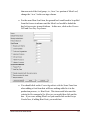
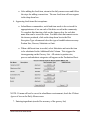
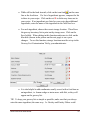
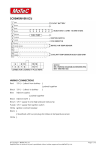
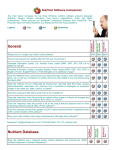
This is the core of the menu creation and editing. Users can add items, switch or rotate [lunch and dinner] meals, copy meals and delete. As you add items you can choose to approve or modify for diets and also select the “off” mode for diet selection. If this is selected you must approve or modify food items in the Food item file tab. The filter function allows for week by week filtering each cycle. If there is a food item not listed, however, you can add it in the menu mode Alternate menu This area allows you to set up your “Always Available” menu. Users can also set up rotating cycles. Condiments/ beverages This is a onetime field set up that designates the standard condiments offered. Food items tab - How to use: Select the food item you want to modify by filtering by week or day or use the search function by alpha recall. Edit, add and set menu item features. This area allows you to modify the food item traits: Portion size: Set the way food items will be presented on the production sheets. Serving instructions: This allows the user to describe how the items could be garnished or served. Serving measure: This allows the user to designate serving utensil or measurement. Food groups: This allows the user the ability to assign a food group so it can be measured and tracked. This can be useful to determine menu changes. Prep: This alerts the production staff to what should be prepared a day in advance. Freezer pull: This allows the user to be alerted to what needs to be pulled out in advance by the production staff. MENU MANAGER HANDBOOK 8