1
UHP Software 3.0 User Manual
69
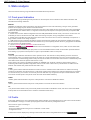
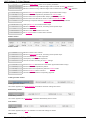
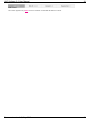
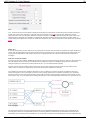
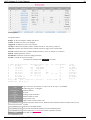
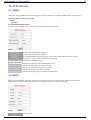
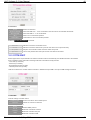
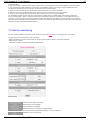
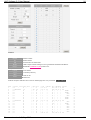
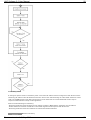
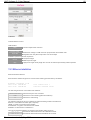
also shown below when demodulator is unlocked. Please allow demodulator to pass all search cycle before changing
azimuth and/or elevation angle. When demodulator locks on the carrier textual and graphical information about level C/N
will replace the information about search phase. Proceed with fine-tuning of antenna azimuth and elevation until a
maximum of C/N level is achieved.
Console pointing
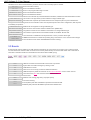
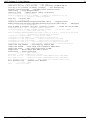
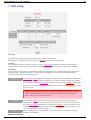
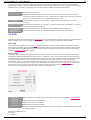
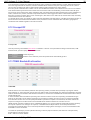
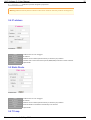
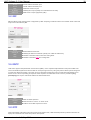
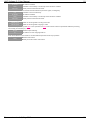
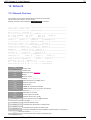
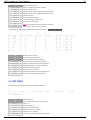
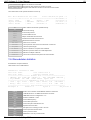
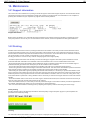
Console command # demodulator pointing prints pointing information to console:
RFlvl
-80.0
Max
Min
-80.0 -80.0
State
Search-0 %
C/N
0.0
Max
0.0
Min
0.0
Q-quit
The string shows the overall level of the signal from LNB. It reports the current RF level, as well as maximum and minimum
peaks registered during the pointing assistance. Further, the demodulator state status: percentage of search circle when
demodulator is unlocked.
or "Locked" or the percentage of scanned strip search in the current cycle, or a message that the demodulator is found
and adopted a signal.
When demodulator is locked on the carrier its status change to "Locked" and further three values represent - the C/N
levels of demodulator (current, maximum and minimum).
Type "Q" to exit pointing assistance mode.
Pointing voltage output to USB
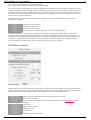
The router may output an analog signal via USB port equivalent to quality of reception of the demodulator. This voltage can
be used for pointing the antenna to the satellite during installation or/and as a reference signal form automatic antenna
tracking system. Pointing voltage is turned on in "Demodulator" settings in "System" menu.
USB pointing voltage output
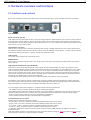
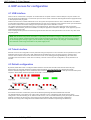
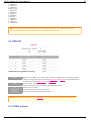
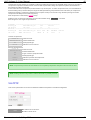
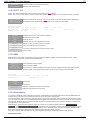
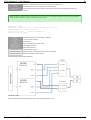
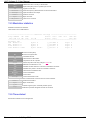
The analog pointing signal is available on the Pin 1 of USB "Console" port (to be used with "Ground" signal on the Pin 4).
In the standard mode the pin 1 used to deliver a 5 VDC power from the computer. When pointing feature is activated the
pin 1 represents output voltage ranging from 0 to 3.3 volts. Such voltage does not interfere with standard USB port
operations. Short-circuiting this signal to Ground is not critical, however input voltage above 5 VDC is not allowed.
Standard (analog or digital) voltmeter connected to this signal could be used as a reference toll for antenna pointing.
Installer may use Tx coax cable to deliver such signal from the router (indoor) to antenna (outdoor) - this cable is not used
while antenna pointing. Special adapters to connect the F-connector of coaxial cable to USB output and a voltmeter can
be purchased from your local distributor or make by your own.
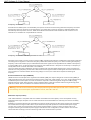
When this mode is active the voltage is changed within the following range:
- When demodulator the voltage is in-between 0 and 1 Volt proportionally to the overall Rx level of the demodulator;
- When demodulator is locked the voltage is proportional to C/N and ranging from 1 V to 3.3 V. Voltage above 1V is
proportional to C/N with ration 10dB/1V, e.g. reception of the carrier with C/N signal of 5 dB will be represented as 1.5 V
signal on USB port, 10 dB - 2V, etc.
When activating the pointing mode while antenna is already pointed to the satellite the default minimum level may be set
too high. It is not a problem if the intention is just fine pointing of antenna to the same satellite. However this may create a
problem re-pointing the antenna to another satellite, because the reference level may not react on lower signals when
antenna is disoriented from the initial satellite. To prevent this, it is recommended to define the desired range manually.
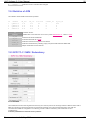
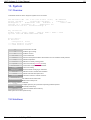
14.3 Network Command
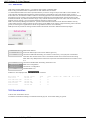
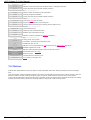
Network command feature is used for remote controlling UHPs via satellite. It is possible to issue textual console
commands on UHP beyond satellite channel from local UHP. This mechanism can be used for routing set up on the other
end or for rebooting remote unit. Commands are transferred via non-IP service protocol and do not need any IP setup on
local or remote end. Only serial number of remote UHP is needed to know.
Command works between SCPC units in both directions or from hub (outroute) towards stations (not backwards).
No answers are received from remote end so all commands are executed "blindly".
Document version 1.0, May 2013
69