1
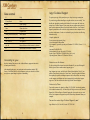
Unit indicator
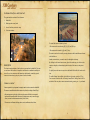
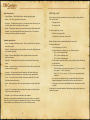
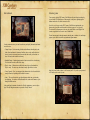
When on the battlefield, your units and the units of your foes are marked with indicators. This indicator shows whether this unit is yours or enemy’s. Your forces’
color is blue, your allies’ color is grey, and the enemies’ color is red.
The indicator also shows morale of the unit: a white blinking flag means that morale
is decreasing. If the white flag is shown permanently, the unit has been defeated and
is leaving the battlefield, panic-stricken.
indicator of panicking units
You can give an order to attack the enemy by clicking either the enemy unit or its
indicator.
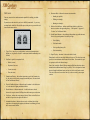
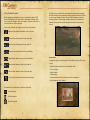
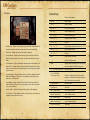
Army forces:
shock infantry
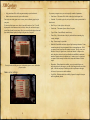
Unit status window
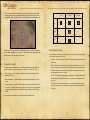
The most important unit status parameters, which influence the fighting ability and
specify its strength are bonuses. They impact:
footmen shooters
spearmen
•
Attack ability (first column).
•
Morale level (second column).
•
Ability to face fire (third column).
•
Ability to fire (fourth column, only for shooting unit).
shock cavalry
mounted shooters
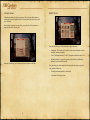
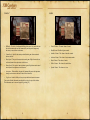
Commander of the unit has a special indicator.
extra indicator for the unit commander
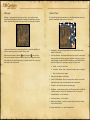
You can choose a unit by clicking on its indicator, —the selected unit’s indicator
turns yellow.
The main bonuses are made up of those for basic characteristics (specified by unit
itself, unchangeable) and dynamic characteristics (depending on the state of affairs
and development of the events — they change during the battle).
the indicator of a selected unit
13
14