1
Navigating: EQ Menu
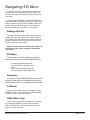
To add EQ to an input, step through the functions on
the desired channel using the LAST / NEXT keys until
you reach the screen that shows the EQ parameter you
wish to edit.
If the McCAULEY MCS2.6 is configured for MONO, all
EQs will be mono. If configured for 2x2+1 (“stereo”), EQs
will be marked as Stereo ‘S’ when STEREO LINK is ON,
and the stereo marker will show an ‘S’ next to the EQ
number. Available spare EQ filters are also shown.
Adding a New EQ:
If you press the RIGHT key and the screen does not
change, then you have reached the last EQ currently in
use. To add an EQ, the cut/boost of the highest EQ must
be edited. Another EQ (assuming there are spare EQs)
will then be inserted automatically.
NOTE: The A+B signal is summed after the EQ sections on A and B, so the A+B signal is affected by
A and B EQ.
EQ Shape
The shape of the EQ can be selected from one of the
following by pushing the UP / DOWN (PARAMETER) keys:
• Hi shelving with 6dB slope (Hi6)
• Hi shelving with 12dB slope (Hi12)
• BELL
• Low shelving with 6dB slope (Lo6)
• Low shelving with 12dB slope (Lo12).
Frequency
Pushing the UP / DOWN (PARAMETER) keys adjusts the EQ
frequency. The filter position is shown graphically by the cursor,
and the Frequency of EQs can range between 15Hz and 16kHz.
Cut/Boost
Pushing the Parameter UP key to add boost (+ gain)
or DOWN for cut (- gain). Cut/boost is available between
+15dB and -15dB, in 0.2dB increments.
Width (BELL only)
Pushing the Parameter UP key widens the EQ (lower
Q), pushing the DOWN key makes the EQ narrower
(higher Q). EQ Width is available between 0.05 and 3
Octaves, in 0.05 increments.
McCauley MCS 2.6 User’s Manual
page 13 of 15