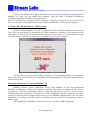
1
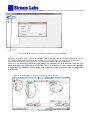
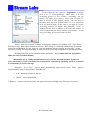
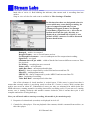
8. ―Cancel‖ – cancels transaction.
9. ―Status‖ – if connection is successful, it displays address of server and record for current
user.
10. In this area current server and client time are being displayed.
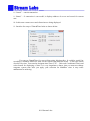
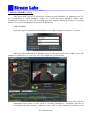
11. Interface for setup of Date&Time looks as shown below:
You can set Date&Time for server/client using this interface. It could be useful for
recording of channels which are aired for the regions with different locale – it will ease search
of archive by time. You can also designate time zone (UTC – Universal Coordinated Time) and
select format for displaying of time. It is very important to know, that you must not change
computer system time after you apply your selection for MultiRec since it may cause
malfunction in archiving.
2012 Stream Labs.