1
330
Chapter 17
Indexing a Document
As you learned in the previous section, the main purpose of the PC Files
program is to index electronic documents in Smeadlink. Indexing electronic
documents makes the documents available to every Smeadlink user on the
network, and it also makes the documents easy to find.
This section will show you how to index an electronic document in Smeadlink.
You can use the information in this section to index electronic documents of
any format (i.e. Word, Excel, Notepad, etc.). Remember that if you are indexing an image document, it will behave just like documents indexed with
the Scanner program or the Import Wizard utility—it will simply be displayed in the Image Viewer when its row is selected, and there will not be a
shortcut to the program the image was created in.
Note: You will need to have at least one PC Files LinkScript in the open
database if you want to index documents in the database with PC Files.
To index an electronic document in Smeadlink:
1. Open Windows Explorer or My Computer.
2. Locate the desired document in Windows Explorer or My Computer.
3. Send the document to Smeadlink. There are two ways to send a document to Smeadlink. Each procedure is explained below.
• First, you can drag the document from Windows Explorer or My Computer to the Smeadlink shortcut on your desktop (if you have a
Smeadlink shortcut).
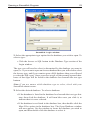
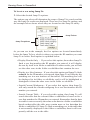
• Second, you can use the Send To utility. To use the Send to utility, you
will need to make sure that your C:\Windows\SendTo directory contains a shortcut to the Smeadlink .exe file (sl35.exe). A shortcut to the
Smeadlink .exe file is automatically created during the Smeadlink installation process, but you may want to check it to make sure it is
pointing to the correct file.
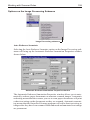
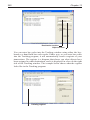
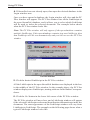
Now locate the document you want to index, place your mouse pointer
over it and click the right mouse button once. Select the Send To option on the popup menu that appears, and then select the Smeadlink
option on the Send To submenu.
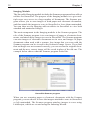
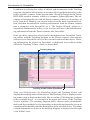
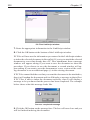
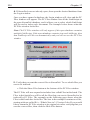
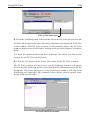
Once you send the document to Smeadlink, the Smeadlink Login window
will appear (if Smeadlink was not already open).