1
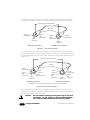
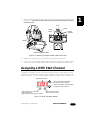
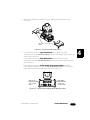
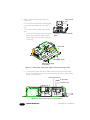
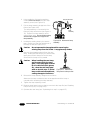
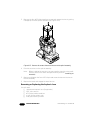
5. Using a #2 Phillips-head screwdriver, remove the two aspheric lens mounting
screws (see Figure 4-17).
aspheric lens
mounting screws (2)
plate
aspheric lens
assembly
Figure 4-17. Remove the two aspheric lens mounting screws.
6. Remove the aspheric lens assembly as shown in Figure 4-17.
If you are replacing the lens, install the new aspheric lens assembly and
reinstall the aspheric lens mounting screws.
Note:
Before installing the new lens, you may need to clean it by using a soft,
lint-free cotton cloth and a mild glass cleaning solution (containing no
ammonia).
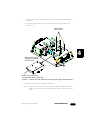
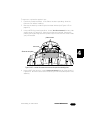
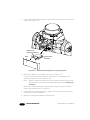
7. Replace the plate by sliding the large end of the keyhole slots over the two
plate screws heads shown in Figure 4-16.
8. Using a #2 Phillips-head screwdriver, tighten the two plate screws to secure
the plate to the optical assembly.
9. Replace the bezel and engage the bezel latches.
4-14
General Maintenance
Studio Beam™ PC User Manual