1
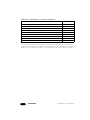
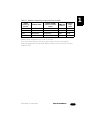
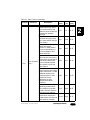
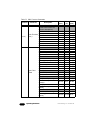
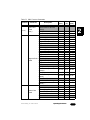
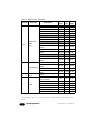
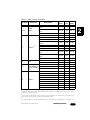
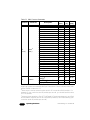
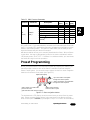
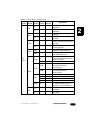
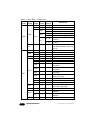
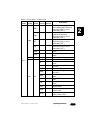
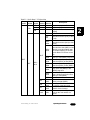
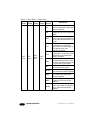
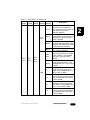
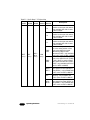
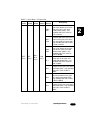
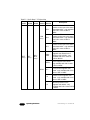
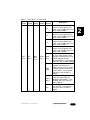
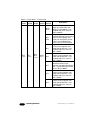
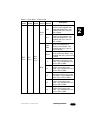
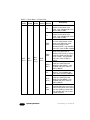
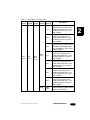
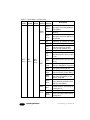
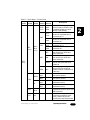
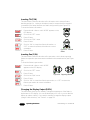
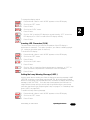
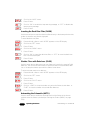
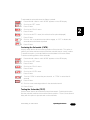
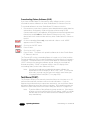
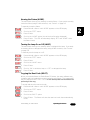
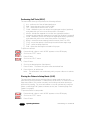
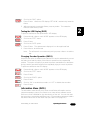
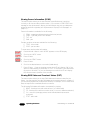
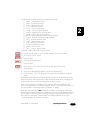
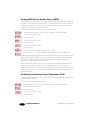
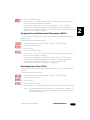
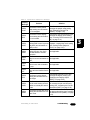
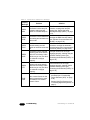
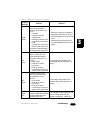
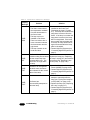
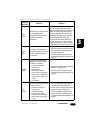
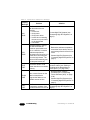
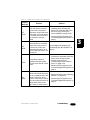
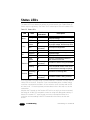
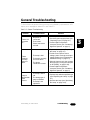
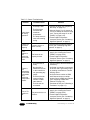
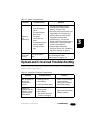
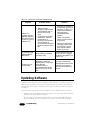
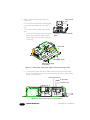
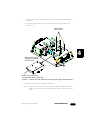
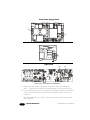
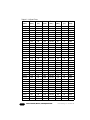
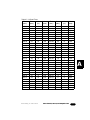
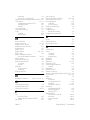
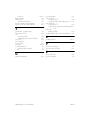
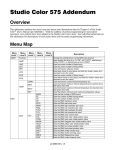
Table 2-2. Studio Beam™ PC Menu Map
Menu Menu Menu
Menu
Level 1 Level 2 Level 3 Level 4
Menu
Level 5
L000 L255
K001 K128
N000 N255
PRST
(cont.)
EDIT
(cont.)
SN01 SN16
(cont.)
CYAN
(cont.)
BC 1
BS 6
BS 5
BS 4
Studio Beam™ PC User Manual
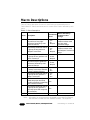
Description
select the speed at which all
three color wheels move to the
next cycle color, from slow
(L000) to fast (L255) - only
available with COLC value of
CYC or MCYC
select the speed to scan
(oscillate) within the color mixing
portion of the cyan color wheel
from slow (K001) to fast (K128) only available with COLC value
of SCN or MSCN
select the speed at which all
three color wheels move to the
next random color, from slow
(N000) to fast (N255) - only
available with COLC value of
RND or MRND
select the additional fixed color
(deep red) on the cyan color
wheel with shutter blink - only
available with COLC value of
BLK or MBLK
choose the most saturated
position on the cyan color wheel
with shutter blink - only available
with COLC value of BLK or
MBLK
choose the second most
saturated position on the cyan
color wheel with shutter blink only available with COLC value
of BLK or MBLK
choose the third most saturated
position on the cyan color wheel
with shutter blink - only available
with COLC value of BLK or
MBLK
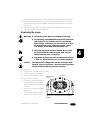
Operating the Fixture
2-19
2