1
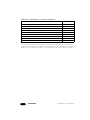
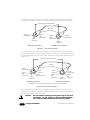
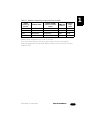
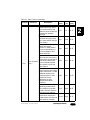
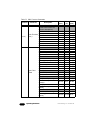
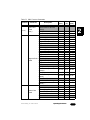
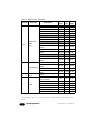
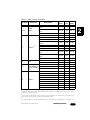
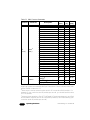
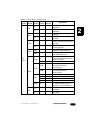
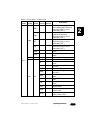
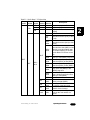
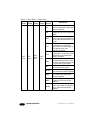
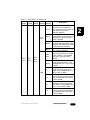
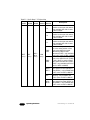
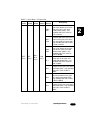
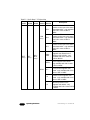
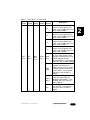
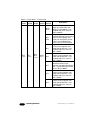
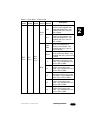
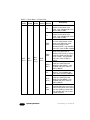
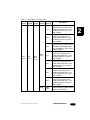
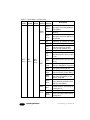
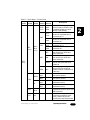
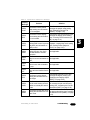
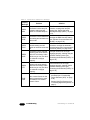
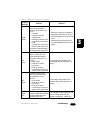
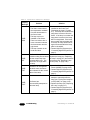
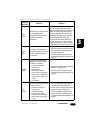
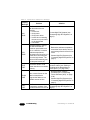
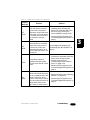
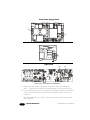
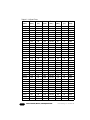
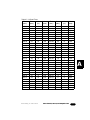
Table 2-2. Studio Beam™ PC Menu Map
Menu Menu Menu
Menu
Level 1 Level 2 Level 3 Level 4
Menu
Level 5
S 3
S 2
S 1
C000 C255
PRST
(cont.)
EDIT
(cont.)
SN01 SN16
(cont.)
CYAN
(cont.)
D000 D358
WR60 WR01
STIL
WF01 WF60
2-18
Operating the Fixture
Description
choose the fourth most saturated
position on the cyan color wheel only available with COLC value
of IDX or MIDX
choose the fifth most saturated
position on the cyan color wheel only available with COLC value
of IDX or MIDX
choose the least saturated
position on the cyan color wheel only available with COLC value
of IDX or MIDX
select an exact position within
the color mixing section of the
cyan color wheel from most
saturated (C000) to least
saturated (C255) - only available
with COLC value of MIX or MMIX
select a fixed position on the
cyan color wheel from 0° (D000)
to 358° (D127) or set the wheel
spin speed and direction (D128 D255) - only available with COLC
value of WSP or MWSP
select a reverse cyan color wheel
spin speed from fast (WR60) to
slow (WR01) - only available with
COLC value of WSP or MWSP
stop the cyan color wheel from
spinning - only available with
COLC value of WSP or MWSP
select a forward cyan color wheel
spin speed from slow (WR01) to
fast (WR60) - only available with
COLC value of WSP or MWSP
Studio Beam™ PC User Manual