1
Automotive Navigation
Current Position
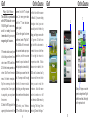
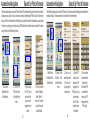
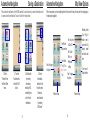
The Current Position function lets you know your exact location. This information can be very helpful in the
event of needing to know your approximate location. It is quick and easy to access from the main menu.
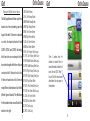
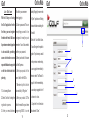
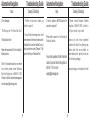
Speed Limit on
Class 1 & 2 roads
Road Name
Nearest Town
Latitude & Longitude
Coordinates
From the Main
Menu, select the
“Current Position”
button.
The Current
Position page
shows the road
name, the nearest
town, Latitude
& Longitude
coordinates, and
useful phone #’s.
45
Automotive Navigation
Map User Interface
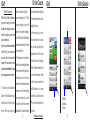
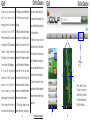
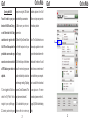
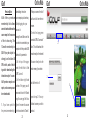
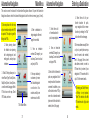
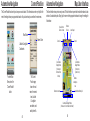
The User Interface in map view is easy to read. The User Interface is preset with certain information but also
contains 3 customizable points. Simply tap the screen in the appropriate window to change the settings for
that window.
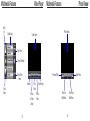
Direction
of Travel
Actual Speed
Zoom Out
Zoom In
Customizable
Display Window
(Shown set to
Estimated Time
of Arrival)
Customizable
Display Window
(Shown set to
System Clock)
Distance
remaining on
route
Distance to next turn
12
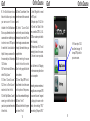
Customizable Display Window
(Shown set to “Current Road to Next Road”)
46
Satellite Status/Battery Life