1
-:a!-,nr\r\-r\n.4<\!-r
-v\_/
Of
l\)Lr-^/\^/\
XX
denotes color
ft'numi
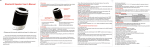
Wireless Stereo Speakers
withBluetooth@wirelesstechnotogy USef ManUal
Revision 2.0
All rights reserved. Copyright and trademarks belongs to its respective owners.
The Bluetooth" word mark and logos are registered trademarks owned by Bluetooth 5lc, lnc
and any use of such marks by YC Cable/Grandmax is under license.
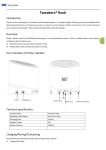
Enjoy cable-free listening experience with the Tweakers@ GoRock Wireless
Speakers, pocketsize speakers with Bluetooth@ wireless technology.
The Pop-up Acoustic Chamber provides enhanced audio and excellent
acoustics. The built-in rechargeable battery provides hours of uninterrupted
music pleasure. The Auto-Connect and Easy Pairing convenience provide
hassle free connectivity.
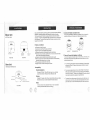
Master Unit
with Power switch
1.
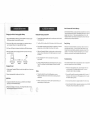
Gonnect the Master and Slave Units
Pull oui the retractable Mini USB from the Master Unit, and connect it
to the Mini USB port of the Slave Unit. Reference diagram below
,$r\/
i-l
valu
Features at a Glance
.
Retractable
Power LED
N,lini USB
lndlcator
Side View
Front View
Slave Unit
with Bluetooth lnterface side
Compact and ideal for travel
aAuto-Connect and Easy-Pairing convenience
. Built-in long-life rechargeable lithium battery
. Wireless connectivity via Bluetooth@ wireless lechnology
.Alternate wired connection capability via Line-ln port is ideal for mobile
devices without Bluetooth@ technology
. Frequency luned amplifier delivers excellent audio quality
r Memory module can memorize last paired device and automatically
reconnect when powered on or in range
. Pop-up acoustic chamber for richer bass.
r Digital Volume controls with Play/Pause button
2.
:l:-\
l{-
PLay,/Pause
Ltne ln
\Volume
]\
Down
Bruetooth LED lndicator
Notes
Front View
Devices need to have a Bluetooth@ stack in order to transmit
wirelessly via Bluetooth@ wireless technology
)
w;;
2
^:-__,/
-4P1,i.""',
n"ti.i"uiv"ilss v
Pair and Connect the Speakers to Device
a previously paired device is found, the speakers will automatically
reconnect, and'the LED liqht will blink slowly, indicating it is paired
with the device.
a. lf
is found, the LED light will continue to
blink rapidly and the speakers will remain in pairing mode waiting for
a device to pair with it. Please refer to Bluetooth@ Operation section fc
more details in pairing the speakers to audio devices.
b. lf no previously paired device
Devices
Desktop PC, Laptop, iPad, iPhone, Android Mobile Devices, tablets,
Blackberry phones, and other Bluetooth@ enabled devices
It_
@
Turn on the master unit's power switch. Once turned on, the slave unit's
Bluetooth@ LED will flash rapidly with blue color as it tries to look for a
previously paired device.
Windows XP, Vista, 7, Mac OSX and newer, Linux, Android,
Apple lOS, Symbian, Windows Mobile, Blackberry OS
Mlni USB poft,
)
v,lJil
Compatibility
Operating Systems
\
,,<€,
-::#
c.
ln port on the slave unit,
simply connect a 3.5mm audio cable (sold separalely) to the Line ln
port of the slave unit and 3.Smm/earphone port of the audio device
To connect to an audio source via the Line
Auto Connect with Device Memory
Charging the Built-in Rechargeable Battery
Bluetooth Pairing lnstructions
The Tweakers@ GoRock can play audio from one paired device at a time
The last paired/connected device is automatically searched for when the
speakers are turned on. lf the previously paired device is found, the
Tweakers@ GoRock automatically reconnects to the device without any
additional pairing or settings adjustment.
1. Plug the Retractable Mini USB plug from the Master Unit to the included
USB charge adapter that came with the product.
1. Connect both speakers together and turn on the power switch located
in the Master Unit.
2. Connect the USB end of the charge adapter to any standard USB port,
such as laptop USB port or 3rd parly USB wall charger.
2. The Blue LED jn the Slave Unit wjll illuminate and start blinking rapidly
Easy Pairing
3. The Power LED light in the Master Unit will light up RED while charging.
3. lfthe speakers cannot find a paired device, the speakers will remain in
pairing mode, and lhe LED light will continue to blink rapidly.
4. When the speakers are fully charged, lhe Power LED color will change
4. While the Tweakers@ GoRock is in pairing mode, on the transmitting
Whenever the Tweakers@ GoRock is turned on, it will try to look for a
previously paired device. lf no devjce is found, the speakers will go
into pairing mode automatically, waiting for a device to connect to the
speakers. This prov/des convenience and ease of use as no special
instructions are required to get the speakers into pairing mode.
from RED to BLUE.
imr
ll ll
[-=]sge
r-.__J
Charging
Source
USB
Charge
Adapter
USB
i3
.Fj
g'"S
Retractable
Mini USB
Gharging Period
1 .
device, such as mobile phone, start its pairing sequence and search
for devices.
5. Select "Tweakers BT" in the list. lf prompted for a password,
key in "0000".
6. Once the Tweakers@ GoRock has acknowledged the pairing request.
The LED in the Slave Unit will blink slowly to indicate a sucessful
pairing.
A fully charged Tweakers@ GoRock can last up to eight hours of continuous
playing time.
2.Typical charging period may take up to four hours.
lnitial Use
1. To maximize battery life, before initial use, please do a pre-charge of
four hours on the Tweakers@ GoRock.
2. Please do not charge unnecessarily, only charge when battery is low or
while playing and charging at the same time.
Notes
a. The pairing method for each transmitting device may vary.
Please consult the device's manual on how to initiate pairing from
such device.
b. lf there is no device paired in memory, the Tweakers@ GoRock will
Troubleshooting
lf the Tweakers@ GoRock does not work properly or does not playback th
audio from a pairqd device, check the following:
1. When in low state of battery power, users may hear static norse
or the Bluetooth@ LED indicator light will turn off. Be sure to
recharge the bui t-in battery immedialely.
2. Ensure the Bluetooth@ connection is enabled wtthin 60 seconds. lf
the device is still not paired, turn off the speaker and turn on again
to restart the pairing process.
3. Ensure connecting device is charged and within 10 meters range.
automatically go into pairing mode.
4. Ensure Tweakers@ GoRock is paired by checking the blue LED light
lf it is paired, the lght shouid blink at a slow interval.
:',;
Amplification
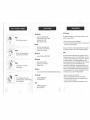
Step
1
Hold one speaker on one hand
N
IN.I
Output Power: RMS 4W, Max 8W
Frequency Response: 100H2 - 20KHz
Signal/Noice Ratio: >70d8
Speaker lmpedance: 4Ohms
Battery
Step 2
With your other hand, press the lop
coveT and turn counter-clockwise
Batiery Type: Lithium Batter 5V DC
Charge Voltage: 5V DC (USB Poweo
Playback Time: Up to 8 hours
Bluetooth@
Version: 2.0+EDR with A2DP / AVRCP
Dimensions
Step 3
Turn and release. The acoustic
chamber pops up.
Speaker Driver Size: q36mm
Dimensions: 53 x 53 x 50 mm x2
Net Weight: 1359
lnterfaces
lnput: 3.5mm stereo jack, Mini-USB, Bluelooth@ wireless technology
Step 4
Part Number
Charcoal: SPKR-R1 SB-CH
Turn on th speaker and start using
with your audio device. Do the same steps
for the other speaker.
Red: SPKR-R1SB-RD
FCC Warning
This device complies with Part 15 of the FCC rules. Operation is subject
to the following two conditions:
1. This device may not cause harmful interference.
2. This device must accept any interference received, including interference
that may cause undersired operation.
Changes or modifications not expressly approved by the party responsible
for compliance could void the user's authority to operate the equipment.
Notes
This equipment has been tested and found to comply with the limits for a
Class B digital device, pursuant to Part 15 of the FCC Rules. These limits
are designed to provide reasonable protection against harmful interference
in a residential inslallation. This equipment generates, uses and can
radiate radio frequency energy and, if not installed and used in accordance
with the instructions, may cause harmful interference to radio
communications. Hd/vever, there is no guarantee that interference will
not occur in a particular installation. lf this equipment does cause harmful
interference to radio or television reception, which can be determined by
turning the equipment off and on, the user is encouraged to try to correct
the interference by one or more of the followlng measures:
.
.
.
.
UPC
Charcoal:6 816'10 00226 6
Red:6 81610 00236 5
Reorient or relocate the receiving antenna.
lncrease the separation between the equipment and receiver
Connect the equipment into an outlet on a circuit different from that
to which the receiver is connected.
Consult the dealer or an experienced radio/TV technician for help.
::
:.j.,:
SAFETY INSTRUCTIONS
Congratulations on the purchase of the speaker system. Wlth the right care
and attention, the speaker will give you years of trouble free operation.
Eefore operating the system, please read this manual fully to obtain the best
results from your new product, and retain it for future relerence.
Please read all the instructions herein. Please retain this manual forfuture
reference. Please heed all safety warnings. Please operate in accordance
with the Manufacturer's instructions. Please adjust the volume control to a
comfortable level to avoid damaging your hearing or the system.
.
The exctamation point with an equilaieral tiangle is inteded to atert the user
the presence of important operating and maintenance (sevicing) inslructions
the literature accompanying the product.
CAUTION: TO PREVENT THE RISK oF ELECTRIG SHOCK, Do NOT
REMOVE COVER (OR BACK). NO USER.SERVICEABLE PARTS INSIDE.
REFER SERVICING TO QUALIFIED PERSONNEL ONLY,
Do not expose this apparatus to rain or moisture.
a Do not use the speakers near water, and do not immerse them in any
liquid or pour any liquid on them.
. Do not block the opening in the speaker cabinets, never push oblects
into the speaker vents or slots, and provide sufflcient space around the
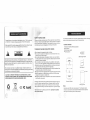
Content Ghecklist
.
.
.
Tweakers@ GoRock Wireless Speakers
User Manual
USB charge adapter
Carrying pouch
r:;lTEl
.--1!-J
USB Charge Adapter
speakers for proper venlilation.
a Do not install near any heat sources such as radiators, heat registers,
stoves, or any other apparatus (including amplifiers) that produce heat.
. Protect the power cord from being walked on or pinched, particularly at
*""""t
f
I:;t:-' --=1\l
1
plugs and points where they exit from the apparatus.
. For added protection during lightning storms, unplug the speakers from
the electrical outlet and turn off the computer.
a Unplug and turn off this apparatus when unused for long periods of time,
. Place the speakers in a stable locatron so that it will not fall, causing
damage to the speakers or bodily harm.
. Unplug the speakers from the computer and from eleclrical outlet before
cleaning with a damp cloth.
Servicing is required when the apparatus has been damaged in any way,
such as the power supply cord or plug is damaged, objects have fallen
into the apparatus, exposure to rain or moisture (or any form of liquid),
does not operate normally, or has been dropped from a significant height.
Conloins Li.lon Boffery
Do nol drtpoie in troth
below are the standard accessories found in every package.
r
TO REDUCE THE RISK OF ELECTRIC SHOCK
The lightning flash with anowhead, with an equilateral triangle, is intended to
the user to the presence of uninsulated and dangerous voltago within the
's enclosare that may be ol a sufficlent magnitude to consitute a risk of
sf,ock fo p6rsons.
The Tweakers@ GoRock can come with a slightly different variation, although
Refer all servicing to qualified personnel only. Opening the speakers
wlll void the warranty.
Tweakers GoRock
Carrying Pouch
Note
lllustrations might differ from actual product. The Charging Adapter
included is customized for the Tweakers@ GoRock Wireless Speakers
and might not necessarily work in other products-