1
Sending a Fax to a Group
Polling Faxes Directly
1 Insert the document.
2 Press _, 13 and _.
3 Use / to select the group to which you would like to
send a fax.
4 Confirm with _.
5 Use / to select SEND FAX?.
6 Confirm with _.
1 Enter the desired telephone number with the number
pad or select a saved entry.
Transmission to Multiple Recipients
If your machine cannot reach a recipient, the fax
message is sent to the other recipients. After the machine has called all recipients, it once again dials the
numbers that previously could not be reached.
Delayed Fax Transmission
Delayed Fax Transmission
If you would like to make use of the lower telephone tariffs
or if the recipient can be reached at some specific time only, you can send the fax at a later time – within 24 hours.
1 Insert the document.
2 Press _, 33 and _.
3 Enter the time, at which the document should be transmitted, e.g. 14 00 for 2 pm.
4 Confirm using _.
5 Enter the desired telephone number with the number
pad or select a saved entry.
6 Selecting a saved entry: Confirm the selected entry using _.
7 Press G. The device goes into standby mode and
transmits the fax at the entered time. You can continue
to place calls and receive faxes.
Press H to eject the document. This interrupts the
standby mode.
Cancel Standby Mode
If you would like to poll fax messages from an extension number or a sub-address, add this after
the telephone number. After entry, press the
number R then enter the extension number or
sub-address. The second part of the number is
only dialled once the connection with the main
number has been established.
2 Hold G pressed (for at least two seconds).
Polling Secure Faxes
Secure Fax Polling
With this function, you can poll faxes that are protected
with a code.
1 Press _, 31 and _.
2 Enter the code.
3 Confirm with _.
4 Enter the desired telephone number with the number
pad or select a saved entry.
5 Press G.
Sending Faxes via Polling
Secure Fax Polling
Protect your document against unauthorised access
with a code.
Secure Fax Polling
A caller who knows the code can poll the fax from your
machine. You can continue to make telephone calls and receive faxes.
1 Insert the document.
2 Press _, 32 and _.
3 Enter a code (max. 20 characters).
4 Confirm with _.
Press H to eject the document. This interrupts the
standby mode.
Cancel Standby Mode
Receiving Faxes
Fax Reception
If you have not changed the factory settings, received faxes
will be printed out immediately. If no paper or no ink film
is inserted, the machine saves the incoming faxes. The
ä button blinks. Once paper or a new ink film is inserted, the saved faxes are printed out.
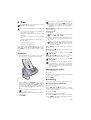
Paper Error
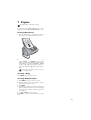
Check whether you have inserted and clamped in the
paper correctly. The lever on the right next to the paper feed mechanism must be pushed back.
Full Message Memory
If the message memory is full, no additional messages can
be received. A warning appears on the display. Observe the
information in the technical data.
Delete Fax Memory Service Code
If there are problems with printing out saved fax
messages, a service code is available (see also section
Service, page 45).
Polling Faxes
Fax Polling
With the fax polling function, you can retrieve faxes that
lie ready in the dialled fax machine. You can also provide
documents on your machine to be polled by others.
26
Using Fax Templates
Fax Templates
Five fax templates, which you can use, are stored in your
device. With these templates you can quickly create, for example, a short fax note or an invitation.
1 Press _, 43 and _.
2 Using / select the template you would like to print.
3 Confirm using _. The device prints the template.
4 Fill the template and send it to the desired recipient per
fax.