1
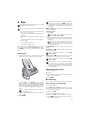
5 Answering Machine
Help 3 · Answering Machine
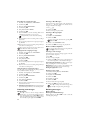
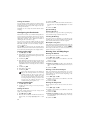
Listening to the Outgoing Message
1 Press b.
2 Dial using / OUTGOING MSG..
3 Confirm using _.
Press i and 3 to print an overview of the answering machine functions.
Switching on and off
On the device
Switching On/Off
Anonymous
Outgoing
on the
Message
Machine
If you do not record a personal announcement, the
answering machine uses the anonymous announcement set by the factory.
Press b three times to turn the answering machine on or
off. If the answering machine is turned on, the symbol œ
appears on the display.
Activating
You can also load the function by pressing _,
71 and _.
You can also load the function by pressing _,
75 and _.
4 Use / to select MESSAGE: PLAY.
5 Confirm with _. The outgoing message is played
back.
Using the Anonymous Outgoing Message
You can replace your personal outgoing message with the
factory default anonymous message.
1 Press b.
2 Dial using / OUTGOING MSG..
3 Confirm using _.
Anonymous Outgoing Message
You can also load the function by pressing _,
75 and _.
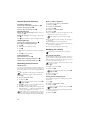
On the cordless telephone
1
2
3
4
5
6
Press /, and using / select VOICE MAIL.
Confirm using _.
Dial using / ON/OFF.
Confirm using _.
Dial using õ EDIT ENTRY.
Using /, select whether you would like the answering
machine to be switched on or off with or without a
message being recorded.
7 Confirm using _.
8 Confirm using ô Valid..
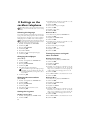
Editing the outgoing message
On the device
Recording an Outgoing Message
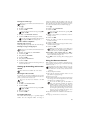
During playback, press V and _ in order to delete
the currently playing outgoing message. Adjust the
volume with /. Stop the playback with H.
Recording the Outgoing Message
1 Press b.
2 Dial using / OUTGOING MSG..
3 Confirm using _.
4 Use / to select MESSAGE: DEFAULT.
5 Confirm with _. The outgoing message is played back.
Using the Outgoing Message Without Recording of Messages
You can record an outgoing message which the caller hears for
which no message can be recorded in reply (= external memo).
1 Press b.
2 Dial using / EXTERN. MEMO.
3 Confirm using _.
Outgoing Message Without Recording of Messages
You can also load the function by pressing _,
76 and _.
4 Use / to select whether you would like the outgoing message to be switched on/off without recording the message.
5 Confirm using _.
When you record an outgoing message, you are
asked, if you would like to use the old outgoing
message or would like to record a new one. Confirm using _.
6 Recording a new outgoing message: Press _
to record the outgoing message. Wait for the confirmation tone before you say your text.
You can also load the function by pressing _,
75 and _.
4 Dial using / MESSAGE: RECORD.
5 Confirm using _.
6 Press _ to record an outgoing message. Wait for the
confirmation tone before you say your text.
The outgoing message must be longer than ten
seconds and shorter than twenty seconds.
The outgoing message must be longer than ten
seconds.
7 Press _ to end the recording. The recording is played
back.
Recording the outgoing message:
If the volume of the outgoing message is too low,
rerecord the same. For recording, lift up the handset
of the device and speak the text into the microphone.
On the cordless telephone
Back and close
7 Press _ to end the recording. The recording is played
back.
Recording the outgoing message:
If the volume of the outgoing message is too low,
rerecord the same. For recording, lift up the handset
of the device and speak the text into the microphone.
Press V to return to the previous menu level. Press
’ to close the menu and return to the starting
mode.
21