1
Other telephone calls
On the cordless telephone
Low battery charge
Not supported everywhere
This function is not available if the battery charge of
the cordless telephone is low. Place the cordless telephone into the charging station.
(Function is not supported in all countries and
networks)
Call Waiting
During a call, you can be informed about another call by a
notification tone (= call waiting) Contact your telephone
company to inquire about whether or not this additional
function is available for your line.
CLIP Prerequisite
For this function to work, the caller line identification (CLIP) must be activated for your telephone
connection (country and network dependent). The
number and name will not be shown if the caller suppresses his number.
On the device
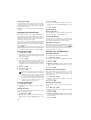
Switching on hands-free
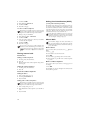
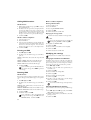
1 During a call, press ô Menu.
2 Using / select Deact..
3 Confirm with _.
Switching off hands-free
1 Select Deact. again.
2 Press ô Deact..
Switching hands-free on/off
You can switch the hands-free mode on and off by
pressing “ button during a telephone call.
Press R, to toggle between the calls.
On the cordless telephone
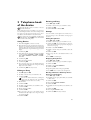
Receiving a second call
During a call, press ôACCEPT to accept the new call.
Switching between calls (= hold)
2: Call waiting
Hot key: Press R, to toggle between the calls.
1 During a call, press ô Menu.
2 Using / select SWITCH.
3 Confirm with _.
Making a second call
Dialling another number
Hot key:Pressõ, and dial the other number.
1
2
3
4
During a call, press ô Menu.
Dial using / SECOND CALL.
Enter the desired number using the numeric keypad.
Press ô Call.
1: Ending a call
Hot key: Press õ and 1, to end the call and to activate the call on hold.
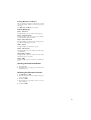
Switching call waiting on/off
You have the option of turning the call waiting function
off too.
1 Press _, 42 and _ on the device.
2 Use / to select whether you would like to turn the call
waiting on or off.
3 Confirm with _.
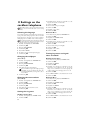
Hands-free
On the device
1 Press ß to dial without lifting up the handset. You will
hear a dial tone from the loudspeaker.
2 Enter the desired number using the numeric keypad or
dial a saved entry. The dialling process begins immediately. Any incorrectly entered numbers can no longer
be changed now.
Mute mode
Mute mode
You can put the handset on mute, if you want to speak to
someone without letting the caller hear the conversation.
On the device
1 During a call, press V. Your caller cannot hear anymore.
2 Press V again to continue with the call.
On the cordless telephone
Switching Dect to mute
1
2
3
4
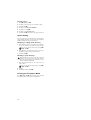
During a call, press ô Menu.
Using / select SECRET.
Confirm with _. Your caller cannot hear anymore.
Press õ Exit to continue with the call.
Mute mode
The mute mode of the cordless telephone can also be
switched on/off by pressing and holding V (at least 2
seconds).
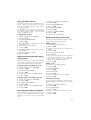
Forwarding a call
Forwarding a call
You can forward calls from the device to registered cordless
telephones. From the cordless telephone, you can forward
calls to the device or to other cordless telephones.
From device
To a cordless telephone
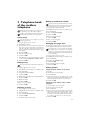
1 During a call, press {.
2 Dial the number of the cordless telephone using the numeric keypad.
3 Hang up.
To all cordless telephones
1 During a call, press {.
2 Hang up.
From the cordless telephone
To the device
1 During a call, press ô Menu.
2 Using / select CALL TRANSFER.
13