1
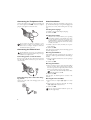
Connecting the Telephone Cord
Initial Installation
Connecting the Telephone Cable
Starting the Initial Installation
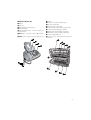
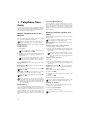
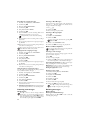
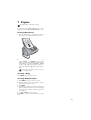
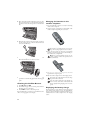
Connect the telephone cord to the device by inserting it in
the socket designated with C. Insert the telephone
plug into your telephone connection socket.
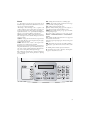
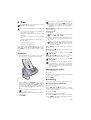
After you have connected your machine to the power supply, the initial installation process begins. Hold i pressed
(for at least two seconds). Your machine prints out a help
page.
Connecting the Telephone Cable
Selecting the Language
1 Use / to select the desired display language.
2 Confirm with _.
Selecting the Country
Setting the Country Correctly
Always set the country in which you are operating
the machine. Otherwise, your machine is not adapted to the telephone network. If your country is not
included in the list, you must select a different setting
and use the correct telephone cable for the country.
Consult your retailer.
Extension
If you connect your device as extension to a telephone system, you must set it for working as an extension (also see Chapter "Telephone connections
and additional devices, page 38).
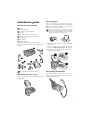
Connecting the Power Cord
Power Type at Setup Location
Check whether the power type of your machine (indicated on the type plate) matches the power type
available at the setup location.
Device power cord
Connecting power cord of the device
Connecting the Power Cable
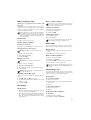
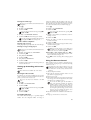
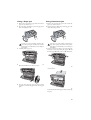
Insert the power cable into the connection located on the
rear side of the machine. Connect the power cable to the
electrical socket.
Connecting the Power Cable
Setting the Country
1 Use / to select the country in which you are operating the machine.
2 Confirm with _.
After this input, the machine prints another help page and
checks the telephone line.
Entering Your Number
Header
Your number and name are printed in the top margin of
every page (= header) together with the date, time and page
number.
1 Enter your telephone number. You can enter a plus sign
with # or *.
2 Confirm with _.
Entering Your Number
Entering Your Name
Entering Your Name
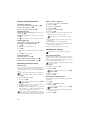
1 Enter your name. Letters are entered with the number
buttons (see labels). Enter special characters with 0.
Press the respective button repeatedly until the desired
letter or special character appears on the display.
You can move the cursor with /. You can delete
individual characters with V.
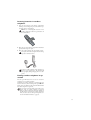
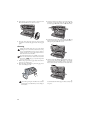
Charging station power cord
Connecting the power cord of the charging station
2 Confirm with _.
After the input, the machine prints an overview of the
functions.
Entering the Time and Date
Entering Time/Date
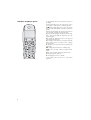
Connect the mains cable of the charging station to the
electrical socket.
Connecting the charging station
1 Enter the time, for example 14 00 for 2 o'clock
p.m.
2 Enter the date (two digits for each field), for example
08 06 07 for July 8th, 2007.
3 Confirm with _.
Help 2 · Initial Installation Process
You can restart the initial installation process any
time. Press i and 2.
4