1
DIGITAL MULTIMETER
DIGITAL MULTIMETER
OPERATING INSTRUCTIONS
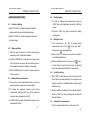
4.9Measurement of AC voltage
OPERATING INSTRUCTIONS
it means the measurement has exceeded the range and
a higher range should be selected.
WARNING
There is the risk of electric shock.
Pay special attention to avoid electric shock when
measuring high voltages.
Do not input any voltage of over AC750V rms,
which may damage the internal circuit though a
higher voltage may be displayed.
3) In the manual range mode, if the scale of the measured
value is unknown beforehand, the highest range should
be set and then lowered down gradually.
4.10 Diode test
4.10.1 Plug the black probe into the COM jack and the red
4.9.1 Plug the black probe into the COM jack and the red
probe into the V jack.
the
―FUNC‖
jack.
4.10.2 Set the range selector to the
4.9.2 Set the range selector to the
4.9.3 Press
probe into the
key
V range position.
to
switch
to
the
AC
measurement mode, and press the ―RANGE‖ key to
select the auto or manual mode.
4.9.4 Connect the test probes to the voltage source or load
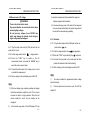
4.10.3 Press the "FUNC" key to switch to the
range position.
test mode.
4.10.4 Connect the red probe to the anode and the black
probe to the cathode of the diode for testing.
4.10.5 Take a reading in the main display area of the LCD.
in parallel for measurement.
4.9.5 Take a reading in the main display area of the LCD.
NOTE:
1)
The meter indicates the approximate forward voltage
drop of the diode.
NOTE:
1) At the low voltage range, unsteady readings will appear
before the test probes contact the circuit. This is normal
2)
If the test probes are reversed or open, the LCD will
display ‗0L‘.
because the meter is highly sensitive. When the test
probes contact the circuit, the true reading will be
displayed.
2)
In the manual range mode, if the LCD displays ‗OL‘ only,
- 19 -
- 20 -