1
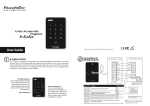
DELETING USER INFO DELETING USER ID Operation: Verify your Admin password > Press 2 > Green LED blinks > Buzzer emits long beep > Insert the user ID for deletion > Press # if the ID is less than 5-digits > Buzzer emits long beep again > Press * to end process Note: You can delete more users by inserting their user ID after the long beep. Only press * after you have finished deleting the users you want. In case the red LED blinks after you’ve inserted the user ID, that particular ID is not available in H3i. DELETING FINGERPRINT Verify your Admin password > Press 2 > Green LED blinks > Buzzer emits short beep > Place the enrolled fingerprint on scanner > Buzzer emits long beep again > Press * to end process DELETING CARDS Operation: Verify your Admin password > Press 2 > Green LED blinks > Buzzer emits long beep > Wave the enrolled card at the induction area > Buzzer emits long beep again > Press * to end process DELETING PASSWORDS Operation: Verify your Admin password > Press 3 > Green LED blinks > Buzzer emits long beep > Insert the set number, for example 2 > Insert 0000 > Insert 0000 one more time > Green LED blinks > Buzzer emits long beep again > Press * to end process Note: Only press * after you’ve finished deleting the fingerprint, card or password data. In case the red LED blinks after you’ve inserted one of the data, that particular user data is not available in H3i. OTHER OPERATIONS ? www.fingertec.com H3i Stand-alone Fingerprint & RESET TO DEFAULT FACTORY SETTINGS You can reset the device back to its default factory settings (including the default admin password, 1234). Operation: Dismantle device > Look for the tamper switch at the back of device > Wait for 30s > Buzzer emits long beep > Press and release the tamper switch 3 times > Install the device back to its position > Press the RESTART button (at the bottom of device) UNLOCK DOOR ADMIN PASSWORD On top of using the admin password as a key to start any operation, you can also use the admin password to unlock doors. Operation: Verify your Admin password > Press 0 > Green LED blinks > Buzzer emits long beep > Press 0 > Green LED blinks > Buzzer emits long beep > Door unlocked successfully Card Access Control System Fingerprint Password Card SPECIFICATIONS MODEL H3i SURFACE FINISHING Acrylonitrile Butadiene Styrene (ABS) TYPE OF SCANNER Non-coated optical scanner MICROPROCESSOR 400 MHz MEMORY 32MB flash memory ALGORITHM BioBridge VX 10.0 PRODUCT DIMENSION (L X W X H), mm 88 x 25 x 88 STORAGE • Fingerprint template 200 • Cards 500 • Passwords 8 sets (max length 4-digits per password) ENROLLMENT & VERIFICATION • Methods Fingerprint (1:N), card & password • Recommended fingerprint per user ID 1 • Fingerprint placement Any angles • Password length (digits) Max 4 • Verification time (sec) <1 • FAR (%) < 0.0001 The LED on H3i will blink during verification. However, you can disable the LED blinks of the device during other operations. • FRR (%) <1 Operation: Verify your Admin password > Press 0 > Green LED blinks > Buzzer emits long beep > Press 3 > Press 0 (to disable) or 1 (to enable) > Green LED blinks > Buzzer emits long beep > Changes done successfully OPERATING ENVIRONMENT ENABLE/DISABLE LED BLINKS DURING IDLE MODE CARD TECHNOLOGY • RFID: 64-bit, 125kHz Yes • MIFARE: MFIS50/S70, 13.56MHz Made to order • Temperature (°C) 0 ~ 45 • Humidity (%) 20 ~ 80 • Power input DC 12V 3A ACCESS CONTROL • EM lock driving output 12VDC / relay output • Alarm output NO only • Door sensor Yes (NO/NC) GROUP VERIFY TYPE DELETING DEVICE INFORMATION Operation: Verify your Admin password > Press 9 > Green LED blinks > Buzzer emits long beep > Press 9 again > Green LED blinks > Red LED blinks Buzzer emits one beep Note: This deletion will not affect the passwords stored in H3i. The password(s) must be deleted one by one. • Password only Yes • Card only Yes • Fingerprint only Yes • Fingerprint/card/password Yes • Card and password Yes • Fingerprint and password Yes NOTE: Specifications are subject to change. Check http://product.fingertec.com for latest product information.