1
www.icarusreader.com
Technical Specifications
Display
Resolution
Supported
File Formats
Adobe DRM
Expansion
Slots
Battery
Other
Interfaces
Dimensions
Weight
9.7”
1200 x 825, 16 Grey scales
Book:EPUB,PDF,FB2,MOBI,TXT,RTF,HTML,HTM,
CHM,PDB,DJVU,DJV,DOC, DOCX,XLS, XLSX,PPT, PPTX,ZIP
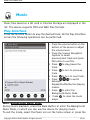
Music: MP3, WAV
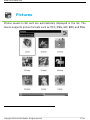
Picture: JPG, BMP, GIF, PNG, TIFF
DRM for EPUB/PDF, built-in Adobe Reader Mobile
SD card, up to 32GB
Lithium Battery, 1600 mAh
mini USB2.0/3.5mm stereo audio jack
241 mm x 178 mm x 11 mm (L x W x H)
528 g
Connecting to a computer
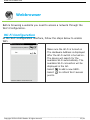
The eXceL can be easily connected to a computer via the USB cable. A
dialog pops up immediately after the connection establishes. Select “Yes”
to confirm the connection.
You can find at least one removable disk (internal flash of device) in the
file manager of the computer. If you insert a memory card into the device,
the memory card is also displayed as a (second) removable disk. The first
removable disk is the eXceL’s internal memory, the second removable
disk is the memory card.
Charging
- You can charge device in two ways:
- Connect the device to a computer by USB cable
- Charge device by the optional ICARUS power adapter, sold separately
via www.icarusreader.com
__________________________________________________________________________________________________________________
Copyright © 2011 ICARUS Reader. All rights reserved.
40 / 41