1
3. Tutorial
LRmix Studio is compatible with any platform having Java version ≥8. The current version of
the software, and future updates, are only distributed on lrmixstudio.org.
3.1 Import sample profiles
The first step in using the software consists in uploading the sample profiles. LRmix Studio
can read files in LRmix and Genemapper® IDX formats (with or without peak heights).
Any marker can be accommodated by the software, provided the same name is used in all
files, although the software is not case-sensitive, it is sensitive to spaces inside maker names:
if for example Penta D is used in the sample file, and PentaD is used in the reference file,
these will be considered as different markers, however pentad, PenTaD, and PENTAD are
considered to be the same marker.
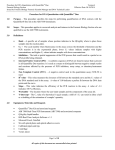
Figure 1. LRmix Studio start-up window.
Buttons
• Load from file chooses the folder from which the user wants to upload the crimesample files,
• Case Number is filled automatically from the name of the folder used to store the
case files, but it can be changed to any other name by the user,
• Restart the software and upload a new case,
• Restore session from Log whenever the software is used, a log file is produced and
placed in the log folder, created in the case folder. The log files are text files that
contain all settings and results of an analysis. They can be uploaded to restore previous
sessions so that the analysis can be redone.
• Add replicate enables adding a sample profile manually.
2