1
54
SATLINK 2 LOGGER AND TRANSMITTER OPERATIONS & MAINTENANCE MANUAL
ABS returns the absolute value of a real number.
ABS(11.456) = 11.456 ABS(-1.345) = 1.345
POLY is used to compute up to a 5th level polynomial equation:
POLY(x, A, B, C, D, E, F) equates to A + Bx + Cx^2 + Dx^3 + Ex^4 + Fx^5
STEINHART(x, A, B, C) is used for Steinhart-Hart equations,
where x is the resistance and result is the temperature in Celsius
A, B and C are thermistor specific constants
Steinhart result is computed like so: 1/(A + B*ln(x) +C*(ln(x)^3)) - 273.15
Comparison can be performed using <, >, <=, >=, !=, and =. The result of a comparison is 1 for true or 0 for false.
The following bitwise boolean operators are supported: AND, OR, XOR, SHL, and SHR. The last two are shift-left and
shift-right. For instance (X SHL 4) would shift X left by 4 bits. AND & OR can also be used in logical expressions. For
instance
(X>100) OR (X<50)
would result in 1 if X is above 100 or below 50; otherwise it would result in 0.
The NOT operator is logical not bitwise. This means that NOT 0 is 1 and NOT 1 is 0. Also, the NOT of any non-zero
number is 0.
eg. (X AND 128) != 0results in a 1 if bit 7 in X is set or 0 if bit 7 is clear. The bit mask 128 is 2^7. This assumes bit 0 is
the least significant bit. In general, the bit mask for any bit N is 2^N.
Equations can also contain references to other sensors:eg. (X + AirTemp)/2
would add X to the AirTemp value and divide by 2.
Comments can be contained within braces { }
{convert from degrees Celsius to degrees Fahrenheit} X*9/5+32
Other examples:
SIN(X)+COS(X)+X^3+LOG(X)
(X>1000)*1000 + (X<=1000)*X {would limit the value so that it could never be greater than 1000}
Troubleshooting:
If Satlink claims that the equation is invalid, and the equation contains references to other measurements, try sending the
setup to Satlink and then retry testing the equation.
The only true test of equation processing is to hit Force Measurement after the equation has been set.
Satlink has a limited amount of memory dedicated to storing the equations. If a message appears saying that the
equation could not be set, and Satlink is nearing the memory limit, then the most likely cause of the problem is lack of
memory space.
If both Equations and Slope and Offset are used, Slope and Offset are applied after the equation is
processed.
Transmissions and Measurements
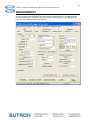
When the “Include” checkbox in “Scheduled Transmissions” is checked, the measurement’s data will
be included in scheduled transmissions. The value in “Num vals to Tx” then determines how many
values to include in the transmission. Likewise, when the “Include” check box in “Random
Transmissions” is checked, the measurement’s data will be included in random transmissions.
Measurement Alarm Settings
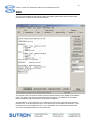
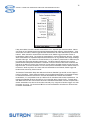
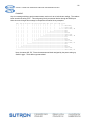
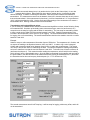
The “Alarm Settings” button opens a dialog that allows the user to configure the conditions in which a
random transmission should be signaled. Beneath the “Alarm Settings” button is text describing
whether any alarms are set up.
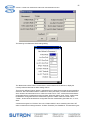
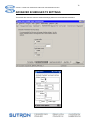
An image of Communicator’s alarm settings dialog appears below: