1
Didactical Test Interrogator - DTI529
Edition Date: 03-Jan-13
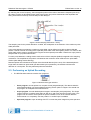
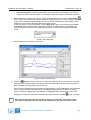
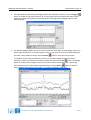
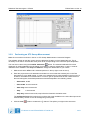
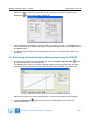
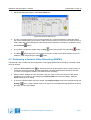
While the measurement is performed, the result is immediately visible.
In case the measurement result is not as expected, the procedure can be halted by pressing the
Halt
button. The DSTC measurement cannot be repeated for the Delta and the Omega Channel
using the DTI529.
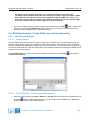
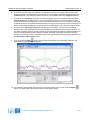
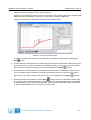
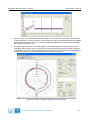
5. When all channels are measured, click the Save
button to save the measurement data to disk.
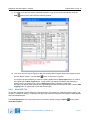
The VI will prompt a standard file dialog, by default pointing to the CALIB subdirectory of the MSSR
or PSR subdirectory of the active campaign folder. Type in the desired file name and save the data
on disk or select Cancel if you do not wish to save the results.
3.3.4.
Exercises
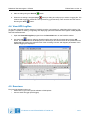
Check what happens if you:
• Disconnect the trigger
• Run the STC measurement in the Downlink simulation (Stop Delay: 1500 microseconds)
• Saturate the low noise amplifier in the front-end
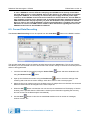
3.4. Sectorial STC Sweep Measurement
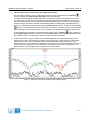
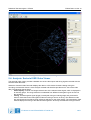
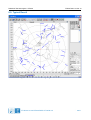
The Sectorial STC measurement result consists of an RF input power versus time table presented versus
azimuth. To be able to measure the gain vs. time delay, the RFA641 needs to be synchronised to the
interrogation signal of the radar under test.
The interrogation trigger signal is used both as start of range and as azimuth indicator. Due to limitations of
the RFA641 digital input hardware, only two timing signals can be connected simultaneously. Therefore the
interrogation count is also used to calculate azimuth.
The RFA641 will inject pulses of a fixed (selectable) power level into the receiver. The (M)SSR’s analog
video output signal is then sampled by the RFA641. This amplitude is passed through the calibration curve in
order to build the STC curve: a gain (dB) versus time delay curve.
3.4.1.
Getting Started
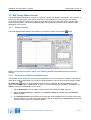
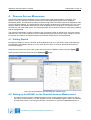
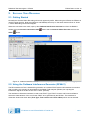
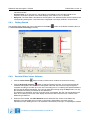
The Sectorial STC software is loaded from the RASS-S Toolbox using the Rx
IE-UM-00171-002 DTI529 RASS-S Tutorial.odt
button.
37/71