1
Enquire: Librarian Training Notes
2.3 What to check before starting your shift
Look to see who your shift partners are – they are the only ones that count. Also, you should
check your pc browser settings before each shift.
2.3.1 Checking your shift partners
There is a rota detailing all participants and their shift times. This can be found at:
http://www.oclc.org/support/services/enquire.en.html
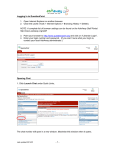
For the purpose of finding out who your shift partners are, click on Staff Rota. You’ll see the page
below, where you can click on the Staff Rota link from the menu bar, an Excel spreadsheet will
download showing which other authorities will be staffing Enquire with you during the shift.
Below is a copy of the staff rota.
1. Shows date and time the rota was last updated.
2. Shows which authorities are also monitoring the 24/7 Reference Cooperative. The blank line
between authorities denotes the two daily sessions: am (09:00-13:00) and pm (13:00-17:00).
OCLC Ltd
Version 4. October 2015
Page 7 of 48