1
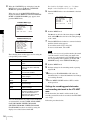
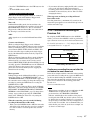
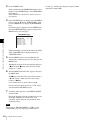
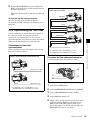
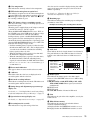
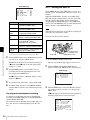
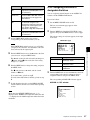
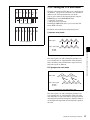
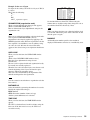
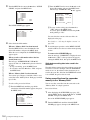
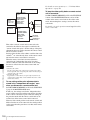
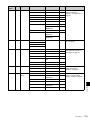
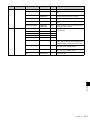
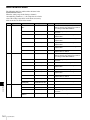
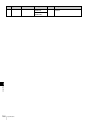
24P (pull-down) mode (DVW-970 with CBK-FC01 only)
23.98 frames per second
A(O+E)
CCD output
B(O+E)
AO
Video output signal
AE
C(O+E)
BO
BE
D(O+E)
BO
CE
CO
A(O+E)
DE
DO
DE
AO
AE
29.97 frames per second
O: Odd
E: Even
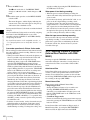
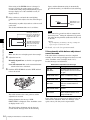
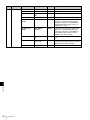
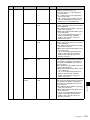
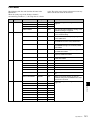
24P mode timing chart
After reading from the CCDs in 24P mode (23.98 frames
per second), a pull-down conversion is carried out to the 30
frames (29.97 frames per second) of the normal
progressive scan mode.
Setting the CCD scan mode to the progressive scan mode
Chapter 5 Menu Displays and Detailed Settings
The scan mode of the camcorder has been set to the
interlace scan mode at the factory. The FORMAT page of
the OPERATION menu allows you to change the CCD
scan mode to the progressive scan mode or 24P mode
(DVW-970 with CBK-FC01 only).
1
2
Follow the procedures given in steps 1 to 3 described
in “5-3-4 Specifying an Offset for the Auto White
Balance Setting” on page 86, to display the FORMAT
page of the OPERATION menu.
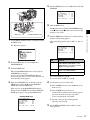
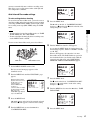
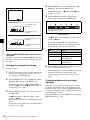
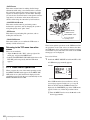
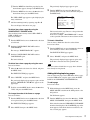
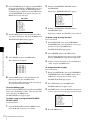
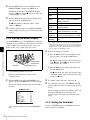
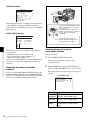
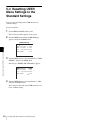
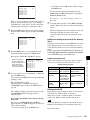
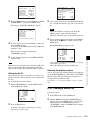
Turn the MENU knob to move the b mark to “SCAN
MODE,” and press the MENU knob.
The b mark on the left of “SCAN MODE” changes to
a z mark, and the z mark on the left of the setting
changes to a ? mark.
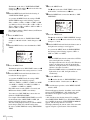
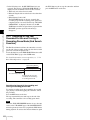
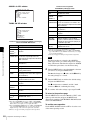
19 FORMAT
16:9/4:3 SELECT :
SCAN MODE
:?
UC/J SELECT
:
16:9
I
UC
(“UC/J SELECT” is displayed only for the DVW-970.)
3
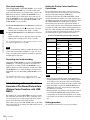
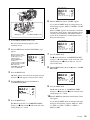
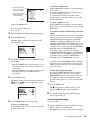
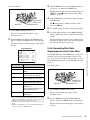
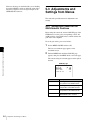
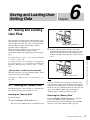
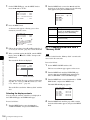
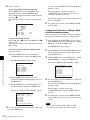
Turn the MENU knob to display “PsF” or “24P,” and
press the MENU knob.
The z mark changes to a b mark, and the ? mark
changes to a z mark.
92
Adjustments and Settings from Menus
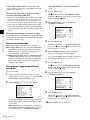
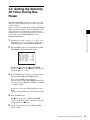
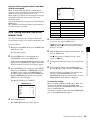
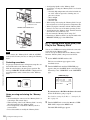
19 FORMAT
16:9/4:3 SELECT :
4
16:9
SCAN MODE
:
PsF
UC/J SELECT
:
UC
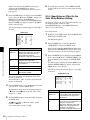
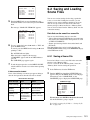
To end the menu operation, set the MENU ON/OFF
switch to OFF.
Note
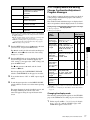
When the CBK-FC01 is connected, “V LPF (24P/30P)
OFF/ON” is displayed under “SCAN MODE” on the
menu. With this function set to “ON,” flicker in the vertical
direction of horizontal/slanted lines in PsF/24P mode will
be decreased (default is “ON”).