1
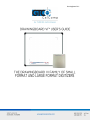
DrawingBoard VI 2
Table of Contents
Introduction
Parts Checklist
What You Will Need to Use DrawingBoard VI
PC Requirements
For a USB Installation
For an Optional Serial Installation
DrawingBoard VI Overview
Active Area
Menu Strip
Indicator Light
Transducer
Setting Up Your DrawingBoard VI
Preparing the Large Format DrawingBoard VI
Mounting on the Stand
Attaching the Optional Accessory Tray or Plan Holder
Software Configuration
Configuring Non-Wintab Applications
Installing the TabletWorks Driver
Hardware Configuration
USB Connection
Optional RS-232 Serial Connection
Tablet Power-On
Customizing the Tablet
Overview of the Menu Strip
Selecting a Pre-Programmed Setup
Selecting a Custom Setup
Tablet Options
Recommended Setups for Common PC Software Applications
Restoring a Pre-Programmed Setup
Learning the Basics
Using the Transducer
Using the Cursor
Using the Pen
Learning Basic Movements
Clicking and Double-Clicking
Dragging
4
5
5
5
5
6
6
6
7
7
7
7
8
8
8
9
9
9
9
10
11
11
12
12
13
14
15
21
26
27
27
27
28
29
29
29