1
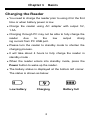
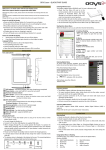
Chapter 1 Basics Charging the Reader You need to charge the reader prior to using it for the first time or when battery power is low. Charge the reader using AC adapter with output 5V, 1.5A. Charging through PC may not be able to fully charge the reader due to the low output charg ing current from PC USB port. Please turn the reader to standby mode to shorten the charging process. It will take about 4 hours to fully charge the reader in standby mode . When the reader enters into standby mode, press the Power button to wake up the reader. The battery status is displayed at the bottom left corner. The status is shown as below: Low battery Charging 3 Battery full