1
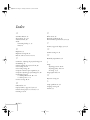
D
I
Declaration of Conformity, 76
Digital camera, connecting, 19 to 20
Distance from projector to screen, 10
Documentation, 4 to 5
Drawing on the screen, 36 to 39
DVD player, connecting, 19 to 20
Image
adjusting, 28 to 30
blurry, 70
capturing and saving in projector, 56 to 57
color, 49
correcting shape, 30, 54, 69
fine-tuning appearance, 49
focusing, 28, 70
help, 41
positioning, 29, 48 to 49
problems, 68 to 70
raising, 29
resizing, 33
size and distance from screen, 10
turning off, 34
zooming, 28, 33
Installing batteries in remote control, 9
Internet, 3, 71
E
Effect menu, 51 to 54
Electronic manuals, 4 to 5
Enter button, 32
EPSON
Accessories, 72
PrivateLine Support, 3, 72
technical support, 71 to 72
Esc button, 32, 37, 48
External speakers, connecting, 21
E-Zoom button, 33
F
FaxAdvice, EPSON, 72
Focus ring, 28
Focusing image, 28
Foot release levers, 29
Freehand line tool
customizing, 53
using, 39
Freeze button, 35
FTP site, EPSON, 71
G
Gamma setting, 49
H
Help, 3, 71 to 72
Help button, 41
Help system, using, 41 to 42
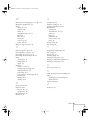
80 Index
K
Kensington anti-theft device, 22
Keystone button, 30, 69
L
Lamp
automatic shut-off, 27, 55
number of hours used, 58
replacing, 62 to 64
warning light, 40, 65 to 67
Language setting, 41
Laptop computer
connecting audio cable, 13
connecting mouse cable, 14
connecting projector, 12 to 13
displaying on, 23, 27
Laser disc player, connecting, 19 to 20
Lens
cap, 23
cleaning, 60
extending, 22
ring, 28
Light button, 31