1
appendix.book Page 3 Tuesday, December 14, 1999 4:08 PM
C
Contents
A
Connecting to a
Desktop
Computer
B
Using the
Projector
Menus
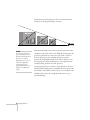
Positioning the Projector . . . . . . . . . . . . . . . . . . . . . . . . . . . . 5
Identifying the Projector Ports . . . . . . . . . . . . . . . . . . . . . . . . 7
Connecting to a PC Desktop Computer . . . . . . . . . . . . . . . . 7
Connecting the Computer Cable . . . . . . . . . . . . . . . . . . 8
Connecting the Audio Cable . . . . . . . . . . . . . . . . . . . . . . 9
Connecting the Cable for Remote Mouse Control . . . . . 9
Connecting to a Desktop Macintosh . . . . . . . . . . . . . . . . . . 10
Connecting the Computer Cable . . . . . . . . . . . . . . . . . 11
Connecting the Audio Cable . . . . . . . . . . . . . . . . . . . . . 13
Connecting the Cable for Remote Mouse Control . . . . 13
Turning the Projector On and Off . . . . . . . . . . . . . . . . . . . 14
Turning On Other Equipment . . . . . . . . . . . . . . . . . . . 16
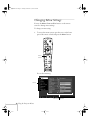
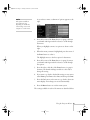
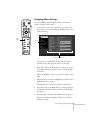
Changing Menu Settings . . . . . . . . . . . . . . . . . . . . . . . . . . . 18
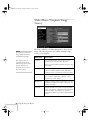
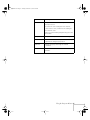
Video Menu (Computer Image Source) . . . . . . . . . . . . . . . . 20
Video Menu (Video Image Source) . . . . . . . . . . . . . . . . . . . 22
Audio Menu . . . . . . . . . . . . . . . . . . . . . . . . . . . . . . . . . . . . 23
Effect Menu . . . . . . . . . . . . . . . . . . . . . . . . . . . . . . . . . . . . 24
Setting Menu . . . . . . . . . . . . . . . . . . . . . . . . . . . . . . . . . . . . 25
User’s Logo Feature . . . . . . . . . . . . . . . . . . . . . . . . . . . . . . . 26
Capturing the Image . . . . . . . . . . . . . . . . . . . . . . . . . . . 26
Assigning the Image to the No-Signal Message
and/or A/V Mute Button . . . . . . . . . . . . . . . . . . . . 29
Advanced Menu . . . . . . . . . . . . . . . . . . . . . . . . . . . . . . . . . 30
About Menu (Computer Image Source) . . . . . . . . . . . . . . . 31
About Menu (Video Image Source) . . . . . . . . . . . . . . . . . . . 32
Reset All Feature . . . . . . . . . . . . . . . . . . . . . . . . . . . . . . . . . 32
3