1
MultiSight™ User Manual
Start-up
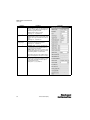
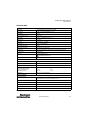
Parameter
Description
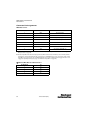
Min. scaling2
Minimum factor for scaling the size of the contour.
Values = 0.5 … 1.0, default = 1.0
Max. scaling2
Maximum factor for scaling the size of the contour.
Values = 1.0 … 1.5, default = 1.0
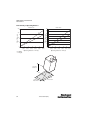
Starting angle2
Angle at which the search starts. Search in clockwise
direction.
Values = -180° … 179°, default = -10°
0° = 12:00am on a clock
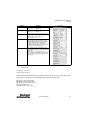
Total angle2
Maximum search angle. Used to reduce the angular
positions that are inspected, so that only a contour
with minimal displacement from the original angular
position is matched. E.G. – The application is to
confirm that a part is in the correct orientation, so
reduce the Total angle. If the part is not in the correct
orientation, the contour will not be found.
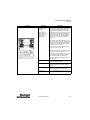
Threshold Contour2
Threshold Contour defines the minimum evaluation
score for the inspection to pass. Threshold is adjusted
by the slider.
Values = 0.00 … 1.00 in increments of 0.05
The threshold value is depicted by a small vertical black
line on the detector results bar graph when the sensor
is in run mode.
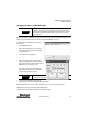
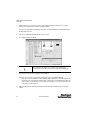
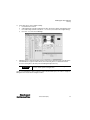
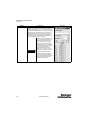
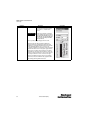
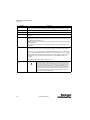
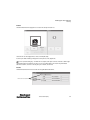
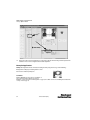
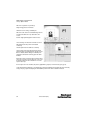
Screen Shot
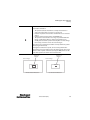
Note: The default settings for all Contour Matching parameters can be used for most
applications
1 Parameter for teaching
2
Parameter for evaluation
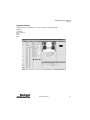
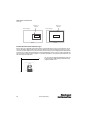
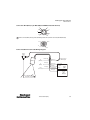
The angle information displayed in the Results area and available via the EtherNet/IP connection is only a rough estimation. To help
improve the precision of angle data, the Contour Matching parameters should use the following settings:
Edge contrast: set value as high as possible
Edge gradient: set value as low as possible
Min. edge length: set value as high as possible
Search mode: Complete Search
Edge width: set value as low as possible
10000000877(02)
39