1
Contents
Chapter 1
Hardware and Internet Setup
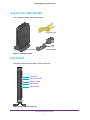
Unpack Your Cable Modem . . . . . . . . . . . . . . . . . . . . . . . . . . . . . . . . . . . . . . . . . . . . 5
Front Panel . . . . . . . . . . . . . . . . . . . . . . . . . . . . . . . . . . . . . . . . . . . . . . . . . . . . . . . . . . 5
Back Panel. . . . . . . . . . . . . . . . . . . . . . . . . . . . . . . . . . . . . . . . . . . . . . . . . . . . . . . . . . . 6
Product Label . . . . . . . . . . . . . . . . . . . . . . . . . . . . . . . . . . . . . . . . . . . . . . . . . . . . . . . . 7
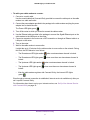
Cable Your Cable Modem. . . . . . . . . . . . . . . . . . . . . . . . . . . . . . . . . . . . . . . . . . . . . . 7
Cable Your Cable Modem to a Router . . . . . . . . . . . . . . . . . . . . . . . . . . . . . . . . . 7
Cable Your Cable Modem Directly to a Computer. . . . . . . . . . . . . . . . . . . . . . . 9
Set Up Your Internet Service with Comcast Xfinity . . . . . . . . . . . . . . . . . . . . . . . 10
Use the Self-Activation Process to Set Up Your Internet Connection . . . . . 10
Call Comcast Xfinity to Set Up Your Internet Connection . . . . . . . . . . . . . . . 10
Chapter 2
Manage and Monitor
Log In to the Cable Modem . . . . . . . . . . . . . . . . . . . . . . . . . . . . . . . . . . . . . . . . . . .
View Cable Modem Initialization. . . . . . . . . . . . . . . . . . . . . . . . . . . . . . . . . . . . . . .
View Cable Modem Status . . . . . . . . . . . . . . . . . . . . . . . . . . . . . . . . . . . . . . . . . . . .
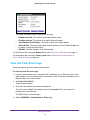
View and Clear Event Logs. . . . . . . . . . . . . . . . . . . . . . . . . . . . . . . . . . . . . . . . . . . .
Change the admin Password . . . . . . . . . . . . . . . . . . . . . . . . . . . . . . . . . . . . . . . . . .
Reboot the Cable Modem . . . . . . . . . . . . . . . . . . . . . . . . . . . . . . . . . . . . . . . . . . . .
Reset the Cable Modem to Factory Default Settings . . . . . . . . . . . . . . . . . . . . .
Use the Reset Button on the Back Panel . . . . . . . . . . . . . . . . . . . . . . . . . . . . . .
Use the Factory Reset Software Button . . . . . . . . . . . . . . . . . . . . . . . . . . . . . .
Change the Cable Connection Starting Frequency . . . . . . . . . . . . . . . . . . . . . . .
Chapter 3
13
13
14
15
16
17
18
18
19
20
Troubleshooting
Use LEDs to Troubleshoot . . . . . . . . . . . . . . . . . . . . . . . . . . . . . . . . . . . . . . . . . . . . 23
Cannot Log In to the Cable Modem . . . . . . . . . . . . . . . . . . . . . . . . . . . . . . . . . . . . 24
Troubleshoot the Cable Internet Connection . . . . . . . . . . . . . . . . . . . . . . . . . . . . 24
Appendix A
Technical Specifications
3