1
[
S N O M
105 USE
R
MAN
U A L
V2.02 ]
Redirect Time
Here, the timeout in seconds after which the call should be
diverted is specified.
Press the menu key in the idle state and select the submenu
“Settings / Redirection / Redirect Time”.
Base
Language
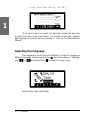
Your phone is able to display all texts in different languages. Just
press the menu key in the idle state and select the submenu “Settings/
Base/Language” or the equivalent if you currently have another language
set.
Display Method
Here, the display of incoming and outgoing callers can be
specified:
§
Show Full Contact: Show the complete SIP URL
§
Only Name: Just the name is displayed
§
Only Number: Only the number will be displayed
Contrast
Here, the contrast of the display can be changed. Just press
the menu key in the idle state and select the submenu “Settings/Base/
Contrast”.
Number Guessing
Here, the number guessing functionality can be activated or
deactivated. Press the menu key in the idle state and select the submenu
“Settings / Base / Number Guessing”.
snom technology AG •
61
6