1
XR3000
Set Up Guide 8.
Repeatable data entry with EID, no weighing or drafting
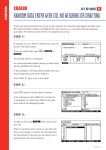
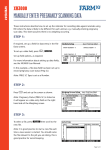
STEP 4:
Optimise the system for the task being performed.
Press
,
.
As animals are not being weighed, set Weight
Recording to Off in order to increase the speed of
data entry.
Tick ID Entry Creates File Rec to allow the XR3000
to record data without weighing.
STEP 5:
Set up the EID device.
Ensure the EID reader is plugged into CON 2.
Press
,
,
.
Set up the screen as shown:
STEP 6:
The main screen should be displayed as shown:
Note: When the data is entered for sex the field
will remain and repeat for each animal. If this
is changed during weighing it will continue to
repeat with the new value.
Need more help?
For further information regarding your stock management system
contact Tru-Test on 1800 641 324 (AU) or 0800 878 837 (NZ)
02 0510
Page 2 of 2