1
Screen Control System Instruction
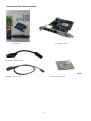
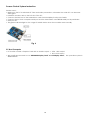
Sender card:
• Make sure the PC is switched off. Take anti-static precautions, otherwise the entire PC can become
damaged.
• Install the sender card on the PCI slot of the PC;
• Connect the DVI Port of the transmission card and DVI Display Port by DVI Cable;
• Connect the PC host computer serial port and the transmission card RS232 serial port by serial wire.
• Start your PC.
• The green indicator light on the stage of twinkle status when the modules work normally.
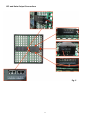
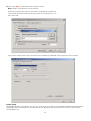
Fig. 6
PC Host Computer
• PC should contain a Graphic Card with a double output: • VGA + DVI output
• DVI + DVI output
• We usually recommend to use “GEFORCE Display Card” or “ATI Display Card”,the operation system is
WINDOWS XP.
10